
modèle admission form
Avec l'ensemble traditionnel de fonctionnalités pour afficher et remplir un document PDF, combiné aux avantages d'une application Web et d'une mise en page réactive, vous pouvez compléter admission form en quelques minutes.


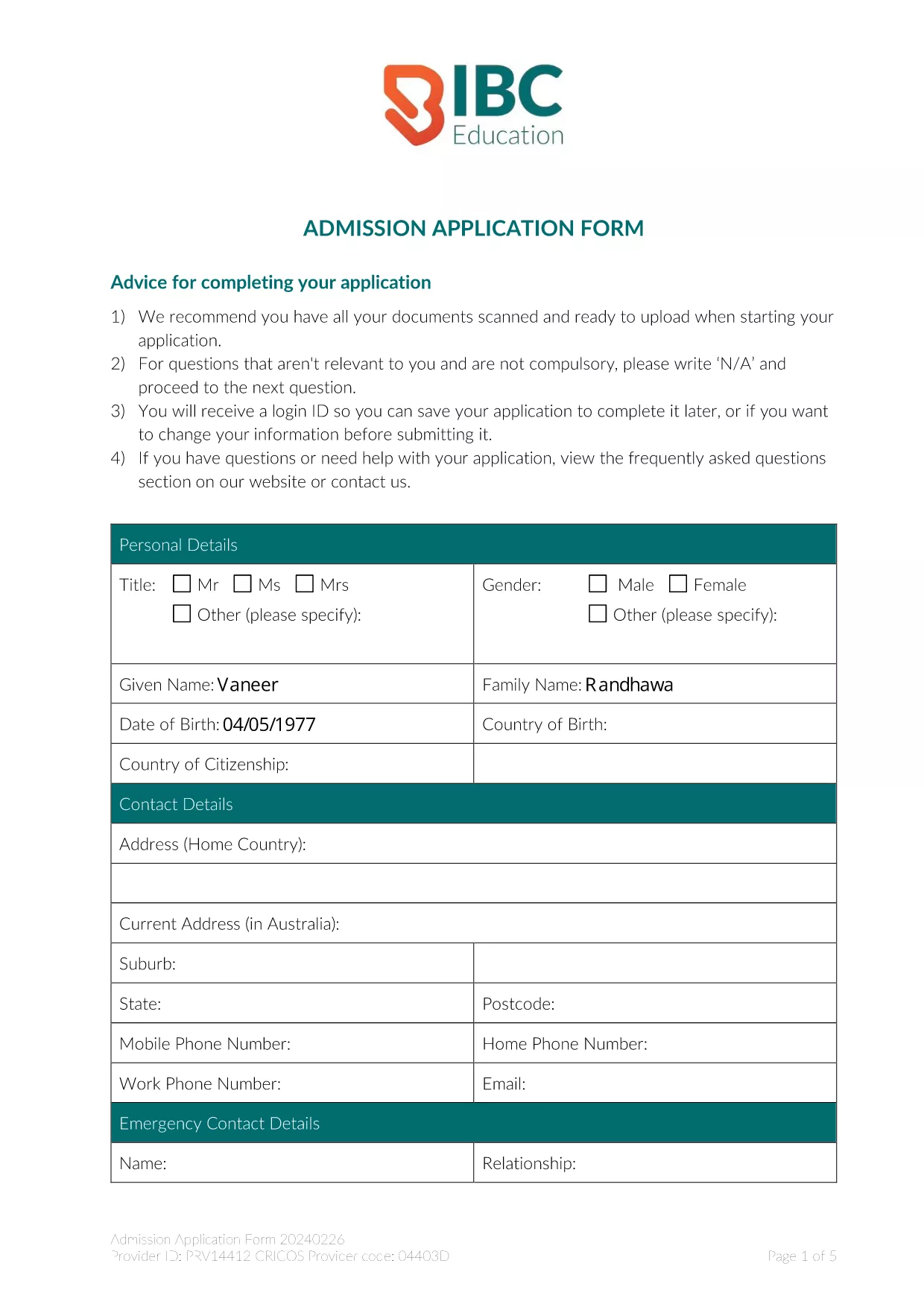
Looking for a fast, error‑free way to submit your admission application? Our fillable PDF version lets you complete the entire Admission Application Form directly in your browser, without installing any software.
A fillable PDF provides:
The form is divided into clear sections:
Instead of downloading the PDF and opening a separate editor, simply click the "Fill out this form" button on this page. The Formize PDF Filler app loads instantly, and you can start typing, selecting dates, and uploading files right away.
When you finish, click Save & Download to get a copy for your records, then submit the PDF through your school’s admission portal or email it to the address provided in the form instructions.
Need help? Review our FAQ section below or contact the admissions office of your chosen institution.
No. The Formize PDF Filler works in any modern browser, so you can complete the form without installing additional software.
Yes. Use the "Save" button at any time. The file is stored locally on your device, and you can reopen it in the Formize filler to continue.
PDF, JPG, and PNG are accepted. Each file must be under 5 MB.
All data stays on your computer while you fill out the form. Formize does not store your personal information on any server.
Select the signature field, then either draw your signature with a mouse/touchscreen or type your name. The filler will convert it into a secure signature image.
Use the "Clear" button next to each field to erase the entry, or simply click backspace to edit the text.
Only if your institution specifically requests a hard copy. Otherwise, the electronic PDF is sufficient for most admissions processes.
Avec l'ensemble traditionnel de fonctionnalités pour afficher et remplir un document PDF, combiné aux avantages d'une application Web et d'une mise en page réactive, vous pouvez compléter admission form en quelques minutes.
Le moyen le plus simple de remplir des formulaires PDF en ligne
Supprimer la session de remplissage
Supprimer la session d'édition