
Choisir la langue

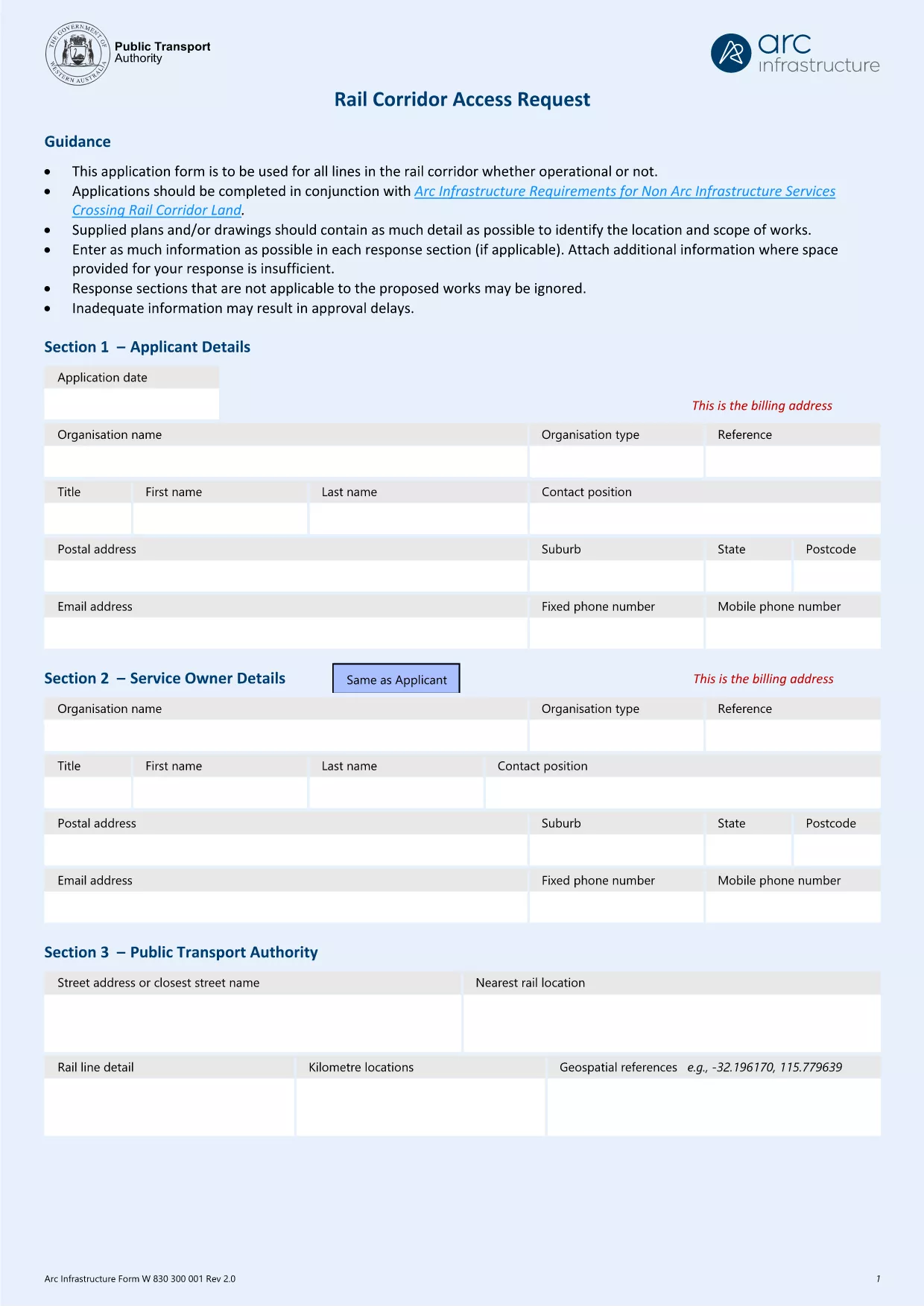
Arc Infrastructure TPS Application Form (hr@arcs.af) – Fillable PDF

  1. De campagne Australie
  2. Langue Anglais
  3. Activité Rail Corridor Access
  4. département Infrastructure
Arc Infrastructure TPS Application Form (hr@arcs.af) – Fillable PDF

The Arc Infrastructure TPS Application Form (referenced by the email address hr@arcs.af) is required for anyone seeking permission to cross or use rail corridor land managed by Arc Infrastructure. Instead of printing, printing‑and‑scanning, or dealing with cumbersome paper copies, you can now complete the form instantly online with our Formize PDF Filler. The fillable PDF is fully compatible with all modern browsers and devices.

Our landing page gives you direct access to the official PDF, a step‑by‑step guide, and answers to the most common questions, ensuring a smooth and error‑free submission.

Key benefits of using the online fillable version:

  • Instant loading – no need to download and open a separate editor.
  • Auto‑save functionality keeps your progress safe.
  • Built‑in validation reduces mistakes.
  • Download a completed copy for your records or submit directly to Arc Infrastructure.

Ready to start? Click the “Fill out this form” button below and let the Formize PDF Filler do the heavy lifting.

FAQ
  • Do I need Adobe Acrobat to fill this form?

    No. The Formize PDF Filler works in any modern browser and does not require Adobe Acrobat or any additional plugins.

  • Can I edit the form after I have saved it?

    Yes. Open the saved PDF again with the Formize filler or any standard PDF editor to make changes, then re‑save.

  • What if I encounter a validation error?

    The filler highlights the problematic field and provides a short message (e.g., missing phone number, incorrect date format). Correct the entry and re‑validate.

  • Is the information I enter secure?

    All data is processed locally in your browser; nothing is uploaded to external servers unless you choose to share the completed PDF.

  • Can I print a hard‑copy after completing the form?

    Absolutely. Use the **Print** button in the filler or your browser’s print function to produce a paper copy.

  • What is the deadline for submitting this application?

    Check the notice on the form itself or any correspondence from Arc Infrastructure; deadlines vary by project.

COMMENT

Comment remplir Arc Infrastructure application form gratuitement, en ligne en 5 étapes simples :

  1. 1
    Open the Fillable Form
    Click the **Fill out this form** button on this page. The Formize PDF Filler app will launch in a new tab.
  2. 2
    Wait for the Filler to Load
    The app loads the TPS Application Form automatically. A loading spinner indicates progress; this usually takes a few seconds.
  3. 3
    Complete Each Section
    Enter your details directly into the highlighted fields. Use the tab key or click to move between sections. Required fields are marked with a red asterisk.
  4. 4
    Validate and Save
    When you finish, click **Validate** to let the filler check for missing or incorrectly formatted data. Then click **Save** to download a copy to your device.
  5. 5
    Submit to Arc Infrastructure
    Attach the saved PDF to an email addressed to hr@arcs.af or follow any additional submission instructions provided by Arc Infrastructure.
Formize l'application PDF Filler
À PROPOS

modèle Arc Infrastructure application form

Avec l'ensemble traditionnel de fonctionnalités pour afficher et remplir un document PDF, combiné aux avantages d'une application Web et d'une mise en page réactive, vous pouvez compléter Arc Infrastructure application form en quelques minutes.

CARACTÉRISTIQUES

Remplisseur de PDF

Le moyen le plus simple de remplir des formulaires PDF en ligne

  • Remplissez rapidement Arc Infrastructure application form
    Vous cherchez un moyen de remplir rapidement Arc Infrastructure application form en ligne ? Avec notre remplisseur de formulaire PDF gratuit en ligne, vous saurez comment éditer et remplir ce document pdf en moins d'une minute.
  • Éditeur PDF en ligne facile à utiliser
    Vous en avez assez d'imprimer des fichiers PDF pour pouvoir les modifier avant de les renumériser et de les renvoyer ? Modifiez des documents PDF gratuitement en ligne. Utilisez notre éditeur de pdf en ligne pour gagner du temps et du papier.
  • Excellents outils, toutes plateformes
    Vous vous demandez comment remplir Arc Infrastructure application form sur un Mac, ou peut-être comment utiliser un remplisseur PDF gratuit ? Nos outils PDF en ligne fonctionnent sur toutes les plateformes.
  • Stockage de fichiers sécurisé
    Les fichiers "Arc Infrastructure application form" terminés sont stockés dans une base de données sécurisée gérée par l'hébergement Amazon Cloud. Vous pouvez supprimer vos fichiers de notre système à tout moment. Dans tous les cas, ces fichiers sont automatiquement supprimés après 24 heures.
  • Discutez avec Arc Infrastructure application form
    Discutez avec "Arc Infrastructure application form" sur Chatize qui est un assistant de lecture PDF gratuit. Posez des questions et obtenez des réponses de "Arc Infrastructure application form". Cliquez simplement sur le bouton Discuter avec un document ci-dessus.

Supprimer la session de remplissage

Supprimer la session de remplissage sélectionnée ? Dans ce cas, votre progression dans le remplissage du formulaire sera perdue.

Supprimer la session d'édition

Supprimer la session de modification sélectionnée ? Dans ce cas, votre progression dans la création et la modification du formulaire sera perdue.