


Formulaires de l'Internal Revenue Service (IRS)
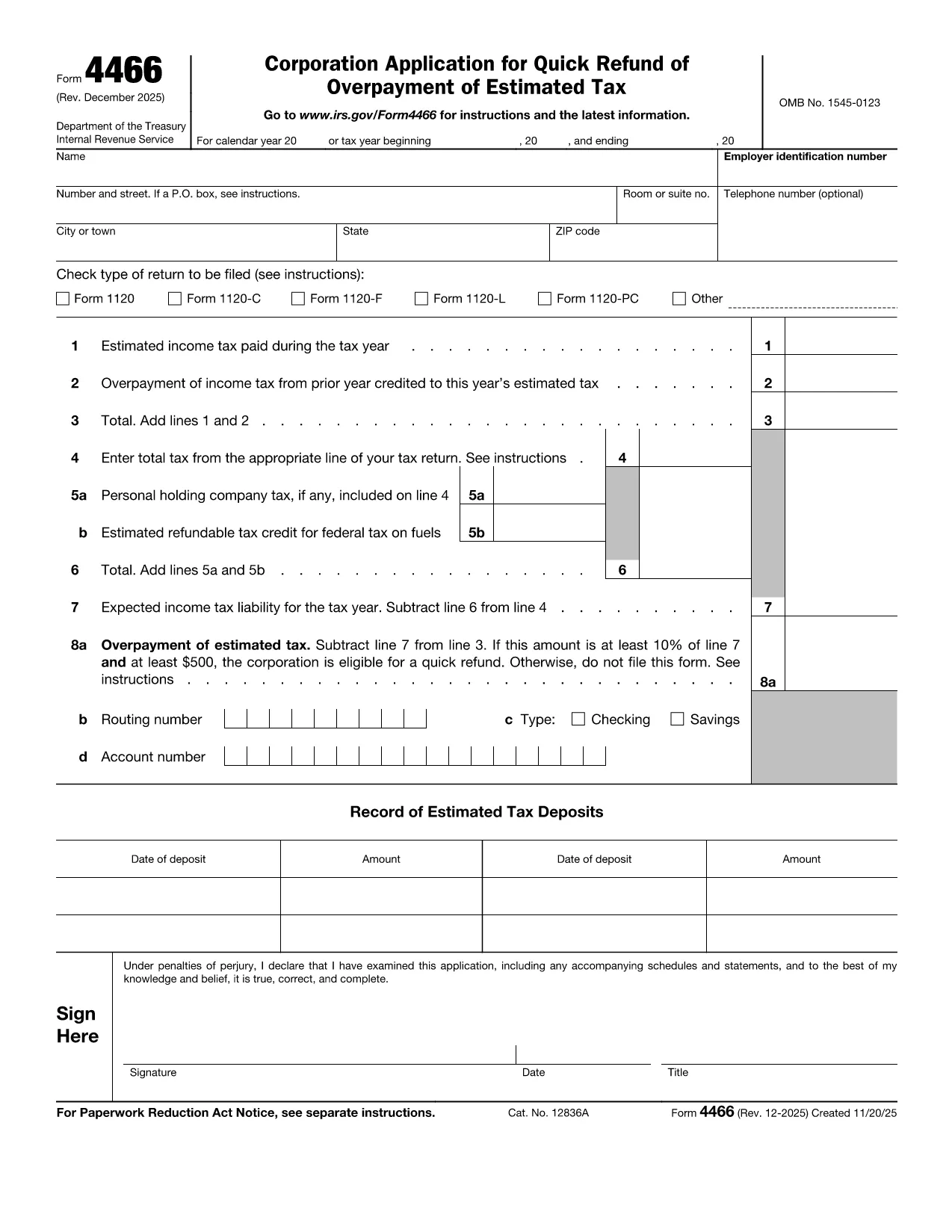
Form 4466 est l'un des formulaires fiscaux officiels utilisés aux États-Unis pour déclarer les revenus, demander des déductions et des crédits, calculer l'impôt à payer et remplir d'autres obligations fiscales. L'IRS est l'agence fédérale chargée d'administrer et de faire respecter les lois sur les revenus internes aux États-Unis.
Voici quelques exemples de formulaires de l’Internal Revenue Service :
Formulaire 1040 : il s'agit du principal formulaire de déclaration de revenus des particuliers utilisé par la plupart des contribuables. Il est utilisé pour déclarer divers types de revenus, demander des déductions et des crédits, calculer l'impôt à payer et déterminer si un contribuable doit un impôt supplémentaire ou a droit à un remboursement.
Formulaire 1099 : il existe différentes variantes du formulaire 1099, telles que 1099-MISC, 1099-INT, 1099-DIV, etc. Ces formulaires sont utilisés pour déclarer les revenus reçus par des particuliers ou des entreprises provenant de diverses sources autres que l'emploi, comme le travail indépendant. les revenus, les revenus d’intérêts, les revenus de dividendes et les revenus de location.
Formulaire W-2 : ce formulaire est utilisé par les employeurs pour déclarer les salaires versés aux employés et les impôts. retenus sur leur salaire. Les employés utilisent les informations du formulaire W-2 pour remplir leurs déclarations de revenus individuelles.
Formulaire 941 : les employeurs utilisent ce formulaire pour déclarer les impôts sur l'emploi, y compris l'impôt fédéral sur le revenu retenu, l'impôt de sécurité sociale et l'impôt Medicare, pour leurs employés.
Formulaire 1065 : ce formulaire est utilisé par les sociétés de personnes pour déclarer leurs revenus, leurs déductions et leur obligation fiscale. Les sociétés de personnes elles-mêmes ne paient pas d'impôt sur le revenu ; les associés déclarent plutôt leur part du revenu de la société de personnes dans leur déclaration de revenus individuelle.
Formulaire 1120 : Il s'agit du formulaire de déclaration de revenus des sociétés utilisé par les sociétés C pour déclarer leurs revenus, déductions et assujettissement à l'impôt.
Formulaire 990 : ce formulaire est utilisé par les organisations exonérées d'impôt, telles que les organisations à but non lucratif et les associations caritatives, pour déclarer leurs informations financières, leurs activités et leur conformité aux lois fiscales.
Formulaire 8862 : ce formulaire est utilisé par les contribuables qui ont déjà demandé le crédit d'impôt sur le revenu gagné (EITC). mais je l'ai fait refuser et je veux maintenant le réclamer à nouveau.
Ce ne sont là que quelques exemples des nombreux formulaires IRS qui existent pour remplir diverses obligations fiscales. Les formulaires spécifiques requis pour un particulier ou une entreprise dépendent de sa situation particulière, de ses sources de revenus et de ses déductions. Il est conseillé de consulter le site Web officiel de l'Internal Revenue Service (www.irs.gov) ou de demander conseil à un fiscaliste professionnel pour obtenir des informations précises et à jour concernant l'IRS spécifique. formulaires pertinents à votre situation fiscale.