
Choisir la langue

UNISA Application Form – Fillable PDF Online

  1. De campagne South Africa
  2. Langue Anglais
  3. Activité Higher Education
  4. département Education
UNISA Application Form – Fillable PDF Online

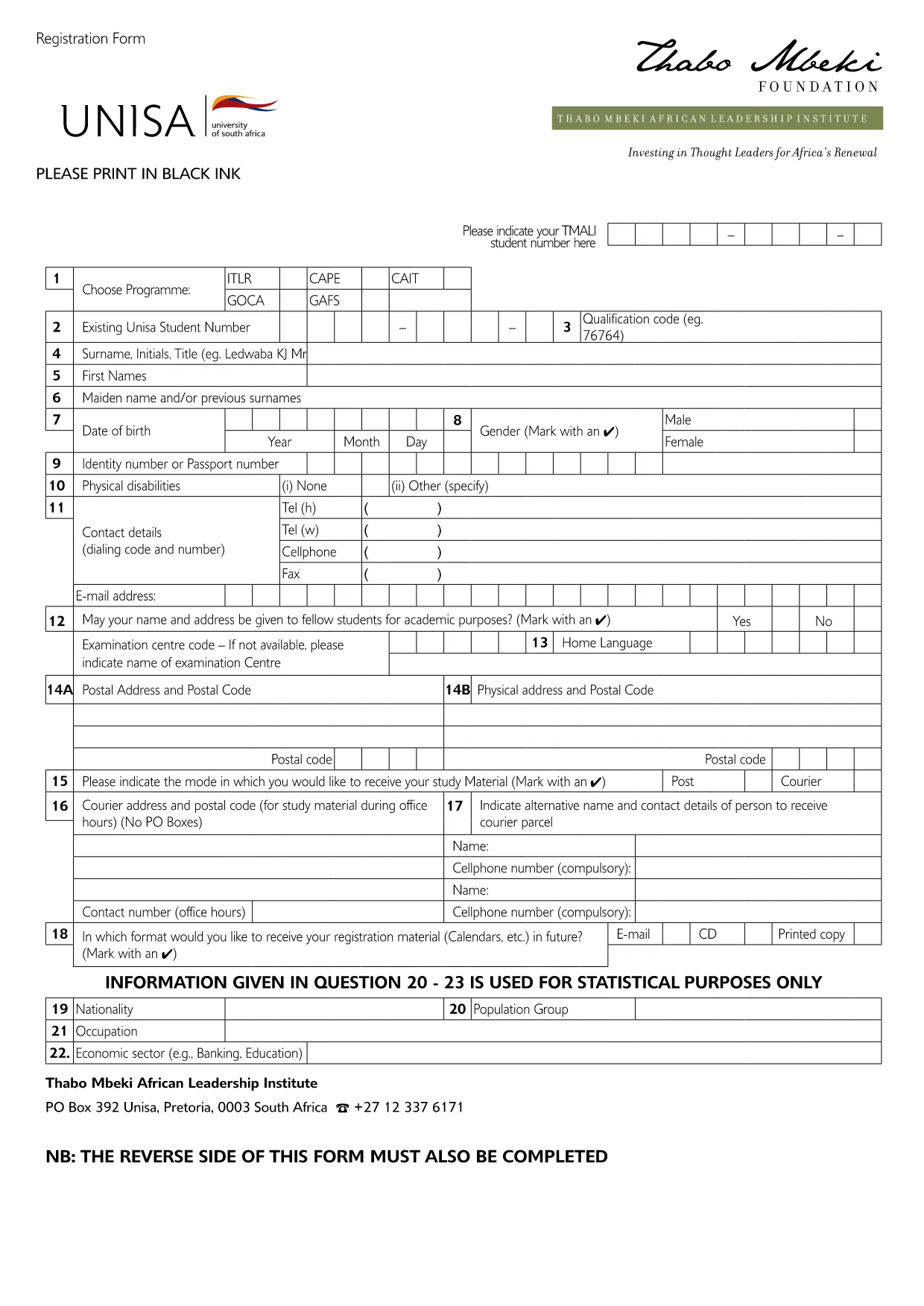
Looking for the official UNISA application form for the 2027/2028 academic year? You’re in the right place. Our page offers a direct download of the fillable PDF and an instant online editor powered by Formize, so you can complete, save, and print the form without any extra software.

Why Use the Online Fillable UNISA Form

Filling out the UNISA registration PDF on paper can be time‑consuming and prone to errors. By using the online Formize PDF Filler you get:

  • Instant loading – no need to install a PDF editor.
  • Auto‑save while you type, preventing data loss.
  • Clear validation messages to avoid common mistakes.
  • One‑click download of the completed PDF for printing or electronic submission.

How to Complete the UNISA Application Form

Follow these simple steps to finish your application:

  1. Click the "Fill out this form" button below.
  2. Wait a few seconds while the Formize PDF Filler loads the UNISA application PDF.
  3. Review the pre‑filled sections (e.g., form title, instructions).
  4. Enter your personal details, academic history, and program choice.
  5. Upload supporting documents where required (optional – you can attach them later when submitting).
  6. Click Save to store a copy in your browser, then Download the completed PDF.
  7. Submit the saved PDF to UNISA via their online portal or by email as instructed on the form.

Required Documents and Common Mistakes

Before you start, gather the following documents to avoid delays:

  • Valid South African ID or passport (for international applicants).
  • Certified copies of your school qualification (e.g., National Senior Certificate).
  • Official tertiary academic records, if you have prior study.
  • Marriage certificate or divorce decree, if applicable.
  • Sworn translations for any non‑English documents.

Common mistakes to avoid:

  • Leaving mandatory fields blank – the filler will highlight them.
  • Using informal abbreviations (e.g., "St" instead of "Street").
  • Uploading non‑certified copies of required documents.
  • Submitting the form after the UNISA deadline.

Submit Your Application and Next Steps

Once you have downloaded the completed PDF, log in to the UNISA official portal and follow their submission guidelines. After submission, you will receive a confirmation email with a reference number. Keep this number handy for future correspondence.

Need help? Review the FAQs below or contact UNISA directly using the contact details on their website.

FAQ
  • Is the UNISA application form free to download?

    Yes, the PDF is provided at no cost. You can download and fill it online using Formize for free.

  • Can I edit the form after I have downloaded it?

    Absolutely. The Formize PDF Filler lets you make changes at any time before you save and download the final version.

  • What file format will I receive after completing the form?

    You will receive a standard fillable PDF that can be printed or submitted electronically.

  • Do I need Adobe Acrobat to fill the UNISA form?

    No. The Formize online filler works in any modern browser, so no additional software is required.

  • How do I know if my application has been accepted?

    After you submit the completed PDF through UNISA’s portal, you will receive a confirmation email with a reference number.

  • What if I make a mistake while filling the form?

    You can edit any field until you click the final "Download" button. Use the "Undo" option or simply re‑type the correct information.

  • Are there any size limits for uploaded supporting documents?

    UNISA typically allows files up to 5 MB each. Check the specific program’s guidelines for exact limits.

  • Can I save my progress and return later?

    Yes. Click the "Save" button to store a copy in your browser. When you return, click "Load" to continue where you left off.

COMMENT

Comment remplir UNISA application form gratuitement, en ligne en 5 étapes simples :

  1. 1
    Click the Fill‑out Button
    Press the "Fill out this form" button on the page to launch the Formize PDF Filler.
  2. 2
    Wait for the PDF Filler to Load
    The fillable UNISA application PDF will appear in the browser within a few seconds.
  3. 3
    Enter Your Details
    Complete each required field, following the on‑screen prompts and validation messages.
  4. 4
    Save and Download
    Click "Save" to store your progress, then click "Download" to get the finished PDF.
  5. 5
    Submit to UNISA
    Upload the downloaded PDF via the UNISA online portal or send it by email as instructed.
Formize l'application PDF Filler
À PROPOS

modèle UNISA application form

Avec l'ensemble traditionnel de fonctionnalités pour afficher et remplir un document PDF, combiné aux avantages d'une application Web et d'une mise en page réactive, vous pouvez compléter UNISA application form en quelques minutes.

CARACTÉRISTIQUES

Remplisseur de PDF

Le moyen le plus simple de remplir des formulaires PDF en ligne

  • Remplissez rapidement UNISA application form
    Vous cherchez un moyen de remplir rapidement UNISA application form en ligne ? Avec notre remplisseur de formulaire PDF gratuit en ligne, vous saurez comment éditer et remplir ce document pdf en moins d'une minute.
  • Éditeur PDF en ligne facile à utiliser
    Vous en avez assez d'imprimer des fichiers PDF pour pouvoir les modifier avant de les renumériser et de les renvoyer ? Modifiez des documents PDF gratuitement en ligne. Utilisez notre éditeur de pdf en ligne pour gagner du temps et du papier.
  • Excellents outils, toutes plateformes
    Vous vous demandez comment remplir UNISA application form sur un Mac, ou peut-être comment utiliser un remplisseur PDF gratuit ? Nos outils PDF en ligne fonctionnent sur toutes les plateformes.
  • Stockage de fichiers sécurisé
    Les fichiers "UNISA application form" terminés sont stockés dans une base de données sécurisée gérée par l'hébergement Amazon Cloud. Vous pouvez supprimer vos fichiers de notre système à tout moment. Dans tous les cas, ces fichiers sont automatiquement supprimés après 24 heures.
  • Discutez avec UNISA application form
    Discutez avec "UNISA application form" sur Chatize qui est un assistant de lecture PDF gratuit. Posez des questions et obtenez des réponses de "UNISA application form". Cliquez simplement sur le bouton Discuter avec un document ci-dessus.

Supprimer la session de remplissage

Supprimer la session de remplissage sélectionnée ? Dans ce cas, votre progression dans le remplissage du formulaire sera perdue.

Supprimer la session d'édition

Supprimer la session de modification sélectionnée ? Dans ce cas, votre progression dans la création et la modification du formulaire sera perdue.