
Choisir la langue

Free Application Form Editor – Fillable PDF Ready to Use

  1. De campagne Etats-Unis
  2. Langue Anglais
  3. département Publishing
  4. Activité Application Forms
Remplissez ce formulaire
Free Application Form Editor – Fillable PDF Ready to Use

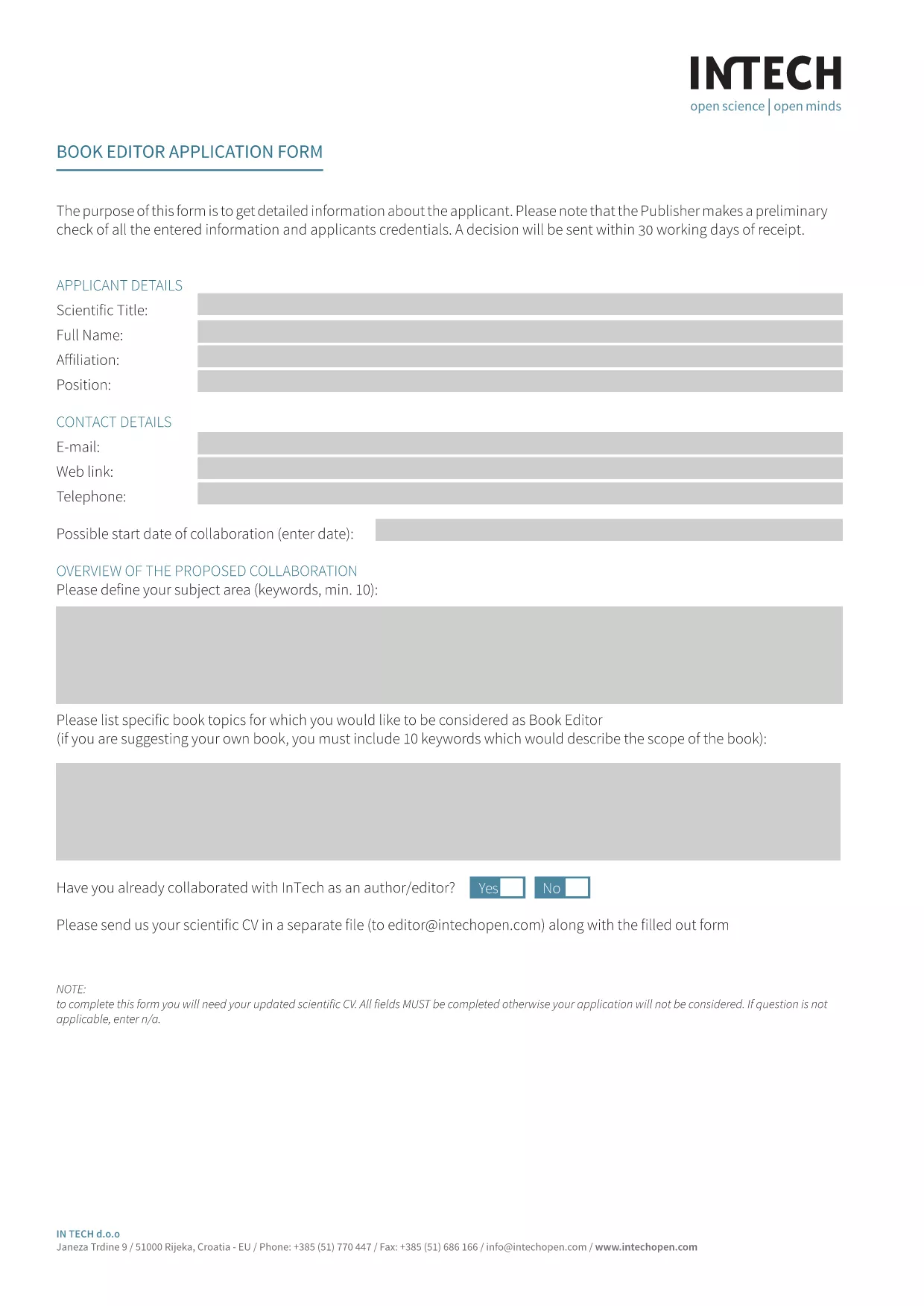
Looking for a fast, secure way to complete the Book Editor Application Form without printing or scanning? Our Application Form Editor turns the PDF into an interactive, fillable document that you can complete directly in your browser.

What Is an Application Form Editor?

An application form editor is a web‑based tool that converts a static PDF into a live, editable form. Users can type into text fields, select checkboxes, and add signatures—all while the original layout stays intact. With Formize, the editor loads instantly, so you never have to download a separate program.

How to Fill Out the Application Form in Seconds

Simply click the "Fill out this form" button below. The Formize PDF Filler app will appear, load the PDF, and you can start typing right away.

  • Step 1: Click "Fill out this form".
  • Step 2: Wait a few seconds while the Formize PDF Filler loads.
  • Step 3: Complete each field – the form guides you with helpful placeholders.
  • Step 4: Click Submit to email a copy to yourself or download the finished PDF.

Key Features of This Fillable PDF

  • All original design elements preserved – looks professional.
  • Auto‑save while you type, so no data is lost.
  • Signature field for electronic signing.
  • Responsive layout works on desktop, tablet, and mobile.
  • One‑click download or email of the completed form.

Common Mistakes to Avoid

  • Do not leave required fields blank – the form will highlight them in red.
  • Avoid using special characters in the "Name" field; stick to letters, hyphens, and apostrophes.
  • Make sure your email address is valid; you’ll receive a copy of the completed form.

Download & Save Your Completed Form

After you submit, you can instantly download a PDF copy for your records or share it with your hiring committee. No extra software, no printing, no scanning – just a clean, professional document.

Ready to get started? Click the button below and let Formize do the heavy lifting.

FAQ
  • Do I need Adobe Acrobat to fill this form?

    No. The Formize PDF Filler works in any modern browser, so you don’t need Acrobat or any extra software.

  • Can I save my progress and finish later?

    Yes. The editor auto‑saves your entries locally. When you return, simply reload the page and continue where you left off.

  • Is my data secure?

    All data is processed in your browser and only transmitted when you click Submit. Formize uses SSL encryption for every connection.

  • What if I make a mistake?

    You can edit any field at any time before submitting. Use the backspace or delete keys to correct entries.

  • Can I print the completed form?

    Absolutely. After you download the finished PDF, you can print it on any printer.

  • Is there a limit to how many times I can use the editor?

    No. The fillable PDF editor is free and unlimited for this form.

  • Will the formatting change after I fill it out?

    No. The original layout, fonts, and branding stay exactly the same – only the form fields become interactive.

COMMENT

Comment remplir application form editor gratuitement, en ligne en 4 étapes simples :

  1. 1
    Click the Fill‑Out Button
    Press the "Fill out this form" button on the page. The Formize PDF Filler app will open in a new overlay.
  2. 2
    Wait for the Form to Load
    A few seconds later the fillable PDF appears. All fields are ready for input.
  3. 3
    Enter Your Information
    Type directly into each field, select options, and use the signature pad to sign electronically.
  4. 4
    Submit or Download
    When finished, click Submit to email yourself a copy, or choose Download to save the completed PDF to your device.
Formize l'application PDF Filler
À PROPOS

modèle application form editor

Avec l'ensemble traditionnel de fonctionnalités pour afficher et remplir un document PDF, combiné aux avantages d'une application Web et d'une mise en page réactive, vous pouvez compléter application form editor en quelques minutes.

CARACTÉRISTIQUES

Remplisseur de PDF

Le moyen le plus simple de remplir des formulaires PDF en ligne

  • Remplissez rapidement application form editor
    Vous cherchez un moyen de remplir rapidement application form editor en ligne ? Avec notre remplisseur de formulaire PDF gratuit en ligne, vous saurez comment éditer et remplir ce document pdf en moins d'une minute.
  • Éditeur PDF en ligne facile à utiliser
    Vous en avez assez d'imprimer des fichiers PDF pour pouvoir les modifier avant de les renumériser et de les renvoyer ? Modifiez des documents PDF gratuitement en ligne. Utilisez notre éditeur de pdf en ligne pour gagner du temps et du papier.
  • Excellents outils, toutes plateformes
    Vous vous demandez comment remplir application form editor sur un Mac, ou peut-être comment utiliser un remplisseur PDF gratuit ? Nos outils PDF en ligne fonctionnent sur toutes les plateformes.
  • Stockage de fichiers sécurisé
    Les fichiers "application form editor" terminés sont stockés dans une base de données sécurisée gérée par l'hébergement Amazon Cloud. Vous pouvez supprimer vos fichiers de notre système à tout moment. Dans tous les cas, ces fichiers sont automatiquement supprimés après 24 heures.
  • Discutez avec application form editor
    Discutez avec "application form editor" sur Chatize qui est un assistant de lecture PDF gratuit. Posez des questions et obtenez des réponses de "application form editor". Cliquez simplement sur le bouton Discuter avec un document ci-dessus.

Supprimer la session de remplissage

Supprimer la session de remplissage sélectionnée ? Dans ce cas, votre progression dans le remplissage du formulaire sera perdue.

Supprimer la session d'édition

Supprimer la session de modification sélectionnée ? Dans ce cas, votre progression dans la création et la modification du formulaire sera perdue.