בחר שפה

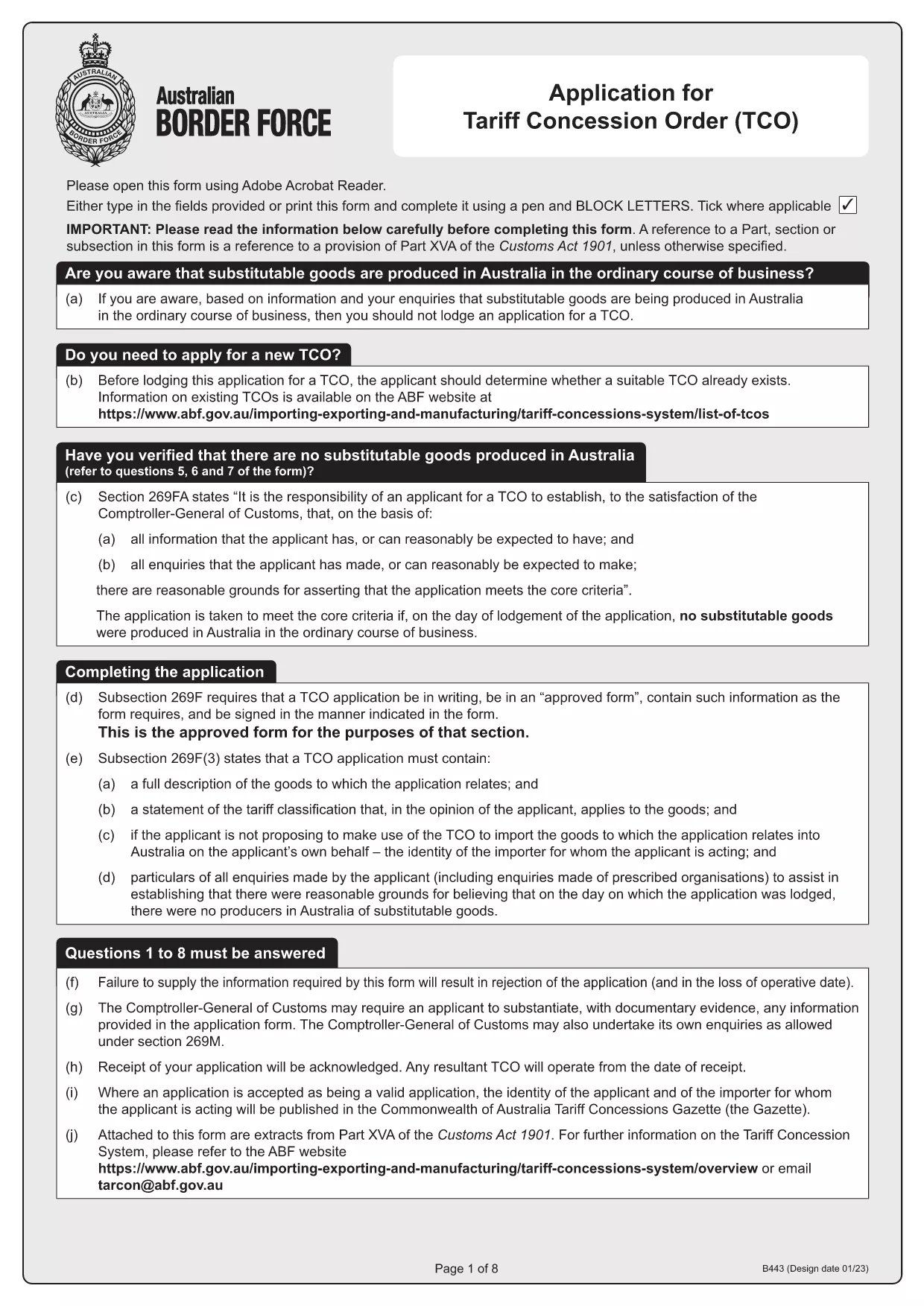
Tariff Concession (TC) Application – Fillable B443 Form

  1. מדינה אוֹסטְרַלִיָה
  2. שפה אנגלית
  3. פעילות Tariff Concessions
  4. מַחלָקָה Australian Border Force
Tariff Concession (TC) Application – Fillable B443 Form

What Is a Tariff Concession (TC)?

A Tariff Concession (TC) – also known as a Tariff Concession Order (TCO) – is an Australian Government revenue concession that allows importers to pay reduced customs duties when no local manufacturers can supply a substitutable product. The concession is granted only when the imported goods match the description and tariff classification of an existing TCO.

Why Use the Fillable B443 Form on Formize

Formize turns the static PDF into a smooth, browser‑based experience. You can:

  • Open the form instantly – no download required.
  • Enter data directly into fields with auto‑validation.
  • Save a draft and return later.
  • Export a completed PDF ready for submission to the Australian Border Force.

Step‑By‑Step Guide to Completing the TC Application

Follow these simple steps to submit a correct TC application:

  1. Click the "Fill out this form" button on the page.
  2. Wait for the Formize PDF Filler app to load (usually a few seconds).
  3. Enter all required information – importer's details, HS code, product description, and supporting documents.
  4. Review the auto‑checked validation messages and correct any highlighted fields.
  5. When satisfied, click Download Completed PDF and save it to your computer.
  6. Email or upload the completed PDF to the Australian Border Force as instructed in the form.

Common Mistakes & How to Avoid Them

  • Incorrect HS code: Double‑check the six‑digit classification against the Customs Tariff.
  • Missing supporting documents: Attach product specifications, invoices, and evidence of no local manufacturer.
  • Mismatched product description: Use the exact wording from the existing TCO notice.
  • Signature fields left blank: Use the digital signature tool in Formize or print, sign, and scan.

Where to Get Help and Submit Your Application

If you have questions, contact the Australian Border Force at tarcon@abf.gov.au. Once your form is complete, submit it through the ABF portal or via email as indicated in the form instructions.

Ready to start? Download the original B443 PDF or use the fillable version above.

שאלות נפוצות
  • What is the purpose of the B443 form?

    The B443 form is the official application for a Tariff Concession (TC) in Australia. It collects the information needed to assess whether an importer qualifies for reduced customs duties.

  • Can I edit the PDF after I download it?

    Yes. After you download the completed PDF, you can open it in any PDF reader to add a digital signature or print, sign, and scan if required.

  • Do I need a PDF reader to use the fillable form?

    No. Formize runs entirely in your web browser, so you do not need to install Adobe Reader or any other software.

  • How long does it take for the Australian Border Force to process a TC application?

    Processing times vary, but most applications are reviewed within 15‑30 business days provided all required information and documents are submitted correctly.

  • What should I do if I make a mistake after submitting?

    Contact the Australian Border Force at tarcon@abf.gov.au as soon as possible. They may request a corrected form or additional documentation.

  • Is there a fee to submit a Tariff Concession application?

    There is no application fee for a TC. However, standard customs duties apply if the concession is not approved.

איך ל

כיצד למלא את Tariff Concession application בחינם, באינטרנט ב-3 שלבים פשוטים:

  1. 1
    Open the Fillable Form
    Click the "Fill out this form" button on the page. The Formize PDF Filler will launch directly in your browser.
  2. 2
    Enter Your Information
    Complete each field – importer details, HS code, product description, and attach any required documents. Validation messages will guide you.
  3. 3
    Save and Export
    When all fields are correctly filled, click the "Download Completed PDF" button. Save the file and submit it to the Australian Border Force as instructed.
Formize אפליקציית מילוי PDF
על אודות

תבנית Tariff Concession application

עם סט התכונות המסורתי לצפייה ומילוי של מסמך PDF, בשילוב עם היתרונות של אפליקציית אינטרנט ופריסה רספונסיבית, תוכל להשלים את Tariff Concession application בתוך דקות.

תכונות

מילוי PDF

הדרך הקלה ביותר למלא טפסי PDF באינטרנט

  • מלא במהירות את Tariff Concession application
    מחפש דרך למלא במהירות את Tariff Concession application באינטרנט? עם מילוי טופס ה-PDF המקוון שלנו בחינם, תדע כיצד לערוך ולמלא את מסמך ה-PDF הזה תוך פחות מדקה.
  • עורך PDF מקוון קל לשימוש
    נמאס לך להדפיס קבצי PDF כדי שתוכל לערוך אותם, לפני סריקה מחדש ושליחה חזרה? ערוך מסמכי PDF בחינם באינטרנט. השתמש בעורך ה-PDF המקוון שלנו כדי לחסוך בזמן ובנייר.
  • כלים מעולים, כל הפלטפורמות
    תוהה כיצד למלא את Tariff Concession application ב-Mac, או אולי איך להשתמש בחומר מילוי PDF בחינם? כלי ה-PDF המקוונים שלנו פועלים בכל הפלטפורמות.
  • אחסון קבצים מאובטח
    קבצי "Tariff Concession application" שהושלמו מאוחסנים במסד נתונים מאובטח המנוהל על ידי אירוח Amazon Cloud. אתה יכול למחוק את הקבצים שלך מהמערכת שלנו בכל עת. בכל מקרה, קבצים אלו נמחקים אוטומטית לאחר 24 שעות.
  • צ'אט עם Tariff Concession application
    צ'אט עם "Tariff Concession application" ב-Chatize שהוא עוזר לקורא PDF בחינם. שאל שאלות וקבל תשובות מ-"Tariff Concession application". פשוט לחץ על הלחצן צ'אט עם מסמך למעלה.

מחק הפעלת מילוי

למחוק את הפעלת המילוי שנבחרה? במקרה זה, ההתקדמות שלך במילוי הטופס תאבד.

מחק סשן עריכה

למחוק את סשן העריכה שנבחר? במקרה זה, ההתקדמות שלך ביצירה ועריכה של הטופס תאבד.