
בחר שפה

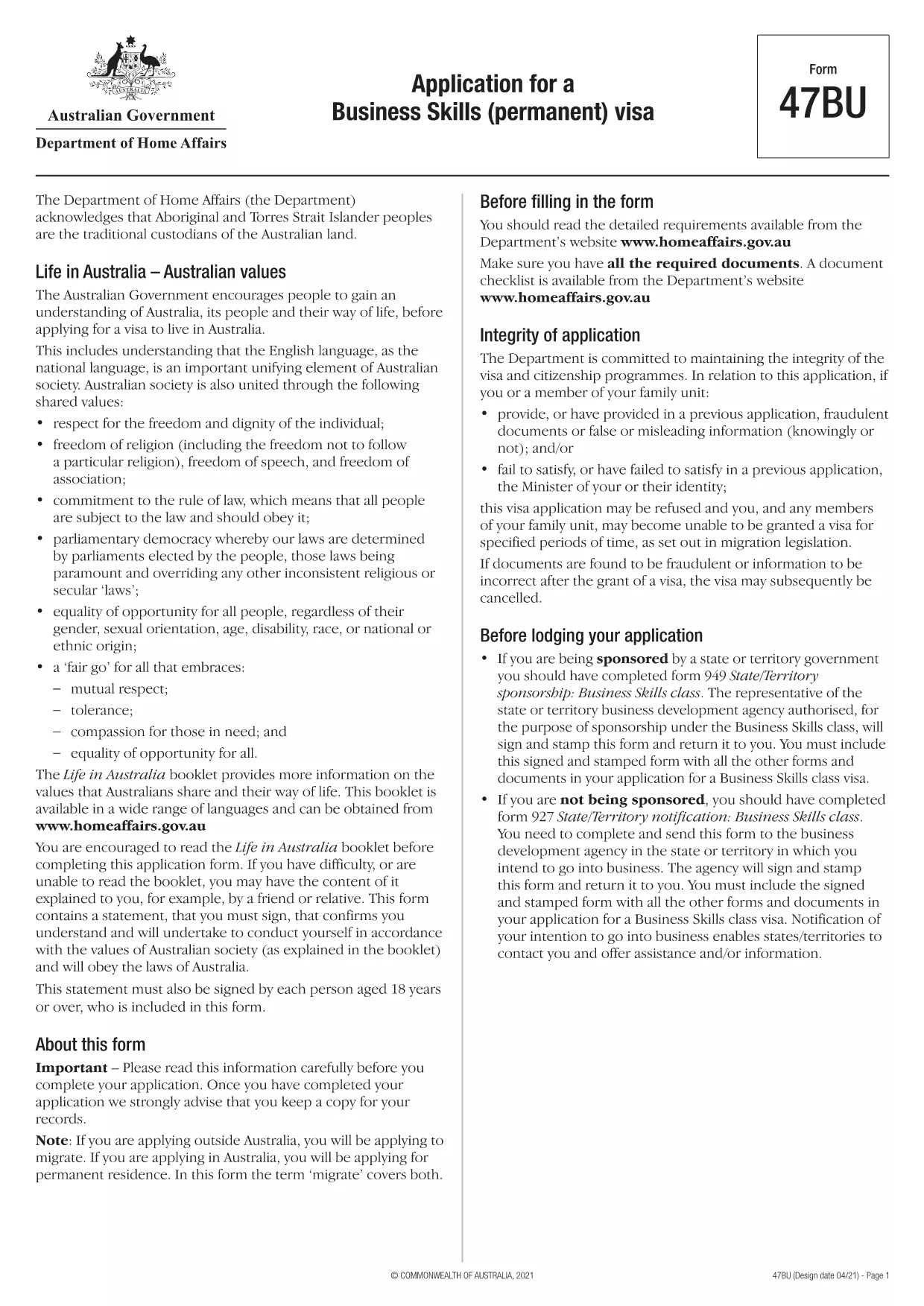
Form 47BU – Application for a Business Skills (Permanent) Visa

  1. שפה אנגלית
  2. מדינה אוֹסטְרַלִיָה
  3. פעילות עסקים והשקעות
Form 47BU – Application for a Business Skills (Permanent) Visa

Form 47BU – Application for a Business Skills (Permanent) Visa

The Form 47BU is the official Department of Home Affairs document used by entrepreneurs and business owners who want to apply for a permanent Business Skills visa (subclass 132) in Australia. This fillable PDF lets you provide personal, business, and sponsorship details required for a successful application.

What is Form 47BU?

Form 47BU collects information about the applicant’s business experience, investment plans, and the state or territory sponsor’s endorsement. It must be submitted together with other supporting documents such as the Business Plan, Financial Statements, and the sponsor’s Form 1318.

How to Fill Out Form 47BU Online with Formize

Instead of downloading the PDF and editing it in a separate editor, you can complete the form directly on our site:

  1. Click the "Fill out this form" button below.
  2. Wait a few seconds while the Formize PDF Filler app loads.
  3. Enter your details in each field – the interface is drag‑and‑drop friendly and auto‑saves.
  4. When finished, click Save & Download to get the completed PDF ready for submission.

Common Mistakes to Avoid

  • Leaving sections blank: Every field marked with an asterisk (*) is mandatory.
  • Mismatched sponsor details: Ensure the state/territory sponsor’s name and signature match the endorsement letter.
  • Incorrect dates: Use the DD/MM/YYYY format as required by Australian immigration.
  • Uploading the wrong version: Always use the latest 47BU PDF (downloaded from the link below).

Eligibility & Supporting Documents

Before you start, confirm that you meet the basic eligibility criteria for a Business Skills (permanent) visa, including:

  • Minimum business turnover of AUD 1 million for the last two fiscal years.
  • Ownership of at least 30 % of the business.
  • State or territory sponsorship.

Attach the following documents when you submit the form:

  • Business Plan (minimum 12 pages).
  • Financial statements and tax returns.
  • Sponsor’s Form 1318 and supporting letter.
  • Proof of assets and investment funds.

Where to Find Help

If you need assistance, consult the Department of Home Affairs website or a registered migration agent. Our fillable PDF is designed to reduce errors, but professional advice can ensure your application meets all legal requirements.

Download the official Form 47BU (PDF)

שאלות נפוצות
  • What is the purpose of Form 47BU?

    Form 47BU is used to apply for a permanent Business Skills visa (subclass 132). It captures personal, business, and sponsorship details required by the Department of Home Affairs.

  • Can I edit Form 47BU on a mobile device?

    Yes. The Formize fillable PDF works on smartphones and tablets, allowing you to complete the form on any device with an internet connection.

  • Do I need a certified translation if my documents are not in English?

    All supporting documents submitted with Form 47BU must be in English or accompanied by a certified translation.

  • How many pages does the completed Form 47BU have?

    The form itself is 7 pages long, but you will attach additional supporting documents as required.

  • Is there a fee to use Formize’s fillable PDF?

    No. Formize provides the fillable version of Form 47BU for free. The visa application fee is paid directly to the Australian Department of Home Affairs.

  • What should I do if I make a mistake after downloading the PDF?

    Return to the Formize page, click "Fill out this form" again, and re‑enter the corrected information. The tool will generate a new, clean PDF.

  • Do I need a sponsor to submit Form 47BU?

    Yes. A state or territory government sponsor must endorse your application and provide a signed Form 1318.

איך ל

כיצד למלא את Form 47BU בחינם, באינטרנט ב-4 שלבים פשוטים:

  1. 1
    Click the Fill‑out Button
    Press the "Fill out this form" button on the page to launch the Formize PDF Filler.
  2. 2
    Wait for the App to Load
    The fillable interface loads in a few seconds; no download is required.
  3. 3
    Enter Your Information
    Complete each field, using the on‑screen guidance for format and mandatory sections.
  4. 4
    Save and Download
    When all sections are filled, click "Save & Download" to obtain the completed PDF ready for submission.
Formize אפליקציית מילוי PDF
על אודות

טפסי עסקים והשקעות

Form 47BU הוא אחד מהצורות המשמשות בהקשר של פתיחה, ניהול או השקעה בעסק. טפסים אלה נדרשים לעתים קרובות על ידי סוכנויות ממשלתיות, מוסדות פיננסיים או גופים רגולטוריים כדי לאסוף מידע, להקים ישויות משפטיות או לציית לכללים ולתקנות ספציפיים הקשורים לפעילות עסקית והשקעות. הטפסים הספציפיים יכולים להשתנות בהתאם לאופי העסק או פעילות ההשקעה. להלן כמה דוגמאות לטפסי "עסקים והשקעות":

טפסי רישום עסק: טפסים אלה משמשים לרישום ישות עסקית בסוכנות הממשלתית המתאימה. הם אוספים מידע על שם העסק, המבנה המשפטי (למשל, בעלות יחידה, שותפות, תאגיד), כתובת העסק, פרטי בעלות ומידע הכרחי אחר הנדרש להכרה משפטית.

מסמכי התאגדות: אם מקימים תאגיד או חברה, יש להגיש מסמכים שונים כדי ליצור את הישות המשפטית. מסמכים אלה כוללים בדרך כלל תקנון, תקנון, הסכמי בעלי מניות וצורות קשורות אחרות.

יישומי רישיונות עסקיים: בהתאם לתעשייה ולמיקום, עסקים מסוימים דורשים רישיונות או אישורים ספציפיים כדי לפעול באופן חוקי. בקשות לרישיון עסק אוספות מידע על אופי העסק, מיקומו, פרטי בעלות ועמידה בתקנות הרלוונטיות.

טפסי פתיחת חשבון השקעה: משקיעים המעוניינים לפתוח חשבונות השקעה במוסדות פיננסיים או בחברות תיווך עשויים להצטרך למלא טפסי פתיחת חשבון. טפסים אלו אוספים מידע אישי, יעדי השקעה, סובלנות סיכונים ופרטים רלוונטיים אחרים להקמת החשבון של המשקיע.

הסכמי שותפות: כאשר נכנסים לשותפות, שותפים יוצרים בדרך כלל הסכם שותפות המתאר את התנאים וההגבלות של הקשר העסקי שלהם. הסכם זה עשוי לכלול הוראות הקשורות לחלוקת רווחים, קבלת החלטות, תרומות והיבטים אחרים של השותפות.

הסכמי סודיות (NDA): הסכם סודיות משמש בדרך כלל בעסקאות עסקיות כדי להגן על מידע רגיש או סודות מסחריים. הסכמים אלו מבטיחים שצדדים המעורבים בעסקת עסק או השקעה שומרים על סודיות לגבי מידע ספציפי המשותף במהלך העסקה.

טופסי בקשה להלוואה או מימון: עסקים המחפשים מימון או הלוואות ממוסדות פיננסיים עשויים להצטרך למלא טפסי בקשה להלוואה. טפסים אלה אוספים מידע על המצב הפיננסי של העסק, היסטוריית האשראי, הביטחונות ופרטים אחרים הדרושים לתהליך אישור ההלוואה.

הגשת ניירות ערך: עבור עסקים המעורבים בהנפקת ניירות ערך, כגון מניות או אג"ח, ייתכן שיידרשו הגשות שונות לניירות ערך כדי לעמוד בחוקים ותקנות ניירות ערך. טפסים אלה כוללים תשקיפים, הצהרות רישום, דוחות שנתיים וגילויים אחרים.

הטפסים והדרישות הספציפיות עשויות להשתנות בהתאם למדינה, לתעשייה ולפעילות העסקית או ההשקעה הספציפית. חשוב להיוועץ בסוכנויות הממשלתיות הרלוונטיות, אנשי מקצוע משפטיים או מוסדות פיננסיים כדי לקבל מידע מדויק ועדכני לגבי הטפסים הדרושים לפעילויות עסקיות או השקעות ספציפיות.

תכונות

מילוי PDF

הדרך הקלה ביותר למלא טפסי PDF באינטרנט

  • מלא במהירות את Form 47BU
    מחפש דרך למלא במהירות את Form 47BU באינטרנט? עם מילוי טופס ה-PDF המקוון שלנו בחינם, תדע כיצד לערוך ולמלא את מסמך ה-PDF הזה תוך פחות מדקה.
  • עורך PDF מקוון קל לשימוש
    נמאס לך להדפיס קבצי PDF כדי שתוכל לערוך אותם, לפני סריקה מחדש ושליחה חזרה? ערוך מסמכי PDF בחינם באינטרנט. השתמש בעורך ה-PDF המקוון שלנו כדי לחסוך בזמן ובנייר.
  • כלים מעולים, כל הפלטפורמות
    תוהה כיצד למלא את Form 47BU ב-Mac, או אולי איך להשתמש בחומר מילוי PDF בחינם? כלי ה-PDF המקוונים שלנו פועלים בכל הפלטפורמות.
  • אחסון קבצים מאובטח
    קבצי "Form 47BU" שהושלמו מאוחסנים במסד נתונים מאובטח המנוהל על ידי אירוח Amazon Cloud. אתה יכול למחוק את הקבצים שלך מהמערכת שלנו בכל עת. בכל מקרה, קבצים אלו נמחקים אוטומטית לאחר 24 שעות.
  • צ'אט עם Form 47BU
    צ'אט עם "Form 47BU" ב-Chatize שהוא עוזר לקורא PDF בחינם. שאל שאלות וקבל תשובות מ-"Form 47BU". פשוט לחץ על הלחצן צ'אט עם מסמך למעלה.

מחק הפעלת מילוי

למחוק את הפעלת המילוי שנבחרה? במקרה זה, ההתקדמות שלך במילוי הטופס תאבד.

מחק סשן עריכה

למחוק את סשן העריכה שנבחר? במקרה זה, ההתקדמות שלך ביצירה ועריכה של הטופס תאבד.