בחר שפה

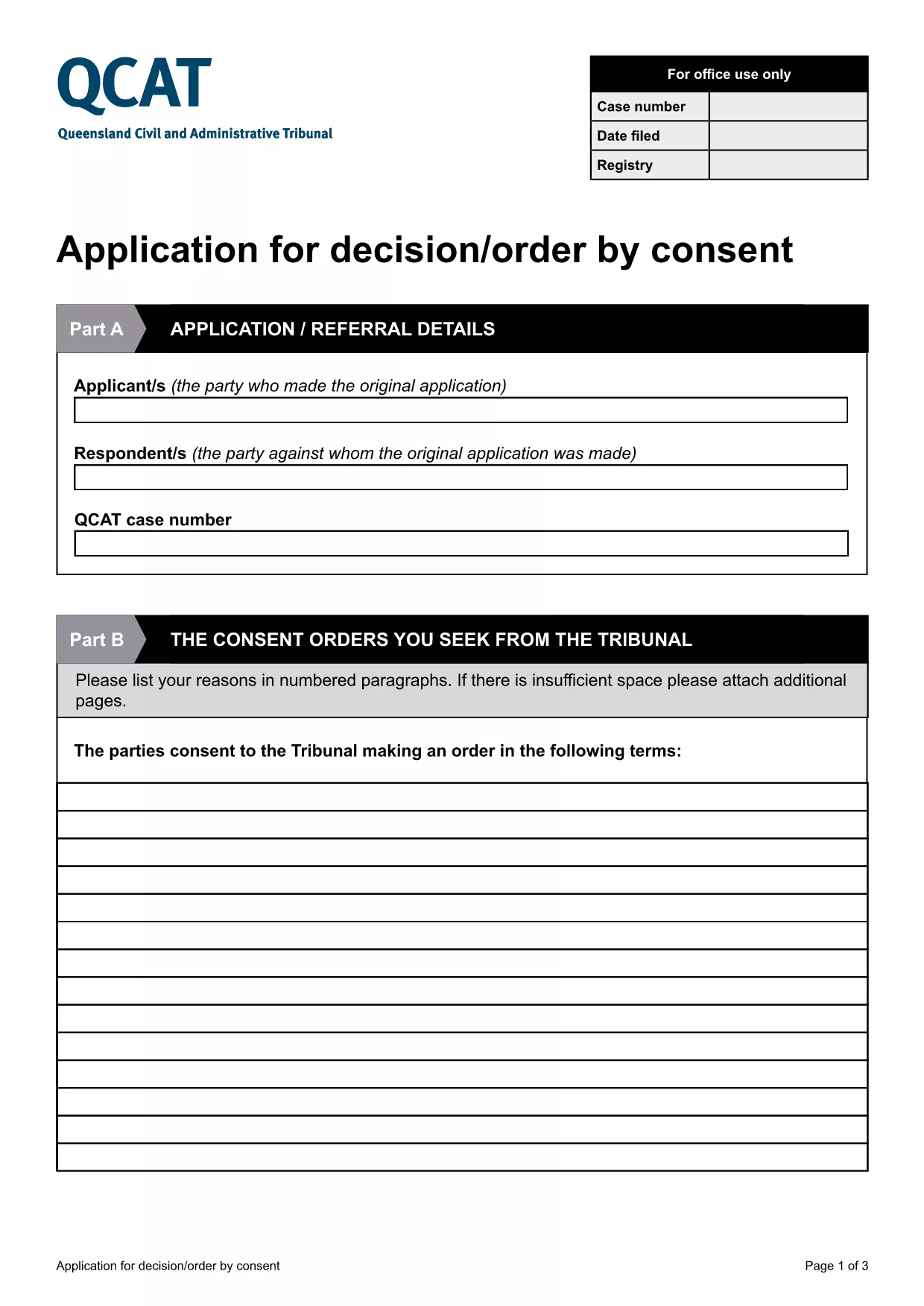
Application for Consent Orders (QCAT)

  1. מדינה אוֹסטְרַלִיָה
  2. שפה אנגלית
  3. מַחלָקָה Civil and Administrative Tribunal
  4. פעילות Legal Forms
Application for Consent Orders (QCAT)

What Is a Consent Order Application?

A consent order is a legally binding agreement approved by the Queensland Civil and Administrative Tribunal (QCAT). The Application for Consent Orders lets parties request the Tribunal to formalise their agreement without a hearing, saving time and costs.

Key Sections of the QCAT Consent Order Form

The fillable PDF is divided into clear sections:

  • Party Details – names, contact information, and representation.
  • Proposed Orders – a concise description of what each party is agreeing to.
  • Supporting Documents – attach any evidence or agreements that back up the application.
  • Signature & Declaration – both parties sign to confirm the information is true and that they understand the order will be enforceable.

How to Complete the Form Online

Instead of downloading and editing the PDF on your computer, simply click the "Fill out this form" button below. The Formize PDF Filler app will load directly in your browser, allowing you to type, check boxes, and add signatures instantly.

Common Mistakes to Avoid

  • Leaving any required field blank – QCAT will reject an incomplete application.
  • Providing vague or ambiguous order terms – be specific to avoid later disputes.
  • Submitting incorrect contact details – the Tribunal needs accurate information to communicate with you.
  • Failing to attach supporting documents – missing evidence can delay approval.

Where to Submit Your Application

When the form is fully completed and signed, you can submit it:

  • Online via the QCAT e‑filing portal (recommended).
  • By mail to the QCAT registry address listed on the form.
  • In person at any QCAT registry office.

For the fastest processing, choose the online option and keep a copy of the confirmation email.

שאלות נפוצות
  • Do I need a lawyer to fill out the consent order application?

    A lawyer is not required, but you may wish to seek legal advice if the terms are complex or if you are unsure about any clause.

  • Can I make changes after I have submitted the form?

    Yes, you can request to amend the application before the Tribunal makes a decision, but you must provide a clear reason and any new supporting documents.

  • Is the online Formize filler secure?

    All data entered in the Formize PDF Filler is encrypted in transit and never stored on our servers after you submit or download the completed form.

  • What happens if the Tribunal rejects my consent order?

    If the Tribunal finds the proposed orders unlawful or unclear, it will return the application with reasons. You can then revise the terms and resubmit.

  • Do I need to pay a fee to file a consent order with QCAT?

    Filing a consent order is generally free, but if you choose to lodge the application in person or by post, standard filing fees may apply. Check the QCAT website for the latest fee schedule.

  • Can I attach supporting documents electronically?

    Yes. The fillable PDF allows you to upload PDFs, images, or scanned copies of agreements, receipts, or any other evidence that supports your application.

  • How long does it take for QCAT to process a consent order?

    When all information is complete, QCAT usually issues a decision within 5‑10 business days. Complex cases may take longer.

איך ל

כיצד למלא את consent order application בחינם, באינטרנט ב-5 שלבים פשוטים:

  1. 1
    Click the Fill‑out Button
    Press the "Fill out this form" button on the page. The Formize PDF Filler will open in a new browser tab.
  2. 2
    Wait for the Filler to Load
    A short loading screen appears while the fillable PDF is prepared. This usually takes only a few seconds.
  3. 3
    Enter Your Information
    Type directly into each field, select check‑boxes, and upload any supporting documents required by the form.
  4. 4
    Review and Sign
    Use the built‑in e‑signature tool to sign the declaration. Double‑check that all required sections are completed.
  5. 5
    Submit or Download
    When you’re satisfied, click "Submit" to send the form to QCAT or "Download" to save a copy for your records.
Formize אפליקציית מילוי PDF
על אודות

תבנית consent order application

עם סט התכונות המסורתי לצפייה ומילוי של מסמך PDF, בשילוב עם היתרונות של אפליקציית אינטרנט ופריסה רספונסיבית, תוכל להשלים את consent order application בתוך דקות.

תכונות

מילוי PDF

הדרך הקלה ביותר למלא טפסי PDF באינטרנט

  • מלא במהירות את consent order application
    מחפש דרך למלא במהירות את consent order application באינטרנט? עם מילוי טופס ה-PDF המקוון שלנו בחינם, תדע כיצד לערוך ולמלא את מסמך ה-PDF הזה תוך פחות מדקה.
  • עורך PDF מקוון קל לשימוש
    נמאס לך להדפיס קבצי PDF כדי שתוכל לערוך אותם, לפני סריקה מחדש ושליחה חזרה? ערוך מסמכי PDF בחינם באינטרנט. השתמש בעורך ה-PDF המקוון שלנו כדי לחסוך בזמן ובנייר.
  • כלים מעולים, כל הפלטפורמות
    תוהה כיצד למלא את consent order application ב-Mac, או אולי איך להשתמש בחומר מילוי PDF בחינם? כלי ה-PDF המקוונים שלנו פועלים בכל הפלטפורמות.
  • אחסון קבצים מאובטח
    קבצי "consent order application" שהושלמו מאוחסנים במסד נתונים מאובטח המנוהל על ידי אירוח Amazon Cloud. אתה יכול למחוק את הקבצים שלך מהמערכת שלנו בכל עת. בכל מקרה, קבצים אלו נמחקים אוטומטית לאחר 24 שעות.
  • צ'אט עם consent order application
    צ'אט עם "consent order application" ב-Chatize שהוא עוזר לקורא PDF בחינם. שאל שאלות וקבל תשובות מ-"consent order application". פשוט לחץ על הלחצן צ'אט עם מסמך למעלה.

מחק הפעלת מילוי

למחוק את הפעלת המילוי שנבחרה? במקרה זה, ההתקדמות שלך במילוי הטופס תאבד.

מחק סשן עריכה

למחוק את סשן העריכה שנבחר? במקרה זה, ההתקדמות שלך ביצירה ועריכה של הטופס תאבד.