בחר שפה

Air Force Application Form – Fillable PDF

  1. שפה אנגלית
  2. מדינה אוֹסטְרַלִיָה
  3. מַחלָקָה Defence
  4. פעילות Military Recruitment
Air Force Application Form – Fillable PDF

What Is This Form For?

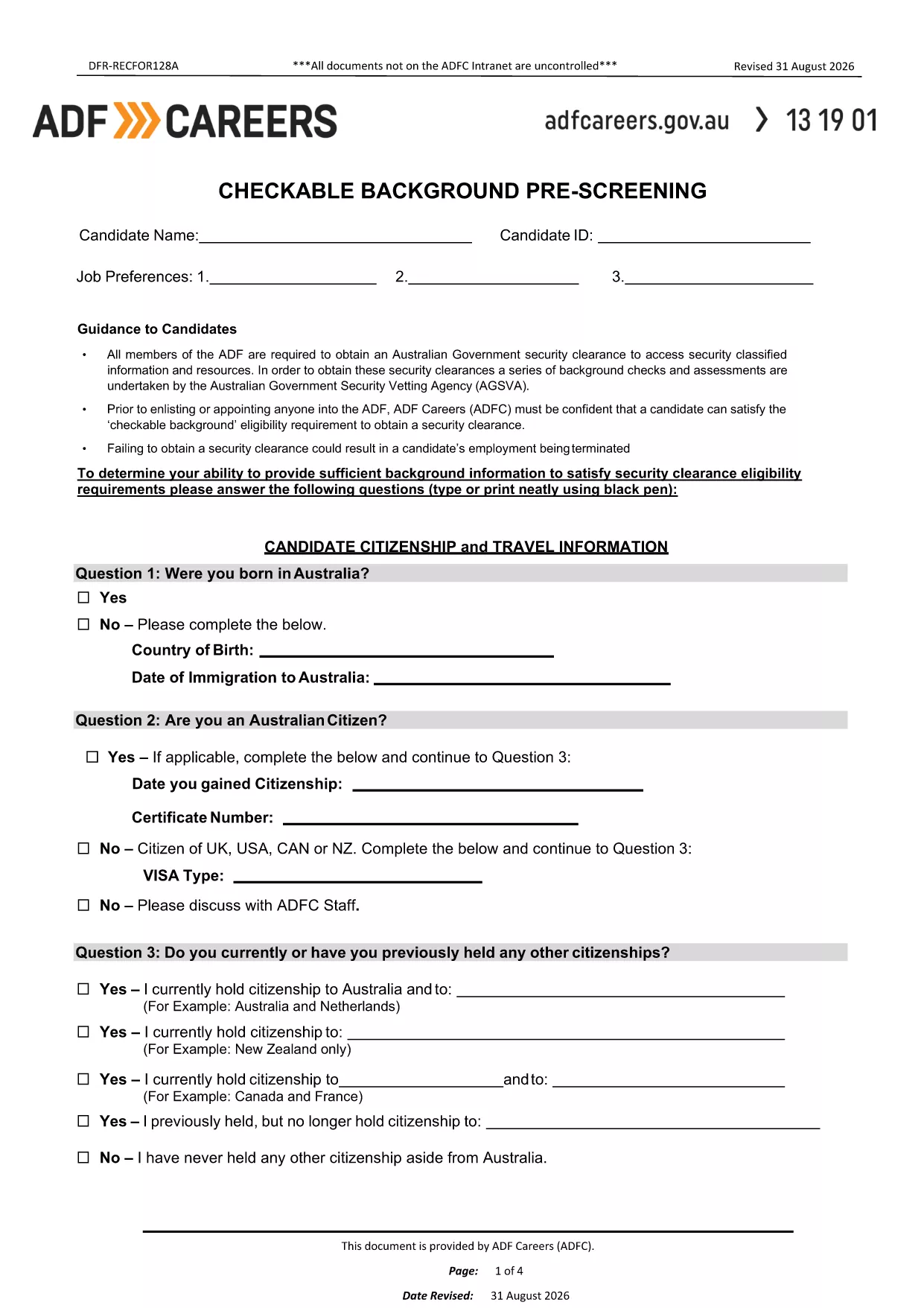
The Air Force Application Form is the first step in the enlistment or officer selection process. It captures personal details, education, employment history, and a background pre‑screening questionnaire that the Australian Defence Force (ADF) uses to assess eligibility for Air Force roles.

How to Fill Out the Air Force Application Form Online

Instead of downloading the PDF and editing it with a separate editor, simply click the "Fill out this form" button on this page. The Formize PDF Filler will load the fillable document directly in your browser, allowing you to:

  • Enter data into interactive fields.
  • Save progress at any time.
  • Validate required fields before submission.
  • Export the completed form as a PDF or send it directly to the recruiting office.

Common Mistakes to Avoid

  • Leaving required fields blank: The form will not let you submit until all mandatory sections are completed.
  • Using unofficial abbreviations: Write full names for schools, employers, and qualifications.
  • Skipping the background questions: Incomplete answers can delay security clearance.
  • Not signing the form: Use the built‑in e‑signature tool before saving.

Download & Save the PDF

If you prefer a local copy, you can still download the original PDF from the link below. Keep this file handy for reference or for printing a hard copy after you have completed the online version.

Download the Air Force Application Form (PDF)

Frequently Asked Questions

Answers to the most common queries are listed below. Click each question to expand the answer.

שאלות נפוצות
  • Do I need to print the form after filling it online?

    No. The Formize filler lets you save a PDF copy digitally, which is accepted by all ADF recruiting offices.

  • Can I edit the form after I have saved it?

    Yes. Open the saved PDF again with Formize, make any changes, and re‑save.

  • What if I make a mistake while typing?

    Use the backspace or delete key to correct any field before moving to the next section. The filler highlights incomplete or invalid entries.

  • Is my personal data secure?

    Formize uses SSL encryption and does not store your information on our servers unless you choose to save it to the cloud.

  • Do I need a PDF reader to complete the form?

    No special software is required. All modern browsers support the Formize filler, which works on desktop and mobile devices.

  • How long does the pre‑screening process take?

    After submission, the ADF typically reviews the background questionnaire within 5‑10 business days.

איך ל

כיצד למלא את air force application form בחינם, באינטרנט ב-4 שלבים פשוטים:

  1. 1
    Open the Fillable Form
    Click the "Fill out this form" button on the page. The Formize PDF Filler loads the Air Force Application Form directly in your browser.
  2. 2
    Enter Your Information
    Complete each section – personal details, education, employment, and background questions – using the interactive fields.
  3. 3
    Validate & Sign
    The filler checks required fields automatically. When all sections are complete, use the built‑in e‑signature tool to sign the form.
  4. 4
    Save or Submit
    Save a copy to your device or click "Submit" to email the completed PDF to your recruiting officer.
Formize אפליקציית מילוי PDF
על אודות

תבנית air force application form

עם סט התכונות המסורתי לצפייה ומילוי של מסמך PDF, בשילוב עם היתרונות של אפליקציית אינטרנט ופריסה רספונסיבית, תוכל להשלים את air force application form בתוך דקות.

תכונות

מילוי PDF

הדרך הקלה ביותר למלא טפסי PDF באינטרנט

  • מלא במהירות את air force application form
    מחפש דרך למלא במהירות את air force application form באינטרנט? עם מילוי טופס ה-PDF המקוון שלנו בחינם, תדע כיצד לערוך ולמלא את מסמך ה-PDF הזה תוך פחות מדקה.
  • עורך PDF מקוון קל לשימוש
    נמאס לך להדפיס קבצי PDF כדי שתוכל לערוך אותם, לפני סריקה מחדש ושליחה חזרה? ערוך מסמכי PDF בחינם באינטרנט. השתמש בעורך ה-PDF המקוון שלנו כדי לחסוך בזמן ובנייר.
  • כלים מעולים, כל הפלטפורמות
    תוהה כיצד למלא את air force application form ב-Mac, או אולי איך להשתמש בחומר מילוי PDF בחינם? כלי ה-PDF המקוונים שלנו פועלים בכל הפלטפורמות.
  • אחסון קבצים מאובטח
    קבצי "air force application form" שהושלמו מאוחסנים במסד נתונים מאובטח המנוהל על ידי אירוח Amazon Cloud. אתה יכול למחוק את הקבצים שלך מהמערכת שלנו בכל עת. בכל מקרה, קבצים אלו נמחקים אוטומטית לאחר 24 שעות.
  • צ'אט עם air force application form
    צ'אט עם "air force application form" ב-Chatize שהוא עוזר לקורא PDF בחינם. שאל שאלות וקבל תשובות מ-"air force application form". פשוט לחץ על הלחצן צ'אט עם מסמך למעלה.

מחק הפעלת מילוי

למחוק את הפעלת המילוי שנבחרה? במקרה זה, ההתקדמות שלך במילוי הטופס תאבד.

מחק סשן עריכה

למחוק את סשן העריכה שנבחר? במקרה זה, ההתקדמות שלך ביצירה ועריכה של הטופס תאבד.