
בחר שפה

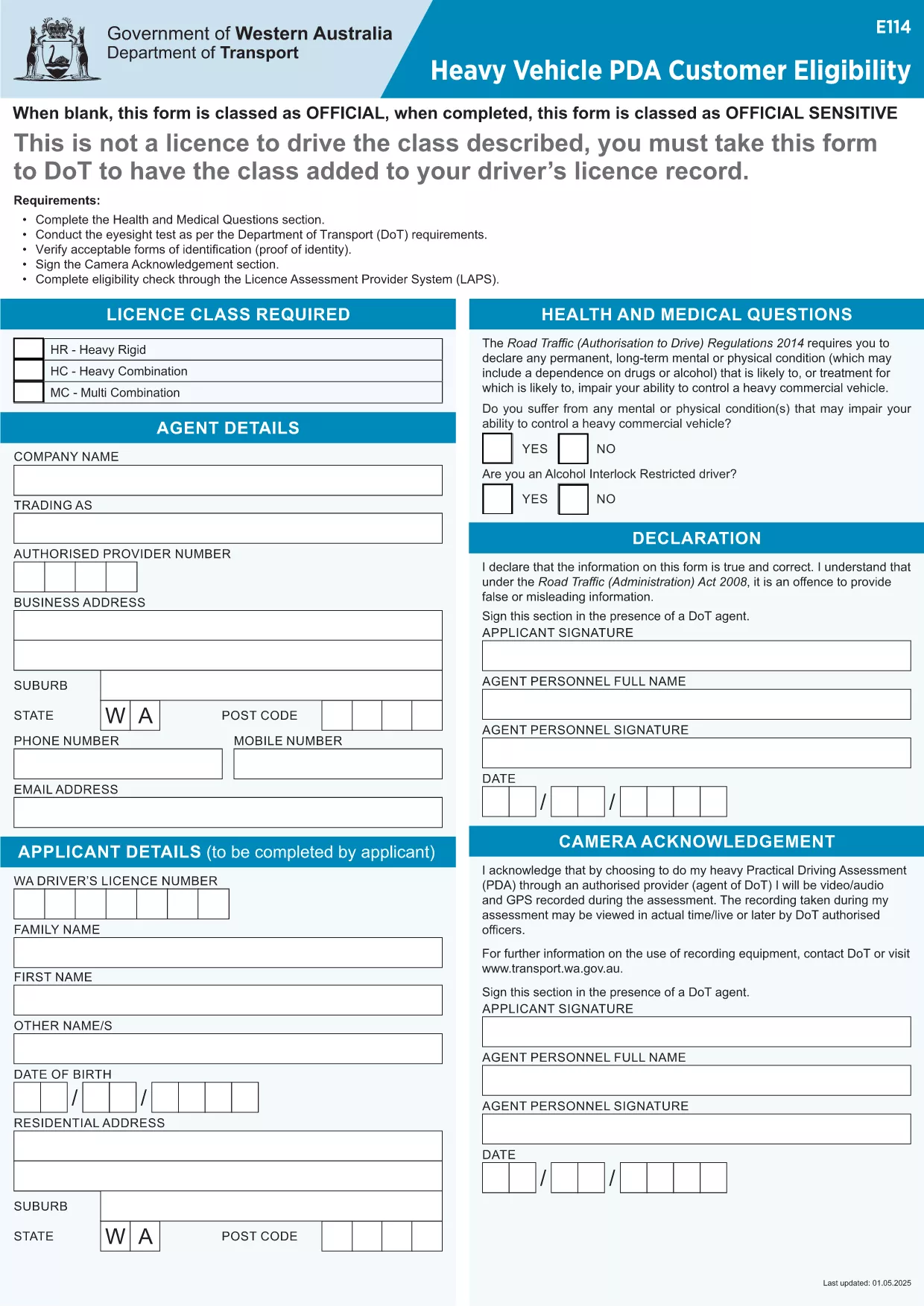
LIC114 – Heavy Vehicle Customer Eligibility Form (Form E114)

  1. שפה אנגלית
  2. מדינה אוֹסטְרַלִיָה
  3. מַחלָקָה Transport
  4. פעילות רישום רכב
LIC114 – Heavy Vehicle Customer Eligibility Form (Form E114)

The LIC114 (also known as Form E114) is the official Australian Transport Department form used to assess eligibility for heavy vehicle customer programs. Whether you are applying for a new heavy vehicle PDA or renewing an existing entitlement, this fillable PDF lets you provide all required details quickly and accurately.

What is Form LIC114?

Form LIC114 collects information about the vehicle, the operator, and the intended use. It is classified as Official Sensitive when completed, meaning the data is protected under transport‑sector privacy rules.

How to Complete the Fillable PDF

Instead of downloading the PDF and opening a separate editor, simply click the "Fill out this form" button on this page. The Formize PDF Filler app will load directly in your browser, providing a smooth, interactive experience.

Common Mistakes to Avoid

  • Leaving mandatory fields blank – the filler will highlight missing data before you can submit.
  • Using non‑black ink for signatures – the electronic signature tool applies a black digital signature automatically.
  • Submitting outdated vehicle details – double‑check registration numbers and VINs.

Where to Submit the Completed Form

Once you have reviewed and signed the form, you can either download a copy for your records or use the built‑in email function to send it directly to the Department of Transport's Heavy Vehicle division.

Benefits of Using Formize PDF Filler

  • Instant validation of required fields.
  • No software installation – works in any modern browser.
  • Secure storage of your data during the session.
  • Easy export to PDF or direct email.

Start the process now and ensure your LIC114 application is accurate, compliant, and submitted on time.

שאלות נפוצות
  • Is Form LIC114 available as a fillable PDF?

    Yes. The official Form E114 is provided as a fillable PDF that can be completed online with Formize’s PDF Filler.

  • Do I need Adobe Acrobat to fill this form?

    No. The Formize PDF Filler works in any modern web browser, so you don’t need any additional software.

  • Can I save my progress and return later?

    The filler allows you to download a draft PDF at any point. Save the draft, close the browser, and reopen the file later to continue.

  • What happens if I submit incomplete information?

    The filler validates required fields and will prevent submission until all mandatory sections are completed.

  • Is my data secure while using Formize?

    Yes. All data is processed locally in your browser and is not stored on external servers unless you choose to email the completed form.

איך ל

כיצד למלא את lic114 בחינם, באינטרנט ב-5 שלבים פשוטים:

  1. 1
    Click the Fill‑out Button
    Press the "Fill out this form" button on the page to launch the Formize PDF Filler.
  2. 2
    Wait for the Filler to Load
    The app loads in your browser within seconds – no download required.
  3. 3
    Enter Your Information
    Complete each highlighted field with accurate details; required fields are marked with an asterisk.
  4. 4
    Review and Sign
    Check all entries, then use the built‑in electronic signature tool to sign the form.
  5. 5
    Save or Email
    Download the finished PDF for your records or click the email button to send it directly to the Department of Transport.
Formize אפליקציית מילוי PDF
על אודות

טפסי רישום רכב

lic114 הוא אחד מטפסי רישום כלי רכב שהם מסמכים המשמשים לרישום רכב מנועי ברשות הממשלתית הרלוונטית, בדרך כלל המחלקה לכלי רכב (DMV) או סוכנות מקבילה. טפסים אלו נדרשים כאשר אדם רוכש רכב חדש או משומש, מעביר בעלות על רכב או עובר לתחום שיפוט חדש עם רכב.

טפסי רישום הרכב הספציפיים עשויים להשתנות לפי תחום שיפוט, אך בדרך כלל הם דורשים את המידע הבא:

מידע על רכב: זה כולל פרטים על הרכב, כגון יצרן, דגם, שנה, מספר זיהוי רכב (VIN) וקריאה של מד מרחק.

פרטי בעלים: הטופס ידרוש מידע על בעל הרכב, כולל שמו, כתובתו, פרטי הקשר ומספר רישיון הנהיגה שלו.

הוכחת בעלות: בהתאם לנסיבות, ייתכן שתידרש הוכחת בעלות, כגון תעודת בעלות, שטר מכירה או תעודת מקור של היצרן (עבור רכבים חדשים).

מידע ביטוחי: בדרך כלל נדרשת הוכחה של כיסוי ביטוח תקף לרכב. זה עשוי לכלול מסירת מספר פוליסת הביטוח, תאריכי הכיסוי ופרטי חברת הביטוח.

תשלום עמלות: רישום רכב כרוך בתשלום של עמלות שונות, כגון דמי רישום, מיסים ואולי חיובים אחרים ספציפיים לתחום השיפוט.

בנוסף לדרישות הבסיסיות הללו, בחלק מתחומי השיפוט עשויים להיות טפסים נוספים או דרישות תיעוד נוספות. לדוגמה, ייתכן שיהיה צורך בתוצאות בדיקות פליטות, בדיקות בטיחות או הוכחת תושבות באזורים מסוימים.

לאחר מילוי והגשת טפסי רישום הרכב, תנפיק הרשות הממשלתית תעודת רישום, לוחיות רישוי ומדבקות רישום. ממסמכים אלו עולה כי הרכב רשום כחוק ומורשה להפעלה בכבישים ציבוריים.

חשוב לציין שדרישות רישום הרכב עשויות להשתנות באופן משמעותי לפי תחום שיפוט. לכן, מומלץ להיוועץ ב-DMV המקומי או בסוכנות המקבילה לגבי הטפסים והנהלים הספציפיים החלים על מיקומך.

תכונות

מילוי PDF

הדרך הקלה ביותר למלא טפסי PDF באינטרנט

  • מלא במהירות את lic114
    מחפש דרך למלא במהירות את lic114 באינטרנט? עם מילוי טופס ה-PDF המקוון שלנו בחינם, תדע כיצד לערוך ולמלא את מסמך ה-PDF הזה תוך פחות מדקה.
  • עורך PDF מקוון קל לשימוש
    נמאס לך להדפיס קבצי PDF כדי שתוכל לערוך אותם, לפני סריקה מחדש ושליחה חזרה? ערוך מסמכי PDF בחינם באינטרנט. השתמש בעורך ה-PDF המקוון שלנו כדי לחסוך בזמן ובנייר.
  • כלים מעולים, כל הפלטפורמות
    תוהה כיצד למלא את lic114 ב-Mac, או אולי איך להשתמש בחומר מילוי PDF בחינם? כלי ה-PDF המקוונים שלנו פועלים בכל הפלטפורמות.
  • אחסון קבצים מאובטח
    קבצי "lic114" שהושלמו מאוחסנים במסד נתונים מאובטח המנוהל על ידי אירוח Amazon Cloud. אתה יכול למחוק את הקבצים שלך מהמערכת שלנו בכל עת. בכל מקרה, קבצים אלו נמחקים אוטומטית לאחר 24 שעות.
  • צ'אט עם lic114
    צ'אט עם "lic114" ב-Chatize שהוא עוזר לקורא PDF בחינם. שאל שאלות וקבל תשובות מ-"lic114". פשוט לחץ על הלחצן צ'אט עם מסמך למעלה.

מחק הפעלת מילוי

למחוק את הפעלת המילוי שנבחרה? במקרה זה, ההתקדמות שלך במילוי הטופס תאבד.

מחק סשן עריכה

למחוק את סשן העריכה שנבחר? במקרה זה, ההתקדמות שלך ביצירה ועריכה של הטופס תאבד.