
בחר שפה

Guyana Customer Complaint Form – Fillable PDF

  1. שפה אנגלית
  2. מדינה גיאנה
  3. פעילות בְּרִיאוּת
Guyana Customer Complaint Form – Fillable PDF

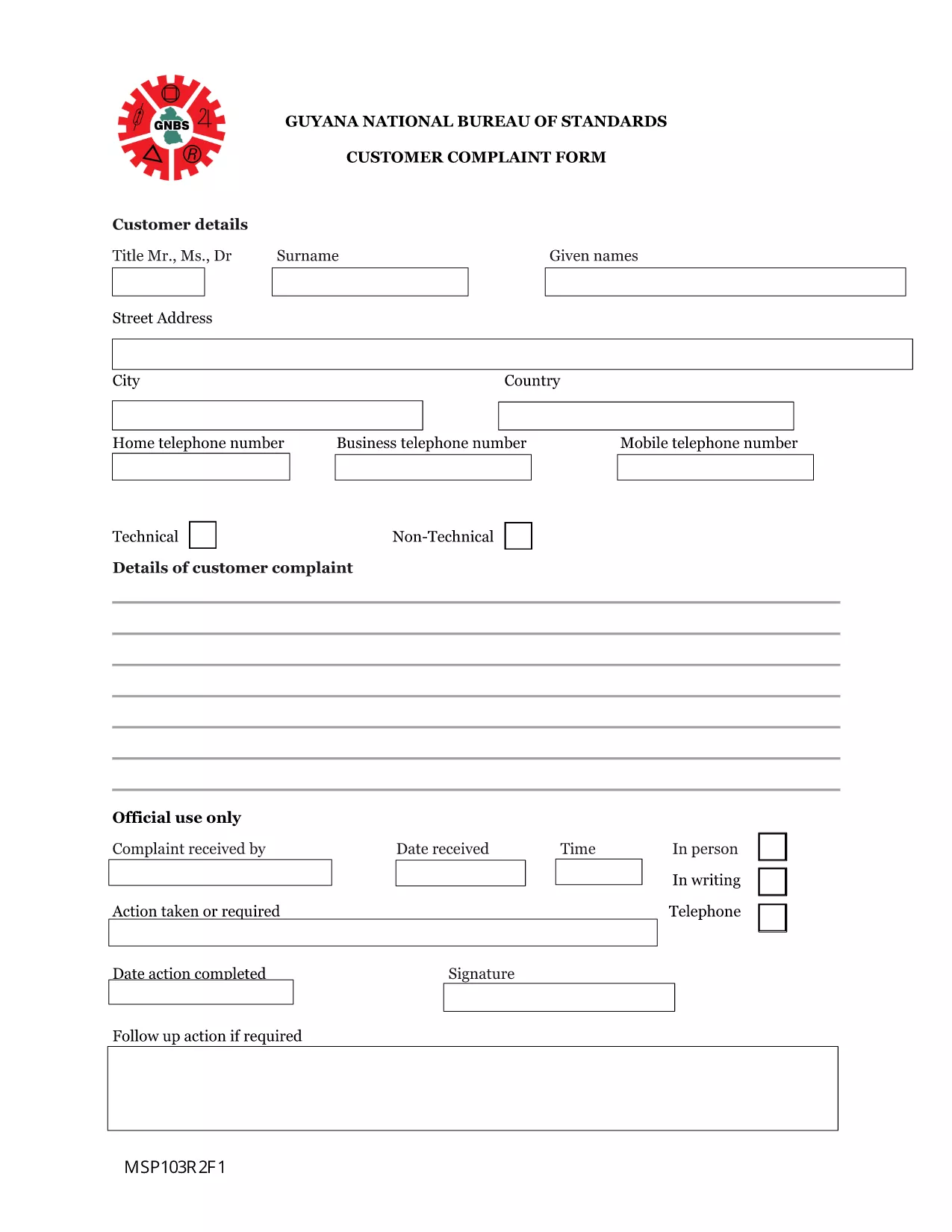
Need to lodge a complaint with the Guyana National Bureau of Standards or another regulatory body? Our Guyana Customer Complaint Form is available as a fully fillable PDF so you can complete it online in minutes. No extra software, no printing – simply click the button, fill out the fields, and submit.

What Is the Guyana Customer Complaint Form?

This form is the official document used by the National Bureau of Standards (and related agencies) to record consumer complaints about products, services, or business practices. It captures essential details such as:

  • Complainant’s contact information
  • Details of the product or service
  • Nature of the complaint and supporting evidence
  • Desired resolution

How to Fill the Form Using Formize PDF Filler

Follow these quick steps to complete the form without downloading any software:

  1. Click the “Fill out this form” button below.
  2. Wait a few seconds while the Formize PDF Filler app loads in your browser.
  3. Enter your information directly into the highlighted fields.
  4. Use the Upload button to attach any supporting documents (photos, receipts, etc.).
  5. Review the completed form, then click Submit to send it to the appropriate agency.

Common Mistakes to Avoid

  • Leaving required fields blank: The form will not submit if mandatory sections are empty.
  • Providing incomplete contact details: Double‑check phone numbers and email addresses.
  • Uploading unsupported file types: Use PDF, JPG, or PNG for attachments.
  • Submitting after the statutory deadline: Complaints should be filed within 30 days of the incident.

Where to Submit Your Completed Complaint

Once you click Submit, the Formize system securely routes your complaint to the National Bureau of Standards’ intake desk. You will receive an automated confirmation email with a reference number for tracking.

Frequently Asked Questions

Below are answers to the most common queries about this form.

שאלות נפוצות
  • Do I need Adobe Acrobat to fill this form?

    No. The Formize PDF Filler works in any modern browser, so you can complete the form without Adobe Acrobat.

  • Can I save a draft and finish later?

    Yes. Use the “Save as Draft” button in the Formize interface, then return to the saved link to continue.

  • What types of attachments are allowed?

    You can attach PDF, JPG, or PNG files up to 5 MB each.

  • Is my personal information secure?

    All data is encrypted during transmission and stored on secure Formize servers until it is delivered to the agency.

  • How long does it take for the agency to respond?

    The National Bureau of Standards typically acknowledges receipt within 2 business days and may request additional information within 10 days.

  • Can I submit the form on a mobile device?

    Absolutely. The Formize PDF Filler is fully responsive and works on smartphones and tablets.

איך ל

כיצד למלא את Guyana complaint form בחינם, באינטרנט ב-4 שלבים פשוטים:

  1. 1
    Open the Fillable Form
    Click the “Fill out this form” button on this page. The Formize PDF Filler will open directly in your browser.
  2. 2
    Load the Formize PDF Filler
    Wait a few seconds while the app loads. No download or installation is required.
  3. 3
    Enter Your Information
    Type your answers into each highlighted field. Use the “Upload” button for any supporting documents.
  4. 4
    Review and Submit
    Double‑check all entries, then click the “Submit” button. You’ll receive a confirmation email with a reference number.
Formize אפליקציית מילוי PDF
על אודות

טפסי בקשה לרפואה רפואית

Guyana complaint form הוא אחד מטפסי Medicare שהם מסמכים המשמשים בניהול תוכנית Medicare, שהיא תוכנית ביטוח בריאות פדרלית בארצות הברית בעיקר עבור אנשים בני 65 ומעלה, כמו גם אנשים צעירים יותר עם מוגבלות או רפואי ספציפי תנאים. טפסים אלה משמשים למטרות שונות הקשורות להרשמה, ניהול וגישה להטבות של Medicare. להלן כמה צורות נפוצות של Medicare:

טופסי בקשה ל-Medicare: טפסים אלה, כגון CMS-40B, משמשים להגשת בקשה להטבות Medicare, כולל חלק א' (ביטוח בתי חולים) ו/או חלק ב' (ביטוח רפואי). הם דורשים מידע אישי, כגון שם, כתובת, מספר תעודת זהות ומידע על הכיסוי הנוכחי של ביטוח הבריאות.

טופסי הרשמה ל-Medicare: טפסים אלה, כגון CMS-855B עבור ספקי שירותי בריאות, משמשים אנשי מקצוע בתחום הבריאות, ספקים וארגונים כדי להירשם לתכנית Medicare. הם אוספים מידע על הספק או הארגון והכישורים שלהם להשתתף במדיקייר.

טופסי תביעה של Medicare: טפסים אלה, כגון CMS-1500 או UB-04, משמשים להגשת תביעות להחזר של שירותים רפואיים שניתנו למוטבי Medicare. ספקי שירותי בריאות או ספקים ממלאים טפסים אלה כדי לבקש תשלום עבור שירותים מכוסים.

טפסי תוכנית תרופות מרשם של Medicare: טפסים אלה, כגון CMS-10260, משמשים כדי להירשם לתוכניות תרופות מרשם של Medicare Part D או לביצוע שינויים בתוכניות קיימות. הם דורשים מידע על התרופות שהמוטב נוטל ועל בית המרקחת המועדף עליהם.

טפסי הרשאה של Medicare: טפסים אלה, כגון CMS-10114, משמשים כדי לאשר שחרור מידע בריאותי אישי מרשומות Medicare ליחידים או ארגונים ייעודיים. זה מאפשר למוטבים להעניק גישה לרשומות הרפואיות שלהם למטרות ספציפיות.

טופסי ערעור של Medicare: טפסים אלה, כגון CMS-20027, משמשים לבקשת ערעור אם תביעה נדחתה או אם יש אי הסכמה להחלטת Medicare. הם מספקים תהליך למוטבים או לנציגיהם לבקש סקירה של קביעות כיסוי או החלטות תשלום.

אלו הן רק כמה דוגמאות לצורות השונות של Medicare שקיימות. הטפסים והדרישות הספציפיות עשויות להשתנות, לכן חשוב לעיין באתר האינטרנט הרשמי של Medicare או לפנות לרשות המנהלית של Medicare לקבלת מידע מדויק ועדכני.

תכונות

מילוי PDF

הדרך הקלה ביותר למלא טפסי PDF באינטרנט

  • מלא במהירות את Guyana complaint form
    מחפש דרך למלא במהירות את Guyana complaint form באינטרנט? עם מילוי טופס ה-PDF המקוון שלנו בחינם, תדע כיצד לערוך ולמלא את מסמך ה-PDF הזה תוך פחות מדקה.
  • עורך PDF מקוון קל לשימוש
    נמאס לך להדפיס קבצי PDF כדי שתוכל לערוך אותם, לפני סריקה מחדש ושליחה חזרה? ערוך מסמכי PDF בחינם באינטרנט. השתמש בעורך ה-PDF המקוון שלנו כדי לחסוך בזמן ובנייר.
  • כלים מעולים, כל הפלטפורמות
    תוהה כיצד למלא את Guyana complaint form ב-Mac, או אולי איך להשתמש בחומר מילוי PDF בחינם? כלי ה-PDF המקוונים שלנו פועלים בכל הפלטפורמות.
  • אחסון קבצים מאובטח
    קבצי "Guyana complaint form" שהושלמו מאוחסנים במסד נתונים מאובטח המנוהל על ידי אירוח Amazon Cloud. אתה יכול למחוק את הקבצים שלך מהמערכת שלנו בכל עת. בכל מקרה, קבצים אלו נמחקים אוטומטית לאחר 24 שעות.
  • צ'אט עם Guyana complaint form
    צ'אט עם "Guyana complaint form" ב-Chatize שהוא עוזר לקורא PDF בחינם. שאל שאלות וקבל תשובות מ-"Guyana complaint form". פשוט לחץ על הלחצן צ'אט עם מסמך למעלה.

מחק הפעלת מילוי

למחוק את הפעלת המילוי שנבחרה? במקרה זה, ההתקדמות שלך במילוי הטופס תאבד.

מחק סשן עריכה

למחוק את סשן העריכה שנבחר? במקרה זה, ההתקדמות שלך ביצירה ועריכה של הטופס תאבד.