
בחר שפה

Punjab Solemnization of Marriage Form (Fillable PDF)

  1. שפה אנגלית הינדי
  2. מדינה הוֹדוּ
  3. מדינה פנג'אב
  4. מַחלָקָה משרד הפנים והמשפטים
למלא טופס זה
Punjab Solemnization of Marriage Form (Fillable PDF)

Punjab Solemnization of Marriage Form (Fillable PDF)

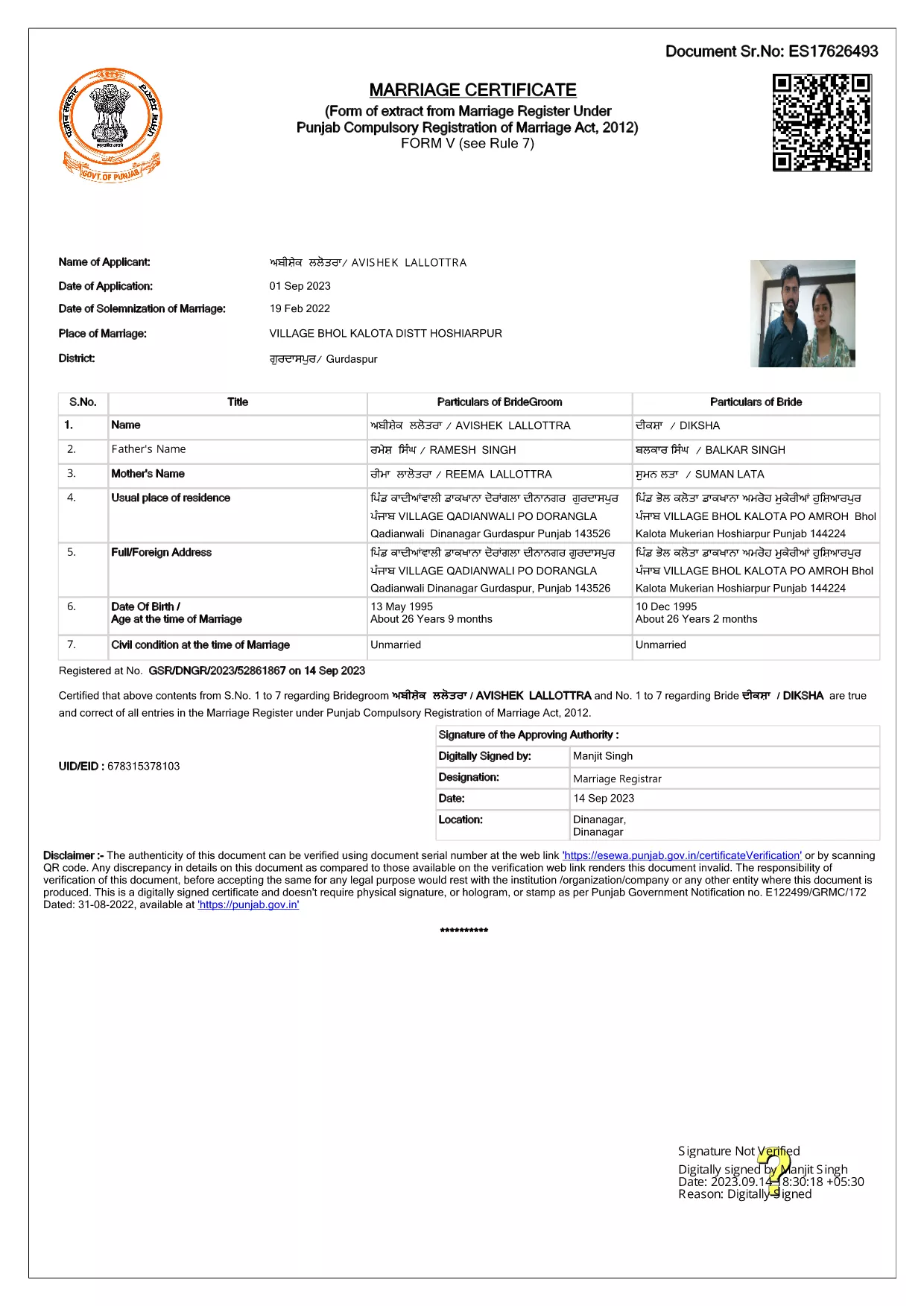
Getting married in Punjab requires you to submit the official Punjab Solemnization of Marriage form. This form records essential details of the bride, groom, and witnesses, and it is mandatory under the Punjab Compulsory Registration of Marriage Act, 2012.

What Is the Punjab Solemnization of Marriage Form?

The form is a government‑issued marriage certificate that captures personal information, parental details, and the date and place of the marriage ceremony. It is the legal proof needed for future documentation such as passport applications, property registration, and visa requests.

How to Fill Out the Form Online with Formize

Instead of printing, printing‑and‑scanning, or using a third‑party PDF editor, you can complete the form directly in your browser:

  1. Click the **"Fill out this form"** button on this page.
  2. Wait a few seconds while the Formize PDF Filler app loads.
  3. Enter the required information in each fillable field. The interface guides you through mandatory sections.
  4. Review your entries, then click **"Save & Download"** to get a completed PDF copy.

Common Mistakes to Avoid When Completing the Form

  • Incorrect spelling of names: Verify the spelling exactly as it appears on official ID documents.
  • Missing witness details: All three witnesses must be fully listed; incomplete entries will cause rejection.
  • Wrong date format: Use DD‑MM‑YYYY as required by the Punjab Registration Department.
  • Leaving optional fields blank: Even optional fields should be filled with "N/A" if not applicable.

Where to Submit the Completed Form

After you have saved the filled PDF, submit it to the nearest Punjab Registration Office or the designated online portal of the Punjab Registration Department. Bring original identity proofs for both parties and witnesses.

Download the Official PDF

Click the button below to download the original, government‑approved PDF. The file is hosted securely and matches the exact layout required by the registration authority.

שאלות נפוצות
  • Is the Punjab marriage form available in Punjabi?

    The official PDF is printed in English, but you may fill it out in any language. For official submissions, the English version is accepted.

  • Do I need a digital signature?

    A digital signature is not required for the fillable PDF. You must sign the printed copy in the presence of a registrar.

  • Can I edit the form after I download it?

    Yes. The saved PDF remains fully editable with any standard PDF editor, but the Formize filler already lets you complete the form without extra software.

  • How many witnesses are required?

    Three adult witnesses are mandatory. Their full names, addresses, and signatures must be entered in the designated sections.

  • What documents do I need to submit with the form?

    Both parties must provide a valid ID (Aadhar, PAN, or passport), proof of residence, and the original signed marriage certificate.

  • Is there a fee for downloading the PDF?

    No. The PDF is provided free of charge. Any registration fees are paid directly to the Punjab Registration Office.

איך ל

כיצד למלא את Punjab marriage form בחינם, באינטרנט ב-4 שלבים פשוטים:

  1. 1
    Click the Fill‑Out Button
    Press the **"Fill out this form"** button on the page to launch the Formize PDF Filler.
  2. 2
    Wait for the Filler to Load
    The app loads in a few seconds; you’ll see a clean, searchable interface with all form fields highlighted.
  3. 3
    Enter Your Information
    Type the required details for the bride, groom, and witnesses. The filler validates dates and mandatory fields automatically.
  4. 4
    Save and Download
    After reviewing, click **"Save & Download"** to get a completed PDF you can print or submit electronically.
Formize אפליקציית מילוי PDF
על אודות

טפסי בקשה למשרד החוץ

Punjab marriage form הוא אחד מטפסי הבקשה של משרד החוץ. משרד החוץ ההודי מציע טפסי בקשה שונים עבור שירותים שונים הקשורים לענייני חוץ ויחסים בינלאומיים. כמה טפסי בקשה נפוצים כוללים:

בקשת דרכון: טופס זה משמש להגשת בקשה לדרכון הודי. הוא אוסף פרטים אישיים כגון שם, כתובת, תאריך לידה ולאום.

בקשת אזרחות חו"ל של הודו (OCI): טופס זה משמש להגשת בקשה לסטטוס OCI, המאפשר לאנשים ממוצא הודי לחיות ולעבוד בהודו ללא הגבלת זמן. הוא אוסף פרטים אישיים, כולל הוכחות למוצא הודי.

בקשת ויזה: טופס זה משמש להגשת בקשה לויזה לנסיעה למדינה זרה. הוא אוסף פרטים אישיים, מידע על נסיעות ומטרת הנסיעה.

בקשת אישור הגירה: טופס זה משמש אנשים המבקשים אישור הגירה לעבודה במדינות מסוימות. הוא אוסף מידע אישי ופרטי תעסוקה.

בקשת אישור: טופס זה משמש להגשת בקשה לאישור מסמכים שונים, כגון תעודות לימודים, תעודות נישואין ומסמכים מסחריים. הוא אוסף פרטים על המסמך שיש לאשר ומטרת האישור.

בקשת שירותים קונסולריים: טופס זה משמש לשירותים קונסולריים שונים, כולל הנפקת אישורי חירום, סיוע לאזרחים הודים בחו"ל ורישום של אזרחים הודים. הפרטים הספציפיים הנדרשים תלויים באופי השירות המבוקש.

תכונות

מילוי PDF

הדרך הקלה ביותר למלא טפסי PDF באינטרנט

  • מלא במהירות את Punjab marriage form
    מחפש דרך למלא במהירות את Punjab marriage form באינטרנט? עם מילוי טופס ה-PDF המקוון שלנו בחינם, תדע כיצד לערוך ולמלא את מסמך ה-PDF הזה תוך פחות מדקה.
  • עורך PDF מקוון קל לשימוש
    נמאס לך להדפיס קבצי PDF כדי שתוכל לערוך אותם, לפני סריקה מחדש ושליחה חזרה? ערוך מסמכי PDF בחינם באינטרנט. השתמש בעורך ה-PDF המקוון שלנו כדי לחסוך בזמן ובנייר.
  • כלים מעולים, כל הפלטפורמות
    תוהה כיצד למלא את Punjab marriage form ב-Mac, או אולי איך להשתמש בחומר מילוי PDF בחינם? כלי ה-PDF המקוונים שלנו פועלים בכל הפלטפורמות.
  • אחסון קבצים מאובטח
    קבצי "Punjab marriage form" שהושלמו מאוחסנים במסד נתונים מאובטח המנוהל על ידי אירוח Amazon Cloud. אתה יכול למחוק את הקבצים שלך מהמערכת שלנו בכל עת. בכל מקרה, קבצים אלו נמחקים אוטומטית לאחר 24 שעות.
  • צ'אט עם Punjab marriage form
    צ'אט עם "Punjab marriage form" ב-Chatize שהוא עוזר לקורא PDF בחינם. שאל שאלות וקבל תשובות מ-"Punjab marriage form". פשוט לחץ על הלחצן צ'אט עם מסמך למעלה.

מחק הפעלת מילוי

למחוק את הפעלת המילוי שנבחרה? במקרה זה, ההתקדמות שלך במילוי הטופס תאבד.

מחק סשן עריכה

למחוק את סשן העריכה שנבחר? במקרה זה, ההתקדמות שלך ביצירה ועריכה של הטופס תאבד.