
טפסי מס
Form 11652 הוא אחד מטפסי מס שהם מסמכים המשמשים לדיווח על מידע הקשור למיסים לרשות המס הרלוונטית. ישנם סוגים שונים של טפסי מס, כולל טפסי מס פדרליים, מדינתיים ומקומיים, שיכולים להשתנות בהתאם לנסיבות ולמיקומו של משלם המסים.


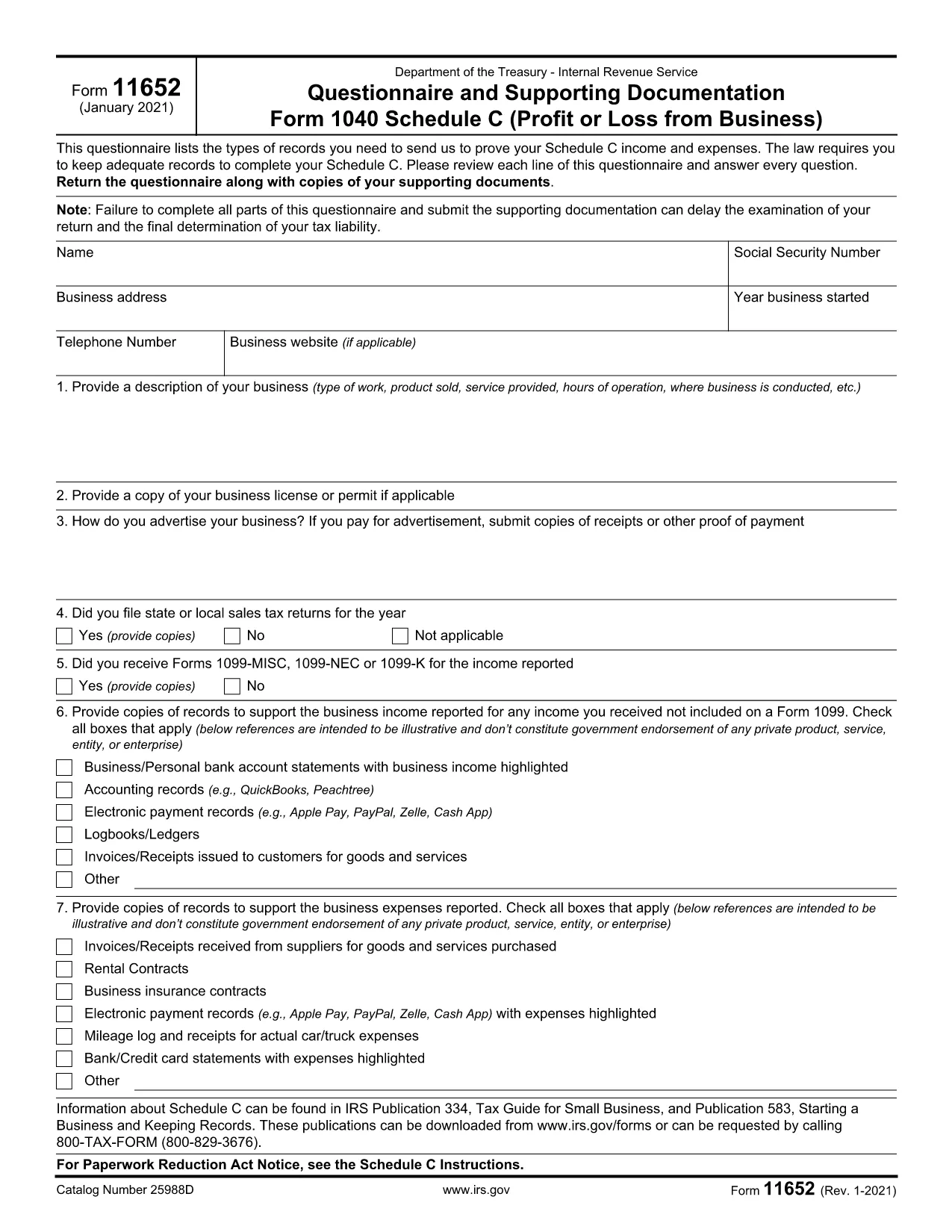
Form 11652 is the IRS questionnaire used to support Schedule C (Profit or Loss from Business) and to determine eligibility for the Earned Income Tax Credit (EITC). The form collects details about your business income, expenses, and supporting documentation.
With Formize’s online PDF filler, you can complete Form 11652 directly in your browser—no extra software, no printing, and no hassle. Simply click the “Fill out this form” button, enter your information, and let the Formize PDF Filler handle the rest.
Form 11652 serves as a questionnaire that the IRS uses to verify the figures you report on Schedule C. It asks for:
Follow the simple steps below to complete the form quickly and accurately.
Skipping required fields, misspelling names, or attaching the wrong supporting documents can delay processing. Double‑check every entry before you submit.
Attach the finished Form 11652 to your Form 1040 filing. If you file electronically, upload the PDF through your tax‑software portal. For paper returns, mail it to the IRS address listed in the Form 1040 instructions for your state.
Use the official IRS version to ensure compliance. Click the button below to open the fillable PDF in the Formize app.
No. Formize’s online PDF filler works in any modern browser, so you can complete the form without installing Adobe Reader or any other program.
Yes. The Formize app lets you save a draft of the fillable PDF and return to it later using the same browser session or by downloading a copy.
Attach copies of bank statements, invoices, receipts, and any contracts that verify the income and expenses you report on Schedule C.
Absolutely. The download link points to the official IRS PDF (f11652.pdf), ensuring you meet all regulatory requirements.
You can file an amended return (Form 1040‑X) and include a corrected Form 11652. Keep a copy of the original and the corrected form for your records.
Form 11652 is due with your annual tax return, typically by April 15, unless you request an extension.
Form 11652 הוא אחד מטפסי מס שהם מסמכים המשמשים לדיווח על מידע הקשור למיסים לרשות המס הרלוונטית. ישנם סוגים שונים של טפסי מס, כולל טפסי מס פדרליים, מדינתיים ומקומיים, שיכולים להשתנות בהתאם לנסיבות ולמיקומו של משלם המסים.
הדרך הקלה ביותר למלא טפסי PDF באינטרנט
מחק הפעלת מילוי
מחק סשן עריכה