
בחר שפה

MV2548 Wisconsin Handicap Parking Permit Application (Fillable PDF)

  1. שפה אנגלית
  2. מדינה ארה"ב
  3. פעילות רישום רכב
  4. מַחלָקָה משרד התחבורה
MV2548 Wisconsin Handicap Parking Permit Application (Fillable PDF)

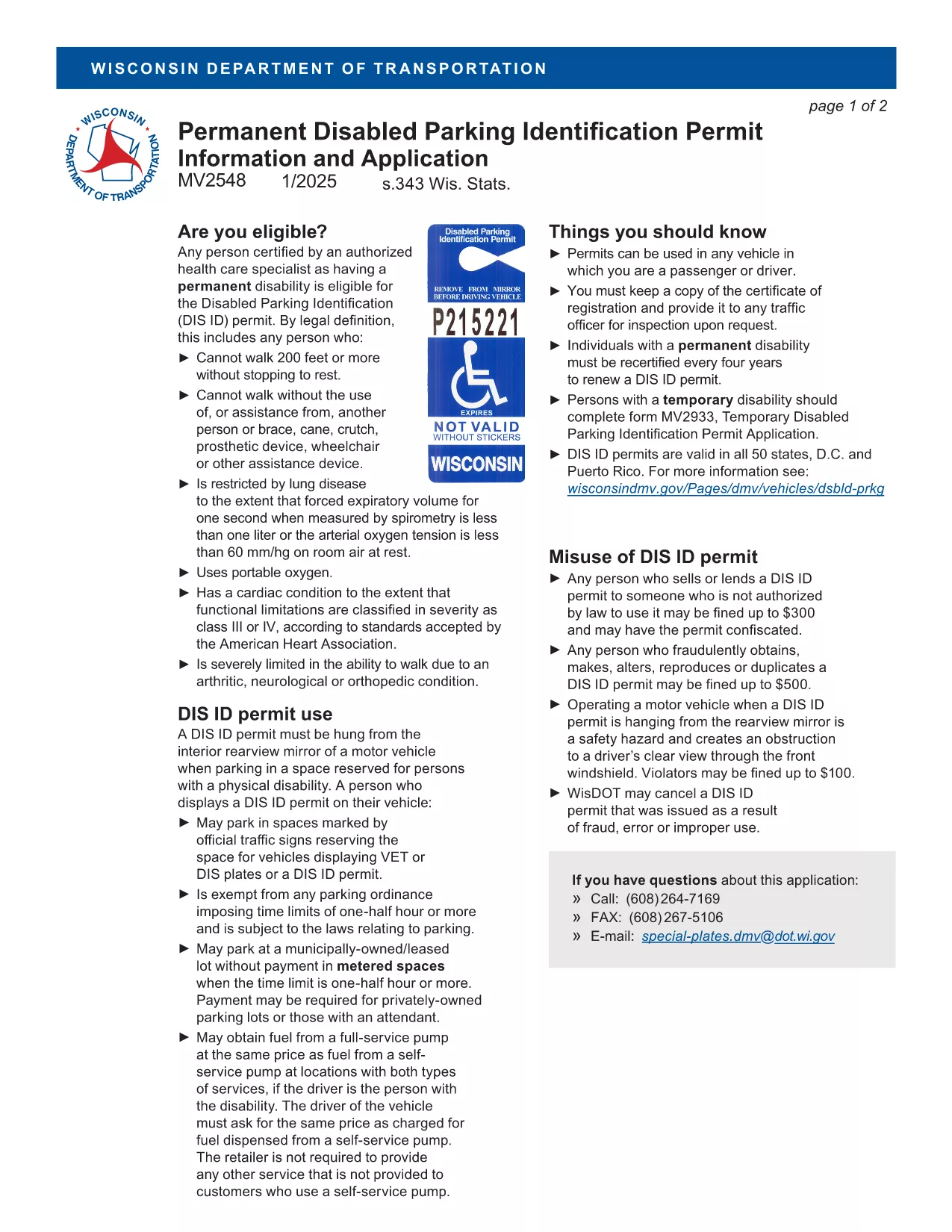
The MV2548 is the official Wisconsin Department of Transportation application for a disabled parking placard or license plate. Whether you need a permanent placard, a temporary pass, or a disability license plate, this fillable PDF lets you complete the entire process online with the Formize PDF Filler.

Who Is Eligible for the MV2548 Permit?

To qualify, you must have a permanent or temporary disability certified by a licensed health‑care professional. Typical qualifying conditions include:

  • Inability to walk 200 feet without resting
  • Use of a wheelchair, walker, or other assistive device
  • Severe lung disease, cardiac condition, or other medical condition that limits mobility

Eligibility is determined by the physician, advanced practice nurse, podiatrist, chiropractor, physician assistant, public health nurse, or Christian Science practitioner who completes the medical certification section.

How to Complete the MV2548 Form Online

Follow these simple steps to fill out the MV2548 form directly on our site:

  1. Click the "Fill out this form" button below.
  2. Wait a few seconds while the Formize PDF Filler app loads.
  3. Enter all required information, including personal details, vehicle data, and medical certification.
  4. Review the completed form for accuracy.
  5. Save, print, or submit the form according to the instructions at the end of the PDF.

Common Mistakes to Avoid When Filling MV2548

  • Leaving the medical certification blank: The form is invalid without a completed physician’s section.
  • Mismatching vehicle information: Ensure the VIN, make, model, and year match the registration.
  • Incorrect signatures: Both the applicant and the medical professional must sign electronically or on print‑out.
  • Using an outdated form: Always use the latest MV2548 PDF – the link below points to the current version.

Where to Submit Your Completed Form

After you finish, you can either:

  • Print the completed form and mail it to the Wisconsin Department of Transportation, Division of Motor Vehicles, 500 W. St. Paul Ave., Madison, WI 53707.
  • Take the printed form to any DMV office for in‑person processing.
  • Upload the PDF through the online DMV portal if you have a registered account.

Remember to include the required fee (if applicable) and any supporting medical documentation.

Frequently Asked Questions

Below are the most common queries about the MV2548 form and how to use it.

שאלות נפוצות
  • Who can apply for a Wisconsin handicap parking placard?

    Anyone with a permanent or temporary disability certified by a licensed health‑care professional, such as an inability to walk 200 feet without resting, qualifies.

  • Is there a fee for the MV2548 application?

    Permanent placards are free, while temporary placards cost a nominal fee (currently $6). Disability license plates have separate fees based on vehicle type.

  • How long is a permanent placard valid?

    A permanent placard is valid for four years. You must submit a new MV2548 form with an updated medical certification before the expiration date.

  • Can I fill out the MV2548 form on a mobile device?

    Yes. The Formize PDF Filler works on most smartphones and tablets, allowing you to complete the form anywhere with an internet connection.

  • What should I do if my medical certification is missing a signature?

    The form will be rejected. Contact your health‑care provider to obtain the required signature before submitting the application.

  • Do I need to attach additional documents?

    Attach a copy of the signed medical certification page. If applying for a license plate, include a copy of your vehicle registration.

  • How do I renew my handicap placard?

    Complete a new MV2548 form, obtain a fresh medical certification, and submit it with the renewal fee (if applicable) before your current placard expires.

  • Can out‑of‑state visitors use a Wisconsin placard?

    Visitors may use their home‑state placard while in Wisconsin, but they cannot obtain a Wisconsin placard unless they become a resident.

איך ל

כיצד למלא את MV2548 בחינם, באינטרנט ב-5 שלבים פשוטים:

  1. 1
    Open the Fillable Form
    Click the "Fill out this form" button on the page. The Formize PDF Filler will open in a new window.
  2. 2
    Load the PDF Filler
    Wait a few seconds while the app loads the MV2548 PDF. No download or extra software is required.
  3. 3
    Enter Your Information
    Complete each section—personal details, vehicle data, and medical certification—using the on‑screen fields.
  4. 4
    Review and Sign
    Double‑check all entries for accuracy, then add your electronic signature and the medical professional’s signature.
  5. 5
    Save or Submit
    Save the completed PDF to your device, print it, and mail or bring it to a Wisconsin DMV office, or upload it via the online portal.
Formize אפליקציית מילוי PDF
על אודות

טפסי רישום רכב

MV2548 הוא אחד מטפסי DMV, הידועים גם כטופסי Department of Motor Vehicles, שהם מסמכים המשמשים בעסקאות ותהליכים שונים הקשורים לרכב מנוע. DMV היא סוכנות ממשלתית האחראית על רישוי נהיגה, רישום רכב ואכיפת חוקי רכב מנועי. טפסי ה-DMV הספציפיים הזמינים יכולים להשתנות לפי תחום שיפוט, אך הנה כמה דוגמאות נפוצות:

טפסי רישיון נהיגה: טפסים אלה משמשים להגשת בקשה לרישיון נהיגה או לבקשת שינויים או חידושים. הם דורשים בדרך כלל מידע אישי, הוכחת זהות ועשויים לכלול קטעים למידע רפואי או היסטוריית נהיגה.

טפסי רישום רכב: טפסים אלה משמשים לרישום רכב מנועי ב-DMV. הם דורשים מידע על רכב, פרטי בעלות והוכחת ביטוח.

טפסי העברת בעלות: בעת קנייה או מכירה של רכב, טפסים אלה משמשים להעברת בעלות מצד אחד למשנהו. הם דורשים מידע על הקונה, המוכר, פרטי הרכב, ועשויים לכלול שטר מכר.

טופסי שחרור אחריות לרכב: בעת מכירה או העברת בעלות על רכב, טפסים אלה מודיעים ל-DMV שהמוכר אינו אחראי עוד על הרכב. זה עוזר להגן על המוכר מפני אחריות לתאונות או תקריות עם הרכב לאחר המכירה.

טפסי חידוש לוחית רישוי ורישום: טפסים אלה משמשים לחידוש רישום רכב או לבקשת לוחיות רישוי חדשות. בדרך כלל הם דורשים מידע על הבעלים הרשום, פרטי רישום עדכניים ותשלום עמלות חלות.

טפסי בקשה לרישומי נהיגה: טפסים אלו מאפשרים לאנשים לבקש את רישומי הנהיגה שלהם מה-DMV, המספקים מידע על הפרות נהיגה, סטטוס רישיון ופרטים רלוונטיים אחרים.

טפסי לוחית רישוי מיוחדים או מותאמים אישית: טפסים אלה משמשים להגשת בקשה ללוחיות רישוי מותאמות אישית או מיוחדות, המאפשרות לאנשים להתאים אישית את לוחית הרישוי שלהם עם תווים או עיצובים ספציפיים.

אלו הן רק כמה דוגמאות מהטפסים הרבים שעשויים להיות זמינים דרך ה-DMV. הטפסים והדרישות הספציפיות עשויות להשתנות לפי תחום שיפוט, לכן חשוב להתייעץ באתר האינטרנט המקומי של DMV או לבקר במשרד DMV כדי לקבל את הטפסים הנכונים לצרכים הספציפיים שלך.

תכונות

מילוי PDF

הדרך הקלה ביותר למלא טפסי PDF באינטרנט

  • מלא במהירות את MV2548
    מחפש דרך למלא במהירות את MV2548 באינטרנט? עם מילוי טופס ה-PDF המקוון שלנו בחינם, תדע כיצד לערוך ולמלא את מסמך ה-PDF הזה תוך פחות מדקה.
  • עורך PDF מקוון קל לשימוש
    נמאס לך להדפיס קבצי PDF כדי שתוכל לערוך אותם, לפני סריקה מחדש ושליחה חזרה? ערוך מסמכי PDF בחינם באינטרנט. השתמש בעורך ה-PDF המקוון שלנו כדי לחסוך בזמן ובנייר.
  • כלים מעולים, כל הפלטפורמות
    תוהה כיצד למלא את MV2548 ב-Mac, או אולי איך להשתמש בחומר מילוי PDF בחינם? כלי ה-PDF המקוונים שלנו פועלים בכל הפלטפורמות.
  • אחסון קבצים מאובטח
    קבצי "MV2548" שהושלמו מאוחסנים במסד נתונים מאובטח המנוהל על ידי אירוח Amazon Cloud. אתה יכול למחוק את הקבצים שלך מהמערכת שלנו בכל עת. בכל מקרה, קבצים אלו נמחקים אוטומטית לאחר 24 שעות.
  • צ'אט עם MV2548
    צ'אט עם "MV2548" ב-Chatize שהוא עוזר לקורא PDF בחינם. שאל שאלות וקבל תשובות מ-"MV2548". פשוט לחץ על הלחצן צ'אט עם מסמך למעלה.

מחק הפעלת מילוי

למחוק את הפעלת המילוי שנבחרה? במקרה זה, ההתקדמות שלך במילוי הטופס תאבד.

מחק סשן עריכה

למחוק את סשן העריכה שנבחר? במקרה זה, ההתקדמות שלך ביצירה ועריכה של הטופס תאבד.