בחר שפה

FAA Form 8610-2 – Fillable PDF for Airman Certificate & Rating Application

  1. שפה אנגלית
  2. מדינה ארה"ב
  3. פעילות Aviation Certification
  4. מַחלָקָה Federal Aviation Administration
FAA Form 8610-2 – Fillable PDF for Airman Certificate & Rating Application

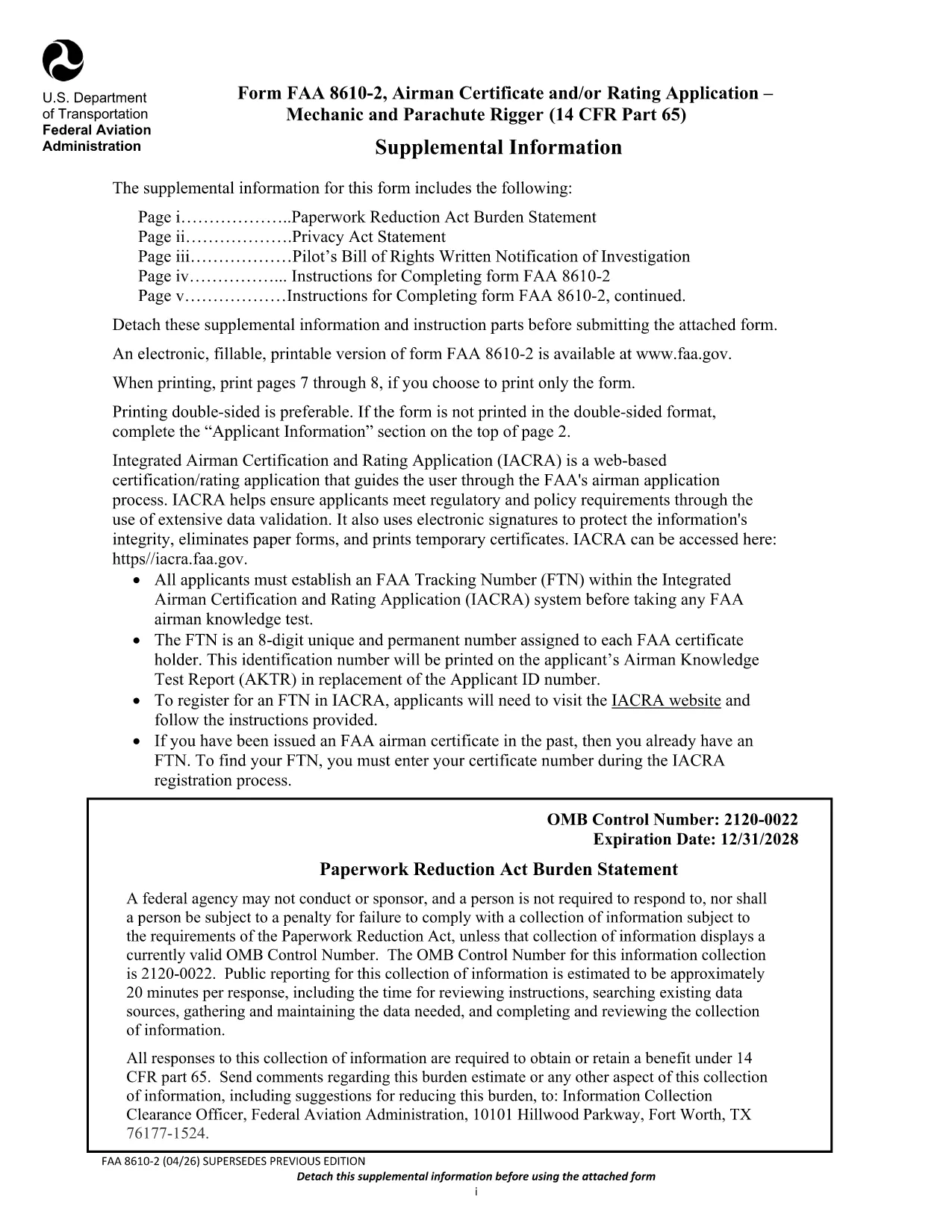
The FAA Form 8610-2 is the official Airman Certificate and/or Rating Application for mechanic and parachute rigger certifications (14 CFR Part 65). Whether you’re applying for an A&P, mechanic, or rigger rating, this form is required before you can schedule your oral and practical exams.

What Is FAA Form 8610-2?

Form 8610-2 collects personal information, employment history, and the specific ratings you are requesting. It is used by Flight Standards District Offices (FSDOs) and International Flight Standards Offices (IFOs) to verify eligibility and issue a tracking number (FTN) through the IACRA system.

How to Fill Out Form 8610-2 Online with Formize

Instead of downloading, printing, and scanning, simply click the “Fill out this form” button on this page. The Formize PDF Filler loads in your browser, letting you type, select check‑boxes, and save your progress instantly.

  • Step 1: Click the button and wait for the Formize app to load.
  • Step 2: Complete each field – the filler highlights required sections.
  • Step 3: Review, then click “Save & Download” to get a completed PDF copy.
  • Step 4: Print or email the file to your local FSDO for signature.

Common Mistakes to Avoid When Completing the Form

Even a small error can delay your certification. Avoid these pitfalls:

  • Leaving the top‑left “Mechanic”, “Airframe”, or “Powerplant” boxes checked – the FAA inspector fills them.
  • Providing incomplete experience worksheets (Tables I‑III). Use the exact language from 14 CFR §65.77.
  • Submitting an outdated FTN. Create a new IACRA account if you haven’t already.
  • Forgetting to attach a Real‑ID or passport copy when applying for a rating change.

Where to Submit Your Completed Form

After you’ve saved the filled PDF, bring the original and copies to your nearest Flight Standards District Office (FSDO) or International Flight Standards Office (IFO). The inspector will review, sign, and forward the application to the FAA certification database.

Download the Official Fillable PDF

Need the original PDF for offline use or reference? You can download the latest FAA‑issued form below.

Download FAA Form 8610-2 (PDF)

שאלות נפוצות
  • Do I need a PDF editor to fill Form 8610-2?

    No. With Formize you can fill the form directly in your browser—no extra software required.

  • Can I submit the form electronically?

    The FAA still requires a hard copy signature at the FSDO, but you can email the completed PDF ahead of your appointment.

  • What is an FTN and why do I need it?

    An FTN (FAA Tracking Number) is generated in IACRA and links your written and practical exam results to your certification record.

  • How long is the FAA Form 8610-2 valid?

    The form is active until the expiration date shown on the PDF (currently 12/31/2028). Use the latest version for any new application.

  • What documents should I bring to the FSDO?

    Bring a government‑issued ID (Real‑ID, passport, or birth certificate), your FTN, experience worksheets (Tables I‑III), and any supporting letters of recommendation.

  • Can I apply for both airframe and powerplant ratings on the same form?

    Yes. Select the appropriate boxes on the form and provide experience for each rating in the corresponding tables.

  • Is there a fee to submit Form 8610-2?

    The form itself is free, but you will pay testing fees when you schedule your oral and practical exams.

איך ל

כיצד למלא את FAA Form 8610-2 בחינם, באינטרנט ב-4 שלבים פשוטים:

  1. 1
    Open the Formize Filler
    Click the “Fill out this form” button on the page. The Formize PDF Filler will open in a new browser tab.
  2. 2
    Enter Your Information
    Type directly into each field. Required sections are highlighted in red. Use dropdowns for rating selections.
  3. 3
    Save and Download
    When you’ve completed all sections, click “Save & Download”. A filled‑out PDF will be saved to your device.
  4. 4
    Print or Email to Your FSDO
    Print the saved PDF (or email it) and bring it to your local Flight Standards District Office for the final signature.
Formize אפליקציית מילוי PDF
על אודות

תבנית FAA Form 8610-2

עם סט התכונות המסורתי לצפייה ומילוי של מסמך PDF, בשילוב עם היתרונות של אפליקציית אינטרנט ופריסה רספונסיבית, תוכל להשלים את FAA Form 8610-2 בתוך דקות.

תכונות

מילוי PDF

הדרך הקלה ביותר למלא טפסי PDF באינטרנט

  • מלא במהירות את FAA Form 8610-2
    מחפש דרך למלא במהירות את FAA Form 8610-2 באינטרנט? עם מילוי טופס ה-PDF המקוון שלנו בחינם, תדע כיצד לערוך ולמלא את מסמך ה-PDF הזה תוך פחות מדקה.
  • עורך PDF מקוון קל לשימוש
    נמאס לך להדפיס קבצי PDF כדי שתוכל לערוך אותם, לפני סריקה מחדש ושליחה חזרה? ערוך מסמכי PDF בחינם באינטרנט. השתמש בעורך ה-PDF המקוון שלנו כדי לחסוך בזמן ובנייר.
  • כלים מעולים, כל הפלטפורמות
    תוהה כיצד למלא את FAA Form 8610-2 ב-Mac, או אולי איך להשתמש בחומר מילוי PDF בחינם? כלי ה-PDF המקוונים שלנו פועלים בכל הפלטפורמות.
  • אחסון קבצים מאובטח
    קבצי "FAA Form 8610-2" שהושלמו מאוחסנים במסד נתונים מאובטח המנוהל על ידי אירוח Amazon Cloud. אתה יכול למחוק את הקבצים שלך מהמערכת שלנו בכל עת. בכל מקרה, קבצים אלו נמחקים אוטומטית לאחר 24 שעות.
  • צ'אט עם FAA Form 8610-2
    צ'אט עם "FAA Form 8610-2" ב-Chatize שהוא עוזר לקורא PDF בחינם. שאל שאלות וקבל תשובות מ-"FAA Form 8610-2". פשוט לחץ על הלחצן צ'אט עם מסמך למעלה.

מחק הפעלת מילוי

למחוק את הפעלת המילוי שנבחרה? במקרה זה, ההתקדמות שלך במילוי הטופס תאבד.

מחק סשן עריכה

למחוק את סשן העריכה שנבחר? במקרה זה, ההתקדמות שלך ביצירה ועריכה של הטופס תאבד.