בחר שפה

USPS Post Office Application Form (Fillable PDF)

  1. שפה אנגלית
  2. מדינה ארה"ב
  3. פעילות Employment
  4. מַחלָקָה USPS
USPS Post Office Application Form (Fillable PDF)

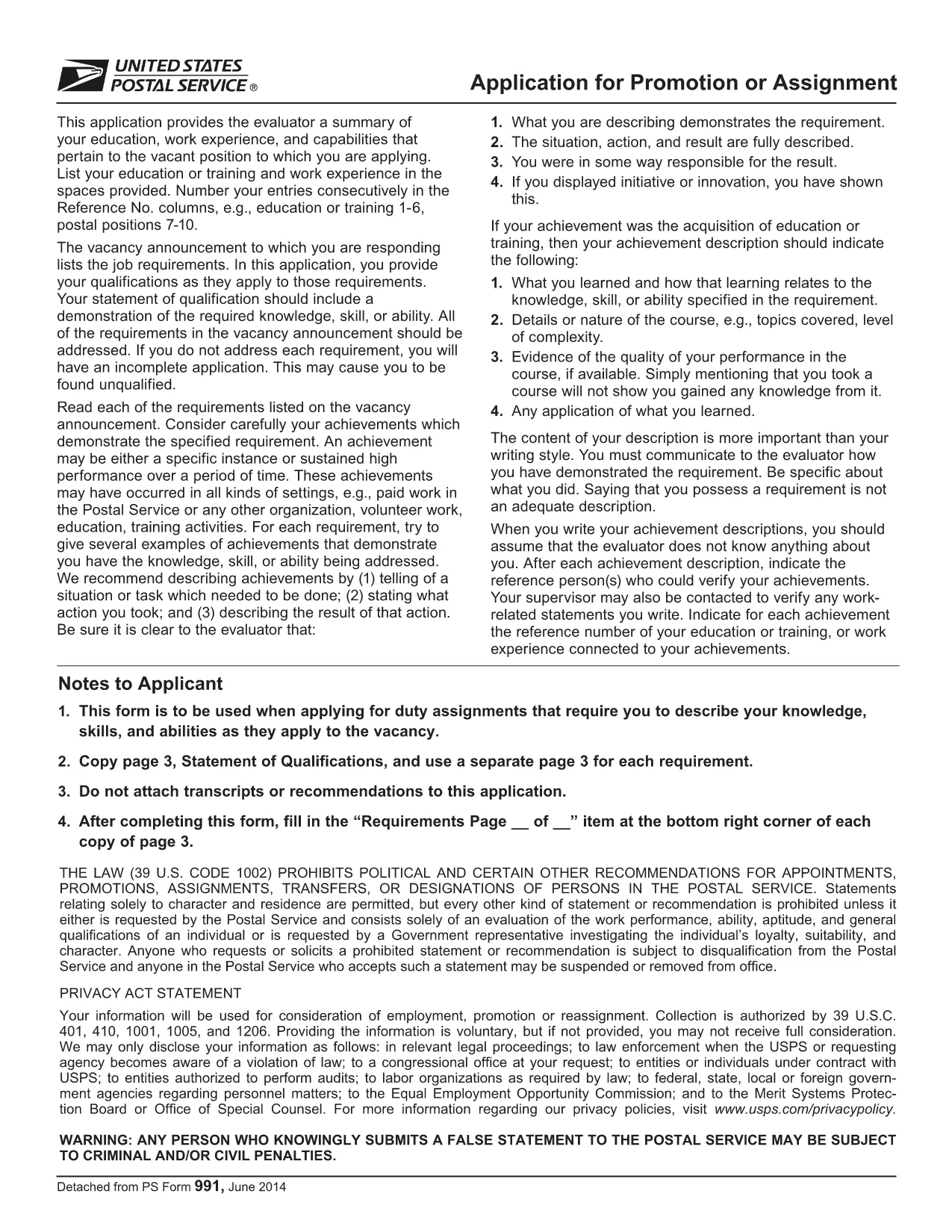
Applying for a position, promotion, or assignment with the United States Postal Service (USPS) starts with the official PS‑991 Application Form. Instead of printing, scanning, or hand‑writing, you can fill the form instantly online using Formize’s secure PDF filler.

Why Use the Fillable PDF Form?

  • Fast loading – the form opens in seconds.
  • Auto‑save feature prevents lost data.
  • Built‑in validation reduces errors.
  • Direct download of the official USPS PDF (PS‑991).

How to Complete the USPS Application Online

Follow the simple steps below to finish your application without leaving the page.

Common Mistakes to Avoid

  • Leaving required fields blank – the filler will highlight them.
  • Using an outdated version of the form – always use the latest PDF linked below.
  • Submitting without reviewing – use the “Preview” button to double‑check.

Download the Official PDF

The PDF you will fill out is the exact form provided by USPS. Click the button below to launch the Formize PDF Filler and start editing instantly.

FAQs About the USPS Application

Find quick answers to the most common questions below. If you need more help, refer to the official USPS instructions.

שאלות נפוצות
  • Is the PS‑991 form only for current USPS employees?

    Yes, PS‑991 is intended for current USPS employees applying for promotions, reassignments, or special duties.

  • Can I edit the PDF on a mobile device?

    The Formize PDF Filler works on most smartphones and tablets. For the best experience, use a desktop browser.

  • Do I need Adobe Acrobat to fill the form?

    No. The fillable version runs entirely in your web browser via Formize’s secure PDF filler.

  • What if I make a mistake after saving?

    Open the saved PDF again with the Formize filler, edit the needed fields, and re‑save.

  • Is my personal data safe while using the filler?

    Yes. Formize uses SSL encryption, and the PDF never leaves your browser unless you choose to download or submit it.

  • Do I need to print the form before submitting?

    Most USPS hiring portals accept a PDF upload. Print only if the specific posting requires a hard copy.

  • How often is the PS‑991 form updated?

    USPS updates the form as needed. The link on this page always points to the latest version.

איך ל

כיצד למלא את USPS application form בחינם, באינטרנט ב-5 שלבים פשוטים:

  1. 1
    Click “Fill out this form”
    Press the button on this page to open the Formize PDF Filler with the PS‑991 PDF loaded.
  2. 2
    Wait for the filler to load
    The app loads in a few seconds; you’ll see the form fields become editable.
  3. 3
    Enter your information
    Type directly into each field. Required fields are marked with an asterisk and validated in real time.
  4. 4
    Review and save
    Use the “Preview” button to check all entries, then click “Save” to download a completed copy.
  5. 5
    Submit to USPS
    Print the saved PDF or attach it to your online USPS job portal submission as instructed by the hiring manager.
Formize אפליקציית מילוי PDF
על אודות

תבנית USPS application form

עם סט התכונות המסורתי לצפייה ומילוי של מסמך PDF, בשילוב עם היתרונות של אפליקציית אינטרנט ופריסה רספונסיבית, תוכל להשלים את USPS application form בתוך דקות.

תכונות

מילוי PDF

הדרך הקלה ביותר למלא טפסי PDF באינטרנט

  • מלא במהירות את USPS application form
    מחפש דרך למלא במהירות את USPS application form באינטרנט? עם מילוי טופס ה-PDF המקוון שלנו בחינם, תדע כיצד לערוך ולמלא את מסמך ה-PDF הזה תוך פחות מדקה.
  • עורך PDF מקוון קל לשימוש
    נמאס לך להדפיס קבצי PDF כדי שתוכל לערוך אותם, לפני סריקה מחדש ושליחה חזרה? ערוך מסמכי PDF בחינם באינטרנט. השתמש בעורך ה-PDF המקוון שלנו כדי לחסוך בזמן ובנייר.
  • כלים מעולים, כל הפלטפורמות
    תוהה כיצד למלא את USPS application form ב-Mac, או אולי איך להשתמש בחומר מילוי PDF בחינם? כלי ה-PDF המקוונים שלנו פועלים בכל הפלטפורמות.
  • אחסון קבצים מאובטח
    קבצי "USPS application form" שהושלמו מאוחסנים במסד נתונים מאובטח המנוהל על ידי אירוח Amazon Cloud. אתה יכול למחוק את הקבצים שלך מהמערכת שלנו בכל עת. בכל מקרה, קבצים אלו נמחקים אוטומטית לאחר 24 שעות.
  • צ'אט עם USPS application form
    צ'אט עם "USPS application form" ב-Chatize שהוא עוזר לקורא PDF בחינם. שאל שאלות וקבל תשובות מ-"USPS application form". פשוט לחץ על הלחצן צ'אט עם מסמך למעלה.

מחק הפעלת מילוי

למחוק את הפעלת המילוי שנבחרה? במקרה זה, ההתקדמות שלך במילוי הטופס תאבד.

מחק סשן עריכה

למחוק את סשן העריכה שנבחר? במקרה זה, ההתקדמות שלך ביצירה ועריכה של הטופס תאבד.