hamburger-menu icon
भाषा का चयन करें

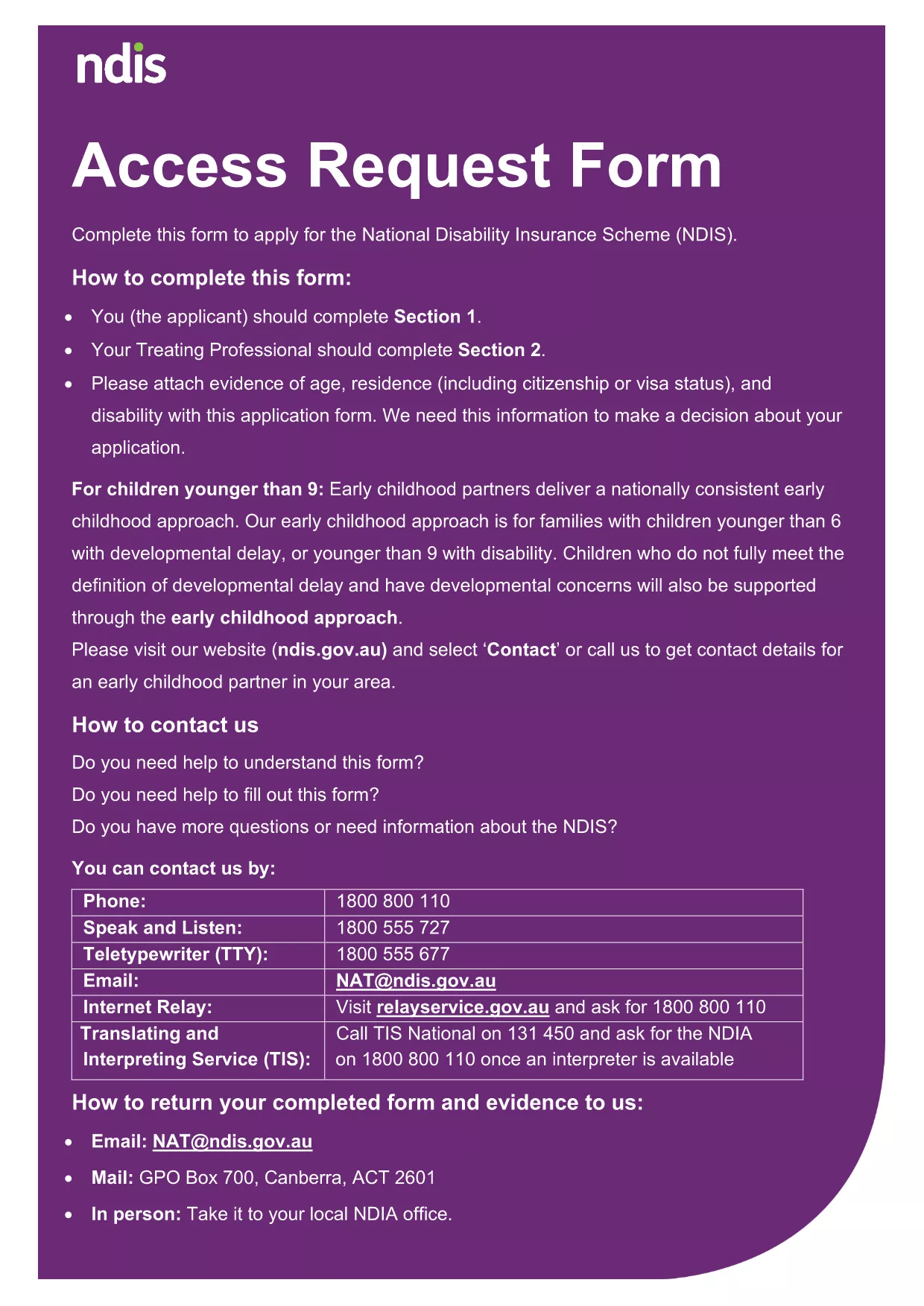
NDIA Access Request Form – Fillable PDF

  1. भाषा अंग्रेज़ी
  2. देश ऑस्ट्रेलिया
  3. विभाग National Disability Insurance Agency
  4. गतिविधि Access Requests
फार्म को भरो
NDIA Access Request Form – Fillable PDF

The National Disability Insurance Agency (NDIA) Access Request Form is a standard application used to request access to your personal disability information. Our fillable PDF version lets you complete the form quickly, securely, and without the need for any extra software.

What Is the NDIA Access Request Form?

This form collects essential details such as your name, contact information, and the specific records you wish to obtain. It is required for anyone applying for access under the Australian Disability Services Act.

How to Complete the Form Online

Instead of downloading the PDF and opening a separate editor, simply click the "Fill out this form" button on this page. The Formize PDF Filler app will load in your browser, allowing you to:

  • Enter data directly into each field.
  • Save progress and return later.
  • Download a completed copy for your records.

Common Mistakes to Avoid

To ensure a smooth processing of your request, avoid these frequent errors:

  • Leaving mandatory fields blank.
  • Providing outdated contact details.
  • Submitting an unsigned form.
  • Uploading supporting documents in an unsupported format.

Where to Submit Your Completed Form

After you finish, you can either:

  • Print and mail the form to the NDIA address listed on the last page.
  • Upload the PDF through your My NDIS portal.

Both methods are accepted, but online submission speeds up processing.

सामान्य प्रश्न
  • Do I need a PDF reader to fill this form?

    No. The Formize PDF Filler works entirely in your web browser, so you don’t need Adobe Acrobat or any other software.

  • Can I save my progress and finish later?

    Yes. Use the "Save" button to store a draft in your browser, then return to the page and click "Load draft" when you’re ready.

  • What file format should I use for supporting documents?

    Accepted formats are PDF, JPG, and PNG. Make sure each file is under 5 MB.

  • Is the information I enter secure?

    All data is processed locally in your browser and never stored on Formize servers unless you choose to download or email it.

  • Can I print the form before submitting?

    Absolutely. After completing the form, click "Download" and print the PDF for a hard‑copy submission.

  • What if I make a mistake after submitting?

    Contact the NDIA directly to request a correction. You can also submit a new, corrected form if needed.

कैसे करें

NDIA access request form को मुफ़्त में, ऑनलाइन 4 आसान स्टेप्स में कैसे भरें:

  1. 1
    Open the Fillable Form
    Click the "Fill out this form" button on the page. The Formize PDF Filler will launch directly in your browser.
  2. 2
    Enter Your Information
    Type your details into each highlighted field. Use the tab key to move quickly between sections.
  3. 3
    Save or Download
    When finished, click "Save" to store a copy in your browser or "Download" to save the completed PDF to your device.
  4. 4
    Submit the Form
    Print and mail the PDF, or upload it through the My NDIS portal as instructed on the last page of the form.
पीडीएफ फिलर एप तैयार करें
के बारे में

NDIA access request form टेम्पलेट

एक पीडीएफ दस्तावेज़ को देखने और भरने के लिए सुविधाओं के पारंपरिक सेट के साथ, एक वेब एप्लिकेशन और उत्तरदायी लेआउट के लाभों के साथ, आप NDIA access request form को मिनटों में पूरा कर सकते हैं।

विशेषताएं

पीडीएफ भराव

पीडीएफ फॉर्म ऑनलाइन भरने का सबसे आसान तरीका

  • जल्दी से NDIA access request form भरें
    NDIA access request form को जल्दी से ऑनलाइन भरने का कोई तरीका खोज रहे हैं? हमारे ऑनलाइन नि:शुल्क पीडीएफ फॉर्म फिलर के साथ, आप एक मिनट से भी कम समय में इस पीडीएफ दस्तावेज़ को संपादित करने और भरने का तरीका जानेंगे।
  • ऑनलाइन पीडीएफ संपादक का उपयोग करना आसान है
    पीडीएफ फाइलों को प्रिंट करने से तंग आ गए हैं ताकि आप उन्हें फिर से स्कैन करने और उन्हें वापस भेजने से पहले संपादित कर सकें? PDF दस्तावेज़ों को निःशुल्क ऑनलाइन संपादित करें। समय और कागज बचाने के लिए हमारे ऑनलाइन पीडीएफ संपादक का प्रयोग करें।
  • महान उपकरण, सभी प्लेटफार्म
    आश्चर्य है कि मैक पर NDIA access request form कैसे भरें, या शायद पीडीएफ फिलर का मुफ्त में उपयोग कैसे करें? हमारे ऑनलाइन पीडीएफ टूल सभी प्लेटफॉर्म पर काम करते हैं।
  • सुरक्षित फ़ाइल भंडारण
    पूर्ण की गई "NDIA access request form" फ़ाइलें Amazon क्लाउड होस्टिंग द्वारा प्रबंधित एक सुरक्षित डेटाबेस में संग्रहीत की जाती हैं। आप कभी भी अपनी फाइलों को हमारे सिस्टम से हटा सकते हैं। किसी भी स्थिति में, ये फ़ाइलें 24 घंटे के बाद स्वतः हटा दी जाती हैं।
  • {कीवर्ड} से चैट करें
    Chatize पर "NDIA access request form" के साथ चैट करें, जो एक निःशुल्क पीडीएफ रीडर सहायक है। प्रश्न पूछें और "NDIA access request form" से उत्तर प्राप्त करें। बस ऊपर दस्तावेज़ के साथ चैट करें बटन पर क्लिक करें।

फ़िलिंग सत्र मिटाएँ

चयनित फ़िलिंग सत्र को मिटाएँ? इस स्थिति में, फ़ॉर्म को पूरा करने में आपकी प्रगति खो जाएगी।

संपादन सत्र हटाएँ

चयनित संपादन सत्र हटाएँ? इस स्थिति में, फ़ॉर्म बनाने और संपादित करने में आपकी प्रगति नष्ट हो जाएगी।