hamburger-menu icon
भाषा का चयन करें

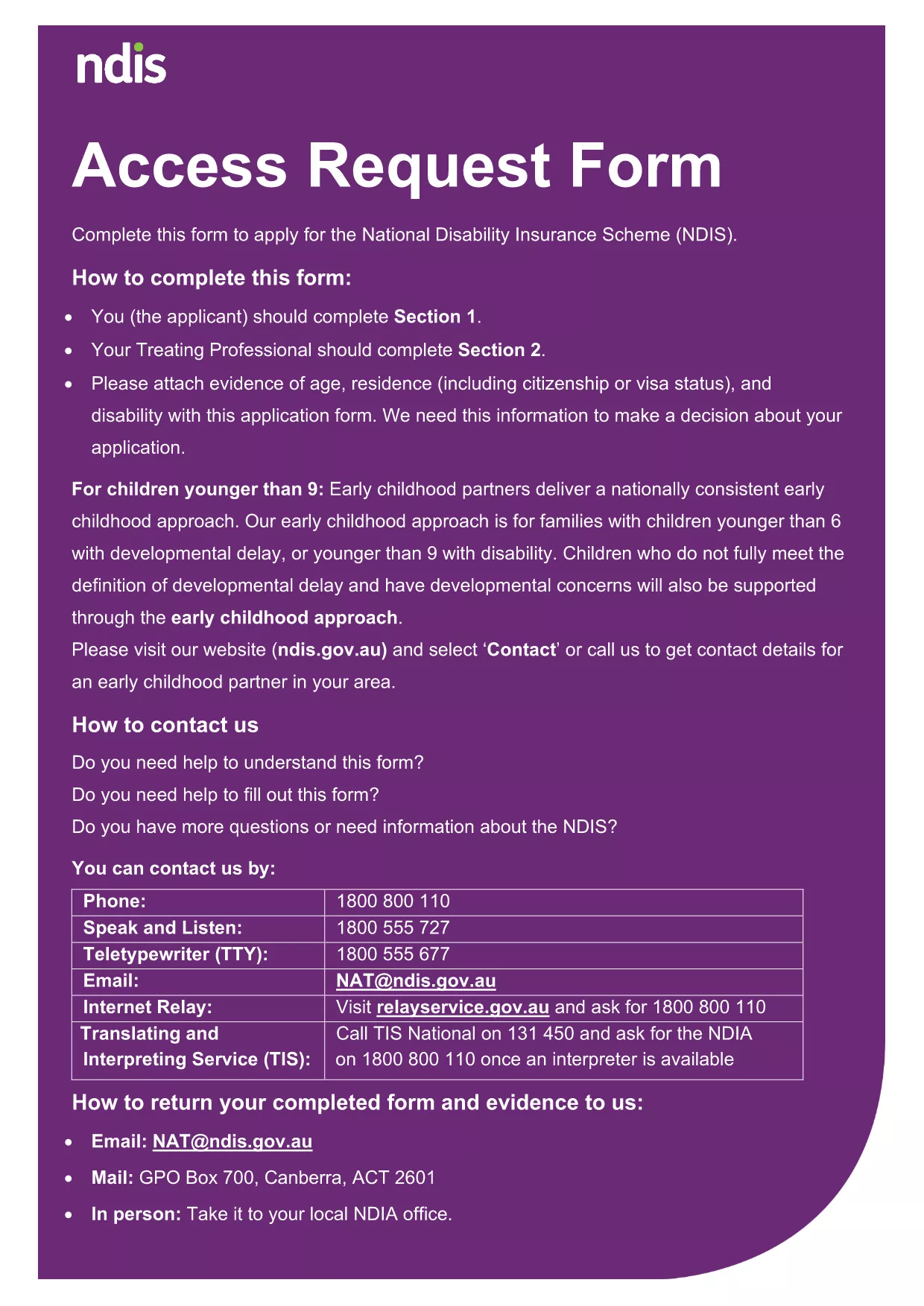
NDIS Access Request Form – Fillable PDF

  1. भाषा अंग्रेज़ी
  2. देश ऑस्ट्रेलिया
  3. विभाग National Disability Insurance Agency
  4. गतिविधि Disability Services
फार्म को भरो
NDIS Access Request Form – Fillable PDF

Looking for a fast, secure way to submit your NDIS Access Request? Our fillable PDF version lets you enter all required details directly in your browser—no printer, scanner, or PDF editor needed.

Why Choose the Fillable NDIS Access Request Form?

The National Disability Insurance Agency (NDIA) requires accurate personal information to process your request. Using the fillable PDF ensures:

  • All fields are validated in real‑time, reducing errors.
  • Automatic saving so you can pause and resume.
  • Instant PDF generation that’s ready for upload or email.

How to Complete the Form Using Formize

Follow these simple steps and let the Formize PDF Filler do the heavy lifting.

Common Mistakes to Avoid

  • Leaving mandatory fields blank – the filler will highlight missing data.
  • Using an outdated version of the form – always download the latest PDF from this page.
  • Submitting without a digital signature – the filler adds a compliant e‑signature.

Where to Submit Your Completed Application

After you finish, download the completed PDF and upload it through the NDIA portal or email it to the address provided in the form instructions. Keep a copy for your records.

सामान्य प्रश्न
  • Do I need Adobe Acrobat to fill this form?

    No. The Formize PDF Filler works in any modern browser, so you can complete the form without installing additional software.

  • Can I save my progress and finish later?

    Yes. The filler automatically saves your entries locally. When you return, simply reload the page and continue where you left off.

  • Is my personal data safe?

    All data stays on your device until you choose to download or submit the PDF. Formize does not store any personal information.

  • What if I make a mistake after submitting?

    Contact the NDIA directly to request a correction. Having a saved copy of your completed PDF makes it easy to reference.

  • Can I print a hard copy after filling the form?

    Absolutely. After you download the completed PDF, you can print it using any printer.

कैसे करें

NDIS access request form को मुफ़्त में, ऑनलाइन 4 आसान स्टेप्स में कैसे भरें:

  1. 1
    Open the Fillable Form
    Click the "Fill out this form" button on the page. The Formize PDF Filler app will load automatically.
  2. 2
    Enter Your Information
    Type your name, contact details, and any required supporting information into the highlighted fields.
  3. 3
    Validate and Sign
    The filler checks each field for errors. When all data is correct, add your digital signature using the built‑in e‑sign tool.
  4. 4
    Download or Submit
    Click "Download PDF" to save a copy, or use the "Submit" button to send the completed form directly to the NDIA portal.
पीडीएफ फिलर एप तैयार करें
के बारे में

NDIS access request form टेम्पलेट

एक पीडीएफ दस्तावेज़ को देखने और भरने के लिए सुविधाओं के पारंपरिक सेट के साथ, एक वेब एप्लिकेशन और उत्तरदायी लेआउट के लाभों के साथ, आप NDIS access request form को मिनटों में पूरा कर सकते हैं।

विशेषताएं

पीडीएफ भराव

पीडीएफ फॉर्म ऑनलाइन भरने का सबसे आसान तरीका

  • जल्दी से NDIS access request form भरें
    NDIS access request form को जल्दी से ऑनलाइन भरने का कोई तरीका खोज रहे हैं? हमारे ऑनलाइन नि:शुल्क पीडीएफ फॉर्म फिलर के साथ, आप एक मिनट से भी कम समय में इस पीडीएफ दस्तावेज़ को संपादित करने और भरने का तरीका जानेंगे।
  • ऑनलाइन पीडीएफ संपादक का उपयोग करना आसान है
    पीडीएफ फाइलों को प्रिंट करने से तंग आ गए हैं ताकि आप उन्हें फिर से स्कैन करने और उन्हें वापस भेजने से पहले संपादित कर सकें? PDF दस्तावेज़ों को निःशुल्क ऑनलाइन संपादित करें। समय और कागज बचाने के लिए हमारे ऑनलाइन पीडीएफ संपादक का प्रयोग करें।
  • महान उपकरण, सभी प्लेटफार्म
    आश्चर्य है कि मैक पर NDIS access request form कैसे भरें, या शायद पीडीएफ फिलर का मुफ्त में उपयोग कैसे करें? हमारे ऑनलाइन पीडीएफ टूल सभी प्लेटफॉर्म पर काम करते हैं।
  • सुरक्षित फ़ाइल भंडारण
    पूर्ण की गई "NDIS access request form" फ़ाइलें Amazon क्लाउड होस्टिंग द्वारा प्रबंधित एक सुरक्षित डेटाबेस में संग्रहीत की जाती हैं। आप कभी भी अपनी फाइलों को हमारे सिस्टम से हटा सकते हैं। किसी भी स्थिति में, ये फ़ाइलें 24 घंटे के बाद स्वतः हटा दी जाती हैं।
  • {कीवर्ड} से चैट करें
    Chatize पर "NDIS access request form" के साथ चैट करें, जो एक निःशुल्क पीडीएफ रीडर सहायक है। प्रश्न पूछें और "NDIS access request form" से उत्तर प्राप्त करें। बस ऊपर दस्तावेज़ के साथ चैट करें बटन पर क्लिक करें।

फ़िलिंग सत्र मिटाएँ

चयनित फ़िलिंग सत्र को मिटाएँ? इस स्थिति में, फ़ॉर्म को पूरा करने में आपकी प्रगति खो जाएगी।

संपादन सत्र हटाएँ

चयनित संपादन सत्र हटाएँ? इस स्थिति में, फ़ॉर्म बनाने और संपादित करने में आपकी प्रगति नष्ट हो जाएगी।