

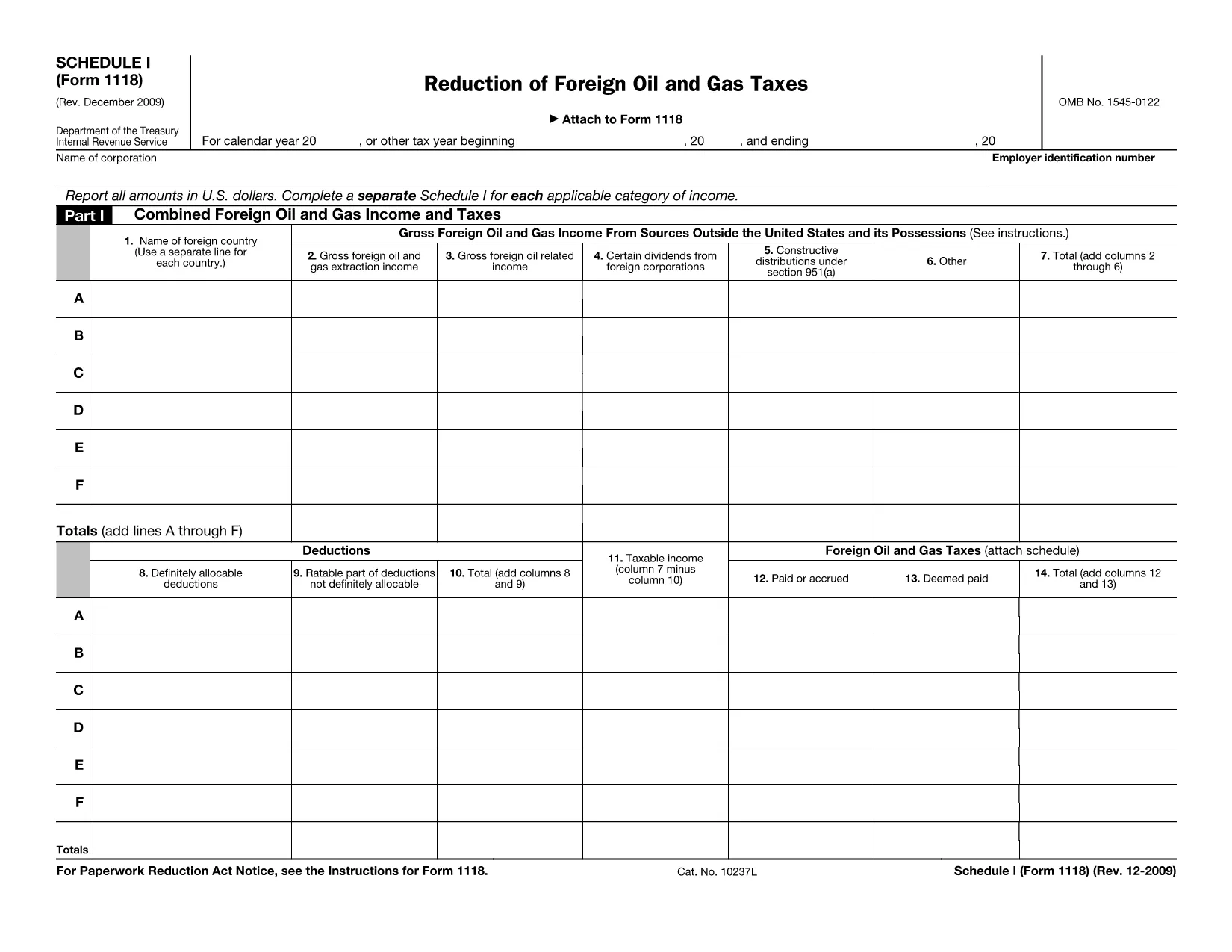

आंतरिक राजस्व सेवा (आईआरएस) प्रपत्र
Form 1118 Schedule I संयुक्त राज्य अमेरिका में आय की रिपोर्ट करने, कटौती और क्रेडिट का दावा करने, कर देयता की गणना करने और अन्य कर-संबंधित दायित्वों को पूरा करने के लिए उपयोग किए जाने वाले आधिकारिक कर रूपों में से एक है। आईआरएस संयुक्त राज्य अमेरिका में आंतरिक राजस्व कानूनों को प्रशासित और लागू करने के लिए जिम्मेदार संघीय एजेंसी है।
यहां आंतरिक राजस्व सेवा प्रपत्रों के कुछ उदाहरण दिए गए हैं:
फॉर्म 1040: यह अधिकांश करदाताओं द्वारा उपयोग किया जाने वाला प्राथमिक व्यक्तिगत आयकर रिटर्न फॉर्म है। इसका उपयोग विभिन्न प्रकार की आय की रिपोर्ट करने, कटौती और क्रेडिट का दावा करने, कर देयता की गणना करने और यह निर्धारित करने के लिए किया जाता है कि क्या करदाता पर अतिरिक्त कर बकाया है या वह रिफंड का हकदार है।
फॉर्म 1099: फॉर्म 1099 के विभिन्न रूप हैं, जैसे 1099-MISC, 1099-INT, 1099-DIV, आदि। इन फॉर्मों का उपयोग व्यक्तियों या व्यवसायों द्वारा रोजगार के अलावा विभिन्न स्रोतों, जैसे स्व-रोज़गार से प्राप्त आय की रिपोर्ट करने के लिए किया जाता है। आय, ब्याज आय, लाभांश आय, और किराये की आय।
फॉर्म W-2: इस फॉर्म का उपयोग नियोक्ताओं द्वारा कर्मचारियों को भुगतान किए गए वेतन और करों की रिपोर्ट करने के लिए किया जाता है। उनका वेतन रोक दिया गया। कर्मचारी अपने व्यक्तिगत कर रिटर्न को पूरा करने के लिए फॉर्म W-2 की जानकारी का उपयोग करते हैं।
फॉर्म 941: नियोक्ता अपने कर्मचारियों के लिए रोके गए संघीय आयकर, सामाजिक सुरक्षा कर और मेडिकेयर कर सहित रोजगार करों की रिपोर्ट करने के लिए इस फॉर्म का उपयोग करते हैं।
फॉर्म 1065: इस फॉर्म का उपयोग साझेदारियों द्वारा अपनी आय, कटौती और कर देनदारी की रिपोर्ट करने के लिए किया जाता है। साझेदारी स्वयं आयकर का भुगतान नहीं करती है; इसके बजाय, साझेदार अपने व्यक्तिगत कर रिटर्न पर साझेदारी आय के अपने हिस्से की रिपोर्ट करते हैं।
फॉर्म 1120: यह कॉर्पोरेट आयकर रिटर्न फॉर्म है जिसका उपयोग C निगमों द्वारा अपनी आय की रिपोर्ट करने के लिए किया जाता है, कटौतियाँ, और कर देयता।
फॉर्म 990: इस फॉर्म का उपयोग गैर-लाभकारी संस्थाओं और दान जैसे कर-मुक्त संगठनों द्वारा किया जाता है। उनकी वित्तीय जानकारी, गतिविधियों और कर कानूनों के अनुपालन की रिपोर्ट करें।
फॉर्म 8862: इस फॉर्म का उपयोग उन करदाताओं द्वारा किया जाता है जिन्होंने पहले अर्जित आयकर क्रेडिट (EITC) का दावा किया था लेकिन इसे अस्वीकार कर दिया गया था, और अब इस पर फिर से दावा करना चाहते हैं।
ये अनेक आईआरएस फॉर्मों के कुछ उदाहरण हैं जो विभिन्न कर-संबंधी दायित्वों को पूरा करने के लिए मौजूद हैं। किसी व्यक्ति या व्यवसाय के लिए आवश्यक विशिष्ट फॉर्म उनकी विशिष्ट परिस्थितियों, आय स्रोतों और कटौतियों पर निर्भर करते हैं। विशिष्ट आईआरएस के संबंध में सटीक और अद्यतन जानकारी प्राप्त करने के लिए आंतरिक राजस्व सेवा की आधिकारिक वेबसाइट (www.irs.gov) से परामर्श करना या पेशेवर कर सलाह लेना उचित है। आपकी कर स्थिति के लिए प्रासंगिक प्रपत्र।