
hamburger-menu icon
भाषा का चयन करें

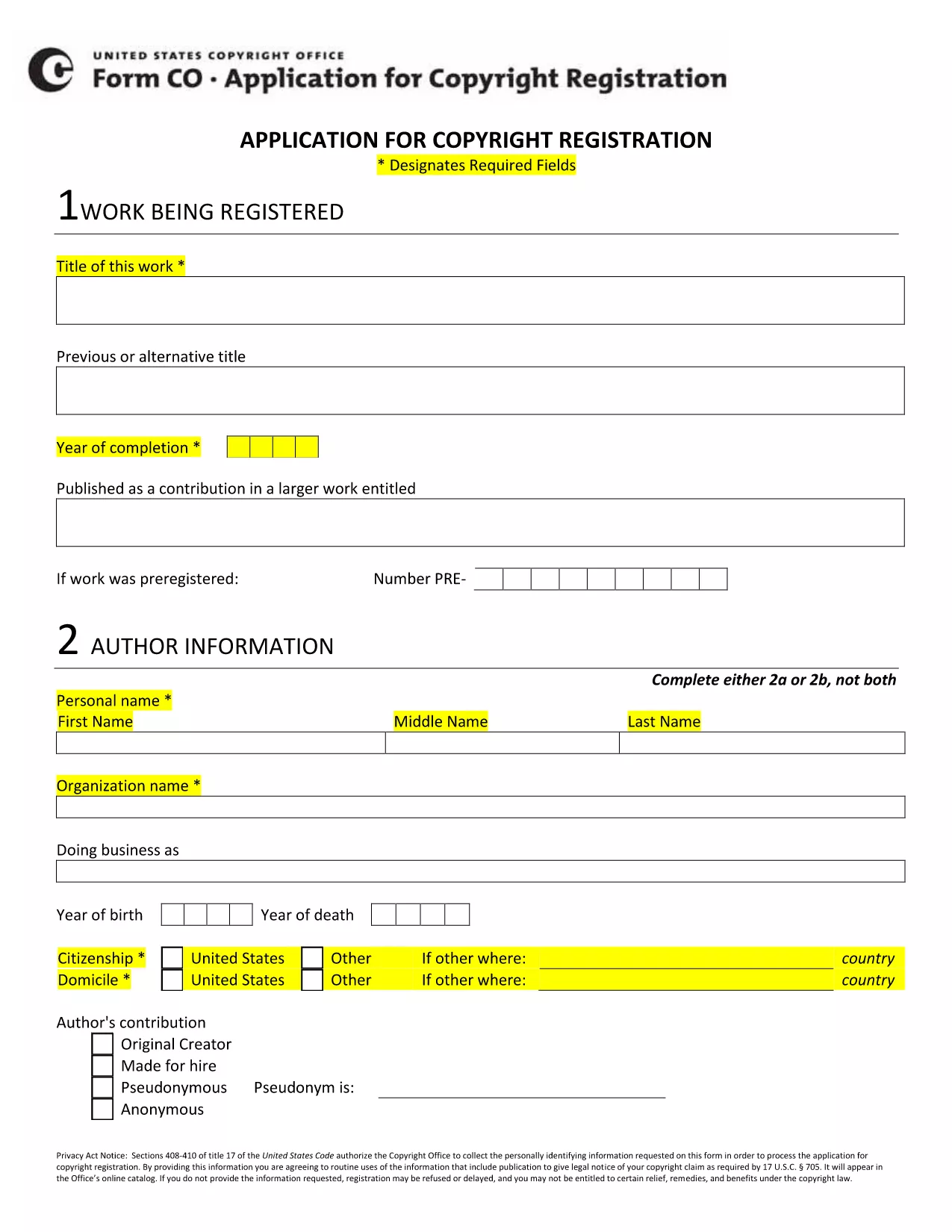
Copyright Application Form XIV – Fillable PDF

  1. भाषा अंग्रेज़ी
  2. देश अमेरीका
  3. विभाग कॉपीराइट कार्यालय
  4. गतिविधि Intellectual Property
फार्म को भरो
Copyright Application Form XIV – Fillable PDF

The Copyright Application Form XIV is the official document used to register a new work with the U.S. Copyright Office. This fillable PDF lets you enter all required information electronically, eliminating the need for paper copies and reducing processing time.

Our page integrates the Formize PDF Filler app, so you can complete the form directly in your browser. No extra software is required—just click the button, fill in the fields, and download the finished PDF ready for submission.

Below you’ll find everything you need to know about Form XIV, step‑by‑step instructions for online completion, and tips to avoid common errors that could delay your registration.

  • Eligibility: Use Form XIV for original literary, musical, or artistic works that have not been previously registered.
  • Required Information: Title, author(s), year of creation, rights holder, and a brief description of the work.
  • Submission: After completing the form, you can either upload the PDF through the Copyright Office’s e‑file portal or mail a printed copy.

Start your copyright registration today—click the button below to launch the fillable form.

सामान्य प्रश्न
  • What types of works can I register with Form XIV?

    Form XIV is used for original literary, musical, dramatic, and artistic works that have not been previously registered.

  • Do I need a PDF editor to fill out Form XIV?

    No. The Formize PDF Filler runs in your browser, so you can fill out the form without any additional software.

  • Can I save my progress and return later?

    Yes. Use the "Save" button in the filler to store a copy locally, then reopen the saved file to continue.

  • What is the filing fee for a Form XIV registration?

    As of 2024, the standard fee for a basic online registration is $65. Check the Copyright Office website for the latest fee schedule.

  • How long does the registration process take?

    Electronic filings are typically processed within 3‑5 business days, whereas mailed submissions can take several weeks.

  • Is the information I provide public?

    Yes. All registration data becomes part of the public record once the Copyright Office accepts the application.

  • What if I make a mistake on the form?

    You can correct errors before submission by editing the PDF in the filler. After submission, you must file a supplemental amendment.

  • Do I need to include a copy of my work?

    A copy of the work (or a representative excerpt) must be submitted with the application, either digitally or on paper.

कैसे करें

copyright application form xiv को मुफ़्त में, ऑनलाइन 5 आसान स्टेप्स में कैसे भरें:

  1. 1
    Click the Fill‑out Button
    Press the "Fill out this form" button on the page to launch the Formize PDF Filler app.
  2. 2
    Wait for the Filler to Load
    The fillable PDF loads in your browser within a few seconds. No download or installation is needed.
  3. 3
    Enter Your Information
    Complete each field (title, author, year, etc.) using the on‑screen prompts. Required fields are marked with an asterisk.
  4. 4
    Save or Download
    When all sections are filled, click "Save" to store a copy in your browser or "Download" to get the finished PDF.
  5. 5
    Submit to the Copyright Office
    Upload the completed PDF through the Copyright Office’s e‑file portal or print and mail it according to the filing instructions.
पीडीएफ फिलर एप तैयार करें
के बारे में

कॉपीराइट कार्यालय प्रपत्र

copyright application form xiv आधिकारिक प्रपत्रों में से एक है जिसका उपयोग यूनाइटेड स्टेट्स कॉपीराइट कार्यालय, कांग्रेस लाइब्रेरी के एक विभाग द्वारा कॉपीराइट को पंजीकृत करने और संरक्षित करने के लिए किया जाता है। कॉपीराइट कार्यालय संयुक्त राज्य अमेरिका में कॉपीराइट कानूनों को प्रशासित करने के लिए जिम्मेदार है, जिसमें कॉपीराइट का पंजीकरण, कॉपीराइट हस्तांतरण और लाइसेंस का रिकॉर्ड करना और कॉपीराइट से संबंधित जानकारी और सेवाएं प्रदान करना शामिल है।

कॉपीराइट कार्यालय प्रपत्रों के कुछ उदाहरण यहां दिए गए हैं:

कॉपीराइट पंजीकरण आवेदन: यह अमेरिकी कॉपीराइट कार्यालय के साथ कॉपीराइट पंजीकृत करने के लिए उपयोग किया जाने वाला मुख्य फॉर्म है। विभिन्न प्रकार के कार्यों के लिए अलग-अलग एप्लिकेशन फॉर्म उपलब्ध हैं, जैसे साहित्यिक कार्य, दृश्य कला, संगीत रचनाएं, ध्वनि रिकॉर्डिंग, मोशन पिक्चर्स और बहुत कुछ। एप्लिकेशन पंजीकृत किए जा रहे कार्य, लेखक, दावेदार और अन्य प्रासंगिक विवरणों के बारे में जानकारी एकत्र करता है।

दस्तावेज़ रिकॉर्डेशन फॉर्म: इन फॉर्मों का उपयोग कॉपीराइट कार्यालय के साथ कॉपीराइट के हस्तांतरण, जैसे असाइनमेंट या लाइसेंस, को रिकॉर्ड करने के लिए किया जाता है। वे कॉपीराइट स्वामित्व के हस्तांतरण का सार्वजनिक रिकॉर्ड स्थापित करने का एक तरीका प्रदान करते हैं।

डीएमसीए नामित एजेंट निर्देशिका फॉर्म: इस फॉर्म का उपयोग डिजिटल मिलेनियम कॉपीराइट एक्ट (डीएमसीए) के तहत कॉपीराइट कार्यालय के साथ एक एजेंट को नामित करने के लिए किया जाता है। नामित एजेंट ऑनलाइन कॉपीराइट उल्लंघन से संबंधित टेकडाउन नोटिस प्राप्त करने और संभालने के लिए जिम्मेदार है।

कॉपीराइट कार्यालय शुल्क अनुसूची: हालांकि कोई विशिष्ट रूप नहीं है, शुल्क अनुसूची पंजीकरण, रिकॉर्डिंग और अन्य संबंधित सेवाओं सहित विभिन्न कॉपीराइट सेवाओं से जुड़े शुल्क के बारे में जानकारी प्रदान करती है।

यह ध्यान रखना महत्वपूर्ण है कि विशिष्ट फॉर्म और आवश्यकताएं समय के साथ बदल सकती हैं, और विभिन्न प्रकार के कॉपीराइट पंजीकरण या सेवाओं के लिए अलग-अलग फॉर्म की आवश्यकता हो सकती है। सटीक और अद्यतन जानकारी प्राप्त करने के लिए अमेरिकी कॉपीराइट कार्यालय की आधिकारिक वेबसाइट (www.copyright.gov) पर जाना या कॉपीराइट कानून में विशेषज्ञता वाले कानूनी पेशेवरों से परामर्श करना उचित है। आपकी कॉपीराइट-संबंधी आवश्यकताओं के लिए प्रासंगिक विशिष्ट कॉपीराइट कार्यालय प्रपत्रों के संबंध में।

विशेषताएं

पीडीएफ भराव

पीडीएफ फॉर्म ऑनलाइन भरने का सबसे आसान तरीका

  • जल्दी से copyright application form xiv भरें
    copyright application form xiv को जल्दी से ऑनलाइन भरने का कोई तरीका खोज रहे हैं? हमारे ऑनलाइन नि:शुल्क पीडीएफ फॉर्म फिलर के साथ, आप एक मिनट से भी कम समय में इस पीडीएफ दस्तावेज़ को संपादित करने और भरने का तरीका जानेंगे।
  • ऑनलाइन पीडीएफ संपादक का उपयोग करना आसान है
    पीडीएफ फाइलों को प्रिंट करने से तंग आ गए हैं ताकि आप उन्हें फिर से स्कैन करने और उन्हें वापस भेजने से पहले संपादित कर सकें? PDF दस्तावेज़ों को निःशुल्क ऑनलाइन संपादित करें। समय और कागज बचाने के लिए हमारे ऑनलाइन पीडीएफ संपादक का प्रयोग करें।
  • महान उपकरण, सभी प्लेटफार्म
    आश्चर्य है कि मैक पर copyright application form xiv कैसे भरें, या शायद पीडीएफ फिलर का मुफ्त में उपयोग कैसे करें? हमारे ऑनलाइन पीडीएफ टूल सभी प्लेटफॉर्म पर काम करते हैं।
  • सुरक्षित फ़ाइल भंडारण
    पूर्ण की गई "copyright application form xiv" फ़ाइलें Amazon क्लाउड होस्टिंग द्वारा प्रबंधित एक सुरक्षित डेटाबेस में संग्रहीत की जाती हैं। आप कभी भी अपनी फाइलों को हमारे सिस्टम से हटा सकते हैं। किसी भी स्थिति में, ये फ़ाइलें 24 घंटे के बाद स्वतः हटा दी जाती हैं।
  • {कीवर्ड} से चैट करें
    Chatize पर "copyright application form xiv" के साथ चैट करें, जो एक निःशुल्क पीडीएफ रीडर सहायक है। प्रश्न पूछें और "copyright application form xiv" से उत्तर प्राप्त करें। बस ऊपर दस्तावेज़ के साथ चैट करें बटन पर क्लिक करें।

फ़िलिंग सत्र मिटाएँ

चयनित फ़िलिंग सत्र को मिटाएँ? इस स्थिति में, फ़ॉर्म को पूरा करने में आपकी प्रगति खो जाएगी।

संपादन सत्र हटाएँ

चयनित संपादन सत्र हटाएँ? इस स्थिति में, फ़ॉर्म बनाने और संपादित करने में आपकी प्रगति नष्ट हो जाएगी।