
hamburger-menu icon
भाषा का चयन करें

BMV Form 2150 – Fillable PDF Download

  1. भाषा अंग्रेज़ी
  2. देश अमेरीका
  3. गतिविधि वाहन पंजीकरण
  4. विभाग Department of Motor Vehicles
फार्म को भरो
BMV Form 2150 – Fillable PDF Download

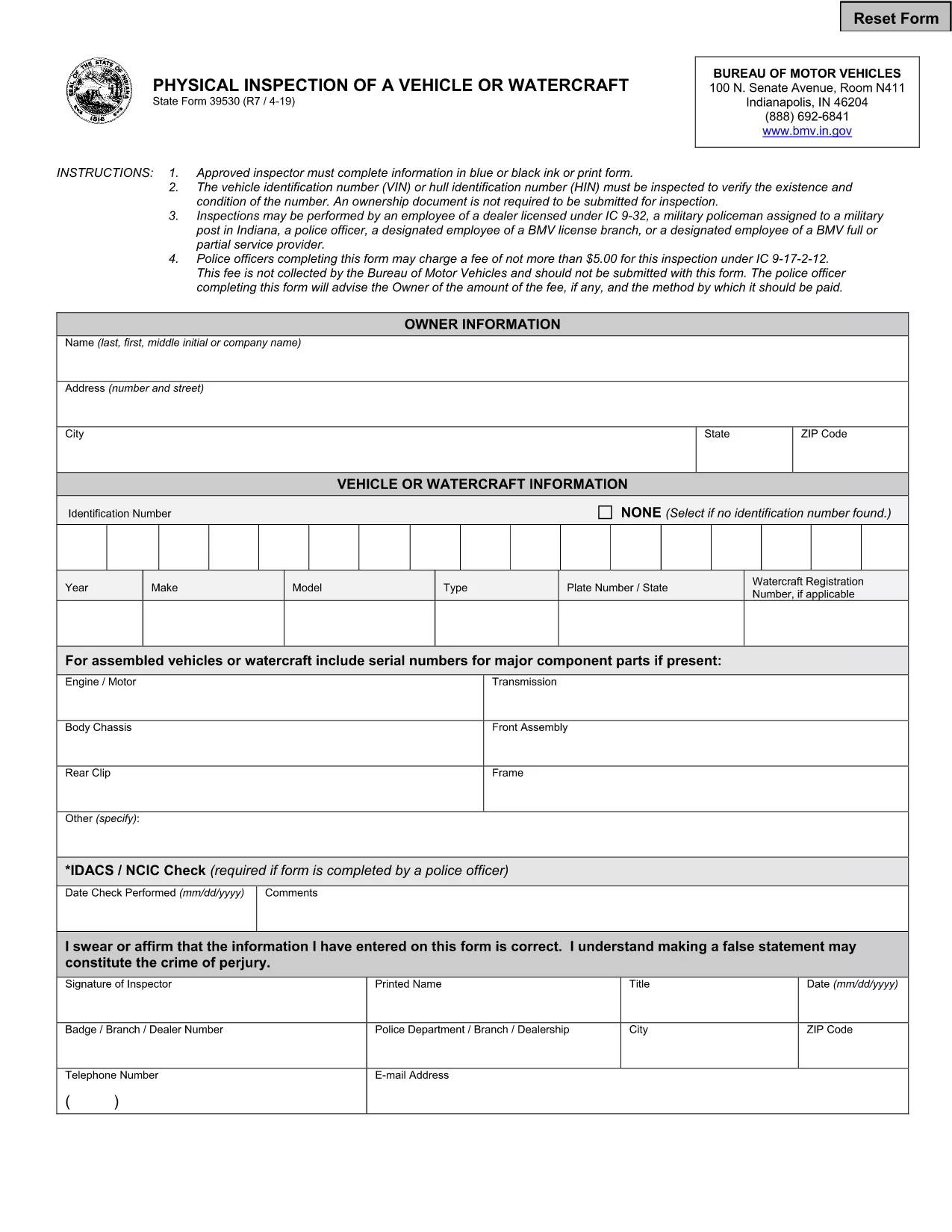
The BMV Form 2150 is the official document used by the Bureau of Motor Vehicles (BMV) for vehicle registration, title transfers, and verification of vehicle information. Instead of printing, filling out by hand, and scanning the paper copy, you can now complete this form instantly online with Formize’s secure fillable PDF tool.

What Is BMV Form 2150?

Form 2150 collects essential details about the vehicle, its owner, and any lienholders. It is required for:

  • Registering a newly purchased vehicle
  • Transferring a title after a sale
  • Updating vehicle identification number (VIN) information
  • Submitting proof of ownership to the BMV

How to Complete the Form Online

Follow these simple steps to fill out the BMV Form 2150 directly in your browser:

  1. Click the "Fill out this form" button below.
  2. Wait a few seconds while the Formize PDF Filler app loads the fillable version of the form.
  3. Enter the required information into each field. The interface highlights mandatory sections.
  4. Review your entries, then click Save to download a completed PDF or Submit to send it directly to the BMV (if your state supports electronic filing).

Common Mistakes to Avoid

  • Incorrect VIN format: Double‑check the VIN for typos; an invalid VIN can delay processing.
  • Missing signatures: All required signatures must be entered; the filler will warn you if any are left blank.
  • Mismatched owner information: Ensure the name and address match the official ID documents.
  • Out‑of‑date lienholder data: If a lien has been released, provide proof or update the section accordingly.

Why Choose Formize’s PDF Filler?

Formize provides a fast, secure, and ad‑free environment for handling government forms. Your data never leaves the browser unless you choose to download or submit it, and the fillable PDF retains the exact layout required by the BMV.

Ready to get started? Click the button below and complete BMV Form 2150 in minutes.

सामान्य प्रश्न
  • Is BMV Form 2150 free to download?

    Yes. Formize provides the fillable PDF at no cost. There are no hidden fees or subscriptions.

  • Can I submit the form directly to the BMV from Formize?

    If your state supports electronic filing, the "Submit" button will securely transmit the completed form to the BMV. Otherwise, you can download the PDF and mail it.

  • Do I need Adobe Acrobat to fill out the form?

    No. Formize’s online PDF Filler works in any modern browser, so you don’t need additional software.

  • What should I do if I make a mistake after saving?

    Open the saved PDF in Formize again, edit the incorrect fields, and re‑save. The filler preserves the original layout.

  • Is my personal information safe?

    All data stays in your browser until you choose to download or submit it. Formize does not store any personal information on its servers.

  • Can I print the completed form after filling it out?

    Absolutely. Once you save the PDF, you can print it using any standard PDF viewer.

कैसे करें

BMV Form 2150 को मुफ़्त में, ऑनलाइन 4 आसान स्टेप्स में कैसे भरें:

  1. 1
    Click the Fill Out Button
    Press the "Fill out this form" button to launch the Formize PDF Filler.
  2. 2
    Wait for the Filler to Load
    A few seconds later the fillable version of BMV Form 2150 appears in your browser.
  3. 3
    Enter Your Information
    Complete each highlighted field with accurate data. Required fields are marked with an asterisk.
  4. 4
    Review and Save
    Check all entries, then click "Save" to download the completed PDF or "Submit" to send it electronically.
पीडीएफ फिलर एप तैयार करें
के बारे में

वाहन पंजीकरण प्रपत्र

यदि आप एक मोटर वाहन, ट्रेलर या नाव के मालिक हैं या पट्टे पर हैं, तो आपको अपने वाहन को कानूनी रूप से पंजीकृत और सुरक्षित रखने के लिए कुछ दायित्वों को पूरा करना होगा।

BMV Form 2150 वाहन पंजीकरण प्रपत्रों में से एक है जो ऐसे दस्तावेज़ हैं जिनका उपयोग प्रासंगिक राज्य या प्रांतीय प्राधिकरण के साथ मोटर वाहन को पंजीकृत करने के लिए किया जाता है। ये फॉर्म आमतौर पर तब आवश्यक होते हैं जब कोई व्यक्ति नया या इस्तेमाल किया हुआ वाहन खरीदता है या जब वे वाहन के साथ किसी नए राज्य या प्रांत में जाते हैं।

वाहन पंजीकरण के लिए आवश्यक सटीक आवश्यकताएं और फॉर्म स्थान के अनुसार भिन्न हो सकते हैं, लेकिन आम तौर पर, प्रक्रिया में वाहन, मालिक और वाहन पर किसी भी ग्रहणाधिकार के बारे में जानकारी प्रदान करना शामिल होता है।

पंजीकरण फॉर्म और शुल्क जमा करने के बाद, राज्य या प्रांतीय प्राधिकरण वाहन के मालिक को पंजीकरण प्रमाणपत्र या लाइसेंस प्लेट जारी करेगा। यह पंजीकरण वाहन को सार्वजनिक सड़कों और राजमार्गों पर कानूनी रूप से संचालित करने की अनुमति देता है।

विशेषताएं

पीडीएफ भराव

पीडीएफ फॉर्म ऑनलाइन भरने का सबसे आसान तरीका

  • जल्दी से BMV Form 2150 भरें
    BMV Form 2150 को जल्दी से ऑनलाइन भरने का कोई तरीका खोज रहे हैं? हमारे ऑनलाइन नि:शुल्क पीडीएफ फॉर्म फिलर के साथ, आप एक मिनट से भी कम समय में इस पीडीएफ दस्तावेज़ को संपादित करने और भरने का तरीका जानेंगे।
  • ऑनलाइन पीडीएफ संपादक का उपयोग करना आसान है
    पीडीएफ फाइलों को प्रिंट करने से तंग आ गए हैं ताकि आप उन्हें फिर से स्कैन करने और उन्हें वापस भेजने से पहले संपादित कर सकें? PDF दस्तावेज़ों को निःशुल्क ऑनलाइन संपादित करें। समय और कागज बचाने के लिए हमारे ऑनलाइन पीडीएफ संपादक का प्रयोग करें।
  • महान उपकरण, सभी प्लेटफार्म
    आश्चर्य है कि मैक पर BMV Form 2150 कैसे भरें, या शायद पीडीएफ फिलर का मुफ्त में उपयोग कैसे करें? हमारे ऑनलाइन पीडीएफ टूल सभी प्लेटफॉर्म पर काम करते हैं।
  • सुरक्षित फ़ाइल भंडारण
    पूर्ण की गई "BMV Form 2150" फ़ाइलें Amazon क्लाउड होस्टिंग द्वारा प्रबंधित एक सुरक्षित डेटाबेस में संग्रहीत की जाती हैं। आप कभी भी अपनी फाइलों को हमारे सिस्टम से हटा सकते हैं। किसी भी स्थिति में, ये फ़ाइलें 24 घंटे के बाद स्वतः हटा दी जाती हैं।
  • {कीवर्ड} से चैट करें
    Chatize पर "BMV Form 2150" के साथ चैट करें, जो एक निःशुल्क पीडीएफ रीडर सहायक है। प्रश्न पूछें और "BMV Form 2150" से उत्तर प्राप्त करें। बस ऊपर दस्तावेज़ के साथ चैट करें बटन पर क्लिक करें।

फ़िलिंग सत्र मिटाएँ

चयनित फ़िलिंग सत्र को मिटाएँ? इस स्थिति में, फ़ॉर्म को पूरा करने में आपकी प्रगति खो जाएगी।

संपादन सत्र हटाएँ

चयनित संपादन सत्र हटाएँ? इस स्थिति में, फ़ॉर्म बनाने और संपादित करने में आपकी प्रगति नष्ट हो जाएगी।