
hamburger-menu icon
भाषा का चयन करें

Bonded Certificate of Title for a Vehicle – Wisconsin MV2082 Fillable PDF

  1. भाषा अंग्रेज़ी
  2. देश अमेरीका
  3. गतिविधि वाहन पंजीकरण
  4. विभाग Department of Motor Vehicles
फार्म को भरो
Bonded Certificate of Title for a Vehicle – Wisconsin MV2082 Fillable PDF

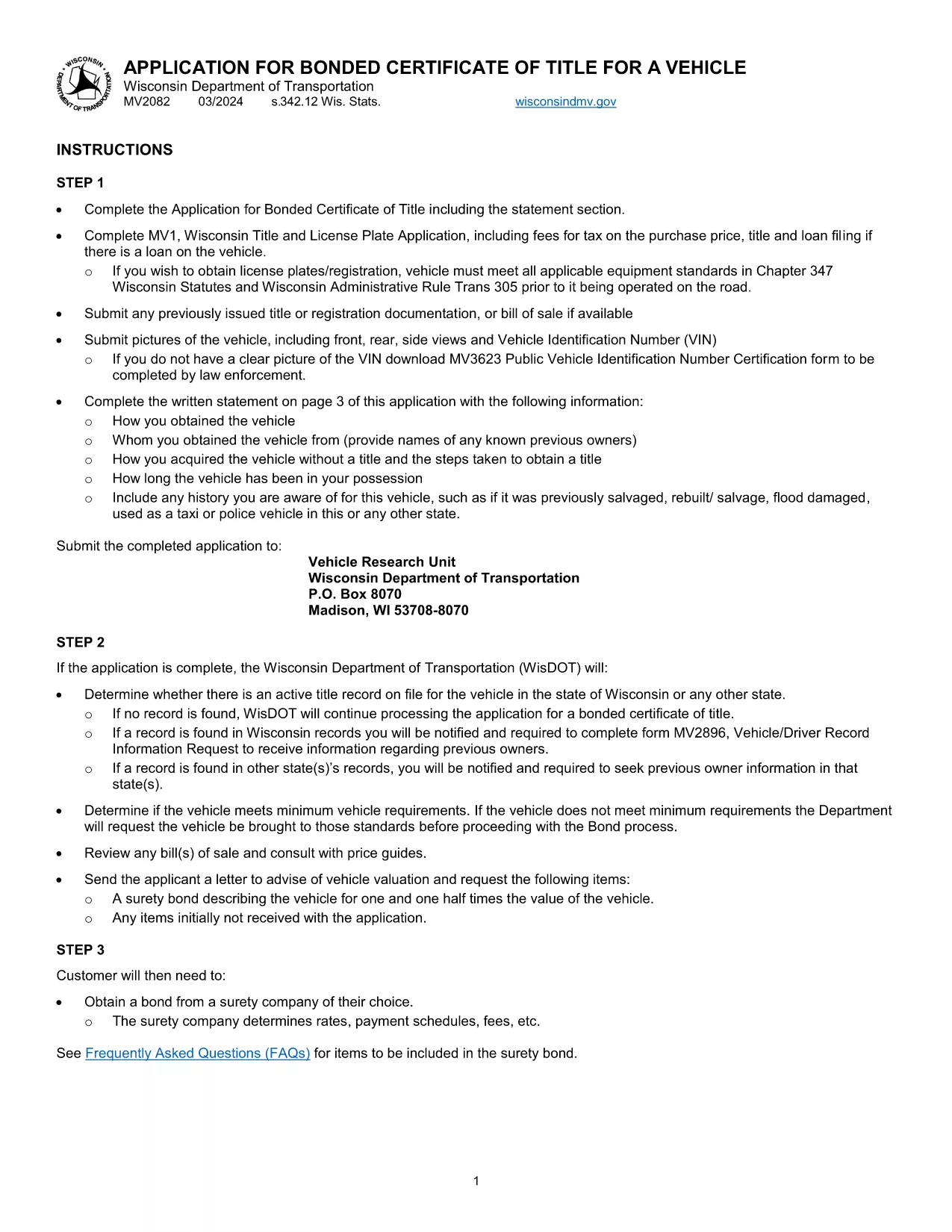
If you need a title for a vehicle that has a lien, missing paperwork, or an unclear ownership history, Wisconsin requires a Bonded Certificate of Title. The state‑issued MV2082 application lets you secure a title by posting a bond, protecting future owners and lenders.

What Is a Bonded Certificate of Title?

A bonded title is a guarantee that the state will cover any legal claims against the vehicle up to the bond amount. It’s used when the original title is lost, the seller cannot prove ownership, or there is an existing loan that isn’t reflected in the title records.

How to Complete the MV2082 Form Online

Instead of printing, printing, and scanning, use Formize’s built‑in PDF filler. Follow these steps:

  • Click the "Fill out this form" button on this page.
  • Wait a few seconds while the Formize PDF Filler app loads.
  • Enter the required information – vehicle details, owner data, and bond amount.
  • Review the declaration section, sign electronically, and submit.

Common Mistakes to Avoid

  • Incorrect VIN: Double‑check the Vehicle Identification Number; a single digit error can delay processing.
  • Missing Bond Amount: The bond must be at least 1.5 times the vehicle’s value.
  • Unclear Ownership History: Attach any supporting documents (e.g., bill of sale, previous registration).
  • Signature Errors: Use a clear electronic signature; handwritten signatures are not accepted in the online filler.

Where to Submit Your Completed Form

After completing the form, you can:

  • Print the filled PDF and mail it with the required bond to your local Wisconsin DMV office.
  • Visit a DMV service center in person and present the printed form.

Processing typically takes 7‑10 business days once the bond and supporting documents are received.

सामान्य प्रश्न
  • What is the purpose of a bonded certificate of title?

    It provides a guarantee that the state will cover any undisclosed claims against the vehicle up to the bond amount, allowing the owner to obtain a clean title.

  • Who needs to file the MV2082 form?

    Anyone who cannot obtain a standard title because the original is missing, the seller cannot prove ownership, or there is an unresolved lien.

  • How much bond is required?

    Wisconsin requires a bond equal to at least 1.5 times the fair market value of the vehicle, but not less than $5,000.

  • Can I submit the form electronically?

    The MV2082 must be printed and mailed or delivered in person with the bond and supporting documents. The online filler only helps you complete the PDF.

  • How long does processing take?

    Once the DMV receives the completed form, bond, and any supporting paperwork, processing usually takes 7‑10 business days.

कैसे करें

bonded certificate of title को मुफ़्त में, ऑनलाइन 4 आसान स्टेप्स में कैसे भरें:

  1. 1
    Open the Formize PDF Filler
    Click the "Fill out this form" button on the page. The Formize PDF Filler loads directly in your browser.
  2. 2
    Enter All Required Information
    Fill in vehicle details, owner information, and bond amount. Use dropdowns and auto‑format fields to avoid errors.
  3. 3
    Sign and Review
    Add an electronic signature, double‑check each field, and use the built‑in preview to ensure everything looks correct.
  4. 4
    Download or Submit
    Download the completed PDF for mailing or printing, or follow the on‑screen instructions to submit it to your local DMV.
पीडीएफ फिलर एप तैयार करें
के बारे में

वाहन पंजीकरण प्रपत्र

यदि आप एक मोटर वाहन, ट्रेलर या नाव के मालिक हैं या पट्टे पर हैं, तो आपको अपने वाहन को कानूनी रूप से पंजीकृत और सुरक्षित रखने के लिए कुछ दायित्वों को पूरा करना होगा।

bonded certificate of title वाहन पंजीकरण प्रपत्रों में से एक है जो ऐसे दस्तावेज़ हैं जिनका उपयोग प्रासंगिक राज्य या प्रांतीय प्राधिकरण के साथ मोटर वाहन को पंजीकृत करने के लिए किया जाता है। ये फॉर्म आमतौर पर तब आवश्यक होते हैं जब कोई व्यक्ति नया या इस्तेमाल किया हुआ वाहन खरीदता है या जब वे वाहन के साथ किसी नए राज्य या प्रांत में जाते हैं।

वाहन पंजीकरण के लिए आवश्यक सटीक आवश्यकताएं और फॉर्म स्थान के अनुसार भिन्न हो सकते हैं, लेकिन आम तौर पर, प्रक्रिया में वाहन, मालिक और वाहन पर किसी भी ग्रहणाधिकार के बारे में जानकारी प्रदान करना शामिल होता है।

पंजीकरण फॉर्म और शुल्क जमा करने के बाद, राज्य या प्रांतीय प्राधिकरण वाहन के मालिक को पंजीकरण प्रमाणपत्र या लाइसेंस प्लेट जारी करेगा। यह पंजीकरण वाहन को सार्वजनिक सड़कों और राजमार्गों पर कानूनी रूप से संचालित करने की अनुमति देता है।

विशेषताएं

पीडीएफ भराव

पीडीएफ फॉर्म ऑनलाइन भरने का सबसे आसान तरीका

  • जल्दी से bonded certificate of title भरें
    bonded certificate of title को जल्दी से ऑनलाइन भरने का कोई तरीका खोज रहे हैं? हमारे ऑनलाइन नि:शुल्क पीडीएफ फॉर्म फिलर के साथ, आप एक मिनट से भी कम समय में इस पीडीएफ दस्तावेज़ को संपादित करने और भरने का तरीका जानेंगे।
  • ऑनलाइन पीडीएफ संपादक का उपयोग करना आसान है
    पीडीएफ फाइलों को प्रिंट करने से तंग आ गए हैं ताकि आप उन्हें फिर से स्कैन करने और उन्हें वापस भेजने से पहले संपादित कर सकें? PDF दस्तावेज़ों को निःशुल्क ऑनलाइन संपादित करें। समय और कागज बचाने के लिए हमारे ऑनलाइन पीडीएफ संपादक का प्रयोग करें।
  • महान उपकरण, सभी प्लेटफार्म
    आश्चर्य है कि मैक पर bonded certificate of title कैसे भरें, या शायद पीडीएफ फिलर का मुफ्त में उपयोग कैसे करें? हमारे ऑनलाइन पीडीएफ टूल सभी प्लेटफॉर्म पर काम करते हैं।
  • सुरक्षित फ़ाइल भंडारण
    पूर्ण की गई "bonded certificate of title" फ़ाइलें Amazon क्लाउड होस्टिंग द्वारा प्रबंधित एक सुरक्षित डेटाबेस में संग्रहीत की जाती हैं। आप कभी भी अपनी फाइलों को हमारे सिस्टम से हटा सकते हैं। किसी भी स्थिति में, ये फ़ाइलें 24 घंटे के बाद स्वतः हटा दी जाती हैं।
  • {कीवर्ड} से चैट करें
    Chatize पर "bonded certificate of title" के साथ चैट करें, जो एक निःशुल्क पीडीएफ रीडर सहायक है। प्रश्न पूछें और "bonded certificate of title" से उत्तर प्राप्त करें। बस ऊपर दस्तावेज़ के साथ चैट करें बटन पर क्लिक करें।

फ़िलिंग सत्र मिटाएँ

चयनित फ़िलिंग सत्र को मिटाएँ? इस स्थिति में, फ़ॉर्म को पूरा करने में आपकी प्रगति खो जाएगी।

संपादन सत्र हटाएँ

चयनित संपादन सत्र हटाएँ? इस स्थिति में, फ़ॉर्म बनाने और संपादित करने में आपकी प्रगति नष्ट हो जाएगी।