
hamburger-menu icon
भाषा का चयन करें

SF-86 Questionnaire – Fillable PDF for Security Clearance

  1. भाषा अंग्रेज़ी
  2. देश अमेरीका
  3. विभाग कार्मिक प्रबंधन कार्यालय
  4. क्षेत्र मानक प्रपत्र
फार्म को भरो
SF-86 Questionnaire – Fillable PDF for Security Clearance

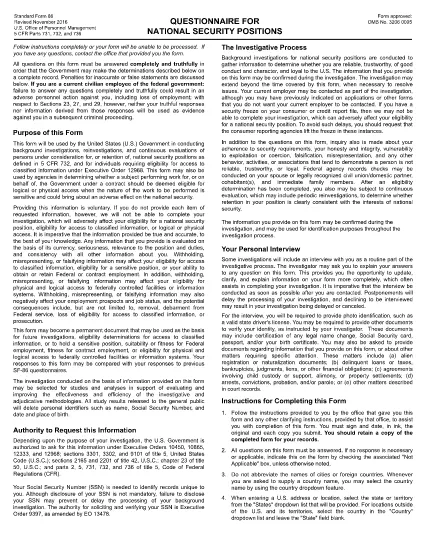
The SF-86 (Standard Form 86) is the U.S. government’s official questionnaire used for background investigations, reinvestigations, and continuous evaluations of individuals seeking access to classified information or national‑security positions. Completing it accurately is essential for obtaining a security clearance.

This page provides a fillable PDF version of the SF-86 that you can complete directly in your browser using the Formize PDF Filler app. No additional software or printing is required.

What Is the SF-86 Form?

The SF-86 collects detailed personal information, including:

  • Education and employment history (last 10 years)
  • Foreign contacts, travel, and residences
  • Criminal record, financial disclosures, and drug use
  • Military service and security‑related activities

Agencies use this data to assess eligibility for a security clearance.

Key Sections of the SF-86

Understanding the major sections helps you gather the right documents before you start:

  1. Personal Information – name, date of birth, Social Security number.
  2. Residence History – every address for the past 10 years.
  3. Employment & Education – employers, schools, dates, and supervisors.
  4. Foreign Contacts & Travel – individuals, countries, and trips abroad.
  5. Legal & Financial Matters – arrests, convictions, bankruptcies, debts.

How to Complete the SF-86 Online

Follow these simple steps to fill out the form quickly and securely:

  • Click the "Fill out this form" button below.
  • Wait a few seconds while the Formize PDF Filler loads.
  • Enter your information field‑by‑field; the app auto‑saves as you go.
  • When finished, click "Save & Download" to get a completed PDF copy.
  • Submit the saved PDF to your agency or upload it through e‑QIP as instructed.

Common Mistakes & Tips

Tip 1: Answer every question truthfully. Incomplete or false information can delay or deny your clearance.

Tip 2: Use exact dates (MM/DD/YYYY) and full legal names for contacts.

Tip 3: Keep supporting documents (travel itineraries, employment letters) handy for reference.

Tip 4: Review the form twice before saving. The Formize filler highlights required fields you might have missed.

Ready to start? Click below to launch the fillable SF-86 PDF.

सामान्य प्रश्न
  • What is the SF-86 used for?

    The SF-86 is the standard questionnaire for background investigations and security clearances for U.S. government, military, and contractor positions.

  • Can I fill out the SF-86 on a mobile device?

    Yes. The Formize PDF Filler works on most modern smartphones and tablets, but a desktop browser provides the best experience.

  • Is the fillable PDF version official?

    Yes. The PDF linked below is the official OPM form, now available as a fillable document through Formize.

  • Do I need an e‑QIP account to use this form?

    No. You can complete the PDF offline with Formize and then upload the finished file to e‑QIP if your agency requires it.

  • How long does it take to complete the SF-86?

    Preparation time varies, but most applicants finish the form in 2–4 hours. Gather employment, travel, and foreign‑contact records beforehand.

  • What happens if I make a mistake?

    Incorrect or omitted information can delay your clearance. Use the Formize auto‑save and review features, then double‑check before submitting.

  • Is my data secure while using Formize?

    Formize uses SSL encryption and does not store your personal data on its servers after you download the completed PDF.

कैसे करें

SF-86 को मुफ़्त में, ऑनलाइन 5 आसान स्टेप्स में कैसे भरें:

  1. 1
    Click the Fill Out Button
    Press the "Fill out this form" button on this page to open the SF-86 in the Formize PDF Filler.
  2. 2
    Wait for the Filler to Load
    The Formize app loads in a few seconds; a loading bar will appear at the top of the screen.
  3. 3
    Enter Your Information
    Complete each section of the questionnaire. The filler auto‑saves as you type and highlights any required fields you missed.
  4. 4
    Save and Download
    When all fields are filled, click "Save & Download" to get a completed PDF copy on your device.
  5. 5
    Submit to Your Agency
    Follow your agency’s instructions—usually uploading the PDF to e‑QIP or providing a printed copy to your security officer.
पीडीएफ फिलर एप तैयार करें
के बारे में

कार्मिक प्रबंधन कार्यालय (ओपीएम) प्रपत्र

SF-86 उन आधिकारिक रूपों में से एक है जिनका उपयोग संयुक्त राज्य कार्मिक प्रबंधन कार्यालय द्वारा किया जाता है, जो संघीय सरकार की एक स्वतंत्र एजेंसी है जो सिविल सेवा कार्यबल और संघीय कर्मचारी लाभों के प्रबंधन के लिए जिम्मेदार है। ओपीएम संघीय रोजगार से संबंधित नीतियां और नियम स्थापित करता है, विभिन्न कार्मिक कार्यक्रमों का प्रबंधन करता है, और संघीय कर्मचारियों, सेवानिवृत्त लोगों और नौकरी आवेदकों को सेवाएं प्रदान करता है।

कार्मिक प्रबंधन कार्यालय प्रपत्रों के कुछ उदाहरण यहां दिए गए हैं:

मानक फॉर्म 86 (SF-86) : इस फॉर्म का उपयोग सुरक्षा मंजूरी के लिए आवेदन करने वाले व्यक्तियों की पृष्ठभूमि जांच प्रक्रिया के लिए किया जाता है। यह व्यापक व्यक्तिगत, रोजगार, शिक्षा और वित्तीय जानकारी के साथ-साथ विदेशी संपर्कों और गतिविधियों के बारे में विवरण एकत्र करता है।

मानक फॉर्म 2809 (SF-2809) : इस फॉर्म का उपयोग संघीय कर्मचारी स्वास्थ्य लाभ (एफईएचबी) कार्यक्रम में नामांकन के लिए किया जाता है, जो संघीय कर्मचारियों, सेवानिवृत्त लोगों और उनके योग्य परिवार के सदस्यों को स्वास्थ्य बीमा कवरेज प्रदान करता है।

मानक फॉर्म 2817 (एसएफ-2817): इस फॉर्म का उपयोग सेवानिवृत्ति या संघीय सेवा से अलग होने के बाद संघीय कर्मचारी दंत चिकित्सा और दृष्टि बीमा कार्यक्रम (एफईडीवीआईपी) के तहत कवरेज जारी रखने के लिए आवेदन करने के लिए किया जाता है।

मानक फॉर्म 3107 (SF-3107) : इस फॉर्म का उपयोग सिविल सेवा सेवानिवृत्ति प्रणाली (सीएसआरएस) के तहत सेवानिवृत्ति लाभों के लिए आवेदन करने के लिए किया जाता है।

मानक फॉर्म 2801 (SF-2801) : इस फॉर्म का उपयोग संघीय कर्मचारी सेवानिवृत्ति प्रणाली (एफईआरएस) के तहत सेवानिवृत्ति लाभों के लिए आवेदन करने के लिए किया जाता है।

मानक फॉर्म 15 (SF-15) : इस फॉर्म का उपयोग संघीय रोजगार में अनुभवी की प्राथमिकता के लिए आवेदन करने के लिए किया जाता है। यह संघीय सरकार में रोजगार के अवसर चाहने वाले दिग्गजों या उनके परिवार के योग्य सदस्यों द्वारा प्रस्तुत किया जाता है।

ये उदाहरण संघीय रोजगार और कर्मचारी लाभों के संदर्भ में उपयोग किए जाने वाले कुछ सामान्य ओपीएम फॉर्म का प्रतिनिधित्व करते हैं। हालाँकि, ओपीएम के पास विभिन्न कार्मिक कार्यक्रमों, सेवानिवृत्ति, बीमा और संघीय रोजगार के अन्य पहलुओं से संबंधित कई अन्य रूप हैं। आवश्यक विशिष्ट प्रपत्र लेन-देन की प्रकृति, कार्यक्रम या मांगे जा रहे लाभ के आधार पर भिन्न हो सकते हैं। यह सलाह दी जाती है कि सटीक और उन्नत जानकारी प्राप्त करने के लिए अमेरिकी कार्मिक प्रबंधन कार्यालय की आधिकारिक वेबसाइट (www.opm.gov) से परामर्श लें या ओपीएम या प्रासंगिक मानव संसाधन कर्मियों से मार्गदर्शन लें। आपके संघीय रोजगार या लाभ-संबंधी आवश्यकताओं के लिए प्रासंगिक विशिष्ट ओपीएम फॉर्म के बारे में आज तक की जानकारी।

विशेषताएं

पीडीएफ भराव

पीडीएफ फॉर्म ऑनलाइन भरने का सबसे आसान तरीका

  • जल्दी से SF-86 भरें
    SF-86 को जल्दी से ऑनलाइन भरने का कोई तरीका खोज रहे हैं? हमारे ऑनलाइन नि:शुल्क पीडीएफ फॉर्म फिलर के साथ, आप एक मिनट से भी कम समय में इस पीडीएफ दस्तावेज़ को संपादित करने और भरने का तरीका जानेंगे।
  • ऑनलाइन पीडीएफ संपादक का उपयोग करना आसान है
    पीडीएफ फाइलों को प्रिंट करने से तंग आ गए हैं ताकि आप उन्हें फिर से स्कैन करने और उन्हें वापस भेजने से पहले संपादित कर सकें? PDF दस्तावेज़ों को निःशुल्क ऑनलाइन संपादित करें। समय और कागज बचाने के लिए हमारे ऑनलाइन पीडीएफ संपादक का प्रयोग करें।
  • महान उपकरण, सभी प्लेटफार्म
    आश्चर्य है कि मैक पर SF-86 कैसे भरें, या शायद पीडीएफ फिलर का मुफ्त में उपयोग कैसे करें? हमारे ऑनलाइन पीडीएफ टूल सभी प्लेटफॉर्म पर काम करते हैं।
  • सुरक्षित फ़ाइल भंडारण
    पूर्ण की गई "SF-86" फ़ाइलें Amazon क्लाउड होस्टिंग द्वारा प्रबंधित एक सुरक्षित डेटाबेस में संग्रहीत की जाती हैं। आप कभी भी अपनी फाइलों को हमारे सिस्टम से हटा सकते हैं। किसी भी स्थिति में, ये फ़ाइलें 24 घंटे के बाद स्वतः हटा दी जाती हैं।
  • {कीवर्ड} से चैट करें
    Chatize पर "SF-86" के साथ चैट करें, जो एक निःशुल्क पीडीएफ रीडर सहायक है। प्रश्न पूछें और "SF-86" से उत्तर प्राप्त करें। बस ऊपर दस्तावेज़ के साथ चैट करें बटन पर क्लिक करें।

फ़िलिंग सत्र मिटाएँ

चयनित फ़िलिंग सत्र को मिटाएँ? इस स्थिति में, फ़ॉर्म को पूरा करने में आपकी प्रगति खो जाएगी।

संपादन सत्र हटाएँ

चयनित संपादन सत्र हटाएँ? इस स्थिति में, फ़ॉर्म बनाने और संपादित करने में आपकी प्रगति नष्ट हो जाएगी।