
hamburger-menu icon
भाषा का चयन करें

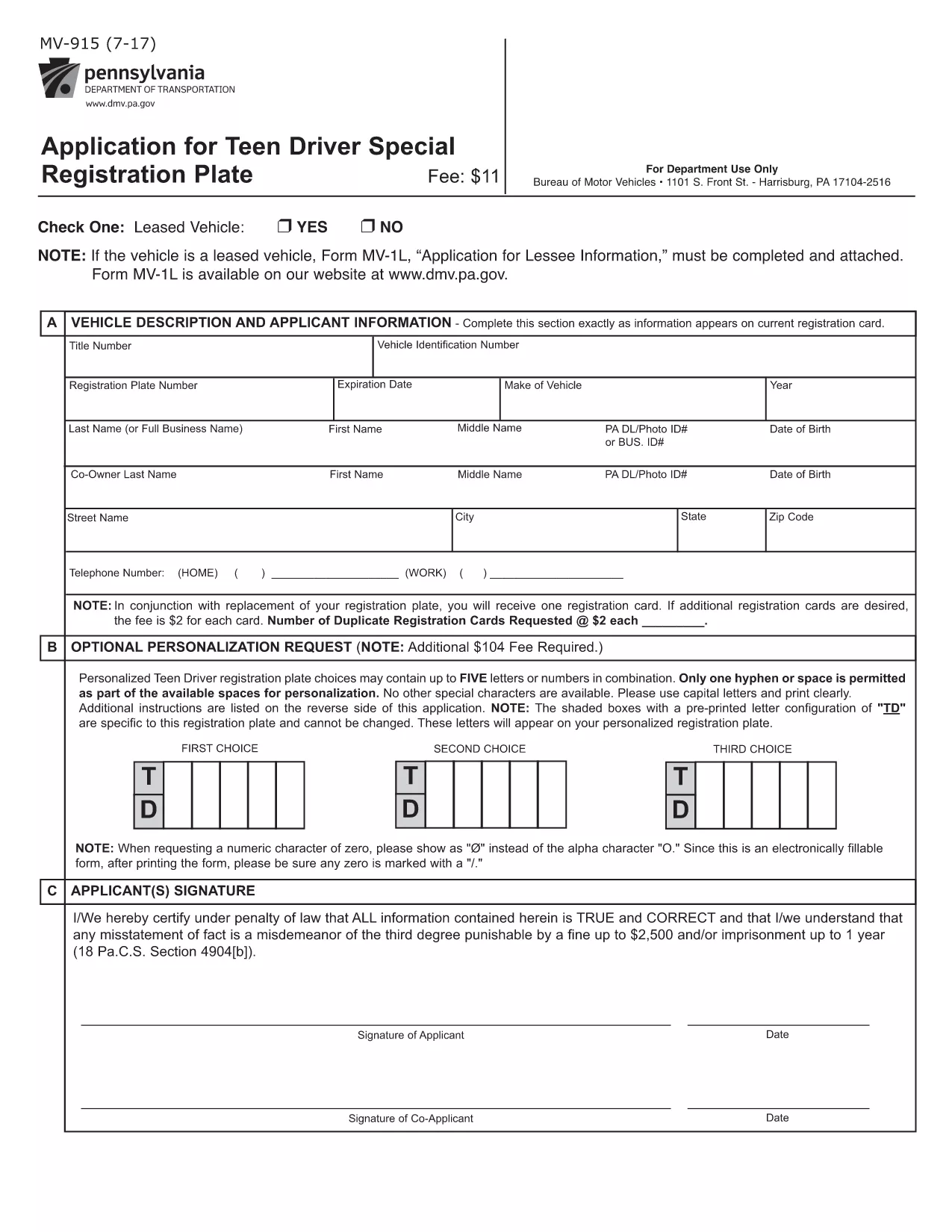
Pennsylvania MV-915 Registration Form – Fillable PDF

  1. भाषा अंग्रेज़ी
  2. देश अमेरीका
  3. गतिविधि वाहन पंजीकरण
  4. विभाग Pennsylvania Department of Transportation
फार्म को भरो
Pennsylvania MV-915 Registration Form – Fillable PDF

The MV-915 is Pennsylvania's official vehicle registration renewal application. Whether you need to renew your plate, order a new plate, or update registration details, this form is required by the Pennsylvania Department of Transportation (PennDOT).

Formize makes the MV-915 completely fillable online, so you can avoid printing, scanning, or handwriting errors. Simply click the button below, fill the fields, and download a ready‑to‑submit PDF.

  • Instant access: No software download, the Formize PDF Filler loads in your browser.
  • Auto‑save: Your progress is saved locally, so you can return later.
  • Validation checks: Real‑time error alerts keep the form accurate.

Below you’ll find step‑by‑step instructions, tips for a flawless submission, and answers to the most‑asked questions about MV-915.

सामान्य प्रश्न
  • What is the MV-915 used for?

    The MV-915 is the Pennsylvania vehicle registration renewal application. It’s required for renewing plates, ordering new plates, or updating registration information.

  • Do I need to print the form after filling it online?

    Yes, PennDOT requires a printed copy with a signature and payment (check or money order) to be mailed in.

  • Can I pay the renewal fee online?

    The MV-915 itself does not process payments. You must include a check or money order payable to the Commonwealth of Pennsylvania with your mailed application.

  • Is the Formize filler secure?

    Formize runs entirely in your browser; no data is stored on external servers. Your information remains private and is only saved locally on your device.

  • What should I do if I make a mistake after saving?

    Open the saved PDF in Formize again, correct the fields, and re‑save. The updated file can replace the previous version before you mail it.

  • How long does it take PennDOT to process the MV-915?

    Processing typically takes 7‑10 business days after receipt, provided all required information and payment are correct.

  • Do I need to include my previous registration card?

    Yes, attach your current registration card (or a copy) with the completed MV‑915 to avoid processing delays.

कैसे करें

MV-915 को मुफ़्त में, ऑनलाइन 4 आसान स्टेप्स में कैसे भरें:

  1. 1
    Open the Fillable Form
    Click the “Fill out this form” button on the page. The Formize PDF Filler app will load directly in your browser.
  2. 2
    Enter Your Information
    Complete each field—owner name, address, VIN, plate number, and payment details. Validation prompts will appear if anything is missing or formatted incorrectly.
  3. 3
    Review & Save
    Use the preview button to double‑check every entry. When satisfied, click “Save PDF” to download the completed MV‑915.
  4. 4
    Print or Submit Electronically
    Print the saved PDF and mail it with your payment, or follow PennDOT’s electronic submission instructions if applicable.
पीडीएफ फिलर एप तैयार करें
के बारे में

वाहन पंजीकरण प्रपत्र

यदि आप एक मोटर वाहन, ट्रेलर या नाव के मालिक हैं या पट्टे पर हैं, तो आपको अपने वाहन को कानूनी रूप से पंजीकृत और सुरक्षित रखने के लिए कुछ दायित्वों को पूरा करना होगा।

MV-915 वाहन पंजीकरण प्रपत्रों में से एक है जो ऐसे दस्तावेज़ हैं जिनका उपयोग प्रासंगिक राज्य या प्रांतीय प्राधिकरण के साथ मोटर वाहन को पंजीकृत करने के लिए किया जाता है। ये फॉर्म आमतौर पर तब आवश्यक होते हैं जब कोई व्यक्ति नया या इस्तेमाल किया हुआ वाहन खरीदता है या जब वे वाहन के साथ किसी नए राज्य या प्रांत में जाते हैं।

वाहन पंजीकरण के लिए आवश्यक सटीक आवश्यकताएं और फॉर्म स्थान के अनुसार भिन्न हो सकते हैं, लेकिन आम तौर पर, प्रक्रिया में वाहन, मालिक और वाहन पर किसी भी ग्रहणाधिकार के बारे में जानकारी प्रदान करना शामिल होता है।

पंजीकरण फॉर्म और शुल्क जमा करने के बाद, राज्य या प्रांतीय प्राधिकरण वाहन के मालिक को पंजीकरण प्रमाणपत्र या लाइसेंस प्लेट जारी करेगा। यह पंजीकरण वाहन को सार्वजनिक सड़कों और राजमार्गों पर कानूनी रूप से संचालित करने की अनुमति देता है।

विशेषताएं

पीडीएफ भराव

पीडीएफ फॉर्म ऑनलाइन भरने का सबसे आसान तरीका

  • जल्दी से MV-915 भरें
    MV-915 को जल्दी से ऑनलाइन भरने का कोई तरीका खोज रहे हैं? हमारे ऑनलाइन नि:शुल्क पीडीएफ फॉर्म फिलर के साथ, आप एक मिनट से भी कम समय में इस पीडीएफ दस्तावेज़ को संपादित करने और भरने का तरीका जानेंगे।
  • ऑनलाइन पीडीएफ संपादक का उपयोग करना आसान है
    पीडीएफ फाइलों को प्रिंट करने से तंग आ गए हैं ताकि आप उन्हें फिर से स्कैन करने और उन्हें वापस भेजने से पहले संपादित कर सकें? PDF दस्तावेज़ों को निःशुल्क ऑनलाइन संपादित करें। समय और कागज बचाने के लिए हमारे ऑनलाइन पीडीएफ संपादक का प्रयोग करें।
  • महान उपकरण, सभी प्लेटफार्म
    आश्चर्य है कि मैक पर MV-915 कैसे भरें, या शायद पीडीएफ फिलर का मुफ्त में उपयोग कैसे करें? हमारे ऑनलाइन पीडीएफ टूल सभी प्लेटफॉर्म पर काम करते हैं।
  • सुरक्षित फ़ाइल भंडारण
    पूर्ण की गई "MV-915" फ़ाइलें Amazon क्लाउड होस्टिंग द्वारा प्रबंधित एक सुरक्षित डेटाबेस में संग्रहीत की जाती हैं। आप कभी भी अपनी फाइलों को हमारे सिस्टम से हटा सकते हैं। किसी भी स्थिति में, ये फ़ाइलें 24 घंटे के बाद स्वतः हटा दी जाती हैं।
  • {कीवर्ड} से चैट करें
    Chatize पर "MV-915" के साथ चैट करें, जो एक निःशुल्क पीडीएफ रीडर सहायक है। प्रश्न पूछें और "MV-915" से उत्तर प्राप्त करें। बस ऊपर दस्तावेज़ के साथ चैट करें बटन पर क्लिक करें।

फ़िलिंग सत्र मिटाएँ

चयनित फ़िलिंग सत्र को मिटाएँ? इस स्थिति में, फ़ॉर्म को पूरा करने में आपकी प्रगति खो जाएगी।

संपादन सत्र हटाएँ

चयनित संपादन सत्र हटाएँ? इस स्थिति में, फ़ॉर्म बनाने और संपादित करने में आपकी प्रगति नष्ट हो जाएगी।