
hamburger-menu icon
भाषा का चयन करें

SSA-1696-SUP2 Appointment of Representative – Fillable PDF

  1. भाषा अंग्रेज़ी
  2. देश अमेरीका
  3. गतिविधि सामाजिक सुरक्षा
फार्म को भरो
SSA-1696-SUP2 Appointment of Representative – Fillable PDF

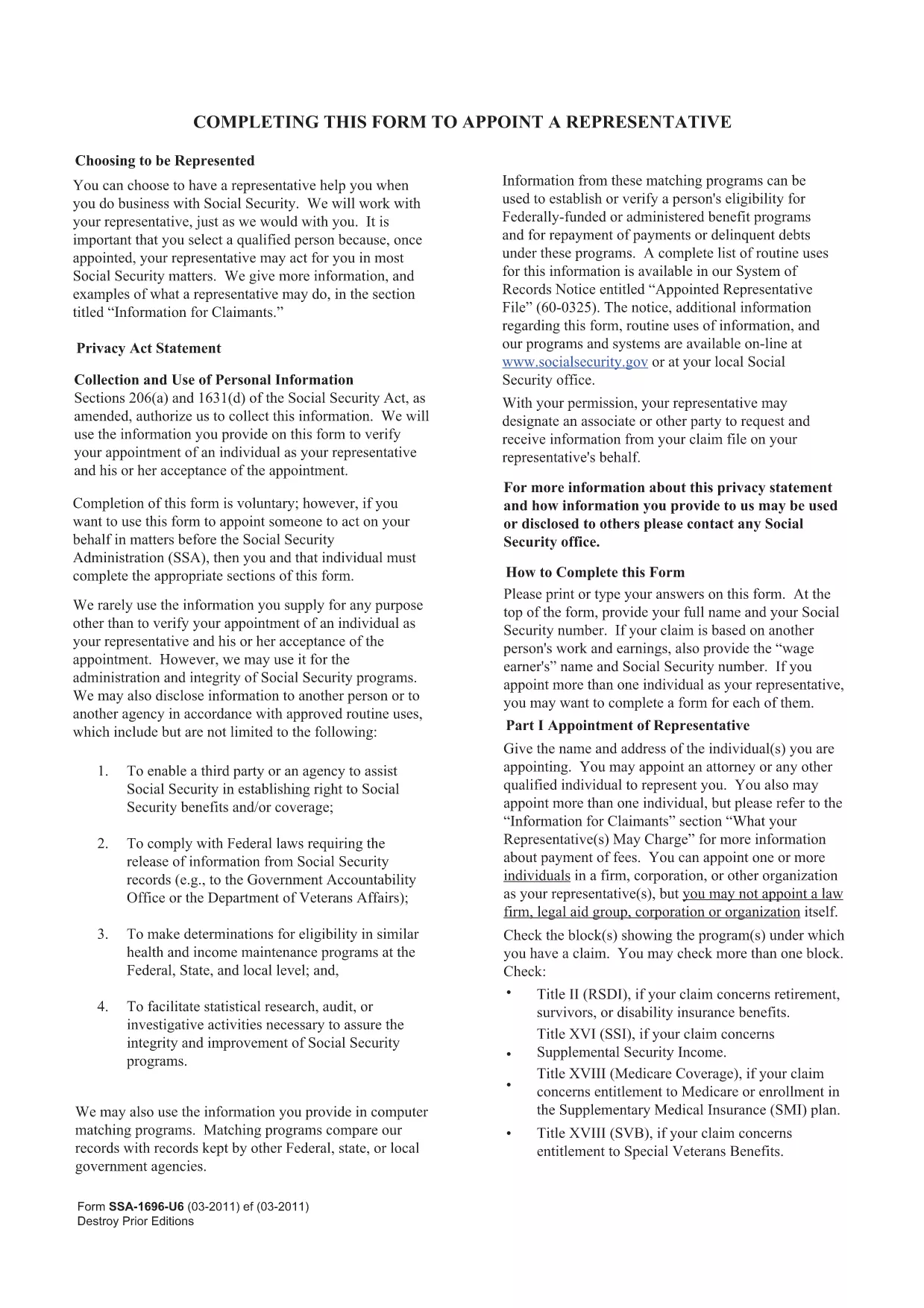
The SSA-1696-SUP2 is the official Appointment of Representative form used by the Social Security Administration (SSA). It authorizes a designated individual to act on your behalf for Social Security matters such as claims, appeals, and benefit inquiries.

What Is the SSA-1696-SUP2 Form?

This form lets you name a representative—an attorney, accredited organization, or trusted family member—to communicate with the SSA for you. The SSA requires a signed, legible copy for every case where a third party is involved.

How to Fill Out the Form Online

Instead of downloading the PDF and opening it in a separate editor, simply click the "Fill out this form" button on this page. The Formize PDF Filler app will load directly in your browser, allowing you to complete each field instantly.

  • All fields are interactive and auto‑save as you type.
  • Electronic signatures are accepted where applicable.
  • When finished, you can download the completed PDF for your records or submit it directly to the SSA.

Common Mistakes & Tips

  • Illegible handwriting: Using the online filler eliminates this risk.
  • Missing signatures: The Formize app prompts you to sign before allowing a download.
  • Incorrect representative information: Double‑check the name, address, and contact details before saving.

Download & Save Your Completed Form

After you submit, click the Download PDF button to store a copy on your device. Keep this file for future reference or to attach to any correspondence with the SSA.

Need help? Review the FAQs below or contact the Social Security Administration directly.

सामान्य प्रश्न
  • Who can be appointed as a representative on SSA-1696-SUP2?

    Any attorney, accredited representative, or trusted individual (family member, friend) can be named, provided they have the necessary contact information.

  • Do I need to mail the completed form to the SSA?

    You can mail, fax, or upload the completed PDF through your SSA online account. Check the SSA’s instructions for your specific case.

  • Can I change my representative after submitting the form?

    Yes. Submit a new SSA-1696-SUP2 with the updated representative information. The SSA will process the change once received.

  • Is an electronic signature accepted on this form?

    The SSA accepts electronic signatures when the form is completed using an approved fillable PDF tool such as Formize.

  • What should I do if I make a mistake after downloading the PDF?

    Open the downloaded file in the Formize filler again, correct the error, and re‑download the updated version. No need to start over.

  • Where can I find additional help for filling out SSA forms?

    Visit the Social Security Administration’s official website or call their toll‑free number at 1‑800‑772‑1213 for assistance.

कैसे करें

SSA-1696-SUP2 को मुफ़्त में, ऑनलाइन 5 आसान स्टेप्स में कैसे भरें:

  1. 1
    Click the Fill Out Button
    Press the "Fill out this form" button on the page to launch the Formize PDF Filler in your browser.
  2. 2
    Wait for the Filler to Load
    The app loads in a few seconds. All fields become editable and ready for input.
  3. 3
    Enter the Required Information
    Complete each section: claimant details, representative’s contact info, and the signature area.
  4. 4
    Review and Save
    Use the built‑in review tool to ensure every field is filled correctly, then click "Save & Download".
  5. 5
    Store Your Copy
    Download the finished PDF and keep it for your records or attach it to any SSA correspondence.
पीडीएफ फिलर एप तैयार करें
के बारे में

सामाजिक सुरक्षा प्रपत्र

SSA-1696-SUP2 सामाजिक सुरक्षा प्रपत्रों में से एक है जो यूनाइटेड स्टेट्स सोशल सिक्योरिटी एडमिनिस्ट्रेशन (SSA) द्वारा प्रदान किए जाने वाले विभिन्न लाभों और सेवाओं के लिए आवेदन करने के लिए उपयोग किए जाने वाले दस्तावेज़ हैं। एसएसए एक संघीय एजेंसी है जो योग्य व्यक्तियों और परिवारों को सेवानिवृत्ति लाभ, विकलांगता लाभ, उत्तरजीवी लाभ और पूरक सुरक्षा आय (एसएसआई) सहित वित्तीय सहायता प्रदान करने के लिए डिज़ाइन किए गए कार्यक्रमों का संचालन करती है।

कुछ सामान्य सामाजिक सुरक्षा रूपों में शामिल हैं:

सामाजिक सुरक्षा सेवानिवृत्ति लाभ आवेदन: इस फॉर्म का उपयोग किसी व्यक्ति के कार्य इतिहास और कमाई के आधार पर सेवानिवृत्ति लाभों के लिए आवेदन करने के लिए किया जाता है।

सामाजिक सुरक्षा विकलांगता लाभ आवेदन: इस फॉर्म का उपयोग विकलांगता लाभों के लिए आवेदन करने के लिए किया जाता है यदि किसी व्यक्ति की शारीरिक या मानसिक स्थिति उसे काम करने से रोकती है।

सामाजिक सुरक्षा उत्तरजीवी लाभ आवेदन: इस फॉर्म का उपयोग उत्तरजीवी लाभ के लिए आवेदन करने के लिए किया जाता है यदि किसी व्यक्ति के पति या पत्नी का निधन हो गया है और वे उत्तरजीवी लाभ के पात्र हैं।

मेडिकेयर नामांकन आवेदन: इस फॉर्म का उपयोग मेडिकेयर में नामांकन के लिए किया जाता है, जो कि 65 वर्ष से अधिक आयु के व्यक्तियों और कुछ विकलांग या चिकित्सीय स्थितियों वाले लोगों के लिए संघीय स्वास्थ्य बीमा कार्यक्रम है।

पते का परिवर्तन फॉर्म: इस फॉर्म का उपयोग एसएसए के साथ किसी व्यक्ति के पते को अपडेट करने के लिए किया जाता है।

आय रिकॉर्ड फॉर्म के लिए अनुरोध: इस फॉर्म का उपयोग किसी व्यक्ति के कमाई रिकॉर्ड की एक प्रति का अनुरोध करने के लिए किया जाता है, जिसका उपयोग सामाजिक सुरक्षा लाभों की गणना के लिए किया जाता है।

इन प्रपत्रों को ऑनलाइन, मेल द्वारा या स्थानीय सामाजिक सुरक्षा कार्यालय में व्यक्तिगत रूप से पूरा किया जा सकता है। सामाजिक सुरक्षा लाभों की समय पर और सटीक प्रक्रिया सुनिश्चित करने के लिए सावधानीपूर्वक समीक्षा करना और सभी आवश्यक प्रपत्रों को पूरा करना महत्वपूर्ण है।

विशेषताएं

पीडीएफ भराव

पीडीएफ फॉर्म ऑनलाइन भरने का सबसे आसान तरीका

  • जल्दी से SSA-1696-SUP2 भरें
    SSA-1696-SUP2 को जल्दी से ऑनलाइन भरने का कोई तरीका खोज रहे हैं? हमारे ऑनलाइन नि:शुल्क पीडीएफ फॉर्म फिलर के साथ, आप एक मिनट से भी कम समय में इस पीडीएफ दस्तावेज़ को संपादित करने और भरने का तरीका जानेंगे।
  • ऑनलाइन पीडीएफ संपादक का उपयोग करना आसान है
    पीडीएफ फाइलों को प्रिंट करने से तंग आ गए हैं ताकि आप उन्हें फिर से स्कैन करने और उन्हें वापस भेजने से पहले संपादित कर सकें? PDF दस्तावेज़ों को निःशुल्क ऑनलाइन संपादित करें। समय और कागज बचाने के लिए हमारे ऑनलाइन पीडीएफ संपादक का प्रयोग करें।
  • महान उपकरण, सभी प्लेटफार्म
    आश्चर्य है कि मैक पर SSA-1696-SUP2 कैसे भरें, या शायद पीडीएफ फिलर का मुफ्त में उपयोग कैसे करें? हमारे ऑनलाइन पीडीएफ टूल सभी प्लेटफॉर्म पर काम करते हैं।
  • सुरक्षित फ़ाइल भंडारण
    पूर्ण की गई "SSA-1696-SUP2" फ़ाइलें Amazon क्लाउड होस्टिंग द्वारा प्रबंधित एक सुरक्षित डेटाबेस में संग्रहीत की जाती हैं। आप कभी भी अपनी फाइलों को हमारे सिस्टम से हटा सकते हैं। किसी भी स्थिति में, ये फ़ाइलें 24 घंटे के बाद स्वतः हटा दी जाती हैं।
  • {कीवर्ड} से चैट करें
    Chatize पर "SSA-1696-SUP2" के साथ चैट करें, जो एक निःशुल्क पीडीएफ रीडर सहायक है। प्रश्न पूछें और "SSA-1696-SUP2" से उत्तर प्राप्त करें। बस ऊपर दस्तावेज़ के साथ चैट करें बटन पर क्लिक करें।

फ़िलिंग सत्र मिटाएँ

चयनित फ़िलिंग सत्र को मिटाएँ? इस स्थिति में, फ़ॉर्म को पूरा करने में आपकी प्रगति खो जाएगी।

संपादन सत्र हटाएँ

चयनित संपादन सत्र हटाएँ? इस स्थिति में, फ़ॉर्म बनाने और संपादित करने में आपकी प्रगति नष्ट हो जाएगी।