
hamburger-menu icon
भाषा का चयन करें

BLC-54 Blue Light Permit Application – Fillable PDF

  1. भाषा अंग्रेज़ी
  2. देश अमेरीका
  3. गतिविधि वाहन पंजीकरण
  4. राज्य न्यू जर्सी
फार्म को भरो
BLC-54 Blue Light Permit Application – Fillable PDF

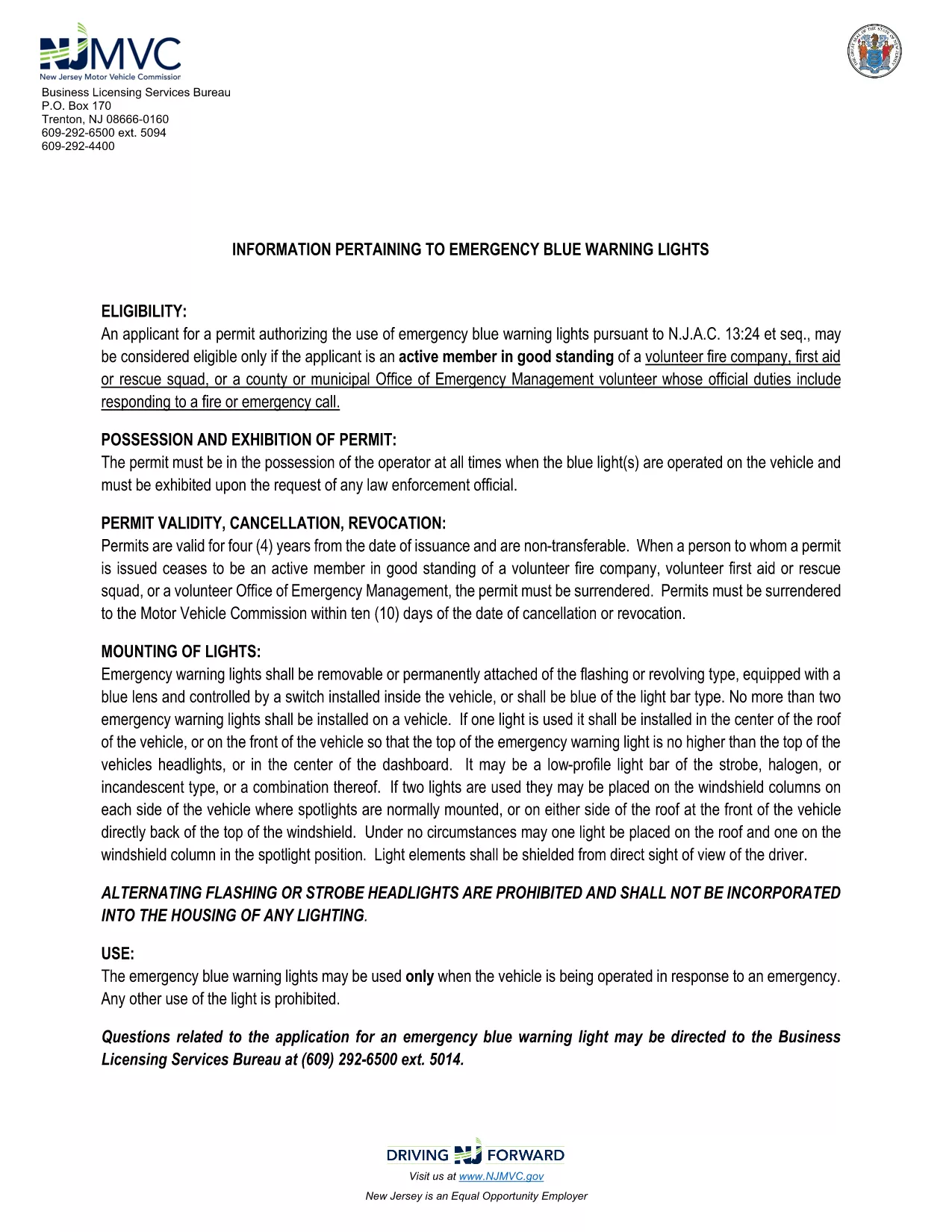
The BLC-54 is the official New Jersey Motor Vehicle Commission (MVC) application for a blue light permit. This permit allows volunteer fire companies, first‑aid squads, rescue units, and municipal emergency management officials to use emergency blue warning lights on their response vehicles.

What Is the BLC-54 Form?

The BLC-54 is a fillable PDF that captures essential information about the applicant, the volunteer organization, and the vehicle that will display the blue lights. It includes sections for:

  • Applicant’s name, title, and contact details
  • Volunteer fire or rescue organization details
  • Vehicle description, VIN, and registration information
  • Signature of the mayor, chief executive officer, or authorized municipal official

Who Can Apply for a Blue Light Permit?

Eligibility is limited to active members in good standing of:

  • Volunteer fire companies
  • First‑aid or rescue squads
  • County or municipal Office of Emergency Management volunteers whose duties include fire response

The application must be signed by the municipality’s mayor or chief executive officer.

How to Complete the BLC-54 Online

Instead of downloading the PDF and editing it in a separate program, simply click the “Fill out this form” button on this page. The Formize PDF Filler app will load automatically, letting you complete every field directly in your browser.

Common Mistakes to Avoid

  • Leaving required fields blank – the form will not submit until all mandatory sections are filled.
  • Incorrect vehicle VIN – double‑check the VIN on the vehicle registration.
  • Missing signatures – the mayor or authorized official must sign; an unsigned form is rejected.

Submit Your Application

After completing the form, review all entries for accuracy, then click the “Submit” button. You can either download the completed PDF for mailing or submit it electronically if your municipality accepts digital submissions.

Need help? Review the FAQs below or contact your local municipal office for further assistance.

सामान्य प्रश्न
  • What does BLC-54 stand for?

    BLC-54 is the New Jersey MVC’s Blue Light Permit application used by volunteer fire, rescue, and emergency management organizations.

  • Can I submit the form electronically?

    Many municipalities accept electronic submissions. Check with your local office; the Formize filler lets you download a completed PDF for mailing if needed.

  • Who must sign the BLC-54 form?

    The form must be signed by the mayor, chief executive officer, or another authorized municipal official responsible for the volunteer fire department.

  • Is the PDF truly fillable online?

    Yes. By clicking the “Fill out this form” button, Formize loads a secure, browser‑based PDF filler that lets you type, select, and sign without extra software.

  • What happens after I submit the form?

    Your municipal office will review the application. If approved, they will issue a blue light permit and provide instructions for attaching the lights to your vehicle.

  • Can I edit the form after I’ve submitted it?

    Once submitted, you’ll need to request a new application from your municipality for any changes.

कैसे करें

BLC-54 को मुफ़्त में, ऑनलाइन 5 आसान स्टेप्स में कैसे भरें:

  1. 1
    Click the Fill Out Button
    On this page, click the “Fill out this form” button. The Formize PDF Filler will open instantly in your browser.
  2. 2
    Wait for the Filler to Load
    The app loads the fillable BLC-54 PDF. This usually takes a few seconds depending on your connection.
  3. 3
    Enter Your Information
    Complete each section: applicant details, organization info, vehicle data, and required signatures.
  4. 4
    Review and Sign
    Double‑check all entries for accuracy, then use the digital signature field for the mayor or authorized official.
  5. 5
    Submit or Download
    Click “Submit” to send the form to your municipal office, or download the completed PDF for mailing.
पीडीएफ फिलर एप तैयार करें
के बारे में

वाहन पंजीकरण प्रपत्र

यदि आप एक मोटर वाहन, ट्रेलर या नाव के मालिक हैं या पट्टे पर हैं, तो आपको अपने वाहन को कानूनी रूप से पंजीकृत और सुरक्षित रखने के लिए कुछ दायित्वों को पूरा करना होगा।

BLC-54 वाहन पंजीकरण प्रपत्रों में से एक है जो ऐसे दस्तावेज़ हैं जिनका उपयोग प्रासंगिक राज्य या प्रांतीय प्राधिकरण के साथ मोटर वाहन को पंजीकृत करने के लिए किया जाता है। ये फॉर्म आमतौर पर तब आवश्यक होते हैं जब कोई व्यक्ति नया या इस्तेमाल किया हुआ वाहन खरीदता है या जब वे वाहन के साथ किसी नए राज्य या प्रांत में जाते हैं।

वाहन पंजीकरण के लिए आवश्यक सटीक आवश्यकताएं और फॉर्म स्थान के अनुसार भिन्न हो सकते हैं, लेकिन आम तौर पर, प्रक्रिया में वाहन, मालिक और वाहन पर किसी भी ग्रहणाधिकार के बारे में जानकारी प्रदान करना शामिल होता है।

पंजीकरण फॉर्म और शुल्क जमा करने के बाद, राज्य या प्रांतीय प्राधिकरण वाहन के मालिक को पंजीकरण प्रमाणपत्र या लाइसेंस प्लेट जारी करेगा। यह पंजीकरण वाहन को सार्वजनिक सड़कों और राजमार्गों पर कानूनी रूप से संचालित करने की अनुमति देता है।

विशेषताएं

पीडीएफ भराव

पीडीएफ फॉर्म ऑनलाइन भरने का सबसे आसान तरीका

  • जल्दी से BLC-54 भरें
    BLC-54 को जल्दी से ऑनलाइन भरने का कोई तरीका खोज रहे हैं? हमारे ऑनलाइन नि:शुल्क पीडीएफ फॉर्म फिलर के साथ, आप एक मिनट से भी कम समय में इस पीडीएफ दस्तावेज़ को संपादित करने और भरने का तरीका जानेंगे।
  • ऑनलाइन पीडीएफ संपादक का उपयोग करना आसान है
    पीडीएफ फाइलों को प्रिंट करने से तंग आ गए हैं ताकि आप उन्हें फिर से स्कैन करने और उन्हें वापस भेजने से पहले संपादित कर सकें? PDF दस्तावेज़ों को निःशुल्क ऑनलाइन संपादित करें। समय और कागज बचाने के लिए हमारे ऑनलाइन पीडीएफ संपादक का प्रयोग करें।
  • महान उपकरण, सभी प्लेटफार्म
    आश्चर्य है कि मैक पर BLC-54 कैसे भरें, या शायद पीडीएफ फिलर का मुफ्त में उपयोग कैसे करें? हमारे ऑनलाइन पीडीएफ टूल सभी प्लेटफॉर्म पर काम करते हैं।
  • सुरक्षित फ़ाइल भंडारण
    पूर्ण की गई "BLC-54" फ़ाइलें Amazon क्लाउड होस्टिंग द्वारा प्रबंधित एक सुरक्षित डेटाबेस में संग्रहीत की जाती हैं। आप कभी भी अपनी फाइलों को हमारे सिस्टम से हटा सकते हैं। किसी भी स्थिति में, ये फ़ाइलें 24 घंटे के बाद स्वतः हटा दी जाती हैं।
  • {कीवर्ड} से चैट करें
    Chatize पर "BLC-54" के साथ चैट करें, जो एक निःशुल्क पीडीएफ रीडर सहायक है। प्रश्न पूछें और "BLC-54" से उत्तर प्राप्त करें। बस ऊपर दस्तावेज़ के साथ चैट करें बटन पर क्लिक करें।

फ़िलिंग सत्र मिटाएँ

चयनित फ़िलिंग सत्र को मिटाएँ? इस स्थिति में, फ़ॉर्म को पूरा करने में आपकी प्रगति खो जाएगी।

संपादन सत्र हटाएँ

चयनित संपादन सत्र हटाएँ? इस स्थिति में, फ़ॉर्म बनाने और संपादित करने में आपकी प्रगति नष्ट हो जाएगी।