Izaberi jezik

Obrazac 1467 Australija

  1. Jezik Engleski
Obrazac 1467 Australija

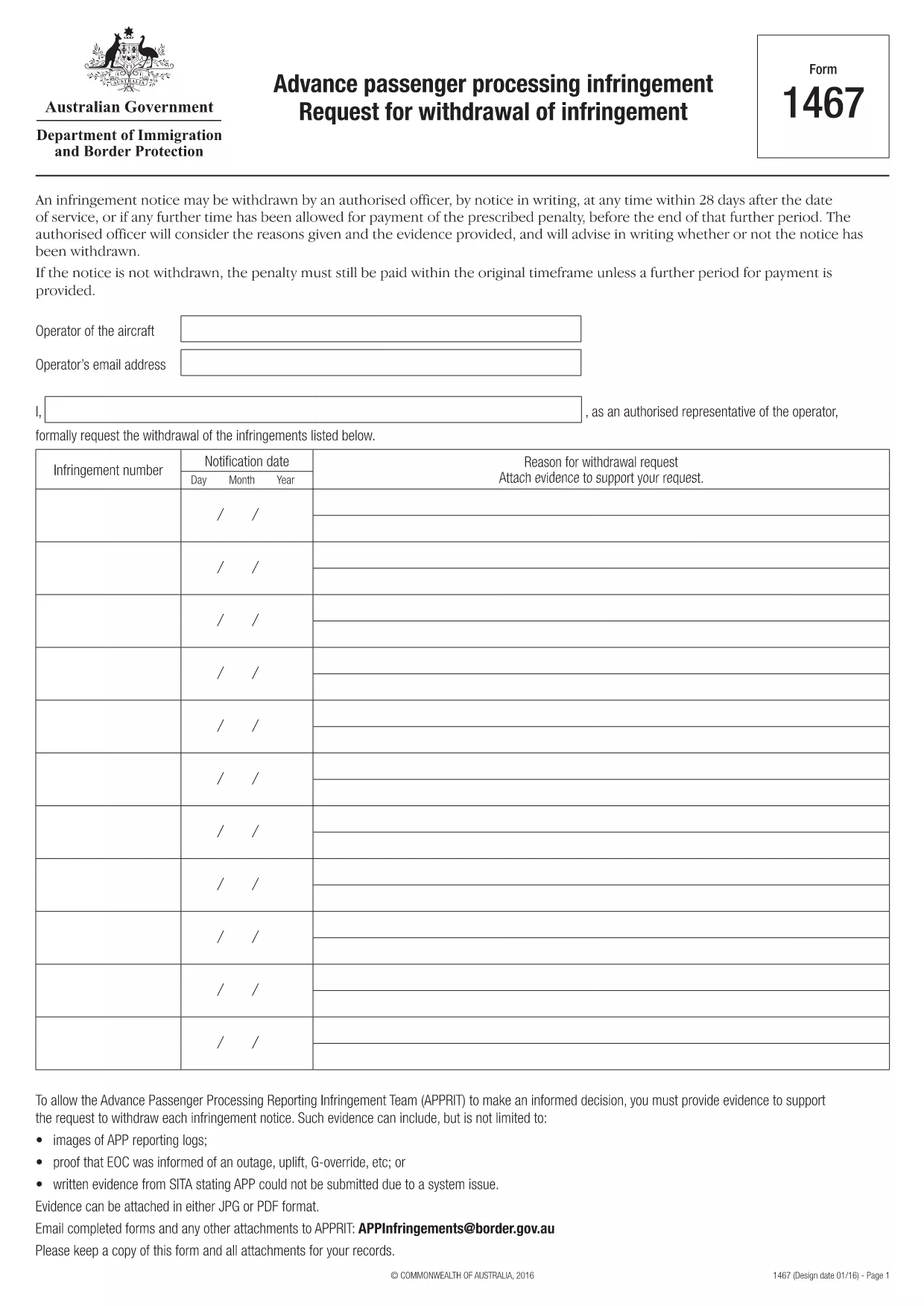
1467 - Prethodna obrada putnika Zahtjev za povlačenje povrede

This document outlines the process for requesting withdrawal of infringement notices issued by the Commonwealth of Australia for non-compliance with Advance Passenger Processing (APP) requirements. The notice can be withdrawn within 28 days after service, or if a further period for payment has been granted, by providing reasons and evidence to the Advance Passenger Processing Reporting Infringement Team (APPRIT). The document explains what types of evidence are acceptable, such as APP reporting logs, proof of notification of outages or uplifts, and written statements from SITA regarding system issues. The request must be made in writing and emailed to APPRIT along with any attachments.

Oznake za pretraživanje

PITANJA
  • How can Form 1467 be submitted to the APPRIT team?

    Form 1467 and any attachments can be submitted to the APPRIT team by email at [APPInfringements@border.gov.au](mailto:APPInfringements@border.gov.au).

  • What are the reasons that an authorized officer will consider when requesting to withdraw an infringement notice?

    An authorized officer will consider the reasons given and the evidence provided when considering a request to withdraw an infringement notice.

  • What is the purpose of Form 1467?

    Form 1467 is used to request the withdrawal of an infringement notice by an authorized officer within 28 days after the date of service or if any further time has been allowed for payment of the prescribed penalty.

  • What format should evidence be submitted in?

    Evidence should be attached in either JPG or PDF format.

  • What should be done with a copy of Form 1467 and attachments?

    A copy of the form and all attachments should be kept for records.

  • Who can withdraw an infringement notice?

    An authorized officer can withdraw an infringement notice at any time within 28 days after the date of service or if any further time has been allowed for payment of the prescribed penalty.

KAKO DA

Kako ispuniti Obrazac 1467 besplatno, online u 3 jednostavna koraka:

  1. 1
    Otvorite predložak obrasca u uređivaču
    Kliknite na gumb “Preuzmi ovaj predložak”.
  2. 2
    Ispunite Obrazac 1467
    Pričekajte trenutak i bit ćete preusmjereni na našu online aplikaciju PDF Filler.
  3. 3
    Preuzmi datoteku
    Besplatno preuzmite dovršenu Obrazac 1467. Također ga možete spremiti u pohranu u oblaku.
Aplikacija Formize PDF Filler
OKO

Obrazac 1467 predložak

S tradicionalnim skupom značajki za pregled i ispunjavanje PDF dokumenta, u kombinaciji s prednostima web aplikacije i responzivnog izgleda, možete ispuniti Obrazac 1467 u nekoliko minuta.

ZNAČAJKE

PDF punilo

Najlakši način da ispunite Obrazac 1467 online

  • Brzo ispunite Obrazac 1467
    Tražite način da brzo ispunite Obrazac 1467 online? Uz naš online besplatni PDF obrazac za popunjavanje, znat ćete kako urediti i ispuniti ovaj pdf dokument za manje od minute.
  • Jednostavan za korištenje mrežni PDF uređivač
    Dosta vam je ispisivanja PDF datoteka kako biste ih mogli uređivati ​​prije ponovnog skeniranja i slanja natrag? Uređujte PDF dokumente besplatno na mreži. Upotrijebite naš online uređivač pdf-ova kako biste uštedjeli vrijeme i papir.
  • Sjajni alati, sve platforme
    Pitate se kako ispuniti Obrazac 1467 na Macu ili možda kako koristiti PDF filer besplatno? Naši online PDF alati rade na svim platformama.
  • Sigurno skladištenje datoteka
    Dovršene datoteke "Obrazac 1467" pohranjuju se u zaštićenu bazu podataka kojom upravlja Amazon Cloud hosting. Svoje datoteke možete izbrisati iz našeg sustava bilo kada. U svakom slučaju, te se datoteke automatski brišu nakon 24 sata.
  • Chat s Obrazac 1467
    Razgovarajte s "Obrazac 1467" na Chatize koji je besplatni pomoćnik za čitanje PDF-ova. Postavljajte pitanja i dobivajte odgovore od "Obrazac 1467". Samo kliknite gornji gumb Chat with Document.

Izbriši sesiju punjenja

Izbrisati odabranu sesiju punjenja? U tom će slučaju vaš napredak u ispunjavanju obrasca biti izgubljen.

Izbriši sesiju uređivanja

Izbrisati odabranu sesiju uređivanja? U tom će slučaju vaš napredak u stvaranju i uređivanju obrasca biti izgubljen.