
Izaberi jezik

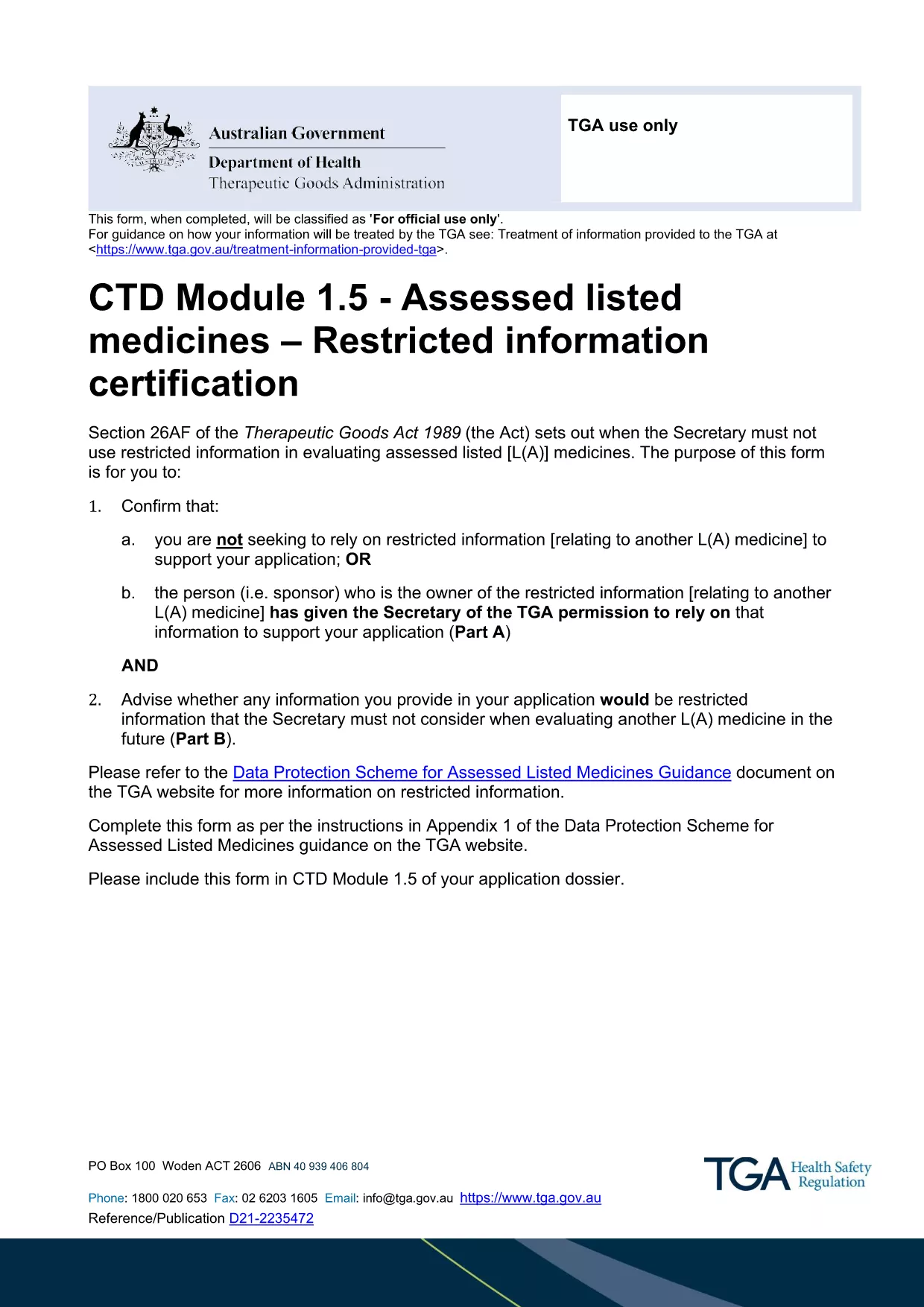
Restricted Medicine Application Form & Checklist (Fillable PDF)

  1. Zemlja Australija
  2. Jezik Engleski
  3. Aktivnost Medicines
  4. Odjel Therapeutic Goods Administration
Restricted Medicine Application Form & Checklist (Fillable PDF)

Regulatory approval for restricted medicines in Australia requires both a detailed application form and a supporting checklist. Our fillable PDF combines the official CTD Module 1.5 – Restricted Information Certification Form with a practical checklist so you can gather all required data in one place.

By using the Formize PDF Filler, you avoid printing, scanning, and re‑typing. All fields are interactive, autosave, and compatible with Adobe Reader or any modern browser.

Why a Fillable PDF Matters for Restricted Medicines

The Therapeutic Goods Administration (TGA) mandates precise documentation for any medicine that contains restricted information. A fillable PDF ensures:

  • Accurate data entry with built‑in validation.
  • Instant access to the latest checklist items.
  • Secure saving of your work before submission.

Key Sections of the Application Form

The form is divided into two main parts:

  1. Part A – Reliance Declaration: Confirm whether you are relying on restricted information or have permission from the sponsor.
  2. Part B – Eligibility Assessment: Identify which parts of your dossier qualify as restricted information.

Each part includes tables for listing documents, dates, and contact details.

How to Complete the Form Using Formize

Follow the simple steps below to fill out the PDF directly in your browser. No additional software is required.

Common Mistakes to Avoid

  • Leaving optional fields blank when they are required for your specific product type.
  • Submitting outdated supporting documents.
  • Failing to sign the declaration section electronically.

Where to Submit Your Completed Application

After saving the completed PDF, upload it to the TGA’s eSubmission portal under the "Restricted Representation" category. Keep a copy for your records.

PITANJA
  • Is the PDF truly fillable online?

    Yes. The Formize PDF Filler makes every field interactive in your browser without needing Adobe Acrobat Pro.

  • Do I need a TGA account to download the form?

    No. The PDF is publicly available. You only need a TGA account when you submit the completed application.

  • Can I save the form and finish it later?

    Absolutely. Use the "Save" button in Formize; the file is stored locally and can be reopened at any time.

  • What if I make a mistake after saving?

    You can edit any field before the final download. The Formize app tracks changes and lets you overwrite previous entries.

  • Is an electronic signature accepted?

    Yes. TGA accepts digital signatures placed within the PDF as long as they are clearly legible.

  • What supporting documents are required?

    Refer to the checklist section of the form. Typical items include product dossiers, sponsor letters, and data protection approvals.

  • How do I know if my information qualifies as "restricted"?

    Complete Part B of the form. It asks specific questions that determine eligibility based on the TGA’s Data Protection Scheme.

  • Can I submit the form via email?

    The TGA prefers electronic submission through their secure portal. Email submissions are not recommended for restricted medicine applications.

KAKO DA

Kako ispuniti restricted medicine application form besplatno, online u 5 jednostavnih koraka:

  1. 1
    Open the Fillable PDF
    Click the "Fill out this form" button on the page. The Formize PDF Filler app will load the document directly in your browser.
  2. 2
    Wait for the Formize Loader
    Allow a few seconds for the PDF to initialize. All interactive fields will become editable.
  3. 3
    Complete Each Section
    Enter the required information for Part A and Part B, follow the on‑screen prompts, and use the checklist items to verify you have all supporting documents.
  4. 4
    Save Your Progress
    Click the "Save" icon at any time. Formize automatically stores a local copy so you won’t lose data.
  5. 5
    Download and Submit
    When finished, click "Download PDF" to save the completed form. Upload the file to the TGA eSubmission portal as instructed in the checklist.
Aplikacija Formize PDF Filler
OKO

restricted medicine application form predložak

S tradicionalnim skupom značajki za pregled i ispunjavanje PDF dokumenta, u kombinaciji s prednostima web aplikacije i responzivnog izgleda, možete ispuniti restricted medicine application form u nekoliko minuta.

ZNAČAJKE

PDF punilo

Najlakši način da ispunite restricted medicine application form online

  • Brzo ispunite restricted medicine application form
    Tražite način da brzo ispunite restricted medicine application form online? Uz naš online besplatni PDF obrazac za popunjavanje, znat ćete kako urediti i ispuniti ovaj pdf dokument za manje od minute.
  • Jednostavan za korištenje mrežni PDF uređivač
    Dosta vam je ispisivanja PDF datoteka kako biste ih mogli uređivati ​​prije ponovnog skeniranja i slanja natrag? Uređujte PDF dokumente besplatno na mreži. Upotrijebite naš online uređivač pdf-ova kako biste uštedjeli vrijeme i papir.
  • Sjajni alati, sve platforme
    Pitate se kako ispuniti restricted medicine application form na Macu ili možda kako koristiti PDF filer besplatno? Naši online PDF alati rade na svim platformama.
  • Sigurno skladištenje datoteka
    Dovršene datoteke "restricted medicine application form" pohranjuju se u zaštićenu bazu podataka kojom upravlja Amazon Cloud hosting. Svoje datoteke možete izbrisati iz našeg sustava bilo kada. U svakom slučaju, te se datoteke automatski brišu nakon 24 sata.
  • Chat s restricted medicine application form
    Razgovarajte s "restricted medicine application form" na Chatize koji je besplatni pomoćnik za čitanje PDF-ova. Postavljajte pitanja i dobivajte odgovore od "restricted medicine application form". Samo kliknite gornji gumb Chat with Document.

Izbriši sesiju punjenja

Izbrisati odabranu sesiju punjenja? U tom će slučaju vaš napredak u ispunjavanju obrasca biti izgubljen.

Izbriši sesiju uređivanja

Izbrisati odabranu sesiju uređivanja? U tom će slučaju vaš napredak u stvaranju i uređivanju obrasca biti izgubljen.