
Izaberi jezik

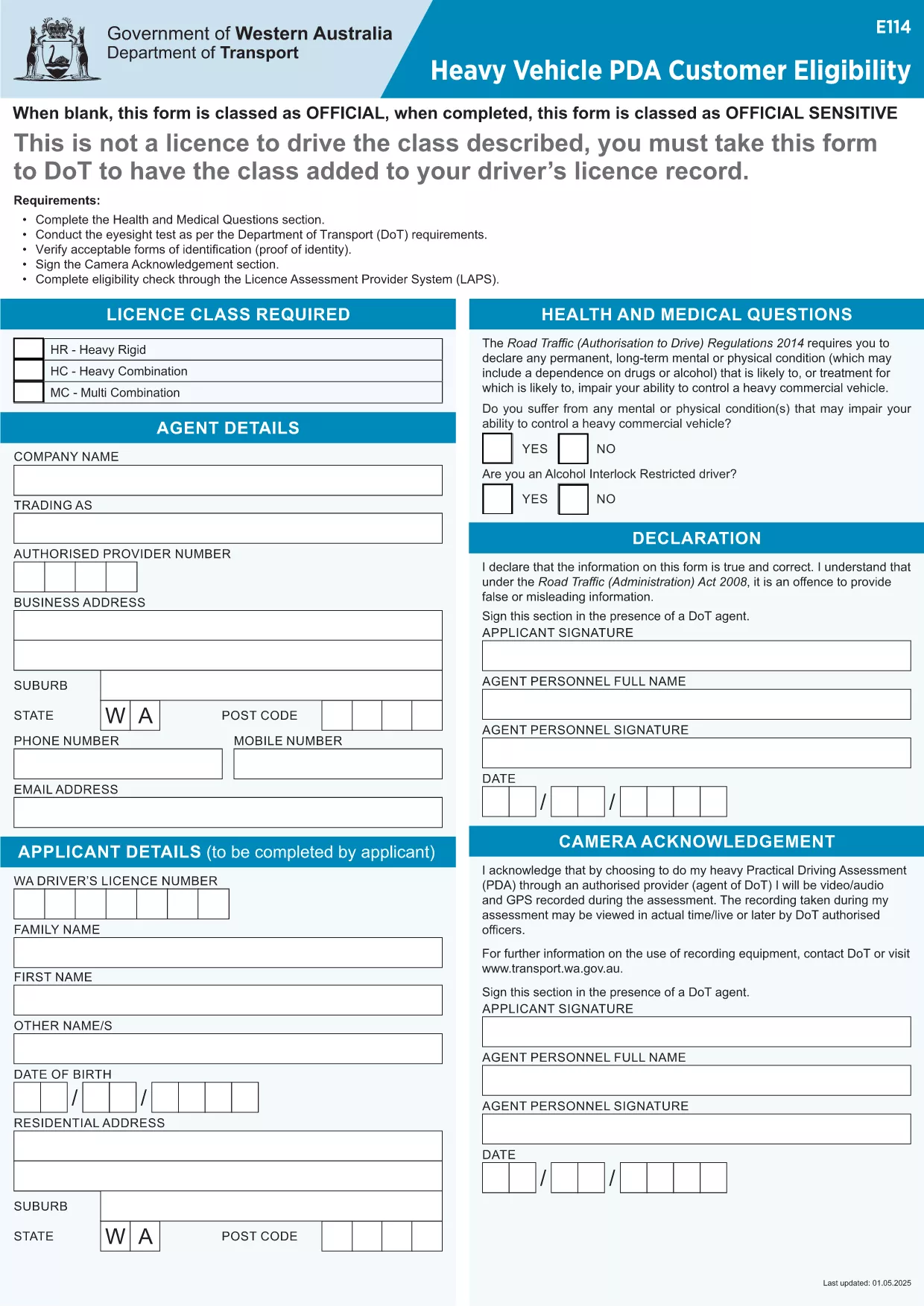
LIC114 – Heavy Vehicle Customer Eligibility Form (Form E114)

  1. Jezik Engleski
  2. Zemlja Australija
  3. Odjel Transport
  4. Aktivnost Registracija vozila
LIC114 – Heavy Vehicle Customer Eligibility Form (Form E114)

The LIC114 (also known as Form E114) is the official Australian Transport Department form used to assess eligibility for heavy vehicle customer programs. Whether you are applying for a new heavy vehicle PDA or renewing an existing entitlement, this fillable PDF lets you provide all required details quickly and accurately.

What is Form LIC114?

Form LIC114 collects information about the vehicle, the operator, and the intended use. It is classified as Official Sensitive when completed, meaning the data is protected under transport‑sector privacy rules.

How to Complete the Fillable PDF

Instead of downloading the PDF and opening a separate editor, simply click the "Fill out this form" button on this page. The Formize PDF Filler app will load directly in your browser, providing a smooth, interactive experience.

Common Mistakes to Avoid

  • Leaving mandatory fields blank – the filler will highlight missing data before you can submit.
  • Using non‑black ink for signatures – the electronic signature tool applies a black digital signature automatically.
  • Submitting outdated vehicle details – double‑check registration numbers and VINs.

Where to Submit the Completed Form

Once you have reviewed and signed the form, you can either download a copy for your records or use the built‑in email function to send it directly to the Department of Transport's Heavy Vehicle division.

Benefits of Using Formize PDF Filler

  • Instant validation of required fields.
  • No software installation – works in any modern browser.
  • Secure storage of your data during the session.
  • Easy export to PDF or direct email.

Start the process now and ensure your LIC114 application is accurate, compliant, and submitted on time.

PITANJA
  • Is Form LIC114 available as a fillable PDF?

    Yes. The official Form E114 is provided as a fillable PDF that can be completed online with Formize’s PDF Filler.

  • Do I need Adobe Acrobat to fill this form?

    No. The Formize PDF Filler works in any modern web browser, so you don’t need any additional software.

  • Can I save my progress and return later?

    The filler allows you to download a draft PDF at any point. Save the draft, close the browser, and reopen the file later to continue.

  • What happens if I submit incomplete information?

    The filler validates required fields and will prevent submission until all mandatory sections are completed.

  • Is my data secure while using Formize?

    Yes. All data is processed locally in your browser and is not stored on external servers unless you choose to email the completed form.

KAKO DA

Kako ispuniti lic114 besplatno, online u 5 jednostavnih koraka:

  1. 1
    Click the Fill‑out Button
    Press the "Fill out this form" button on the page to launch the Formize PDF Filler.
  2. 2
    Wait for the Filler to Load
    The app loads in your browser within seconds – no download required.
  3. 3
    Enter Your Information
    Complete each highlighted field with accurate details; required fields are marked with an asterisk.
  4. 4
    Review and Sign
    Check all entries, then use the built‑in electronic signature tool to sign the form.
  5. 5
    Save or Email
    Download the finished PDF for your records or click the email button to send it directly to the Department of Transport.
Aplikacija Formize PDF Filler
OKO

Obrasci za registraciju vozila

Ako posjedujete ili unajmljujete motorno vozilo, prikolicu ili čamac, morate ispuniti određene obveze kako bi vaše vozilo bilo legalno registrirano i sigurno.

lic114 je jedan od obrazaca za registraciju vozila koji su dokumenti koji se koriste za registraciju motornog vozila kod nadležnog državnog ili pokrajinskog tijela. Ovi su obrasci obično potrebni kada osoba kupi novo ili rabljeno vozilo ili kada se s vozilom preseli u novu državu ili pokrajinu.

Točni zahtjevi i obrasci potrebni za registraciju vozila mogu se razlikovati ovisno o lokaciji, ali općenito, postupak uključuje pružanje informacija o vozilu, vlasniku i svim založnim pravima na vozilu.

Nakon podnošenja obrazaca za registraciju i pristojbi, državno ili pokrajinsko tijelo će vlasniku vozila izdati potvrdu o registraciji ili registarsku pločicu. Ova registracija omogućuje legalnu vožnju vozila na javnim cestama i autocestama.

ZNAČAJKE

PDF punilo

Najlakši način da ispunite lic114 online

  • Brzo ispunite lic114
    Tražite način da brzo ispunite lic114 online? Uz naš online besplatni PDF obrazac za popunjavanje, znat ćete kako urediti i ispuniti ovaj pdf dokument za manje od minute.
  • Jednostavan za korištenje mrežni PDF uređivač
    Dosta vam je ispisivanja PDF datoteka kako biste ih mogli uređivati ​​prije ponovnog skeniranja i slanja natrag? Uređujte PDF dokumente besplatno na mreži. Upotrijebite naš online uređivač pdf-ova kako biste uštedjeli vrijeme i papir.
  • Sjajni alati, sve platforme
    Pitate se kako ispuniti lic114 na Macu ili možda kako koristiti PDF filer besplatno? Naši online PDF alati rade na svim platformama.
  • Sigurno skladištenje datoteka
    Dovršene datoteke "lic114" pohranjuju se u zaštićenu bazu podataka kojom upravlja Amazon Cloud hosting. Svoje datoteke možete izbrisati iz našeg sustava bilo kada. U svakom slučaju, te se datoteke automatski brišu nakon 24 sata.
  • Chat s lic114
    Razgovarajte s "lic114" na Chatize koji je besplatni pomoćnik za čitanje PDF-ova. Postavljajte pitanja i dobivajte odgovore od "lic114". Samo kliknite gornji gumb Chat with Document.

Izbriši sesiju punjenja

Izbrisati odabranu sesiju punjenja? U tom će slučaju vaš napredak u ispunjavanju obrasca biti izgubljen.

Izbriši sesiju uređivanja

Izbrisati odabranu sesiju uređivanja? U tom će slučaju vaš napredak u stvaranju i uređivanju obrasca biti izgubljen.