
Izaberi jezik

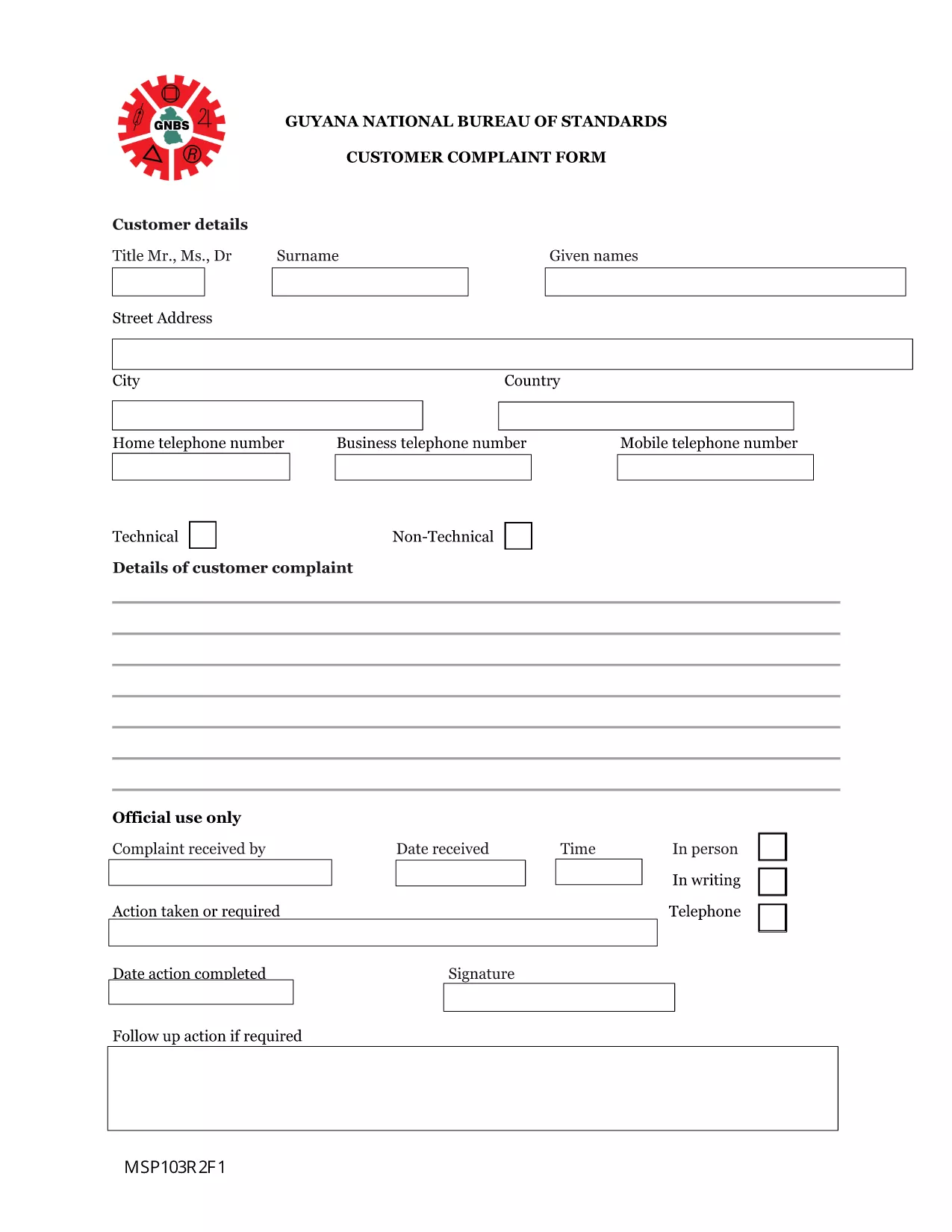
Guyana Customer Complaint Form – Fillable PDF

  1. Jezik Engleski
  2. Zemlja Gvajana
  3. Aktivnost Zdravlje
Guyana Customer Complaint Form – Fillable PDF

Need to lodge a complaint with the Guyana National Bureau of Standards or another regulatory body? Our Guyana Customer Complaint Form is available as a fully fillable PDF so you can complete it online in minutes. No extra software, no printing – simply click the button, fill out the fields, and submit.

What Is the Guyana Customer Complaint Form?

This form is the official document used by the National Bureau of Standards (and related agencies) to record consumer complaints about products, services, or business practices. It captures essential details such as:

  • Complainant’s contact information
  • Details of the product or service
  • Nature of the complaint and supporting evidence
  • Desired resolution

How to Fill the Form Using Formize PDF Filler

Follow these quick steps to complete the form without downloading any software:

  1. Click the “Fill out this form” button below.
  2. Wait a few seconds while the Formize PDF Filler app loads in your browser.
  3. Enter your information directly into the highlighted fields.
  4. Use the Upload button to attach any supporting documents (photos, receipts, etc.).
  5. Review the completed form, then click Submit to send it to the appropriate agency.

Common Mistakes to Avoid

  • Leaving required fields blank: The form will not submit if mandatory sections are empty.
  • Providing incomplete contact details: Double‑check phone numbers and email addresses.
  • Uploading unsupported file types: Use PDF, JPG, or PNG for attachments.
  • Submitting after the statutory deadline: Complaints should be filed within 30 days of the incident.

Where to Submit Your Completed Complaint

Once you click Submit, the Formize system securely routes your complaint to the National Bureau of Standards’ intake desk. You will receive an automated confirmation email with a reference number for tracking.

Frequently Asked Questions

Below are answers to the most common queries about this form.

PITANJA
  • Do I need Adobe Acrobat to fill this form?

    No. The Formize PDF Filler works in any modern browser, so you can complete the form without Adobe Acrobat.

  • Can I save a draft and finish later?

    Yes. Use the “Save as Draft” button in the Formize interface, then return to the saved link to continue.

  • What types of attachments are allowed?

    You can attach PDF, JPG, or PNG files up to 5 MB each.

  • Is my personal information secure?

    All data is encrypted during transmission and stored on secure Formize servers until it is delivered to the agency.

  • How long does it take for the agency to respond?

    The National Bureau of Standards typically acknowledges receipt within 2 business days and may request additional information within 10 days.

  • Can I submit the form on a mobile device?

    Absolutely. The Formize PDF Filler is fully responsive and works on smartphones and tablets.

KAKO DA

Kako ispuniti Guyana complaint form besplatno, online u 4 jednostavnih koraka:

  1. 1
    Open the Fillable Form
    Click the “Fill out this form” button on this page. The Formize PDF Filler will open directly in your browser.
  2. 2
    Load the Formize PDF Filler
    Wait a few seconds while the app loads. No download or installation is required.
  3. 3
    Enter Your Information
    Type your answers into each highlighted field. Use the “Upload” button for any supporting documents.
  4. 4
    Review and Submit
    Double‑check all entries, then click the “Submit” button. You’ll receive a confirmation email with a reference number.
Aplikacija Formize PDF Filler
OKO

Obrasci za prijavu za Medicare

Guyana complaint form je jedan od obrazaca Medicare koji su dokumenti koji se koriste u raznim procesima povezanim s programom Medicare, koji je savezni program zdravstvenog osiguranja u Sjedinjenim Državama. Medicare osigurava pokrivenost za pojedince koji ispunjavaju uvjete i starije su od 65 godina, kao i za određene osobe s invaliditetom ili specifičnim zdravstvenim stanjima.

Neki uobičajeni obrasci Medicare uključuju:

Zahtjev za upis u Medicare: Ovaj obrazac se koristi za podnošenje zahtjeva za beneficije Medicare. Sadrži podatke o osobnim podacima podnositelja zahtjeva, kao što su ime, adresa, broj socijalnog osiguranja i detalje o trenutnom zdravstvenom osiguranju.

Obrasci zahtjeva za Medicare: Ovi se obrasci koriste za traženje naknade za medicinske usluge ili zalihe koje pokriva Medicare. Za različite vrste usluga, kao što su boravci u bolnici (obrazac UB-04), liječničke usluge (obrazac CMS-1500) ili trajna medicinska oprema (obrazac DMERC), koriste se različiti obrasci zahtjeva.

Obrasci Medicare Plana za lijekove na recept: Ovi se obrasci koriste za upis u Medicare Part D, koji osigurava pokriće za lijekove na recept. Oni obično zahtijevaju informacije o lijekovima koji se trenutno uzimaju i mogu uključivati ​​popis pokrivenih lijekova za određeni plan.

Obrasci za žalbe Medicare: Ako je zahtjev Medicare odbijen ili ako postoji neslaganje s odlukom o pokriću, pojedinci mogu uložiti žalbu. Obrasci koji se koriste za žalbeni postupak razlikuju se ovisno o specifičnoj situaciji i vrsti uključenog Medicare osiguranja.

Obrasci za odobrenje za Medicare: Ovi se obrasci koriste za autorizaciju objavljivanja zaštićenih zdravstvenih informacija pojedincima ili organizacijama kojima je potreban pristup medicinskim zapisima u svrhe kao što su obrada zahtjeva ili koordinacija skrbi.

Obrasci za promjenu Medicare: Ovi se obrasci koriste za izmjene postojeće Medicare pokrivenosti, kao što je ažuriranje osobnih podataka, promjena liječnika primarne zdravstvene zaštite ili prelazak na drugi Medicare Advantage ili dio D plana lijekova na recept.

Važno je napomenuti da obrasci i procesi Medicare mogu biti složeni te se pojedinci potiču da potraže pomoć od programa Medicare ili zdravstvenog radnika od povjerenja kako bi se osiguralo da ispune odgovarajuće obrasce točno i na vrijeme.

ZNAČAJKE

PDF punilo

Najlakši način da ispunite Guyana complaint form online

  • Brzo ispunite Guyana complaint form
    Tražite način da brzo ispunite Guyana complaint form online? Uz naš online besplatni PDF obrazac za popunjavanje, znat ćete kako urediti i ispuniti ovaj pdf dokument za manje od minute.
  • Jednostavan za korištenje mrežni PDF uređivač
    Dosta vam je ispisivanja PDF datoteka kako biste ih mogli uređivati ​​prije ponovnog skeniranja i slanja natrag? Uređujte PDF dokumente besplatno na mreži. Upotrijebite naš online uređivač pdf-ova kako biste uštedjeli vrijeme i papir.
  • Sjajni alati, sve platforme
    Pitate se kako ispuniti Guyana complaint form na Macu ili možda kako koristiti PDF filer besplatno? Naši online PDF alati rade na svim platformama.
  • Sigurno skladištenje datoteka
    Dovršene datoteke "Guyana complaint form" pohranjuju se u zaštićenu bazu podataka kojom upravlja Amazon Cloud hosting. Svoje datoteke možete izbrisati iz našeg sustava bilo kada. U svakom slučaju, te se datoteke automatski brišu nakon 24 sata.
  • Chat s Guyana complaint form
    Razgovarajte s "Guyana complaint form" na Chatize koji je besplatni pomoćnik za čitanje PDF-ova. Postavljajte pitanja i dobivajte odgovore od "Guyana complaint form". Samo kliknite gornji gumb Chat with Document.

Izbriši sesiju punjenja

Izbrisati odabranu sesiju punjenja? U tom će slučaju vaš napredak u ispunjavanju obrasca biti izgubljen.

Izbriši sesiju uređivanja

Izbrisati odabranu sesiju uređivanja? U tom će slučaju vaš napredak u stvaranju i uređivanju obrasca biti izgubljen.