
Izaberi jezik

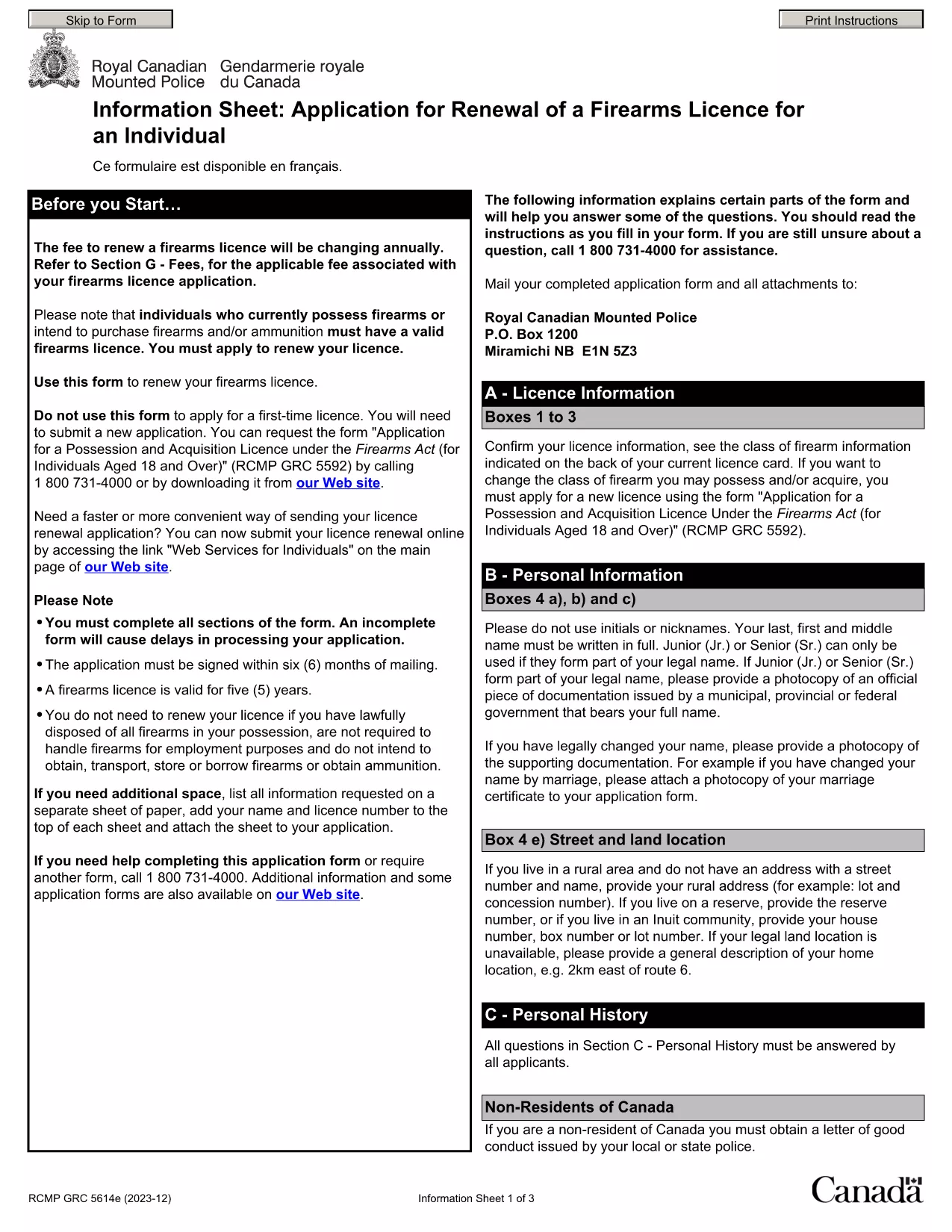
Punjab Renewal of Arms License Form for Individuals (Fillable PDF)

  1. Jezik Engleski hindski
  2. Zemlja Indija
  3. država Punjab
  4. Odjel Odjel za unutarnje poslove i pravosuđe
Punjab Renewal of Arms License Form for Individuals (Fillable PDF)

Renewing your personal arms license in Punjab has never been easier. Our dedicated page provides the official Punjab renewal of arms license form for individuals as a fully fillable PDF that you can complete directly in your browser.

By using Formize’s PDF Filler, you avoid printing, scanning, and the risk of missing handwritten information. The form is powered by the same structure as the RCMP PAL Renewal Form, which meets international standards for firearm licensing documentation.

Why Use a Fillable PDF for Your Punjab Arms License Renewal

A fillable PDF ensures:

  • Accuracy – fields are validated in real time.
  • Speed – submit within minutes, not days.
  • Security – your data stays encrypted while you work.

Step‑by‑Step Guide to Completing the Form Online

Follow the simple steps below to finish your renewal without leaving the page.

Common Mistakes to Avoid When Renewing Your Arms License

Skipping a required field or uploading an unsupported file format can delay processing. Our guide highlights the most frequent errors and how to prevent them.

Where to Submit Your Completed Form

After you finish, download the completed PDF and submit it to the Punjab Police Arms Licensing Office either in person or via their official online portal.

Ready to start? Click the button below, let Formize load the PDF filler, and complete the form in a few easy steps.

PITANJA
  • Is the Punjab arms license renewal form available for free?

    Yes. The fillable PDF is provided at no cost. You only need an internet connection to complete it online.

  • Can I edit the form after I download it?

    Once you download the completed PDF, you can open it in any standard PDF viewer, but the official submission should be the version you saved from Formize.

  • What documents do I need to attach with the renewal?

    Typically you must attach a recent passport‑size photograph, a copy of your current license, and any supporting certificates. Check the form’s attachment section for exact requirements.

  • How long does the renewal process take after submission?

    Processing times vary by district, but most renewals are completed within 7‑10 business days once the correct form and documents are received.

  • What if I make a mistake while filling the form?

    The fillable PDF highlights incomplete or incorrectly formatted fields. Correct the information before saving, or you can start over by clicking the reset button.

  • Do I need to print the form to submit it?

    No. The Punjab Police accepts a digitally signed PDF via their online portal or by email. Printing is optional.

  • Is my personal data safe while using Formize?

    Formize uses SSL encryption, and the PDF is processed locally in your browser, ensuring your data never leaves your computer unless you choose to upload it.

  • Can I use this form on a mobile device?

    Yes. The fillable PDF works on most modern smartphones and tablets with a compatible browser.

KAKO DA

Kako ispuniti Punjab arms license renewal besplatno, online u 5 jednostavnih koraka:

  1. 1
    Click the Fill Out This Form button
    Press the highlighted button on the page to open the Formize PDF Filler app.
  2. 2
    Wait for the filler to load
    The fillable PDF loads automatically; this usually takes a few seconds.
  3. 3
    Enter your information
    Complete each field – the form validates entries in real time to prevent errors.
  4. 4
    Review and sign
    Double‑check all details, add your digital signature if required, and save the document.
  5. 5
    Download or submit
    Download the finished PDF for your records and submit it to the Punjab Police Arms Licensing Office.
Aplikacija Formize PDF Filler
OKO

Obrasci za prijavu Ministarstva vanjskih poslova

Punjab arms license renewal jedan je od obrazaca za prijavu Ministarstva vanjskih poslova. Indijsko Ministarstvo vanjskih poslova nudi različite obrasce za prijavu za različite usluge povezane s vanjskim poslovima i međunarodnim odnosima. Neki uobičajeni obrasci za prijavu uključuju:

Zahtjev za putovnicu: Ovaj se obrazac koristi za podnošenje zahtjeva za indijsku putovnicu. Prikuplja osobne podatke kao što su ime, adresa, datum rođenja i nacionalnost.

Zahtjev za prekomorsko državljanstvo Indije (OCI): Ovaj obrazac se koristi za podnošenje zahtjeva za OCI status, koji pojedincima indijskog podrijetla omogućuje da žive i rade u Indiji na neodređeno vrijeme. Prikuplja osobne podatke, uključujući dokaz o indijskom podrijetlu.

Zahtjev za vizu: Ovaj se obrazac koristi za podnošenje zahtjeva za vizu za putovanje u stranu zemlju. Prikuplja osobne podatke, podatke o putovanju i svrhu putovanja.

Zahtjev za odobrenje iseljavanja: Ovaj obrazac koriste pojedinci koji traže odobrenje za iseljenje radi zapošljavanja u određenim zemljama. Prikuplja osobne podatke i podatke o zaposlenju.

Zahtjev za potvrdu: Ovaj se obrazac koristi za prijavu za potvrdu različitih dokumenata, kao što su svjedodžbe o obrazovanju, vjenčani listovi i komercijalni dokumenti. Prikuplja podatke o dokumentu koji treba ovjeriti i svrhu ovjere.

Zahtjev za konzularne usluge: Ovaj se obrazac koristi za razne konzularne usluge, uključujući izdavanje hitnih potvrda, pomoć indijskim državljanima u inozemstvu i registraciju indijskih državljana. Specifični potrebni detalji ovise o prirodi tražene usluge.

ZNAČAJKE

PDF punilo

Najlakši način da ispunite Punjab arms license renewal online

  • Brzo ispunite Punjab arms license renewal
    Tražite način da brzo ispunite Punjab arms license renewal online? Uz naš online besplatni PDF obrazac za popunjavanje, znat ćete kako urediti i ispuniti ovaj pdf dokument za manje od minute.
  • Jednostavan za korištenje mrežni PDF uređivač
    Dosta vam je ispisivanja PDF datoteka kako biste ih mogli uređivati ​​prije ponovnog skeniranja i slanja natrag? Uređujte PDF dokumente besplatno na mreži. Upotrijebite naš online uređivač pdf-ova kako biste uštedjeli vrijeme i papir.
  • Sjajni alati, sve platforme
    Pitate se kako ispuniti Punjab arms license renewal na Macu ili možda kako koristiti PDF filer besplatno? Naši online PDF alati rade na svim platformama.
  • Sigurno skladištenje datoteka
    Dovršene datoteke "Punjab arms license renewal" pohranjuju se u zaštićenu bazu podataka kojom upravlja Amazon Cloud hosting. Svoje datoteke možete izbrisati iz našeg sustava bilo kada. U svakom slučaju, te se datoteke automatski brišu nakon 24 sata.
  • Chat s Punjab arms license renewal
    Razgovarajte s "Punjab arms license renewal" na Chatize koji je besplatni pomoćnik za čitanje PDF-ova. Postavljajte pitanja i dobivajte odgovore od "Punjab arms license renewal". Samo kliknite gornji gumb Chat with Document.

Izbriši sesiju punjenja

Izbrisati odabranu sesiju punjenja? U tom će slučaju vaš napredak u ispunjavanju obrasca biti izgubljen.

Izbriši sesiju uređivanja

Izbrisati odabranu sesiju uređivanja? U tom će slučaju vaš napredak u stvaranju i uređivanju obrasca biti izgubljen.