
Izaberi jezik

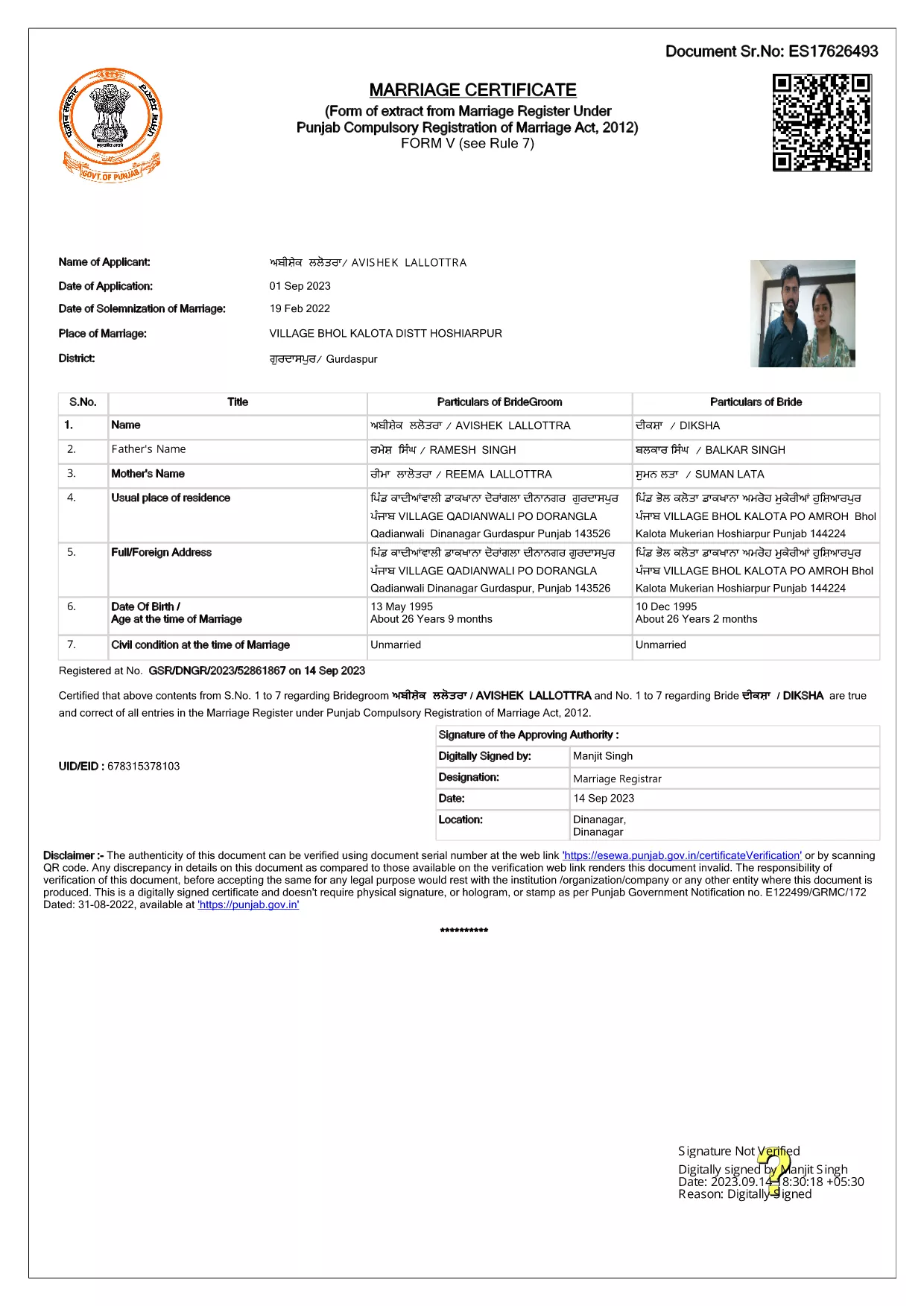
Punjab Solemnization of Marriage Form (Fillable PDF)

  1. Jezik Engleski hindski
  2. Zemlja Indija
  3. država Punjab
  4. Odjel Odjel za unutarnje poslove i pravosuđe
Ispunite ovaj obrazac
Punjab Solemnization of Marriage Form (Fillable PDF)

Punjab Solemnization of Marriage Form (Fillable PDF)

Getting married in Punjab requires you to submit the official Punjab Solemnization of Marriage form. This form records essential details of the bride, groom, and witnesses, and it is mandatory under the Punjab Compulsory Registration of Marriage Act, 2012.

What Is the Punjab Solemnization of Marriage Form?

The form is a government‑issued marriage certificate that captures personal information, parental details, and the date and place of the marriage ceremony. It is the legal proof needed for future documentation such as passport applications, property registration, and visa requests.

How to Fill Out the Form Online with Formize

Instead of printing, printing‑and‑scanning, or using a third‑party PDF editor, you can complete the form directly in your browser:

  1. Click the **"Fill out this form"** button on this page.
  2. Wait a few seconds while the Formize PDF Filler app loads.
  3. Enter the required information in each fillable field. The interface guides you through mandatory sections.
  4. Review your entries, then click **"Save & Download"** to get a completed PDF copy.

Common Mistakes to Avoid When Completing the Form

  • Incorrect spelling of names: Verify the spelling exactly as it appears on official ID documents.
  • Missing witness details: All three witnesses must be fully listed; incomplete entries will cause rejection.
  • Wrong date format: Use DD‑MM‑YYYY as required by the Punjab Registration Department.
  • Leaving optional fields blank: Even optional fields should be filled with "N/A" if not applicable.

Where to Submit the Completed Form

After you have saved the filled PDF, submit it to the nearest Punjab Registration Office or the designated online portal of the Punjab Registration Department. Bring original identity proofs for both parties and witnesses.

Download the Official PDF

Click the button below to download the original, government‑approved PDF. The file is hosted securely and matches the exact layout required by the registration authority.

PITANJA
  • Is the Punjab marriage form available in Punjabi?

    The official PDF is printed in English, but you may fill it out in any language. For official submissions, the English version is accepted.

  • Do I need a digital signature?

    A digital signature is not required for the fillable PDF. You must sign the printed copy in the presence of a registrar.

  • Can I edit the form after I download it?

    Yes. The saved PDF remains fully editable with any standard PDF editor, but the Formize filler already lets you complete the form without extra software.

  • How many witnesses are required?

    Three adult witnesses are mandatory. Their full names, addresses, and signatures must be entered in the designated sections.

  • What documents do I need to submit with the form?

    Both parties must provide a valid ID (Aadhar, PAN, or passport), proof of residence, and the original signed marriage certificate.

  • Is there a fee for downloading the PDF?

    No. The PDF is provided free of charge. Any registration fees are paid directly to the Punjab Registration Office.

KAKO DA

Kako ispuniti Punjab marriage form besplatno, online u 4 jednostavnih koraka:

  1. 1
    Click the Fill‑Out Button
    Press the **"Fill out this form"** button on the page to launch the Formize PDF Filler.
  2. 2
    Wait for the Filler to Load
    The app loads in a few seconds; you’ll see a clean, searchable interface with all form fields highlighted.
  3. 3
    Enter Your Information
    Type the required details for the bride, groom, and witnesses. The filler validates dates and mandatory fields automatically.
  4. 4
    Save and Download
    After reviewing, click **"Save & Download"** to get a completed PDF you can print or submit electronically.
Aplikacija Formize PDF Filler
OKO

Obrasci za prijavu Ministarstva vanjskih poslova

Punjab marriage form jedan je od obrazaca za prijavu Ministarstva vanjskih poslova. Indijsko Ministarstvo vanjskih poslova nudi različite obrasce za prijavu za različite usluge povezane s vanjskim poslovima i međunarodnim odnosima. Neki uobičajeni obrasci za prijavu uključuju:

Zahtjev za putovnicu: Ovaj se obrazac koristi za podnošenje zahtjeva za indijsku putovnicu. Prikuplja osobne podatke kao što su ime, adresa, datum rođenja i nacionalnost.

Zahtjev za prekomorsko državljanstvo Indije (OCI): Ovaj obrazac se koristi za podnošenje zahtjeva za OCI status, koji pojedincima indijskog podrijetla omogućuje da žive i rade u Indiji na neodređeno vrijeme. Prikuplja osobne podatke, uključujući dokaz o indijskom podrijetlu.

Zahtjev za vizu: Ovaj se obrazac koristi za podnošenje zahtjeva za vizu za putovanje u stranu zemlju. Prikuplja osobne podatke, podatke o putovanju i svrhu putovanja.

Zahtjev za odobrenje iseljavanja: Ovaj obrazac koriste pojedinci koji traže odobrenje za iseljenje radi zapošljavanja u određenim zemljama. Prikuplja osobne podatke i podatke o zaposlenju.

Zahtjev za potvrdu: Ovaj se obrazac koristi za prijavu za potvrdu različitih dokumenata, kao što su svjedodžbe o obrazovanju, vjenčani listovi i komercijalni dokumenti. Prikuplja podatke o dokumentu koji treba ovjeriti i svrhu ovjere.

Zahtjev za konzularne usluge: Ovaj se obrazac koristi za razne konzularne usluge, uključujući izdavanje hitnih potvrda, pomoć indijskim državljanima u inozemstvu i registraciju indijskih državljana. Specifični potrebni detalji ovise o prirodi tražene usluge.

ZNAČAJKE

PDF punilo

Najlakši način da ispunite Punjab marriage form online

  • Brzo ispunite Punjab marriage form
    Tražite način da brzo ispunite Punjab marriage form online? Uz naš online besplatni PDF obrazac za popunjavanje, znat ćete kako urediti i ispuniti ovaj pdf dokument za manje od minute.
  • Jednostavan za korištenje mrežni PDF uređivač
    Dosta vam je ispisivanja PDF datoteka kako biste ih mogli uređivati ​​prije ponovnog skeniranja i slanja natrag? Uređujte PDF dokumente besplatno na mreži. Upotrijebite naš online uređivač pdf-ova kako biste uštedjeli vrijeme i papir.
  • Sjajni alati, sve platforme
    Pitate se kako ispuniti Punjab marriage form na Macu ili možda kako koristiti PDF filer besplatno? Naši online PDF alati rade na svim platformama.
  • Sigurno skladištenje datoteka
    Dovršene datoteke "Punjab marriage form" pohranjuju se u zaštićenu bazu podataka kojom upravlja Amazon Cloud hosting. Svoje datoteke možete izbrisati iz našeg sustava bilo kada. U svakom slučaju, te se datoteke automatski brišu nakon 24 sata.
  • Chat s Punjab marriage form
    Razgovarajte s "Punjab marriage form" na Chatize koji je besplatni pomoćnik za čitanje PDF-ova. Postavljajte pitanja i dobivajte odgovore od "Punjab marriage form". Samo kliknite gornji gumb Chat with Document.

Izbriši sesiju punjenja

Izbrisati odabranu sesiju punjenja? U tom će slučaju vaš napredak u ispunjavanju obrasca biti izgubljen.

Izbriši sesiju uređivanja

Izbrisati odabranu sesiju uređivanja? U tom će slučaju vaš napredak u stvaranju i uređivanju obrasca biti izgubljen.