
Izaberi jezik

IRS Form 8806 – Fillable PDF Download

  1. Zemlja SAD
  2. Jezik Engleski
  3. Aktivnost Porezi
  4. Odjel Porezna uprava
IRS Form 8806 – Fillable PDF Download

Form 8806, Corporation Acquisition or Change in Capital Structure Statement, is required by the Internal Revenue Service when a corporation experiences a change in control or a substantial alteration in its capital structure. This fillable PDF can be completed directly in your browser using Formize’s PDF Filler, eliminating the need for a separate editor.

What Is Form 8806?

The form reports details of the acquisition, the shareholders’ gain, and consents to publish the information for brokers. It is part of the reporting requirements that accompany Form 1099‑CAP for certain shareholders.

When Must Corporations File Form 8806?

  • When a corporation acquires control (more than 50% ownership) of another corporation.
  • When there is a substantial change in the capital structure, such as a major stock split or recapitalization.
  • Within 30 days after the transaction is finalized.

How to Complete Form 8806 Online

Follow the simple steps below to fill out the form without downloading any software.

Common Mistakes to Avoid

  • Leaving the “Date of Transaction” blank.
  • Incorrectly reporting the shareholder’s gain.
  • Failing to sign and date the form.

Where to Submit the Completed Form

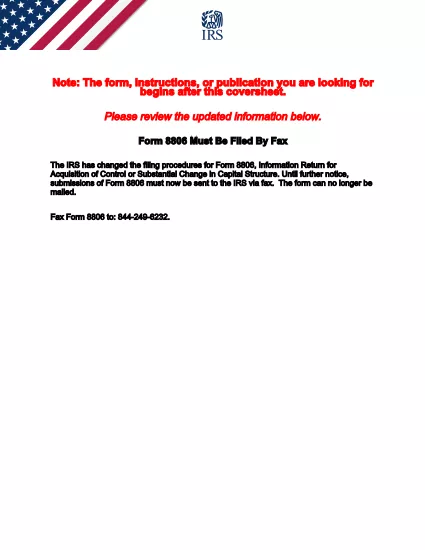
After completing Form 8806, fax it to the IRS at the number provided in the instructions, or submit it electronically if your tax software supports the feature.

PITANJA
  • Who must file Form 8806?

    Any corporation that acquires control of another corporation or undergoes a substantial change in its capital structure must file Form 8806.

  • Is Form 8806 available as a fillable PDF?

    Yes. The IRS provides a fillable PDF version that can be completed online using tools like Formize’s PDF Filler.

  • What is the filing deadline for Form 8806?

    The form must be filed within 30 days after the acquisition or capital‑structure change takes effect.

  • Do I need to attach Form 1099‑CAP with Form 8806?

    Form 1099‑CAP is required for certain shareholders who receive cash or property in the transaction. It is filed separately but often accompanies Form 8806.

  • Can I submit Form 8806 electronically?

    The IRS still requires a fax for the original filing, but you can generate the PDF electronically and fax it from your computer.

  • What common errors should I avoid?

    Common errors include missing the transaction date, miscalculating shareholder gain, and forgetting to sign and date the form.

  • Where can I get help if I have questions?

    Refer to the instructions attached to the PDF or contact the IRS help line for corporate tax inquiries.

KAKO DA

Kako ispuniti Form 8806 besplatno, online u 4 jednostavnih koraka:

  1. 1
    Click “Fill out this form”
    Press the button on this page. Formize’s PDF Filler loads the fillable Form 8806 directly in your browser.
  2. 2
    Enter required information
    Fill in corporate details, transaction date, shareholder data, and any gain calculations. All fields are interactive.
  3. 3
    Review and validate
    Use the built‑in validation to check for missing or inconsistent entries before saving.
  4. 4
    Save or submit
    Download the completed PDF for faxing, or print directly from the browser.
Aplikacija Formize PDF Filler
OKO

Porezni obrasci

Form 8806 je jedan od Poreznih obrazaca koji su dokumenti koji se koriste za prijavu informacija povezanih s porezima relevantnom poreznom tijelu. Postoje različite vrste poreznih obrazaca, uključujući savezne, državne i lokalne porezne obrasce, koji se mogu razlikovati ovisno o okolnostima i lokaciji poreznog obveznika.

ZNAČAJKE

PDF punilo

Najlakši način da ispunite Form 8806 online

  • Brzo ispunite Form 8806
    Tražite način da brzo ispunite Form 8806 online? Uz naš online besplatni PDF obrazac za popunjavanje, znat ćete kako urediti i ispuniti ovaj pdf dokument za manje od minute.
  • Jednostavan za korištenje mrežni PDF uređivač
    Dosta vam je ispisivanja PDF datoteka kako biste ih mogli uređivati ​​prije ponovnog skeniranja i slanja natrag? Uređujte PDF dokumente besplatno na mreži. Upotrijebite naš online uređivač pdf-ova kako biste uštedjeli vrijeme i papir.
  • Sjajni alati, sve platforme
    Pitate se kako ispuniti Form 8806 na Macu ili možda kako koristiti PDF filer besplatno? Naši online PDF alati rade na svim platformama.
  • Sigurno skladištenje datoteka
    Dovršene datoteke "Form 8806" pohranjuju se u zaštićenu bazu podataka kojom upravlja Amazon Cloud hosting. Svoje datoteke možete izbrisati iz našeg sustava bilo kada. U svakom slučaju, te se datoteke automatski brišu nakon 24 sata.
  • Chat s Form 8806
    Razgovarajte s "Form 8806" na Chatize koji je besplatni pomoćnik za čitanje PDF-ova. Postavljajte pitanja i dobivajte odgovore od "Form 8806". Samo kliknite gornji gumb Chat with Document.

Izbriši sesiju punjenja

Izbrisati odabranu sesiju punjenja? U tom će slučaju vaš napredak u ispunjavanju obrasca biti izgubljen.

Izbriši sesiju uređivanja

Izbrisati odabranu sesiju uređivanja? U tom će slučaju vaš napredak u stvaranju i uređivanju obrasca biti izgubljen.