
Izaberi jezik

INZ 1220 Supplementary Form – Fillable PDF

  1. Zemlja Novi Zeland
  2. Jezik Engleski
  3. Aktivnost Posjet i turizam Raditi Imigracija Studija
INZ 1220 Supplementary Form – Fillable PDF

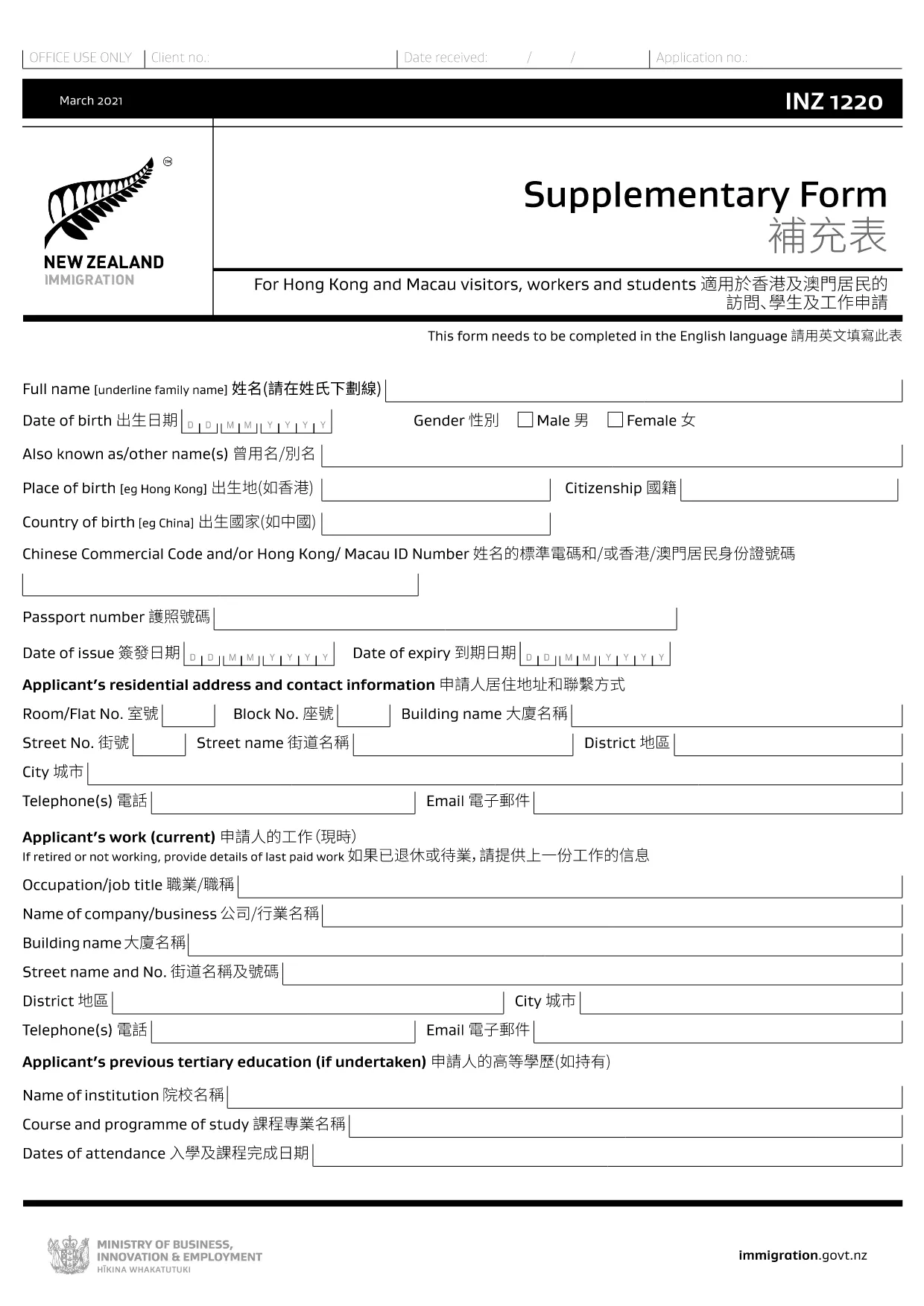
The INZ 1220 Supplementary Form is required by Immigration New Zealand for visitors, workers and students from Hong Kong and Macau who need to provide additional contact details. This fillable PDF lets you complete the form quickly, securely, and without printing.

Our page integrates the Formize PDF Filler app, so you can edit the document directly in your browser. No extra software, no downloads – just click, fill, and submit.

What Is the INZ 1220 Form?

INZ 1220 is a supplementary information sheet that collects the name, address, telephone, and email of a New Zealand contact (friend, family member, or sponsor). It is often requested alongside visa applications to verify local support.

How to Complete the INZ 1220 Online

Follow the simple steps below to fill out the form using Formize:

  • Click the **Fill out this form** button on this page.
  • Wait a few seconds while the Formize PDF Filler loads.
  • Enter the required details in each field – the interface highlights mandatory sections.
  • Review the information for accuracy.
  • Save the completed PDF to your device or download a copy for your records.

Common Mistakes to Avoid

  • Leaving the contact’s phone number incomplete – include country code.
  • Using an outdated email address – Immigration may send important updates.
  • Submitting the form with blank mandatory fields – the filler will flag these before you can save.

Where to Submit the Completed Form

After saving the PDF, attach it to your visa application through the Immigration New Zealand online portal, or email it to the address specified in your application instructions.

FAQs About INZ 1220

Find quick answers to the most common questions below (full FAQ list further down).

PITANJA
  • Do I need to print the INZ 1220 form?

    No. Using the Formize PDF Filler you can complete the form entirely online and download the finished PDF.

  • What language is the INZ 1220 form in?

    The official form is in English. If you need a translation, you must provide a certified translation alongside the original.

  • Can I save my progress and finish later?

    Yes. While the Formize app is open, you can click **Save** to download a partially‑filled PDF, then reload it later to continue.

  • Is the contact’s New Zealand address mandatory?

    Yes. Immigration requires a full local address (street, city, postal code) to verify your support network.

  • What if I make a mistake after saving?

    Simply reopen the saved PDF in the Formize filler, correct the error, and save a new version.

  • How many pages is the INZ 1220 form?

    The supplementary form is a single‑page PDF, making it quick to fill and attach.

  • Do I need a digital signature?

    A handwritten signature is required. Print the completed PDF, sign it, then scan or take a clear photo to upload.

  • Where can I find help if I’m stuck?

    The Formize filler includes tooltip help for each field. For further assistance, consult the Immigration New Zealand website.

KAKO DA

Kako ispuniti INZ 1220 besplatno, online u 5 jednostavnih koraka:

  1. 1
    Open the Fillable Form
    Click the **Fill out this form** button on the page. The Formize PDF Filler app will open in a new tab.
  2. 2
    Load the Form
    Wait a few seconds while the INZ 1220 PDF loads. All fields become editable directly in the browser.
  3. 3
    Enter Your Information
    Type the required details (contact name, address, phone, email). Required fields are marked with an asterisk.
  4. 4
    Review and Save
    Check the entered data for errors, then click **Save** to download the completed PDF to your device.
  5. 5
    Submit with Your Visa Application
    Attach the saved INZ 1220 PDF to your Immigration New Zealand online application or email it as instructed.
Aplikacija Formize PDF Filler
OKO

Turistički obrasci

INZ 1220 je jedan od turističkih obrazaca koji su dokumenti koje koriste pojedinci ili grupe koji planiraju putovati u turističke svrhe. Ti se obrasci mogu razlikovati ovisno o odredišnoj zemlji ili pružatelju putnih usluga, ali općenito sadrže informacije o putniku, njegovom planu puta i svim drugim relevantnim detaljima.

Neki uobičajeni oblici turizma uključuju:

Plan puta: Ovaj obrazac navodi putnikove planirane aktivnosti, uključujući datume, vremena i lokacije letova, smještaja, izleta i drugih aktivnosti.

Zahtjev za vizu: Mnoge zemlje zahtijevaju od turista da dobiju vizu prije ulaska. Obrazac zahtjeva za vizu obično traži osobne podatke, podatke o putovanju i popratnu dokumentaciju, poput putovnice, fotografije ili financijskih izvješća.

Obrazac izjave o zdravstvenom stanju: Ovaj se obrazac koristi za prijavu svih zdravstvenih stanja ili potencijalne izloženosti zaraznim bolestima, kao što je COVID-19. Neke zemlje od putnika zahtijevaju negativan test na COVID-19 prije ulaska.

Obrazac putnog osiguranja: Ovaj obrazac pruža informacije o pokriću putnog osiguranja putnika, uključujući vrstu police, ograničenja pokrivenosti i podatke za kontakt u hitnim slučajevima.

Obrazac carinske deklaracije: Ovaj obrazac zahtijevaju neke zemlje za prijavu svih predmeta koji se unose u zemlju, poput darova, suvenira ili elektronike.

Obrazac za rezervaciju smještaja: Ovaj obrazac pruža informacije o putnikovom smještaju, uključujući datume boravka, vrstu sobe i sve posebne zahtjeve.

Zrakoplovne tvrtke, putničke agencije, hoteli ili drugi pružatelji usluga putovanja mogu zahtijevati obrasce za turizam, a mogu biti dostupni u elektroničkom ili papirnatom obliku. Važno je pažljivo pregledati i ispuniti sve potrebne obrasce kako bi se osiguralo nesmetano iskustvo putovanja bez muke.

ZNAČAJKE

PDF punilo

Najlakši način da ispunite INZ 1220 online

  • Brzo ispunite INZ 1220
    Tražite način da brzo ispunite INZ 1220 online? Uz naš online besplatni PDF obrazac za popunjavanje, znat ćete kako urediti i ispuniti ovaj pdf dokument za manje od minute.
  • Jednostavan za korištenje mrežni PDF uređivač
    Dosta vam je ispisivanja PDF datoteka kako biste ih mogli uređivati ​​prije ponovnog skeniranja i slanja natrag? Uređujte PDF dokumente besplatno na mreži. Upotrijebite naš online uređivač pdf-ova kako biste uštedjeli vrijeme i papir.
  • Sjajni alati, sve platforme
    Pitate se kako ispuniti INZ 1220 na Macu ili možda kako koristiti PDF filer besplatno? Naši online PDF alati rade na svim platformama.
  • Sigurno skladištenje datoteka
    Dovršene datoteke "INZ 1220" pohranjuju se u zaštićenu bazu podataka kojom upravlja Amazon Cloud hosting. Svoje datoteke možete izbrisati iz našeg sustava bilo kada. U svakom slučaju, te se datoteke automatski brišu nakon 24 sata.
  • Chat s INZ 1220
    Razgovarajte s "INZ 1220" na Chatize koji je besplatni pomoćnik za čitanje PDF-ova. Postavljajte pitanja i dobivajte odgovore od "INZ 1220". Samo kliknite gornji gumb Chat with Document.

Izbriši sesiju punjenja

Izbrisati odabranu sesiju punjenja? U tom će slučaju vaš napredak u ispunjavanju obrasca biti izgubljen.

Izbriši sesiju uređivanja

Izbrisati odabranu sesiju uređivanja? U tom će slučaju vaš napredak u stvaranju i uređivanju obrasca biti izgubljen.