
Izaberi jezik

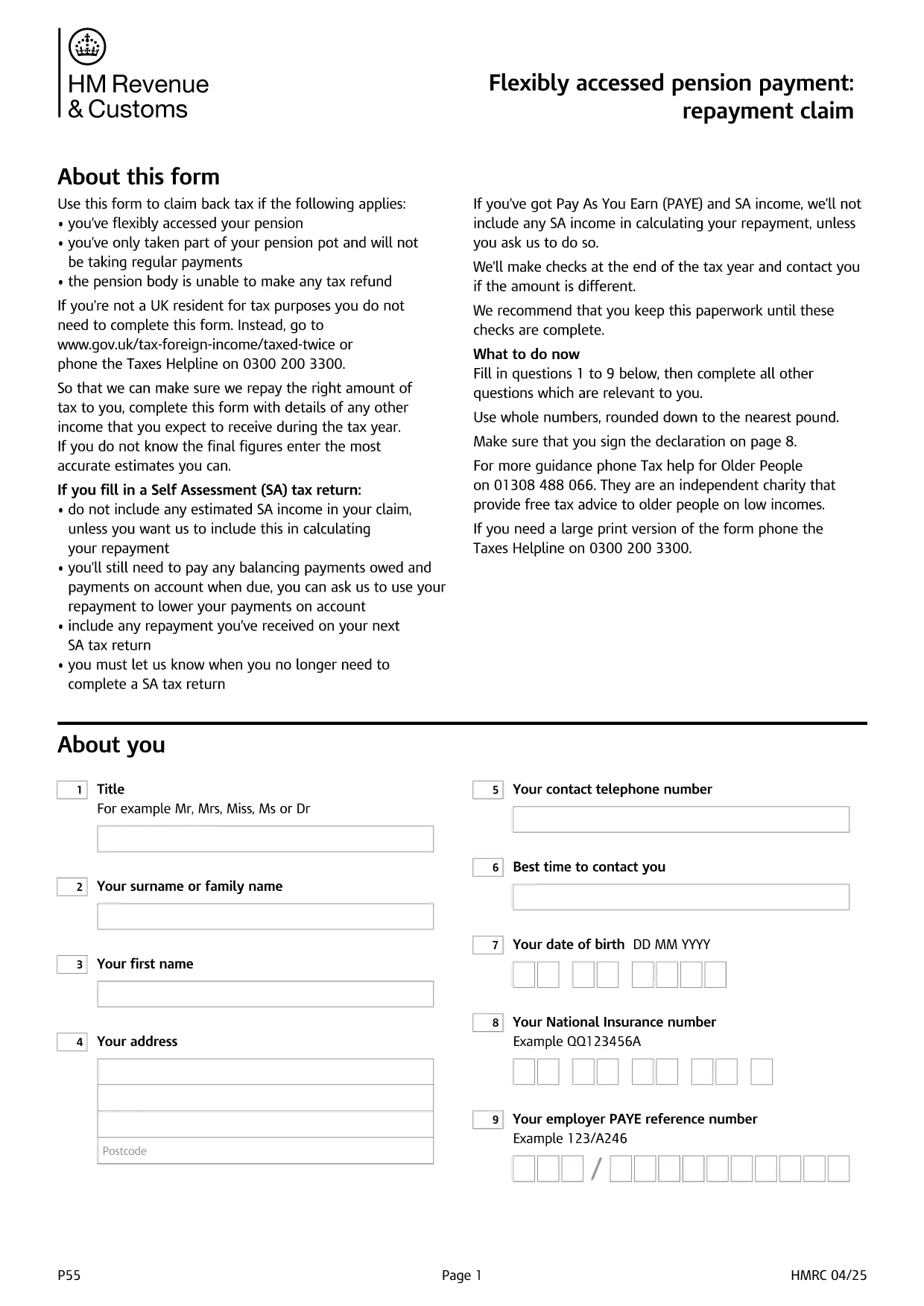
UK HMRC Form P55 – Fillable PDF for Pension Tax Refund

  1. Jezik Engleski
  2. Zemlja United Kingdom
  3. Odjel HMRC
  4. Aktivnost Porezi
UK HMRC Form P55 – Fillable PDF for Pension Tax Refund

Form P55 is the HMRC claim form used to recover tax that was over‑deducted when you accessed a portion of your pension flexibly. With the fillable PDF hosted by Formize, you can complete the form directly in your browser—no extra software required.

What Is HMRC Form P55?

The P55 is issued by HM Revenue & Customs (HMRC) to correct the "month‑1" emergency tax code that pension providers often apply to a one‑off withdrawal. It allows you to claim back the excess tax within the same tax year.

When and Why to Use Form P55

  • You have taken a partial pension withdrawal (not the whole pot).
  • The withdrawal was a single lump‑sum or occasional payment.
  • Your provider could not issue the refund themselves.
  • You want the refund sooner than the end‑of‑year reconciliation.

How to Complete Form P55 Online

Instead of downloading the PDF and editing it with a separate editor, simply click the "Fill out this form" button on this page. The Formize PDF Filler app will load, and you can:

  1. Enter your personal details, NI number, and bank account.
  2. Provide the pension payment information (gross amount, tax deducted, provider details).
  3. Add any other income you earned during the tax year.
  4. Sign electronically with a typed, drawn, or uploaded signature.
  5. Submit the completed form directly to HMRC or download it for postal submission.

Common Mistakes to Avoid

  • Leaving fields blank – HMRC will reject an incomplete claim.
  • Using the wrong tax year version – always select the form for the current tax year.
  • Mismatching your NI number or bank details – double‑check before submitting.
  • Forgetting to include other income – HMRC recalculates your total tax position.

Submit Your Claim & Receive Your Refund

After you finish, you can either:

  • Submit electronically via your HMRC Government Gateway account (fastest).
  • Print the completed PDF and post it to the address shown on the form.

HMRC typically processes a P55 claim within 30 days and pays the refund by Faster Payments or cheque.

PITANJA
  • What is the purpose of Form P55?

    Form P55 lets you claim back tax that was over‑deducted when you took a partial, one‑off pension withdrawal.

  • Do I need a new Form P55 each tax year?

    Yes. HMRC releases a new version every April, so always use the form that matches the current tax year.

  • Can I submit Form P55 online?

    Yes. After completing the fillable PDF, you can upload it through your HMRC Government Gateway account for the fastest processing.

  • How long does HMRC take to process a P55 claim?

    Typical processing time is up to 30 days, after which the refund is paid via Faster Payments or cheque.

  • What if I make another pension withdrawal later in the year?

    You may need to submit an additional P55 for the new withdrawal, or wait for the end‑of‑year reconciliation to settle the final tax position.

  • Is there a fee to use the Formize fillable PDF?

    Formize provides the fillable PDF for free; you only pay any standard HMRC filing fees if applicable.

  • What common errors cause a P55 to be rejected?

    Leaving required fields blank, using the wrong tax‑year version, or providing mismatched NI or bank details are the most frequent reasons.

KAKO DA

Kako ispuniti HMRC Form P55 besplatno, online u 5 jednostavnih koraka:

  1. 1
    Click the Fill‑out Button
    Press the "Fill out this form" button on the page. The Formize PDF Filler loads in seconds.
  2. 2
    Enter Your Details
    Fill in personal information, NI number, pension payment figures, and any other income for the tax year.
  3. 3
    Add Your Signature
    Use the built‑in signature tool to draw, upload, or type a legally‑binding signature.
  4. 4
    Submit or Download
    Choose to submit directly to HMRC via your Government Gateway account or download the completed PDF for postal submission.
  5. 5
    Receive Your Refund
    HMRC processes the claim within 30 days and sends the refund to your bank account or by cheque.
Aplikacija Formize PDF Filler
OKO

Porezni obrasci

HMRC Form P55 je jedan od Poreznih obrazaca koji su dokumenti koji se koriste za prijavu informacija povezanih s porezima relevantnom poreznom tijelu. Postoje različite vrste poreznih obrazaca, uključujući savezne, državne i lokalne porezne obrasce, koji se mogu razlikovati ovisno o okolnostima i lokaciji poreznog obveznika.

ZNAČAJKE

PDF punilo

Najlakši način da ispunite HMRC Form P55 online

  • Brzo ispunite HMRC Form P55
    Tražite način da brzo ispunite HMRC Form P55 online? Uz naš online besplatni PDF obrazac za popunjavanje, znat ćete kako urediti i ispuniti ovaj pdf dokument za manje od minute.
  • Jednostavan za korištenje mrežni PDF uređivač
    Dosta vam je ispisivanja PDF datoteka kako biste ih mogli uređivati ​​prije ponovnog skeniranja i slanja natrag? Uređujte PDF dokumente besplatno na mreži. Upotrijebite naš online uređivač pdf-ova kako biste uštedjeli vrijeme i papir.
  • Sjajni alati, sve platforme
    Pitate se kako ispuniti HMRC Form P55 na Macu ili možda kako koristiti PDF filer besplatno? Naši online PDF alati rade na svim platformama.
  • Sigurno skladištenje datoteka
    Dovršene datoteke "HMRC Form P55" pohranjuju se u zaštićenu bazu podataka kojom upravlja Amazon Cloud hosting. Svoje datoteke možete izbrisati iz našeg sustava bilo kada. U svakom slučaju, te se datoteke automatski brišu nakon 24 sata.
  • Chat s HMRC Form P55
    Razgovarajte s "HMRC Form P55" na Chatize koji je besplatni pomoćnik za čitanje PDF-ova. Postavljajte pitanja i dobivajte odgovore od "HMRC Form P55". Samo kliknite gornji gumb Chat with Document.

Izbriši sesiju punjenja

Izbrisati odabranu sesiju punjenja? U tom će slučaju vaš napredak u ispunjavanju obrasca biti izgubljen.

Izbriši sesiju uređivanja

Izbrisati odabranu sesiju uređivanja? U tom će slučaju vaš napredak u stvaranju i uređivanju obrasca biti izgubljen.