Izaberi jezik

Application Form Model – Fillable PDF

  1. Jezik Engleski
  2. Zemlja SAD
  3. Odjel Health & Human Services
  4. Aktivnost Health Insurance
Application Form Model – Fillable PDF

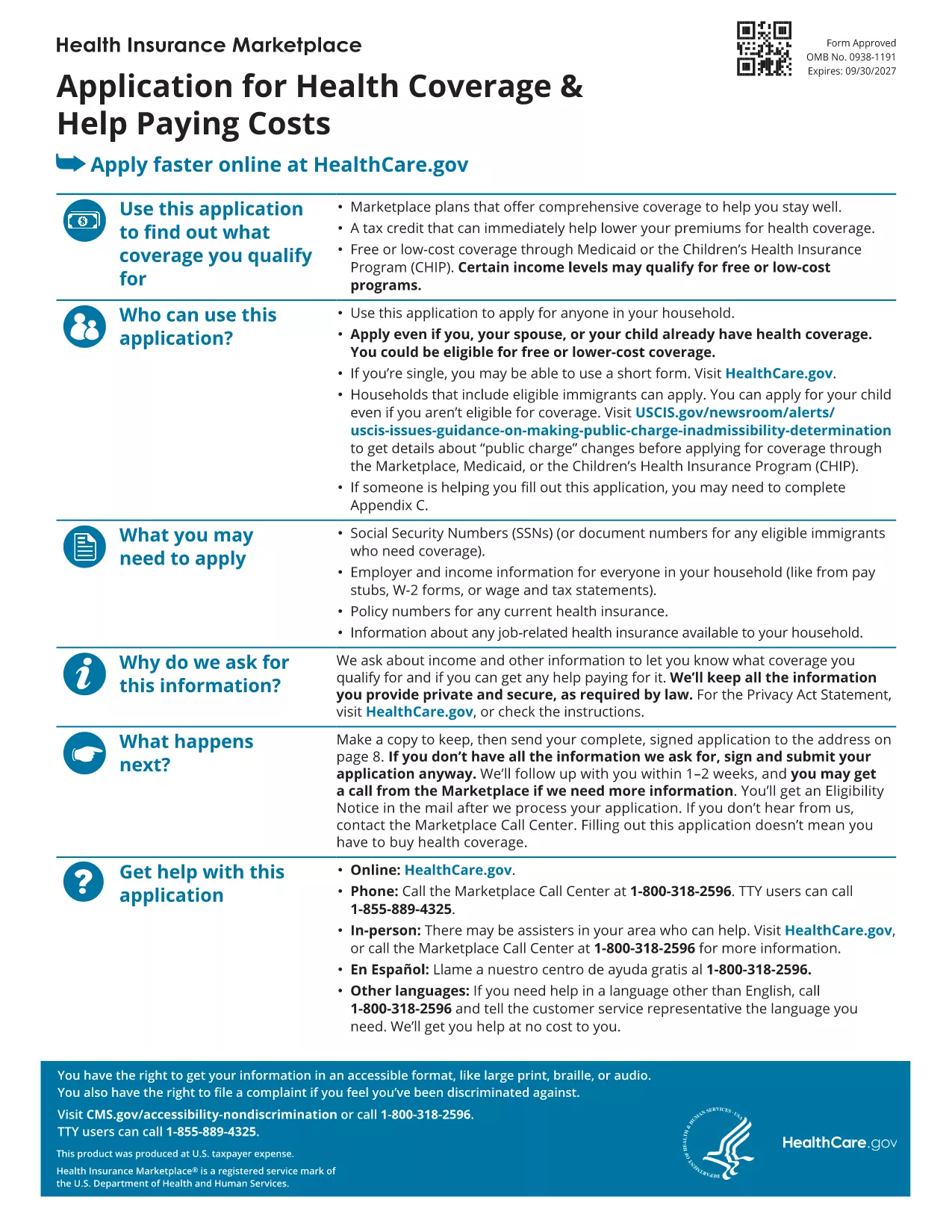
Looking for a reliable application form model that you can fill out directly in your browser? You’ve come to the right place. Our page offers a fillable PDF of the Marketplace Application for Family. This form is a perfect example of a generic application template that can be adapted for health‑coverage enrollment, scholarship requests, or any multi‑person application process.

What Is This Application Form Model?

The PDF provided by the Centers for Medicare & Medicaid Services (CMS) is a comprehensive application form model that captures household information, income details, and coverage preferences. Although it’s designed for health‑insurance enrollment, the structure—sections for personal data, dependents, and signatures—makes it an excellent reference for creating your own custom applications.

How to Fill Out the Form Online with Formize

Instead of downloading the file and opening a PDF editor, simply click the "Fill out this form" button on this page. The Formize PDF Filler app will load in seconds, letting you type, check boxes, and sign directly on the screen. All changes are saved automatically, and you can download the completed form at the end.

Common Mistakes to Avoid

  • Leaving required fields blank – the filler will highlight missing information before you submit.
  • Using the wrong date format – follow the MM/DD/YYYY pattern shown in the form.
  • Forgetting to sign – the digital signature field must be completed; otherwise the PDF is considered incomplete.

Where to Find Help and Additional Resources

If you need guidance, the CMS website offers detailed instructions for each section of the application. You can also consult the CMS Marketplace Help Center for FAQs and video tutorials.

Ready to start? Click the button below and let Formize do the heavy lifting.

PITANJA
  • Do I need a PDF reader to fill out this form?

    No. The Formize PDF Filler works entirely in your web browser, so no extra software is required.

  • Can I edit the form after I download it?

    Yes. The downloaded file remains fully editable with any standard PDF editor if you need to make changes later.

  • Is my data secure while using Formize?

    Formize uses SSL encryption, ensuring that all information you enter is transmitted securely.

  • What if I make a mistake while filling the form?

    You can use the "Undo" button or simply click into the field again to correct any errors before saving.

  • Is this form suitable for non‑health‑insurance applications?

    Absolutely. The layout is a generic application model that can be adapted for scholarships, memberships, or any multi‑person request.

  • How long does it take to complete the form?

    Typical completion time is 10‑15 minutes, depending on how many household members you need to add.

  • Can I submit the form directly to an agency from Formize?

    Formize only provides the filled PDF. You’ll need to upload or mail the completed form according to the agency’s instructions.

KAKO DA

Kako ispuniti application form model besplatno, online u 3 jednostavnih koraka:

  1. 1
    Click the Fill Out Button
    Press the "Fill out this form" button on the page. The Formize PDF Filler app will open in a new tab.
  2. 2
    Enter Your Information
    Type directly into each field, select checkboxes, and upload signatures just like you would on paper.
  3. 3
    Save and Download
    When all required sections are completed, click "Save" and then download the finished PDF for your records.
Aplikacija Formize PDF Filler
OKO

application form model predložak

S tradicionalnim skupom značajki za pregled i ispunjavanje PDF dokumenta, u kombinaciji s prednostima web aplikacije i responzivnog izgleda, možete ispuniti application form model u nekoliko minuta.

ZNAČAJKE

PDF punilo

Najlakši način da ispunite application form model online

  • Brzo ispunite application form model
    Tražite način da brzo ispunite application form model online? Uz naš online besplatni PDF obrazac za popunjavanje, znat ćete kako urediti i ispuniti ovaj pdf dokument za manje od minute.
  • Jednostavan za korištenje mrežni PDF uređivač
    Dosta vam je ispisivanja PDF datoteka kako biste ih mogli uređivati ​​prije ponovnog skeniranja i slanja natrag? Uređujte PDF dokumente besplatno na mreži. Upotrijebite naš online uređivač pdf-ova kako biste uštedjeli vrijeme i papir.
  • Sjajni alati, sve platforme
    Pitate se kako ispuniti application form model na Macu ili možda kako koristiti PDF filer besplatno? Naši online PDF alati rade na svim platformama.
  • Sigurno skladištenje datoteka
    Dovršene datoteke "application form model" pohranjuju se u zaštićenu bazu podataka kojom upravlja Amazon Cloud hosting. Svoje datoteke možete izbrisati iz našeg sustava bilo kada. U svakom slučaju, te se datoteke automatski brišu nakon 24 sata.
  • Chat s application form model
    Razgovarajte s "application form model" na Chatize koji je besplatni pomoćnik za čitanje PDF-ova. Postavljajte pitanja i dobivajte odgovore od "application form model". Samo kliknite gornji gumb Chat with Document.

Izbriši sesiju punjenja

Izbrisati odabranu sesiju punjenja? U tom će slučaju vaš napredak u ispunjavanju obrasca biti izgubljen.

Izbriši sesiju uređivanja

Izbrisati odabranu sesiju uređivanja? U tom će slučaju vaš napredak u stvaranju i uređivanju obrasca biti izgubljen.