
Válasszon nyelvet

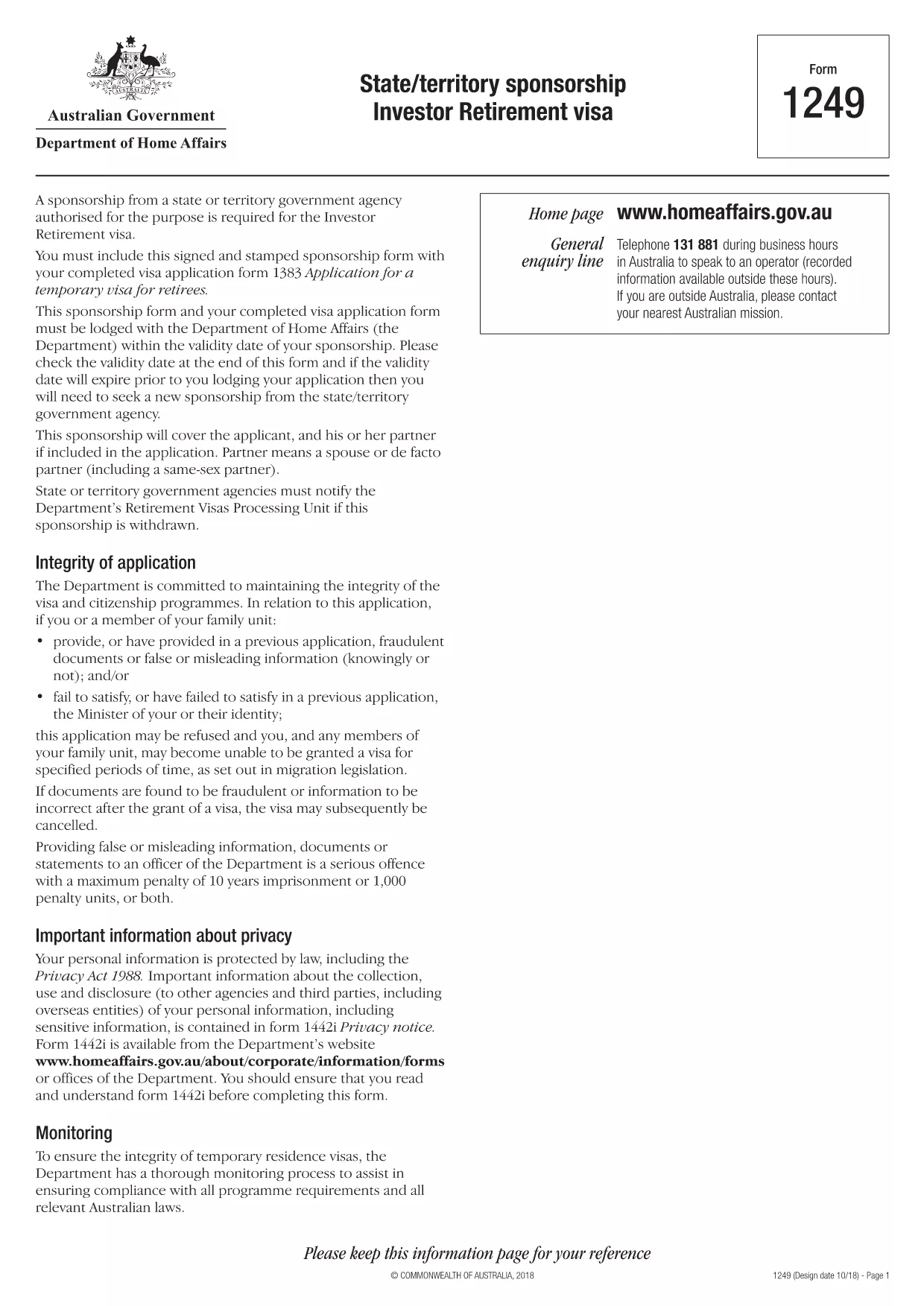
Form 1249 – State/Territory Sponsorship for the Investor Retirement Visa

  1. Nyelv angol
  2. Ország Ausztrália
  3. Tevékenység Vízumok
Form 1249 – State/Territory Sponsorship for the Investor Retirement Visa

Form 1249 is the official State/Territory Sponsorship document required for the Australian Investor Retirement Visa (subclass 188‑IR). The sponsoring state or territory government must approve the applicant’s investment plan before the Department of Home Affairs processes the visa.

This landing page lets you view, fill, and download the fillable PDF directly in your browser – no extra software needed. Just click the “Fill out this form” button and the Formize PDF Filler will load the form for you.

What Is Form 1249 and Who Needs It?

The form captures details about the applicant’s proposed investment, the sponsoring government’s commitment, and the validity period of the sponsorship. It is required for:

  • Applicants of the Investor Retirement visa (subclass 188‑IR)
  • State or territory agencies that are sponsoring the applicant
  • Legal representatives preparing a visa package

How to Complete Form 1249 Online with Formize

Follow these simple steps to fill the form without downloading any software:

  1. Click the “Fill out this form” button on this page.
  2. Wait a few seconds while the Formize PDF Filler loads the fillable PDF.
  3. Enter all required information in the highlighted fields. The filler validates dates and numeric entries automatically.
  4. When you finish, click **Save & Download** to get a completed PDF ready for submission.

Common Mistakes & Tips for a Successful Submission

  • Validity date – Double‑check the sponsorship validity at the bottom of the form. If it expires before you lodge your visa, you’ll need a new sponsorship.
  • Signature fields – Use the built‑in signature tool in Formize or print, sign, and scan the final PDF.
  • Investment details – Provide exact figures and currency; rounding errors cause delays.
  • Supporting documents – Attach the required business plan, proof of funds, and any state‑specific endorsement letters.

Where to Submit the Completed Sponsorship Form

After saving the filled PDF, include it with your visa application package and lodge it through the Department of Home Affairs portal. The sponsoring state/territory must also retain a copy for their records.

Need a printable version? Use the direct download link below.

GYIK
  • What is the purpose of Form 1249?

    Form 1249 records the sponsorship commitment from an Australian state or territory for an Investor Retirement visa applicant.

  • Can I fill Form 1249 on a mobile device?

    Yes. The Formize PDF Filler works on modern smartphones and tablets as long as the browser supports PDF rendering.

  • Do I need to print the form to sign it?

    You can sign electronically using the Formize signature tool, or print, sign, and scan the final PDF before submission.

  • How long is the sponsorship validity?

    The validity period is printed on the last page of the form. It must remain active until the visa is granted; otherwise a new sponsorship is required.

  • What happens if I make a mistake after downloading?

    Open the saved PDF again with Formize, edit the incorrect fields, and re‑download the corrected version.

  • Is there a fee to use Formize’s filler?

    No, the Formize PDF Filler is free for all users on this page.

  • Where do I send the completed Form 1249?

    Include the completed form with your visa application package and lodge it through the Department of Home Affairs online portal.

  • Do I need a separate form for each state or territory?

    Form 1249 is the same nationwide, but the sponsoring agency (state or territory) must complete the sponsorship section.

HOGYAN KELL

A(z) Form 1249 ingyenes online kitöltése 4 egyszerű lépésben:

  1. 1
    Open the Fillable Form
    Click the “Fill out this form” button on the page. The Formize PDF Filler will open the fillable Form 1249 in your browser.
  2. 2
    Enter Your Information
    Complete each highlighted field. The filler checks dates, numbers and required formats automatically.
  3. 3
    Save and Download
    When all sections are filled, press “Save & Download” to get a completed PDF ready for submission to the Department of Home Affairs.
  4. 4
    Submit with Your Visa Application
    Attach the saved PDF to your Investor Retirement visa (subclass 188‑IR) application through the Home Affairs online portal.
PDF-kitöltő alkalmazás formázása
RÓL RŐL

Vízum nyomtatványok

A Form 1249 egyike azon vízuműrlapoknak, amelyek egy külföldi országba történő beutazáshoz szükséges vízumkérelemhez használható dokumentumok. A vízum egy olyan dokumentum, amely lehetővé teszi a külföldi állampolgár számára, hogy meghatározott ideig beutazzon, ott tartózkodjon és néha ott dolgozzon. A vízum megszerzéséhez szükséges pontos formák és követelmények országonként és vízumtípusonként változnak.

A vízuműrlapokon általában személyes adatokra van szükség, például névre, születési dátumra és útlevéladatokra, valamint az utazás céljára és hosszára, a tervezett úticélra, valamint arra, hogy a kérelmezőt korábban elutasították-e a vízum kiadásában, vagy kitoloncolták-e egy országból. A nyomtatványok olyan igazoló dokumentumokat is igényelhetnek, mint az útlevél, fényképek és a pénzügyi támogatás igazolása.

Az Egyesült Államokban a leggyakoribb vízumforma a DS-160 és a DS-260. A DS-160 nyomtatvány nem bevándorló vízum, míg a DS-260 nyomtatvány bevándorló vízum igénylésére szolgál. Ezek az űrlapok részletes információkat igényelnek a kérelmező személyes és utazási előzményeiről, valamint az alátámasztó dokumentumokat, például útlevelet, utazási útvonalat és pénzügyi nyilvántartásokat.

Más országokban eltérő vízumformák és követelmények vonatkozhatnak, de az alapvető folyamat jellemzően a vízumkérelem kitöltését, az igazoló dokumentumok benyújtását, valamint az Egyesült Államok nagykövetségén vagy konzulátusán egy konzuli tisztviselővel való interjún való részvételt foglalja magában. Fontos megjegyezni, hogy a vízumkérelem folyamata bonyolult és időigényes lehet, ezért a vízumot kérő személyeknek ajánlott bevándorlási ügyvéddel vagy más képzett szakemberrel konzultálni, hogy minden szükséges forma és követelmény teljesüljön.

JELLEMZŐK

PDF kitöltő

A PDF űrlapok online kitöltésének legegyszerűbb módja

  • Gyorsan töltse ki a következőt: Form 1249
    Módot keres a(z) Form 1249 online gyors kitöltésére? Online ingyenes PDF űrlapkitöltőnkkel tudni fogja, hogyan kell szerkeszteni és kitölteni ezt a pdf dokumentumot kevesebb mint egy perc alatt.
  • Könnyen használható online PDF szerkesztő
    Eleged van abból, hogy kinyomtatja a PDF-fájlokat, hogy szerkeszthesse őket, mielőtt újra beolvassa és visszaküldi őket? PDF dokumentumok szerkesztése ingyen online. Használja online pdf-szerkesztőnket, hogy időt és papírt takarítson meg.
  • Remek eszközök, minden platformon
    Kíváncsi arra, hogyan töltse ki a Form 1249 mezőt Mac számítógépen, vagy hogyan használhat ingyenes PDF-kitöltőt? Online PDF eszközeink minden platformon működnek.
  • Biztonságos fájltárolás
    A befejezett „Form 1249” fájlokat az Amazon Cloud hosting által kezelt, biztonságos adatbázisban tároljuk. Fájljait bármikor törölheti rendszerünkből. Mindenesetre ezek a fájlok 24 óra elteltével automatikusan törlődnek.
  • Csevegés Form 1249 felhasználóval
    Csevegés "Form 1249" felhasználóval a Chatize oldalon, amely egy ingyenes PDF-olvasó segéd. Tegyen fel kérdéseket, és kapjon választ a következőtől: "Form 1249". Csak kattintson a fenti Csevegés dokumentummal gombra.

Kitöltési munkamenet törlése

Törli a kiválasztott kitöltési munkamenetet? Ebben az esetben az űrlap kitöltésének előrehaladása elvész.

Szerkesztési munkamenet törlése

Törli a kiválasztott szerkesztési munkamenetet? Ebben az esetben az űrlap létrehozásának és szerkesztésének előrehaladása elvész.