Ընտրել լեզուն

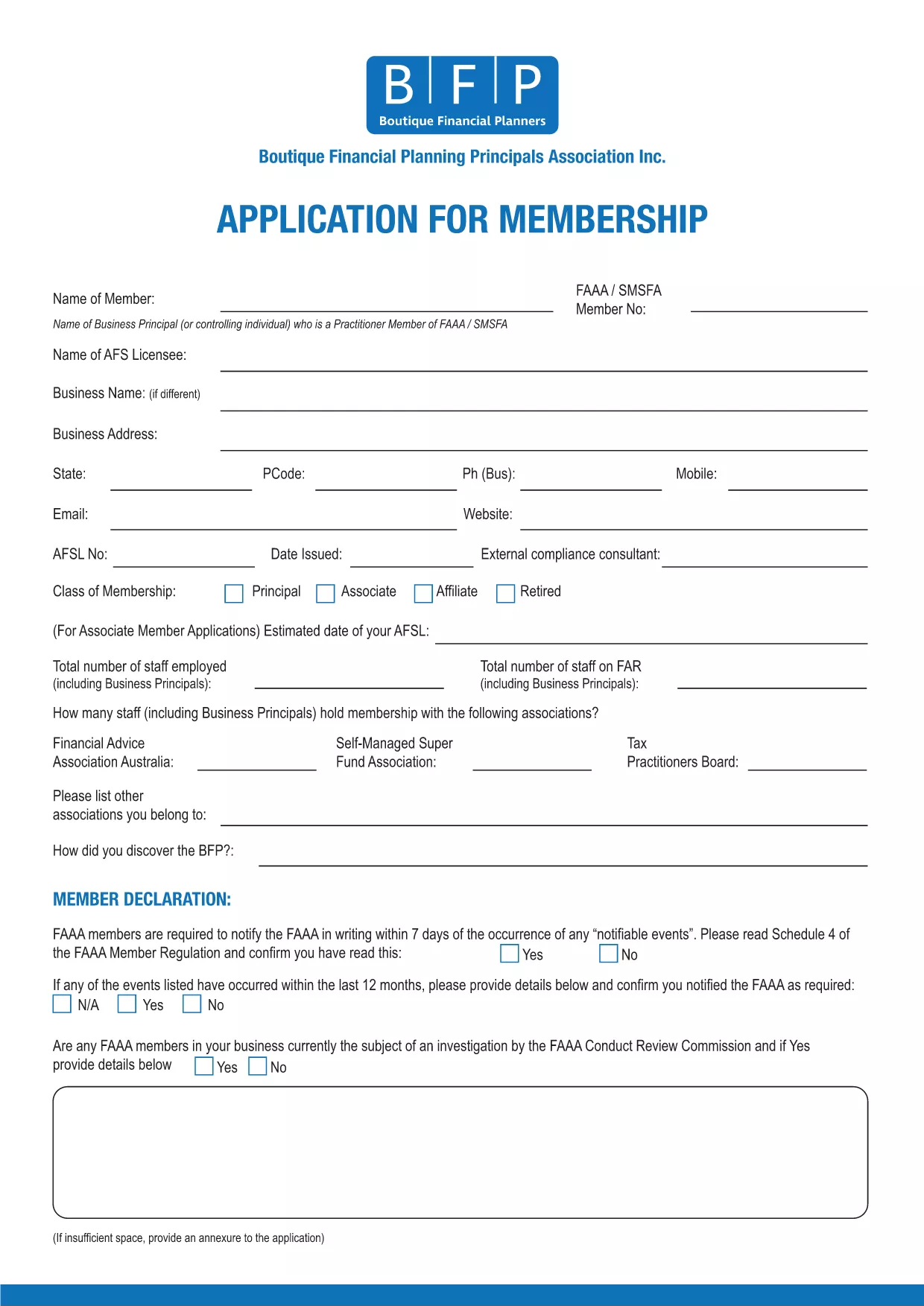
BFP Membership Application Form – Fillable PDF

  1. Լեզու Անգլերեն
  2. Երկիր Ավստրալիա
  3. բաժին BFP
  4. Գործունեություն Membership Application
BFP Membership Application Form – Fillable PDF

Welcome to the official online portal for the BFP Membership Application Form. This fillable PDF lets you apply for membership with the Business and Finance Professionals (BFP) association quickly and securely.

By using Formize’s PDF Filler, you can complete the entire application directly in your browser—no extra software required. The form is fully searchable, auto‑saves your progress, and ensures that all required fields are completed before you submit.

Why Use the Fillable BFP Application Form?

  • Instant access – start filling the form online or download the PDF for offline use.
  • Built‑in validation prevents missing or incorrect information.
  • Secure storage of your completed application.
  • Easy printing or electronic submission to BFP.

How to Complete the BFP Membership Form Online

Our step‑by‑step guide (see the How‑To section below) walks you through clicking the "Fill out this form" button, waiting for the Formize PDF Filler to load, and completing each field with confidence.

Common Mistakes to Avoid When Filling the BFP Form

  • Leaving required fields blank – the filler will highlight them before you can submit.
  • Entering outdated contact information – double‑check phone numbers and email addresses.
  • Skipping the signature section – an unsigned form will be considered invalid.
  • Not saving a copy of the completed PDF for your records.

Frequently Asked Questions about the BFP Application

Find answers to the most common queries in the FAQ section below, covering topics such as eligibility, submission methods, and processing times.

ՀՏՀ
  • Who can apply using the BFP Membership Application Form?

    Anyone interested in joining the Business and Finance Professionals (BFP) association, including students, early‑career professionals, and seasoned finance experts.

  • Is the fillable PDF compatible with all browsers?

    Yes. The Formize PDF Filler works in Chrome, Firefox, Edge, and Safari without requiring any plugins.

  • Can I save my progress and return later?

    Absolutely. The filler auto‑saves your entries locally. You can also download a draft copy to continue offline.

  • What happens if I submit incorrect information?

    The BFP may deem the application invalid. Double‑check all entries before submitting to avoid delays or forfeiture of membership.

  • Do I need to print and sign the form?

    A digital signature is accepted when using the Formize filler. If you prefer a hard copy, you can print, sign, and scan the PDF before sending.

  • How long does the membership approval process take?

    Typically, BFP reviews applications within 7‑10 business days after receipt of a complete and accurate form.

  • Is there a fee associated with the application?

    Application submission is free; membership fees are payable after approval according to the BFP fee schedule.

  • Can I edit the PDF after I’ve submitted it?

    Once submitted, the form cannot be edited. If you need to make changes, contact BFP to request a new application.

ԻՆՉՊԵՍ

Ինչպես լրացնել BFP application form-ն անվճար, առցանց՝ 5 հեշտ քայլերով.

  1. 1
    Click the Fill-out Button
    On this page, press the bright "Fill out this form" button. This launches the Formize PDF Filler in a new window.
  2. 2
    Wait for the Filler to Load
    The Formize PDF Filler app loads the BFP Membership Application PDF. A loading spinner will appear briefly; once the form is visible, you can start typing.
  3. 3
    Complete Each Section
    Enter your personal details, contact information, and membership preferences. Required fields are marked with a red asterisk and will be validated automatically.
  4. 4
    Review and Save
    After filling all fields, review the information for accuracy. Click "Save" to download a copy to your device or to store it securely in your Formize account.
  5. 5
    Submit Your Application
    Follow the on‑screen instructions to email or upload the completed PDF to BFP. Your application is now ready for processing.
Ձևավորել PDF Filler հավելվածը
ՄԱՍԻՆ

BFP application form ձևանմուշ

PDF փաստաթուղթը դիտելու և լրացնելու գործառույթների ավանդական փաթեթով, որը զուգորդվում է վեբ հավելվածի առավելությունների և արձագանքող դասավորության հետ, դուք կարող եք լրացնել BFP application form-ը րոպեների ընթացքում:

ՀԱՏԿՈՒԹՅՈՒՆՆԵՐ

PDF լցոնիչ

Առցանց BFP application form-ը լրացնելու ամենահեշտ ձևը

  • Արագ լրացրեք BFP application form
    Փնտրու՞մ եք միջոց՝ արագորեն լրացնելու BFP application form առցանց: Մեր առցանց անվճար PDF ձևաթուղթ լրացնողի միջոցով դուք կիմանաք, թե ինչպես խմբագրել և լրացնել այս pdf փաստաթուղթը մեկ րոպեից պակաս ժամանակում:
  • Հեշտ օգտագործման առցանց PDF խմբագիր
    Հոգնե՞լ եք PDF ֆայլեր տպելուց, որպեսզի կարողանաք դրանք խմբագրել, նախքան նորից սկանավորելը և հետ ուղարկելը: Խմբագրել PDF փաստաթղթերը անվճար առցանց: Օգտագործեք մեր առցանց pdf խմբագրիչը ժամանակ և թուղթ խնայելու համար:
  • Հիանալի գործիքներ, բոլոր հարթակներ
    Զարմանում եք, թե ինչպես լրացնել BFP application form-ը Mac-ում, կամ գուցե ինչպես անվճար օգտագործել PDF լցոնիչը: Մեր առցանց PDF գործիքներն աշխատում են բոլոր հարթակներում:
  • Անվտանգ ֆայլերի պահպանում
    Ավարտված «BFP application form» ֆայլերը պահվում են պաշտպանված տվյալների բազայում, որը կառավարվում է Amazon Cloud հոսթինգի կողմից: Ցանկացած ժամանակ կարող եք ջնջել ձեր ֆայլերը մեր համակարգից: Ամեն դեպքում, այս ֆայլերը ավտոմատ կերպով ջնջվում են 24 ժամ հետո:
  • Զրուցեք BFP application form-ի հետ
    Զրուցեք «BFP application form»-ի հետ Chatize-ում, որը PDF ընթերցողի անվճար օգնական է: Հարցեր տվեք և ստացեք պատասխաններ «BFP application form»-ից։ Պարզապես սեղմեք վերևում գտնվող Զրույց փաստաթղթի հետ կոճակը:

Ջնջել լրացման նիստը

Ջնջե՞լ ընտրված լրացման աշխատաշրջանը: Այս դեպքում ձևը լրացնելու ձեր առաջընթացը կկորչի:

Ջնջել խմբագրման նիստը

Ջնջե՞լ ընտրված խմբագրման աշխատաշրջանը: Այս դեպքում ձևը ստեղծելու և խմբագրելու ձեր առաջընթացը կկորչի: