
Ընտրել լեզուն

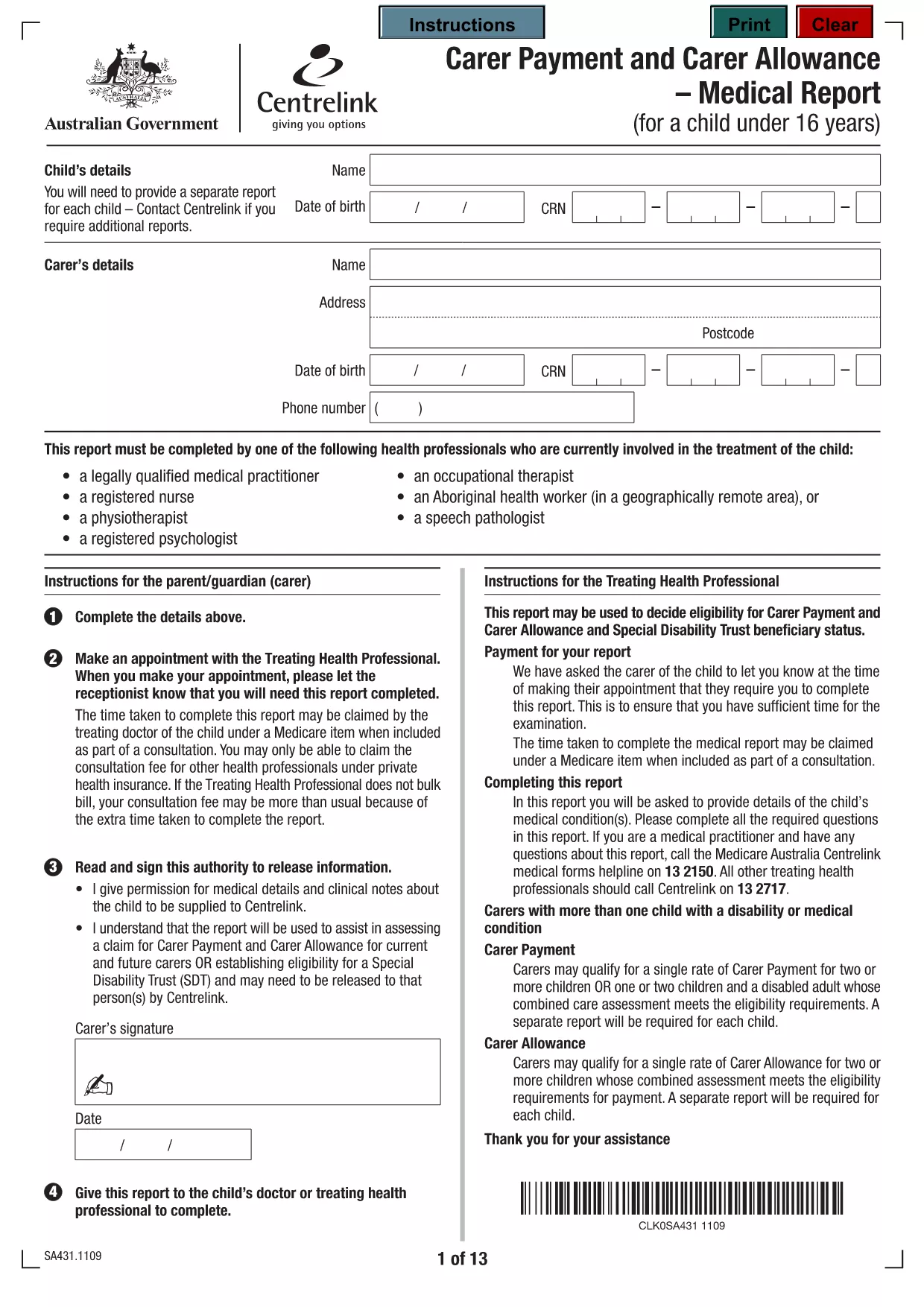
Carer Allowance Application Form – Fillable PDF

  1. Լեզու Անգլերեն
  2. Երկիր Ավստրալիա
  3. բաժին Centrelink
  4. Գործունեություն Սոցիալական անվտանգություն
Carer Allowance Application Form – Fillable PDF

Looking for the official Carer Allowance application form in a convenient, fillable PDF format? You’re in the right place. This page provides a direct download, step‑by‑step guidance, and tips to ensure your submission to Centrelink is error‑free.

What is the Carer Allowance?

The Carer Allowance is a fortnightly payment from the Australian Government to people who provide daily care or support to someone with a disability, medical condition, or who is frail. It helps cover the extra costs of caring, such as transport, meals, and equipment.

Who Is Eligible for the Carer Allowance?

  • You must be 16 years or older.
  • You provide regular, ongoing care for at least 20 hours per week.
  • The person you care for must be a recognised Australian resident.
  • You cannot be receiving the Carer Payment (a separate income‑tested benefit).

How to Complete the Application Form

Our fillable PDF makes the process simple. Follow the steps below or click the “Fill out this form” button on this page – Formize will load the PDF directly in your browser.

  1. Open the fillable PDF (or click the Formize button).
  2. Enter your personal details exactly as they appear on your identification documents.
  3. Provide information about the person you care for, including their name, date of birth, and the nature of their condition.
  4. Detail the type of care you provide and the average weekly hours.
  5. Attach any required supporting documents (medical certificates, proof of residence, etc.).
  6. Review all entries, sign electronically, and submit.

Common Mistakes to Avoid

  • Leaving fields blank: Even optional sections should be marked “N/A” if not applicable.
  • Mismatched personal details: Ensure names, dates of birth, and addresses match your official IDs.
  • Incorrect hour calculations: Count all care activities and round to the nearest hour.
  • Missing supporting documents: Incomplete applications are returned, delaying payment.

Submit Your Form Securely with Formize

When you click the “Fill out this form” button, the Formize PDF Filler app loads instantly in your browser. No download, no extra software – just a secure, online editor that saves your progress and lets you submit the completed form directly to Centrelink.

Ready to start? Fill out this form now and get your Carer Allowance claim moving forward.

ՀՏՀ
  • Who can apply for the Carer Allowance?

    Anyone 16 years or older who provides at least 20 hours of regular care per week to an Australian resident with a disability, medical condition, or who is frail.

  • How long does it take to process the application?

    Centrelink typically processes Carer Allowance applications within 14 days, provided all required information and supporting documents are included.

  • Can I save my progress and return later?

    Yes. When you use the Formize PDF Filler, you can save a draft locally and continue editing before final submission.

  • Do I need to submit the form by mail?

    No. With the online Formize filler you can submit the completed PDF directly to Centrelink electronically.

  • What supporting documents are required?

    You’ll need a medical certificate for the person you care for, proof of residence, and any relevant disability or health reports.

  • Is there a fee to use the fillable PDF?

    The Formize PDF Filler is free to use for this Carer Allowance form.

  • What if I make a mistake after submitting?

    Contact Centrelink as soon as possible. You can request a correction or submit a new application if necessary.

  • Can I apply for Carer Allowance if I already receive Carer Payment?

    No. The Carer Allowance is a separate, non‑means‑tested benefit and cannot be received alongside the Carer Payment.

ԻՆՉՊԵՍ

Ինչպես լրացնել carer allowance application form-ն անվճար, առցանց՝ 5 հեշտ քայլերով.

  1. 1
    Open the Fillable Form
    Click the “Fill out this form” button on this page. Formize will load the PDF directly in your browser—no download needed.
  2. 2
    Enter Your Personal Details
    Type your name, address, date of birth, and contact information exactly as they appear on your ID.
  3. 3
    Provide Care Information
    Describe the person you care for, their condition, and the average weekly care hours you provide.
  4. 4
    Attach Supporting Documents
    Upload medical certificates, proof of residence, and any other required documents using the attachment fields.
  5. 5
    Review and Submit
    Double‑check all entries, sign electronically, and click “Submit”. Your application will be securely sent to Centrelink.
Ձևավորել PDF Filler հավելվածը
ՄԱՍԻՆ

Սոցիալական ապահովության ձևեր

carer allowance application form-ը Սոցիալական ապահովության ձևերից մեկն է, որն օգտագործվում է Միացյալ Նահանգների Սոցիալական ապահովության վարչության (SSA) կողմից տրամադրվող տարբեր նպաստների և ծառայությունների համար դիմելու համար: SSA-ն դաշնային գործակալություն է, որը կառավարում է ծրագրեր, որոնք նախատեսված են ֆինանսական օգնություն տրամադրելու իրավասու անձանց և ընտանիքներին, ներառյալ կենսաթոշակային նպաստները, հաշմանդամության նպաստները, վերապրածների նպաստները և լրացուցիչ ապահովության եկամուտը (SSI):

Սոցիալական ապահովության որոշ ընդհանուր ձևեր ներառում են.

Սոցիալական ապահովության կենսաթոշակային նպաստների դիմում. այս ձևն օգտագործվում է կենսաթոշակային նպաստների համար դիմելու համար՝ հիմնվելով անհատի աշխատանքային պատմության և վաստակի վրա:

Սոցիալական ապահովության հաշմանդամության նպաստների դիմում. այս ձևն օգտագործվում է հաշմանդամության նպաստների համար դիմելու համար, եթե անհատն ունի ֆիզիկական կամ հոգեկան վիճակ, որը խանգարում է նրան աշխատել:

Սոցիալական ապահովության վերապրածների նպաստների դիմում. այս ձևն օգտագործվում է վերապրածի նպաստների համար դիմելու համար, եթե անհատի ամուսինը կամ ծնողը մահացել է, և նրանք իրավասու են վերապրողի նպաստ ստանալու համար:

Medicare-ի գրանցման դիմում. այս ձևն օգտագործվում է Medicare-ում գրանցվելու համար՝ 65 տարեկանից բարձր անձանց և որոշակի հաշմանդամություն կամ բժշկական պայմաններ ունեցող անձանց առողջության ապահովագրության դաշնային ծրագիր:

Հասցեի ձևի փոփոխություն. այս ձևն օգտագործվում է անհատի հասցեն SSA-ով թարմացնելու համար:

Եկամուտների գրանցման հարցում. այս ձևն օգտագործվում է անհատի եկամուտների գրանցման պատճենը պահանջելու համար, որն օգտագործվում է Սոցիալական ապահովության նպաստները հաշվարկելու համար:

Այս ձևաթղթերը կարող են լրացվել առցանց, փոստով կամ անձամբ Սոցիալական ապահովության տեղական գրասենյակում: Կարևոր է ուշադիր վերանայել և լրացնել բոլոր անհրաժեշտ ձևերը՝ ապահովելու Սոցիալական ապահովության նպաստների ժամանակին և ճշգրիտ մշակումը:

ՀԱՏԿՈՒԹՅՈՒՆՆԵՐ

PDF լցոնիչ

Առցանց carer allowance application form-ը լրացնելու ամենահեշտ ձևը

  • Արագ լրացրեք carer allowance application form
    Փնտրու՞մ եք միջոց՝ արագորեն լրացնելու carer allowance application form առցանց: Մեր առցանց անվճար PDF ձևաթուղթ լրացնողի միջոցով դուք կիմանաք, թե ինչպես խմբագրել և լրացնել այս pdf փաստաթուղթը մեկ րոպեից պակաս ժամանակում:
  • Հեշտ օգտագործման առցանց PDF խմբագիր
    Հոգնե՞լ եք PDF ֆայլեր տպելուց, որպեսզի կարողանաք դրանք խմբագրել, նախքան նորից սկանավորելը և հետ ուղարկելը: Խմբագրել PDF փաստաթղթերը անվճար առցանց: Օգտագործեք մեր առցանց pdf խմբագրիչը ժամանակ և թուղթ խնայելու համար:
  • Հիանալի գործիքներ, բոլոր հարթակներ
    Զարմանում եք, թե ինչպես լրացնել carer allowance application form-ը Mac-ում, կամ գուցե ինչպես անվճար օգտագործել PDF լցոնիչը: Մեր առցանց PDF գործիքներն աշխատում են բոլոր հարթակներում:
  • Անվտանգ ֆայլերի պահպանում
    Ավարտված «carer allowance application form» ֆայլերը պահվում են պաշտպանված տվյալների բազայում, որը կառավարվում է Amazon Cloud հոսթինգի կողմից: Ցանկացած ժամանակ կարող եք ջնջել ձեր ֆայլերը մեր համակարգից: Ամեն դեպքում, այս ֆայլերը ավտոմատ կերպով ջնջվում են 24 ժամ հետո:
  • Զրուցեք carer allowance application form-ի հետ
    Զրուցեք «carer allowance application form»-ի հետ Chatize-ում, որը PDF ընթերցողի անվճար օգնական է: Հարցեր տվեք և ստացեք պատասխաններ «carer allowance application form»-ից։ Պարզապես սեղմեք վերևում գտնվող Զրույց փաստաթղթի հետ կոճակը:

Ջնջել լրացման նիստը

Ջնջե՞լ ընտրված լրացման աշխատաշրջանը: Այս դեպքում ձևը լրացնելու ձեր առաջընթացը կկորչի:

Ջնջել խմբագրման նիստը

Ջնջե՞լ ընտրված խմբագրման աշխատաշրջանը: Այս դեպքում ձևը ստեղծելու և խմբագրելու ձեր առաջընթացը կկորչի: