
Ընտրել լեզուն

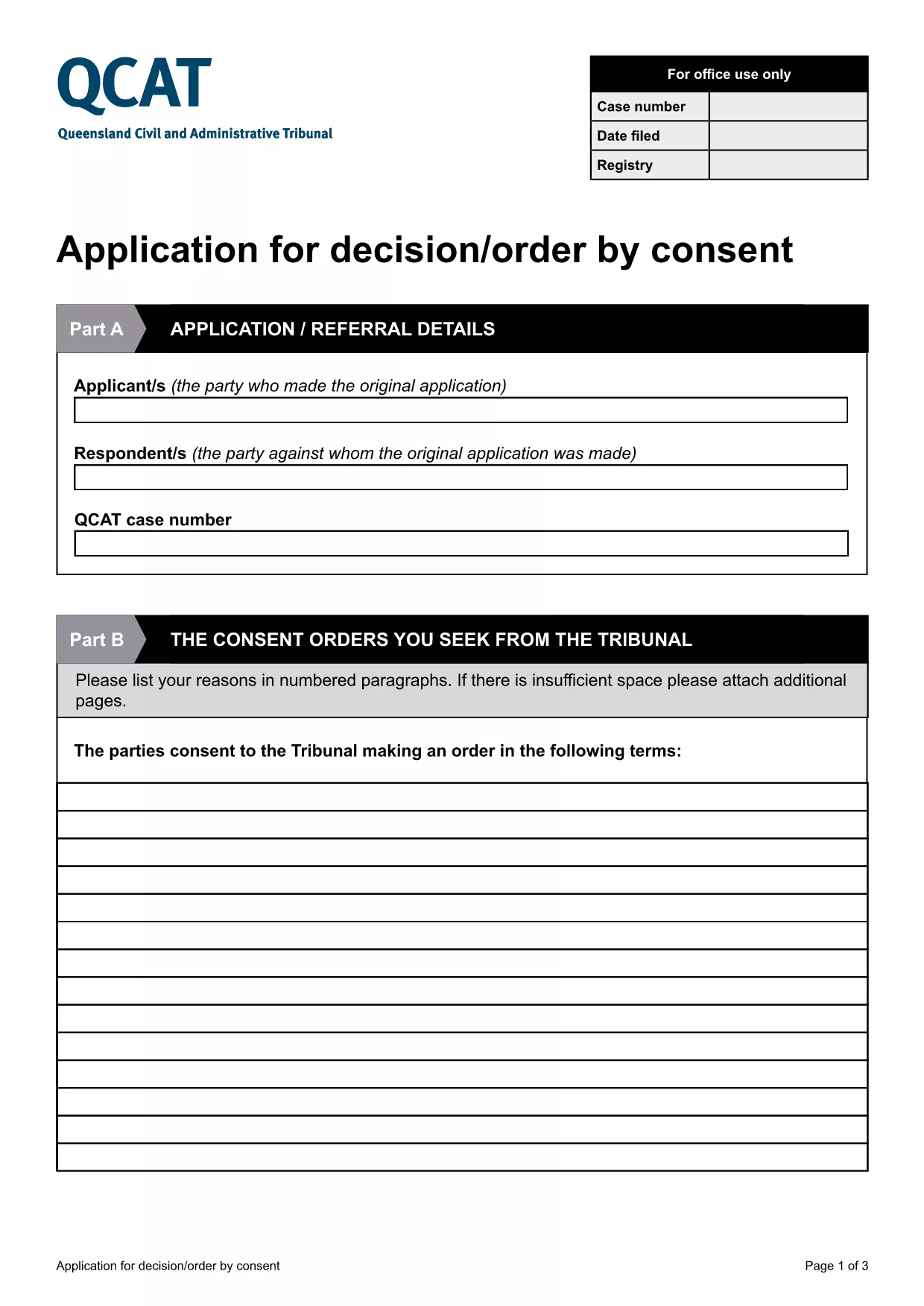
Application for Consent Orders (QCAT)

  1. Երկիր Ավստրալիա
  2. Լեզու Անգլերեն
  3. բաժին Civil and Administrative Tribunal
  4. Գործունեություն Legal Forms
Application for Consent Orders (QCAT)

What Is a Consent Order Application?

A consent order is a legally binding agreement approved by the Queensland Civil and Administrative Tribunal (QCAT). The Application for Consent Orders lets parties request the Tribunal to formalise their agreement without a hearing, saving time and costs.

Key Sections of the QCAT Consent Order Form

The fillable PDF is divided into clear sections:

  • Party Details – names, contact information, and representation.
  • Proposed Orders – a concise description of what each party is agreeing to.
  • Supporting Documents – attach any evidence or agreements that back up the application.
  • Signature & Declaration – both parties sign to confirm the information is true and that they understand the order will be enforceable.

How to Complete the Form Online

Instead of downloading and editing the PDF on your computer, simply click the "Fill out this form" button below. The Formize PDF Filler app will load directly in your browser, allowing you to type, check boxes, and add signatures instantly.

Common Mistakes to Avoid

  • Leaving any required field blank – QCAT will reject an incomplete application.
  • Providing vague or ambiguous order terms – be specific to avoid later disputes.
  • Submitting incorrect contact details – the Tribunal needs accurate information to communicate with you.
  • Failing to attach supporting documents – missing evidence can delay approval.

Where to Submit Your Application

When the form is fully completed and signed, you can submit it:

  • Online via the QCAT e‑filing portal (recommended).
  • By mail to the QCAT registry address listed on the form.
  • In person at any QCAT registry office.

For the fastest processing, choose the online option and keep a copy of the confirmation email.

ՀՏՀ
  • Do I need a lawyer to fill out the consent order application?

    A lawyer is not required, but you may wish to seek legal advice if the terms are complex or if you are unsure about any clause.

  • Can I make changes after I have submitted the form?

    Yes, you can request to amend the application before the Tribunal makes a decision, but you must provide a clear reason and any new supporting documents.

  • Is the online Formize filler secure?

    All data entered in the Formize PDF Filler is encrypted in transit and never stored on our servers after you submit or download the completed form.

  • What happens if the Tribunal rejects my consent order?

    If the Tribunal finds the proposed orders unlawful or unclear, it will return the application with reasons. You can then revise the terms and resubmit.

  • Do I need to pay a fee to file a consent order with QCAT?

    Filing a consent order is generally free, but if you choose to lodge the application in person or by post, standard filing fees may apply. Check the QCAT website for the latest fee schedule.

  • Can I attach supporting documents electronically?

    Yes. The fillable PDF allows you to upload PDFs, images, or scanned copies of agreements, receipts, or any other evidence that supports your application.

  • How long does it take for QCAT to process a consent order?

    When all information is complete, QCAT usually issues a decision within 5‑10 business days. Complex cases may take longer.

ԻՆՉՊԵՍ

Ինչպես լրացնել consent order application-ն անվճար, առցանց՝ 5 հեշտ քայլերով.

  1. 1
    Click the Fill‑out Button
    Press the "Fill out this form" button on the page. The Formize PDF Filler will open in a new browser tab.
  2. 2
    Wait for the Filler to Load
    A short loading screen appears while the fillable PDF is prepared. This usually takes only a few seconds.
  3. 3
    Enter Your Information
    Type directly into each field, select check‑boxes, and upload any supporting documents required by the form.
  4. 4
    Review and Sign
    Use the built‑in e‑signature tool to sign the declaration. Double‑check that all required sections are completed.
  5. 5
    Submit or Download
    When you’re satisfied, click "Submit" to send the form to QCAT or "Download" to save a copy for your records.
Ձևավորել PDF Filler հավելվածը
ՄԱՍԻՆ

consent order application ձևանմուշ

PDF փաստաթուղթը դիտելու և լրացնելու գործառույթների ավանդական փաթեթով, որը զուգորդվում է վեբ հավելվածի առավելությունների և արձագանքող դասավորության հետ, դուք կարող եք լրացնել consent order application-ը րոպեների ընթացքում:

ՀԱՏԿՈՒԹՅՈՒՆՆԵՐ

PDF լցոնիչ

Առցանց consent order application-ը լրացնելու ամենահեշտ ձևը

  • Արագ լրացրեք consent order application
    Փնտրու՞մ եք միջոց՝ արագորեն լրացնելու consent order application առցանց: Մեր առցանց անվճար PDF ձևաթուղթ լրացնողի միջոցով դուք կիմանաք, թե ինչպես խմբագրել և լրացնել այս pdf փաստաթուղթը մեկ րոպեից պակաս ժամանակում:
  • Հեշտ օգտագործման առցանց PDF խմբագիր
    Հոգնե՞լ եք PDF ֆայլեր տպելուց, որպեսզի կարողանաք դրանք խմբագրել, նախքան նորից սկանավորելը և հետ ուղարկելը: Խմբագրել PDF փաստաթղթերը անվճար առցանց: Օգտագործեք մեր առցանց pdf խմբագրիչը ժամանակ և թուղթ խնայելու համար:
  • Հիանալի գործիքներ, բոլոր հարթակներ
    Զարմանում եք, թե ինչպես լրացնել consent order application-ը Mac-ում, կամ գուցե ինչպես անվճար օգտագործել PDF լցոնիչը: Մեր առցանց PDF գործիքներն աշխատում են բոլոր հարթակներում:
  • Անվտանգ ֆայլերի պահպանում
    Ավարտված «consent order application» ֆայլերը պահվում են պաշտպանված տվյալների բազայում, որը կառավարվում է Amazon Cloud հոսթինգի կողմից: Ցանկացած ժամանակ կարող եք ջնջել ձեր ֆայլերը մեր համակարգից: Ամեն դեպքում, այս ֆայլերը ավտոմատ կերպով ջնջվում են 24 ժամ հետո:
  • Զրուցեք consent order application-ի հետ
    Զրուցեք «consent order application»-ի հետ Chatize-ում, որը PDF ընթերցողի անվճար օգնական է: Հարցեր տվեք և ստացեք պատասխաններ «consent order application»-ից։ Պարզապես սեղմեք վերևում գտնվող Զրույց փաստաթղթի հետ կոճակը:

Ջնջել լրացման նիստը

Ջնջե՞լ ընտրված լրացման աշխատաշրջանը: Այս դեպքում ձևը լրացնելու ձեր առաջընթացը կկորչի:

Ջնջել խմբագրման նիստը

Ջնջե՞լ ընտրված խմբագրման աշխատաշրջանը: Այս դեպքում ձևը ստեղծելու և խմբագրելու ձեր առաջընթացը կկորչի: