Ընտրել լեզուն

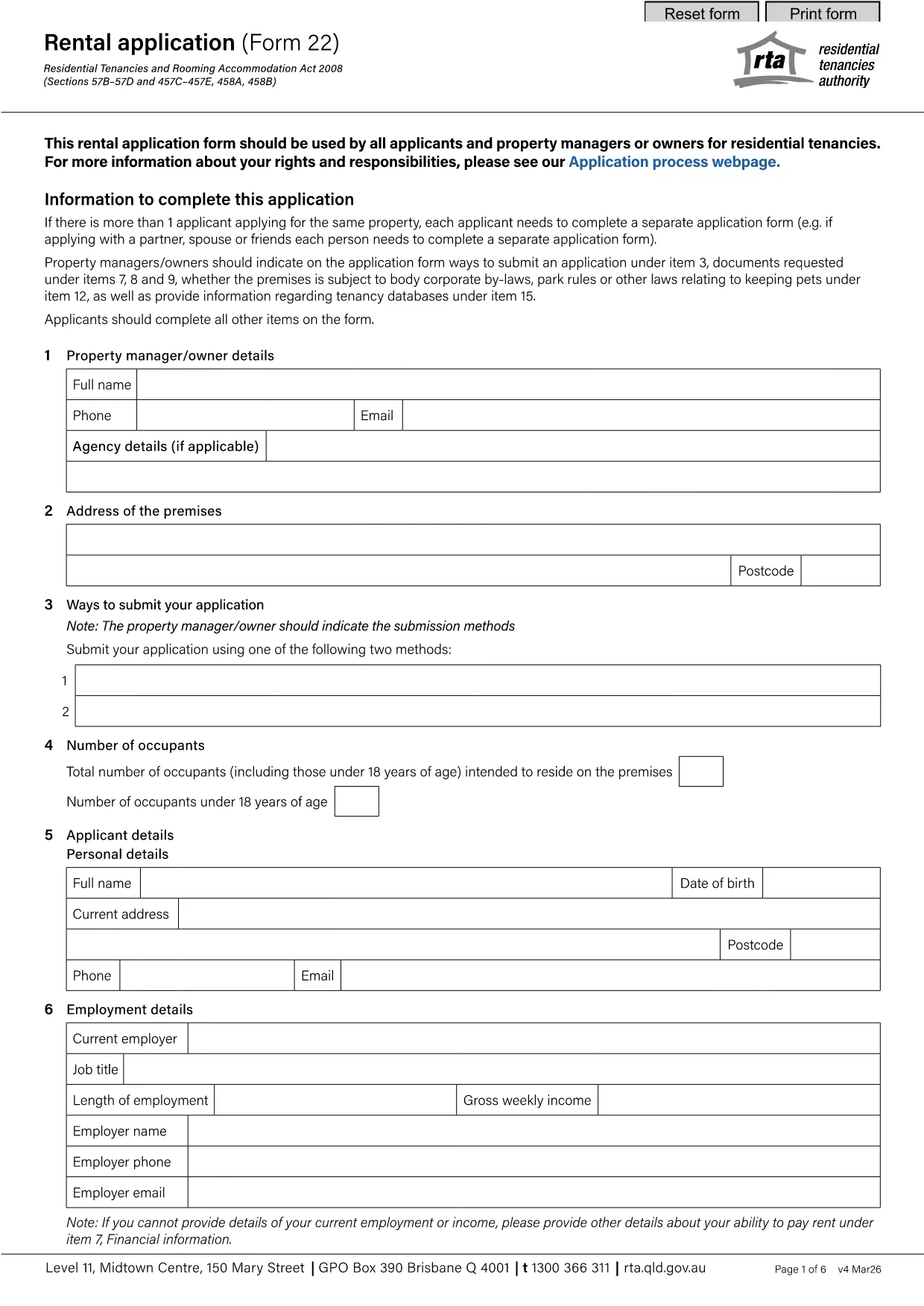
YVMS Application Form – Fillable PDF

  1. Լեզու Անգլերեն
  2. Երկիր Ավստրալիա
  3. բաժին Department of Communities
  4. Գործունեություն Volunteer Management
YVMS Application Form – Fillable PDF

What is the YVMS Application Form?

The YVMS (Youth Volunteer Management System) application form is the official document used by organizations to register volunteers, collect personal details, and confirm eligibility for youth‑focused programs. It is available as a fillable PDF, which means you can type directly into the fields, save your progress, and submit it electronically.

How to Fill the YVMS Form Online

Instead of downloading the PDF and opening it in a separate editor, simply click the "Fill out this form" button on this page. The Formize PDF Filler app will load in your browser, letting you complete every field instantly. Follow the on‑screen prompts, save your work, and export the finished form when you’re done.

Common Mistakes to Avoid

  • Leaving required fields blank: Required fields are marked with an asterisk (*). The form will not submit until they are completed.
  • Using the wrong date format: Use DD/MM/YYYY unless otherwise specified.
  • Uploading an unsupported file type for attachments: Only PDF, JPG, or PNG files are accepted.
  • Not signing the form: The digital signature field must be filled before saving.

Download the Fillable PDF

If you prefer to work offline, you can download the original fillable PDF from the link below. The file is hosted by the Queensland Residential Tenancies Authority, but the layout works perfectly for the YVMS application.

Download YVMS Application Form (PDF)

Frequently Asked Questions

Below are the most common questions about the YVMS application form and how to use Formize’s online filler.

ՀՏՀ
  • Do I need Adobe Acrobat to fill the YVMS form?

    No. The Formize PDF Filler works in any modern browser, so you don’t need additional software.

  • Can I edit the form after I’ve saved it?

    Yes. The saved draft can be reopened at any time for further editing before final submission.

  • Is my personal information safe?

    Formize uses SSL encryption, and the form never leaves your browser unless you choose to export or email it.

  • What if I make a mistake in a required field?

    The filler will highlight the incomplete or incorrectly formatted field and prevent you from exporting until it’s corrected.

  • Can I submit the form directly to the YVMS office online?

    The online filler only creates a completed PDF. You’ll need to email or upload the PDF to the YVMS portal as instructed by your organization.

  • Do I need an internet connection to fill the form?

    An internet connection is required to load the Formize app. Once loaded, you can work offline and export the PDF later.

ԻՆՉՊԵՍ

Ինչպես լրացնել YVMS application form-ն անվճար, առցանց՝ 4 հեշտ քայլերով.

  1. 1
    Open the Form
    Click the "Fill out this form" button on the page. The Formize PDF Filler will open directly in your browser.
  2. 2
    Enter Your Information
    Type into each field, using the on‑screen guidance for required entries, date formats, and file attachments.
  3. 3
    Save Your Progress
    Use the "Save" button at any time to store a draft. You can return later without losing data.
  4. 4
    Sign and Submit
    Complete the digital signature field, then click "Export" to download the finished PDF or email it directly from the app.
Ձևավորել PDF Filler հավելվածը
ՄԱՍԻՆ

YVMS application form ձևանմուշ

PDF փաստաթուղթը դիտելու և լրացնելու գործառույթների ավանդական փաթեթով, որը զուգորդվում է վեբ հավելվածի առավելությունների և արձագանքող դասավորության հետ, դուք կարող եք լրացնել YVMS application form-ը րոպեների ընթացքում:

ՀԱՏԿՈՒԹՅՈՒՆՆԵՐ

PDF լցոնիչ

Առցանց YVMS application form-ը լրացնելու ամենահեշտ ձևը

  • Արագ լրացրեք YVMS application form
    Փնտրու՞մ եք միջոց՝ արագորեն լրացնելու YVMS application form առցանց: Մեր առցանց անվճար PDF ձևաթուղթ լրացնողի միջոցով դուք կիմանաք, թե ինչպես խմբագրել և լրացնել այս pdf փաստաթուղթը մեկ րոպեից պակաս ժամանակում:
  • Հեշտ օգտագործման առցանց PDF խմբագիր
    Հոգնե՞լ եք PDF ֆայլեր տպելուց, որպեսզի կարողանաք դրանք խմբագրել, նախքան նորից սկանավորելը և հետ ուղարկելը: Խմբագրել PDF փաստաթղթերը անվճար առցանց: Օգտագործեք մեր առցանց pdf խմբագրիչը ժամանակ և թուղթ խնայելու համար:
  • Հիանալի գործիքներ, բոլոր հարթակներ
    Զարմանում եք, թե ինչպես լրացնել YVMS application form-ը Mac-ում, կամ գուցե ինչպես անվճար օգտագործել PDF լցոնիչը: Մեր առցանց PDF գործիքներն աշխատում են բոլոր հարթակներում:
  • Անվտանգ ֆայլերի պահպանում
    Ավարտված «YVMS application form» ֆայլերը պահվում են պաշտպանված տվյալների բազայում, որը կառավարվում է Amazon Cloud հոսթինգի կողմից: Ցանկացած ժամանակ կարող եք ջնջել ձեր ֆայլերը մեր համակարգից: Ամեն դեպքում, այս ֆայլերը ավտոմատ կերպով ջնջվում են 24 ժամ հետո:
  • Զրուցեք YVMS application form-ի հետ
    Զրուցեք «YVMS application form»-ի հետ Chatize-ում, որը PDF ընթերցողի անվճար օգնական է: Հարցեր տվեք և ստացեք պատասխաններ «YVMS application form»-ից։ Պարզապես սեղմեք վերևում գտնվող Զրույց փաստաթղթի հետ կոճակը:

Ջնջել լրացման նիստը

Ջնջե՞լ ընտրված լրացման աշխատաշրջանը: Այս դեպքում ձևը լրացնելու ձեր առաջընթացը կկորչի:

Ջնջել խմբագրման նիստը

Ջնջե՞լ ընտրված խմբագրման աշխատաշրջանը: Այս դեպքում ձևը ստեղծելու և խմբագրելու ձեր առաջընթացը կկորչի: