
Ընտրել լեզուն

Education Department Application Form – Fill Online

  1. Երկիր Ավստրալիա
  2. Լեզու Անգլերեն
  3. բաժին Department of Education
  4. Գործունեություն School Enrolment
Education Department Application Form – Fill Online

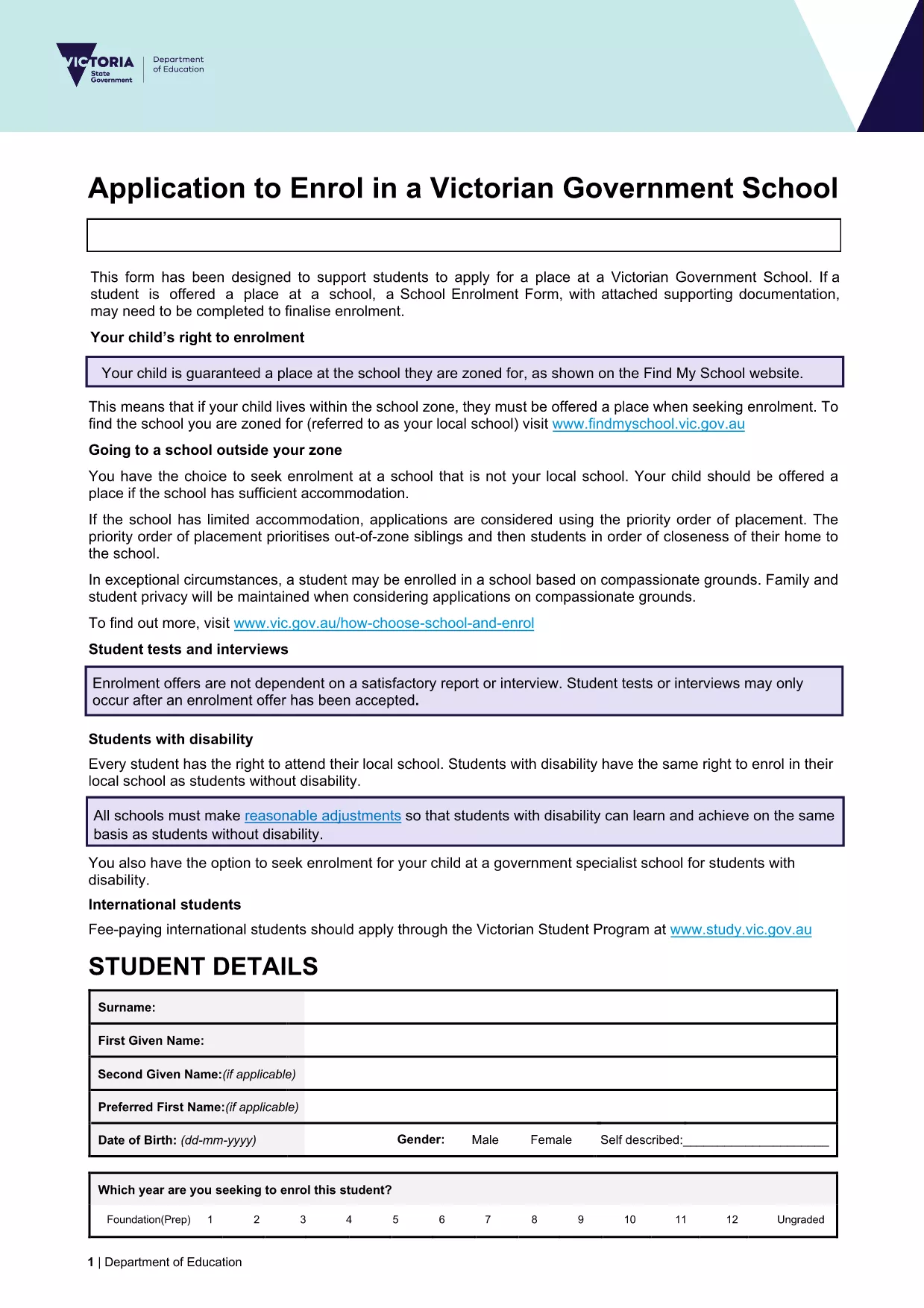
Looking for a fast, secure way to submit your education department application? Our online Formize PDF Filler lets you open the official enrolment form as a fillable PDF directly in your browser. No software download, no printing, and no hassle.

What you get: the exact same document used by the Victorian Department of Education, fully interactive, auto‑saving, and ready for electronic submission.

Simply click the Fill out this form button below, wait a moment for the Formize PDF Filler to load, and start entering your information. When you’re done, you can download a completed PDF or submit it straight to the school’s intake system.

Our solution is compliant with government standards, keeps your data encrypted, and works on any device – desktop, tablet, or mobile.

ՀՏՀ
  • Do I need to install any software to use the form?

    No. The Formize PDF Filler runs entirely in your web browser – just click the button and start filling.

  • Is my personal data safe?

    Yes. All data is processed locally in your browser and encrypted during any download. Formize does not store your information.

  • Can I print the completed form?

    Absolutely. After you finish, download the filled PDF and print it like any standard document.

  • What if I make a mistake?

    You can edit any field at any time before saving. Simply click the field again and correct the entry.

  • Is this the same form used by Victorian schools?

    Yes. The PDF is the official "Application to enrol in a Victorian Government school" provided by the Department of Education.

  • Can I submit the form directly to the school?

    Most schools accept a completed PDF via email or their online portal. Check the school's enrolment guidelines for exact submission steps.

ԻՆՉՊԵՍ

Ինչպես լրացնել education department application form-ն անվճար, առցանց՝ 5 հեշտ քայլերով.

  1. 1
    Open the Fillable Form
    Click the **Fill out this form** button on the page. The Formize PDF Filler will launch in a new tab.
  2. 2
    Wait for the Loader
    Give the app a few seconds to load the PDF. You’ll see the form appear with interactive fields.
  3. 3
    Enter Your Information
    Type directly into each field. Use the tab key or click to move between sections.
  4. 4
    Review & Validate
    Check all entries for accuracy. The filler highlights required fields that are missing.
  5. 5
    Save or Submit
    When finished, click **Download Completed PDF** to save a copy, or follow your school’s instructions to submit electronically.
Ձևավորել PDF Filler հավելվածը
ՄԱՍԻՆ

education department application form ձևանմուշ

PDF փաստաթուղթը դիտելու և լրացնելու գործառույթների ավանդական փաթեթով, որը զուգորդվում է վեբ հավելվածի առավելությունների և արձագանքող դասավորության հետ, դուք կարող եք լրացնել education department application form-ը րոպեների ընթացքում:

ՀԱՏԿՈՒԹՅՈՒՆՆԵՐ

PDF լցոնիչ

Առցանց education department application form-ը լրացնելու ամենահեշտ ձևը

  • Արագ լրացրեք education department application form
    Փնտրու՞մ եք միջոց՝ արագորեն լրացնելու education department application form առցանց: Մեր առցանց անվճար PDF ձևաթուղթ լրացնողի միջոցով դուք կիմանաք, թե ինչպես խմբագրել և լրացնել այս pdf փաստաթուղթը մեկ րոպեից պակաս ժամանակում:
  • Հեշտ օգտագործման առցանց PDF խմբագիր
    Հոգնե՞լ եք PDF ֆայլեր տպելուց, որպեսզի կարողանաք դրանք խմբագրել, նախքան նորից սկանավորելը և հետ ուղարկելը: Խմբագրել PDF փաստաթղթերը անվճար առցանց: Օգտագործեք մեր առցանց pdf խմբագրիչը ժամանակ և թուղթ խնայելու համար:
  • Հիանալի գործիքներ, բոլոր հարթակներ
    Զարմանում եք, թե ինչպես լրացնել education department application form-ը Mac-ում, կամ գուցե ինչպես անվճար օգտագործել PDF լցոնիչը: Մեր առցանց PDF գործիքներն աշխատում են բոլոր հարթակներում:
  • Անվտանգ ֆայլերի պահպանում
    Ավարտված «education department application form» ֆայլերը պահվում են պաշտպանված տվյալների բազայում, որը կառավարվում է Amazon Cloud հոսթինգի կողմից: Ցանկացած ժամանակ կարող եք ջնջել ձեր ֆայլերը մեր համակարգից: Ամեն դեպքում, այս ֆայլերը ավտոմատ կերպով ջնջվում են 24 ժամ հետո:
  • Զրուցեք education department application form-ի հետ
    Զրուցեք «education department application form»-ի հետ Chatize-ում, որը PDF ընթերցողի անվճար օգնական է: Հարցեր տվեք և ստացեք պատասխաններ «education department application form»-ից։ Պարզապես սեղմեք վերևում գտնվող Զրույց փաստաթղթի հետ կոճակը:

Ջնջել լրացման նիստը

Ջնջե՞լ ընտրված լրացման աշխատաշրջանը: Այս դեպքում ձևը լրացնելու ձեր առաջընթացը կկորչի:

Ջնջել խմբագրման նիստը

Ջնջե՞լ ընտրված խմբագրման աշխատաշրջանը: Այս դեպքում ձևը ստեղծելու և խմբագրելու ձեր առաջընթացը կկորչի: