
Ընտրել լեզուն

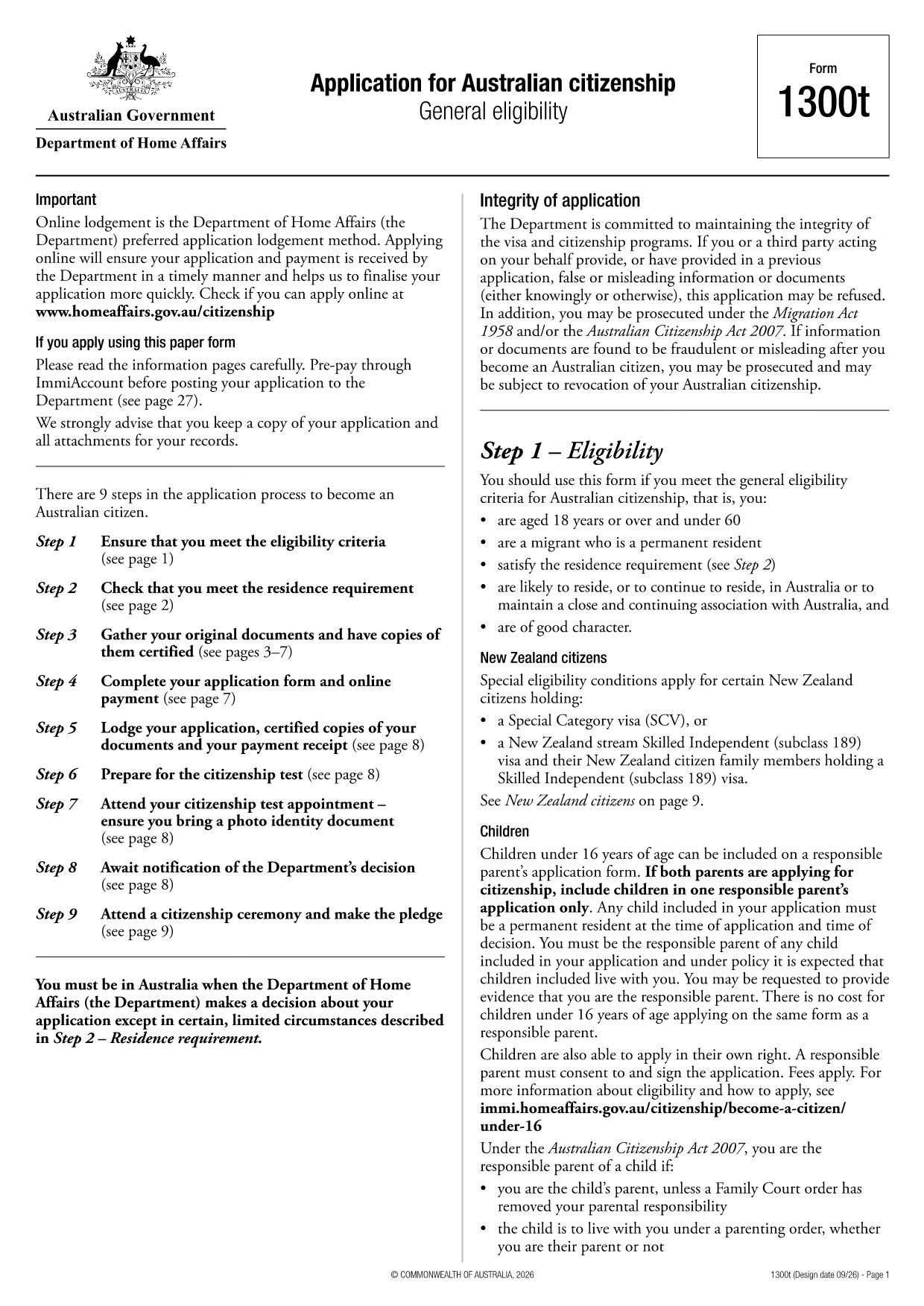
Australian Citizenship Application Form (Form 1300t) – Fillable PDF

  1. Լեզու Անգլերեն
  2. Երկիր Ավստրալիա
  3. Գործունեություն Քաղաքացիություն
  4. բաժին Home Affairs
Australian Citizenship Application Form (Form 1300t) – Fillable PDF

Form 1300t is the official Application for Australian citizenship used by permanent residents who meet the general eligibility requirements. The form is available as a fillable PDF, and with Formize you can complete it directly in your browser – no extra software needed.

What Is Form 1300t?

Form 1300t collects personal details, residency history, character information, and your intent to become an Australian citizen. It must be submitted with the required supporting documents and the citizenship application fee.

How to Complete the Form Online with Formize

Instead of downloading the PDF and opening a separate editor, simply click the "Fill out this form" button on this page. The Formize PDF Filler will load automatically, letting you type, check boxes, and sign the form in a few clicks.

Common Mistakes & Tips for a Successful Application

  • Do not leave any required field blank. If a question does not apply, write “N/A”.
  • Use the exact dates as they appear on your passport or travel records.
  • Double‑check the spelling of names and addresses. Inconsistent information can delay processing.
  • Attach all required documents before submitting. Missing paperwork is the top reason for refusals.

Required Supporting Documents

When you submit Form 1300t, include the following:

  • Certified copies of your passport and visa pages
  • Proof of residence (utility bills, rental agreements)
  • Police checks or character certificates if requested
  • Evidence of the citizenship application fee payment

Once you have filled the form, you can download the completed PDF, print it, and mail it to the Department of Home Affairs, or submit it electronically if you have an ImmiAccount.

ՀՏՀ
  • Do I need a PDF editor to fill Form 1300t?

    No. With Formize you can fill the form directly in your web browser – no extra software required.

  • Can I save my progress and finish later?

    Yes. The Formize filler allows you to save a draft on your device and reopen it later to continue editing.

  • What if I make a mistake after downloading?

    You can reopen the saved PDF in Formize, correct the error, and download a new version before submitting.

  • Is the online filler secure?

    Formize uses SSL encryption, and all data stays on your device; nothing is stored on external servers.

  • Do I still need to print the form after filling it online?

    The Department of Home Affairs currently requires a hard‑copy submission, so you must print the completed form and mail it with your documents.

  • How long does it take to process the citizenship application?

    Processing times vary, but most applications are decided within 12‑24 months after receipt of a complete form and supporting documents.

  • Can I submit Form 1300t electronically?

    If you have an ImmiAccount, you can upload the completed PDF through the online portal instead of mailing a paper copy.

  • What should I do if I’m unsure about a question?

    Refer to the information guide attached to the form or contact the Department of Home Affairs for clarification.

ԻՆՉՊԵՍ

Ինչպես լրացնել Australian citizenship application form-ն անվճար, առցանց՝ 5 հեշտ քայլերով.

  1. 1
    Open the Fillable Form
    Click the "Fill out this form" button on the page. The Formize PDF Filler loads in your browser.
  2. 2
    Enter Your Information
    Type directly into each field, select check‑boxes, and use the date picker for all date entries.
  3. 3
    Add Your Signature
    Use the signature tool to draw or upload your signature. The signature is saved securely in the PDF.
  4. 4
    Review & Download
    Check all entries for accuracy, then click "Download" to save the completed PDF to your device.
  5. 5
    Submit to Home Affairs
    Print the downloaded form, attach your supporting documents, and mail it to the Department of Home Affairs, or upload via ImmiAccount.
Ձևավորել PDF Filler հավելվածը
ՄԱՍԻՆ

Քաղաքացիության ձևեր

Australian citizenship application form-ը քաղաքացիության ձևերից մեկն է, որը փաստաթղթեր են, որոնք օգտագործվում են երկրի քաղաքացիություն ստանալու համար: Քաղաքացիության ստույգ ձևերն ու պահանջները տարբեր են՝ կախված երկրից, սակայն, ընդհանուր առմամբ, գործընթացը ներառում է անձնական տեղեկությունների և քաղաքացիության իրավասության ապացույցների տրամադրում:

Միացյալ Նահանգներում քաղաքացիության ամենատարածված ձևը N-400 Հպատակագրման դիմումն է: Այս ձևն օգտագործվում է օրինական մշտական ​​բնակիչների կողմից (կանաչ քարտի սեփականատերեր)՝ ԱՄՆ քաղաքացիություն ստանալու համար: Ձևը պահանջում է անձնական տեղեկություններ, ինչպիսիք են անունը, ծննդյան ամսաթիվը և կոնտակտային տվյալները, ինչպես նաև տեղեկություններ դիմողի ներգաղթի կարգավիճակի, քրեական պատմության և այլ իրավասության պահանջների մասին:

Այլ երկրներ կարող են ունենալ քաղաքացիության տարբեր ձևեր և պահանջներ, սակայն հիմնական գործընթացը սովորաբար ներառում է դիմումատուի ծագման մասին տեղեկությունների տրամադրում և որոշակի իրավասության չափանիշների բավարարում: Սա կարող է ներառել քաղաքացիության թեստ հանձնելը, երկրի պատմության և կառավարության իմացության ցուցադրումը և երկրի լեզվի իմացության ցուցադրումը:

Կարևոր է նշել, որ քաղաքացիություն ստանալու գործընթացը կարող է բարդ և ժամանակատար լինել: Խորհուրդ է տրվում, որ քաղաքացիություն փնտրող անհատները խորհրդակցեն ներգաղթի փաստաբանի կամ այլ որակավորված մասնագետի հետ՝ օգնելու գործընթացում կողմնորոշվել և ապահովել, որ բոլոր անհրաժեշտ ձևերն ու պահանջները բավարարվեն:

ՀԱՏԿՈՒԹՅՈՒՆՆԵՐ

PDF լցոնիչ

Առցանց Australian citizenship application form-ը լրացնելու ամենահեշտ ձևը

  • Արագ լրացրեք Australian citizenship application form
    Փնտրու՞մ եք միջոց՝ արագորեն լրացնելու Australian citizenship application form առցանց: Մեր առցանց անվճար PDF ձևաթուղթ լրացնողի միջոցով դուք կիմանաք, թե ինչպես խմբագրել և լրացնել այս pdf փաստաթուղթը մեկ րոպեից պակաս ժամանակում:
  • Հեշտ օգտագործման առցանց PDF խմբագիր
    Հոգնե՞լ եք PDF ֆայլեր տպելուց, որպեսզի կարողանաք դրանք խմբագրել, նախքան նորից սկանավորելը և հետ ուղարկելը: Խմբագրել PDF փաստաթղթերը անվճար առցանց: Օգտագործեք մեր առցանց pdf խմբագրիչը ժամանակ և թուղթ խնայելու համար:
  • Հիանալի գործիքներ, բոլոր հարթակներ
    Զարմանում եք, թե ինչպես լրացնել Australian citizenship application form-ը Mac-ում, կամ գուցե ինչպես անվճար օգտագործել PDF լցոնիչը: Մեր առցանց PDF գործիքներն աշխատում են բոլոր հարթակներում:
  • Անվտանգ ֆայլերի պահպանում
    Ավարտված «Australian citizenship application form» ֆայլերը պահվում են պաշտպանված տվյալների բազայում, որը կառավարվում է Amazon Cloud հոսթինգի կողմից: Ցանկացած ժամանակ կարող եք ջնջել ձեր ֆայլերը մեր համակարգից: Ամեն դեպքում, այս ֆայլերը ավտոմատ կերպով ջնջվում են 24 ժամ հետո:
  • Զրուցեք Australian citizenship application form-ի հետ
    Զրուցեք «Australian citizenship application form»-ի հետ Chatize-ում, որը PDF ընթերցողի անվճար օգնական է: Հարցեր տվեք և ստացեք պատասխաններ «Australian citizenship application form»-ից։ Պարզապես սեղմեք վերևում գտնվող Զրույց փաստաթղթի հետ կոճակը:

Ջնջել լրացման նիստը

Ջնջե՞լ ընտրված լրացման աշխատաշրջանը: Այս դեպքում ձևը լրացնելու ձեր առաջընթացը կկորչի:

Ջնջել խմբագրման նիստը

Ջնջե՞լ ընտրված խմբագրման աշխատաշրջանը: Այս դեպքում ձևը ստեղծելու և խմբագրելու ձեր առաջընթացը կկորչի: