
Ընտրել լեզուն

Application to Resume Australian Citizenship (Form 132) – Fill Online

  1. Լեզու Անգլերեն
  2. Երկիր Ավստրալիա
  3. Գործունեություն Քաղաքացիություն
  4. բաժին Home Affairs
Application to Resume Australian Citizenship (Form 132) – Fill Online

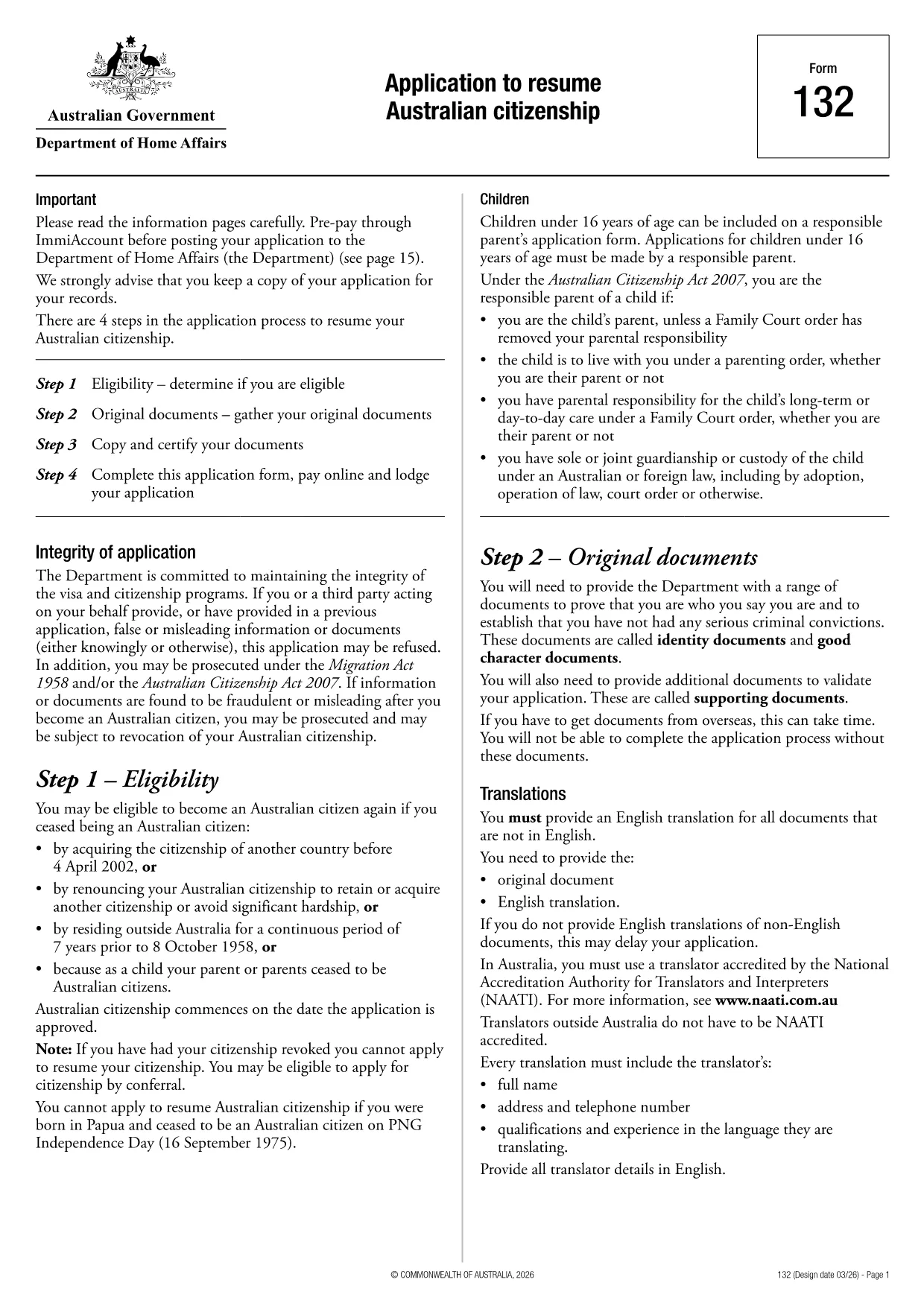
If you need to resume your Australian citizenship, you’ll use Form 132 – Application to Resume Australian Citizenship. This official PDF can now be completed entirely online with the Formize PDF Filler, so you never have to print, scan, or manually edit the document.

Why Use the Online Formize PDF Filler?

The Formize filler loads the exact PDF you need, preserving the government‑approved layout while letting you type directly into each field. Benefits include:

  • Instant validation of required fields
  • Automatic saving – you can pause and return later
  • Secure, browser‑based processing – no software install
  • One‑click download of the completed PDF for submission

Step‑by‑Step Guide to Completing Form 132

Follow these simple steps to fill out the application correctly:

  1. Click the “Fill out this form” button below.
  2. Wait for the Formize PDF Filler app to load the PDF.
  3. Enter your personal details, citizenship history, and reasons for resumption.
  4. Attach any required supporting documents (e.g., passport copy, proof of residence).
  5. Review the completed form for accuracy.
  6. Download the finished PDF and submit it to the Department of Home Affairs.

Common Mistakes to Avoid

Even with an easy online tool, mistakes happen. Avoid these pitfalls:

  • Leaving mandatory fields blank – the filler will highlight them.
  • Uploading files in the wrong format (use PDF, JPG, or PNG only).
  • Using an outdated version of the form – the link below always points to the latest Form 132.

Eligibility & Supporting Documents

Before you start, make sure you meet the eligibility criteria:

  • You previously held Australian citizenship.
  • You have been outside Australia for a period that requires resumption.
  • You can provide proof of identity and residency.

Typical supporting documents include a current passport, a statutory declaration, and any relevant court orders.

Where to Submit Your Application

After downloading the completed PDF, submit it through the Department of Home Affairs portal or mail it to the address listed on the form. Keep a copy for your records.

Ready to get started? Click the button below and let Formize handle the rest.

ՀՏՀ
  • Do I need to download any software to fill Form 132?

    No. Formize’s PDF filler works entirely in your web browser, so there’s nothing to install.

  • Can I save my progress and return later?

    Yes. The filler automatically saves your entries locally, allowing you to close the browser and continue later.

  • What file formats are accepted for supporting documents?

    PDF, JPG, and PNG are accepted. Make sure each file is under 5 MB for smooth uploading.

  • Is the online filler secure?

    All data is processed locally in your browser and never stored on our servers. Your information remains private.

  • Can I print the completed form directly from the filler?

    After you finish, click the “Download” button to save the completed PDF, then print it using any PDF viewer.

  • What if I make a mistake after downloading?

    You can reopen the downloaded PDF in Formize’s filler, correct the error, and download a new version.

  • Where do I send the finished Form 132?

    Submit the PDF through the Department of Home Affairs online portal or mail it to the address listed on the form.

ԻՆՉՊԵՍ

Ինչպես լրացնել Australian citizenship resume form-ն անվճար, առցանց՝ 4 հեշտ քայլերով.

  1. 1
    Open the Form
    Click the “Fill out this form” button on this page. The Formize PDF Filler will launch in your browser.
  2. 2
    Enter Your Details
    Type directly into each highlighted field – the filler automatically saves your progress.
  3. 3
    Upload Supporting Documents
    Use the “Attach File” option to add passport scans, statutory declarations, or other required PDFs.
  4. 4
    Review and Submit
    Check every section for completeness, then download the finished PDF and send it to the Department of Home Affairs.
Ձևավորել PDF Filler հավելվածը
ՄԱՍԻՆ

Քաղաքացիության ձևեր

Australian citizenship resume form-ը քաղաքացիության ձևերից մեկն է, որը փաստաթղթեր են, որոնք օգտագործվում են երկրի քաղաքացիություն ստանալու համար: Քաղաքացիության ստույգ ձևերն ու պահանջները տարբեր են՝ կախված երկրից, սակայն, ընդհանուր առմամբ, գործընթացը ներառում է անձնական տեղեկությունների և քաղաքացիության իրավասության ապացույցների տրամադրում:

Միացյալ Նահանգներում քաղաքացիության ամենատարածված ձևը N-400 Հպատակագրման դիմումն է: Այս ձևն օգտագործվում է օրինական մշտական ​​բնակիչների կողմից (կանաչ քարտի սեփականատերեր)՝ ԱՄՆ քաղաքացիություն ստանալու համար: Ձևը պահանջում է անձնական տեղեկություններ, ինչպիսիք են անունը, ծննդյան ամսաթիվը և կոնտակտային տվյալները, ինչպես նաև տեղեկություններ դիմողի ներգաղթի կարգավիճակի, քրեական պատմության և այլ իրավասության պահանջների մասին:

Այլ երկրներ կարող են ունենալ քաղաքացիության տարբեր ձևեր և պահանջներ, սակայն հիմնական գործընթացը սովորաբար ներառում է դիմումատուի ծագման մասին տեղեկությունների տրամադրում և որոշակի իրավասության չափանիշների բավարարում: Սա կարող է ներառել քաղաքացիության թեստ հանձնելը, երկրի պատմության և կառավարության իմացության ցուցադրումը և երկրի լեզվի իմացության ցուցադրումը:

Կարևոր է նշել, որ քաղաքացիություն ստանալու գործընթացը կարող է բարդ և ժամանակատար լինել: Խորհուրդ է տրվում, որ քաղաքացիություն փնտրող անհատները խորհրդակցեն ներգաղթի փաստաբանի կամ այլ որակավորված մասնագետի հետ՝ օգնելու գործընթացում կողմնորոշվել և ապահովել, որ բոլոր անհրաժեշտ ձևերն ու պահանջները բավարարվեն:

ՀԱՏԿՈՒԹՅՈՒՆՆԵՐ

PDF լցոնիչ

Առցանց Australian citizenship resume form-ը լրացնելու ամենահեշտ ձևը

  • Արագ լրացրեք Australian citizenship resume form
    Փնտրու՞մ եք միջոց՝ արագորեն լրացնելու Australian citizenship resume form առցանց: Մեր առցանց անվճար PDF ձևաթուղթ լրացնողի միջոցով դուք կիմանաք, թե ինչպես խմբագրել և լրացնել այս pdf փաստաթուղթը մեկ րոպեից պակաս ժամանակում:
  • Հեշտ օգտագործման առցանց PDF խմբագիր
    Հոգնե՞լ եք PDF ֆայլեր տպելուց, որպեսզի կարողանաք դրանք խմբագրել, նախքան նորից սկանավորելը և հետ ուղարկելը: Խմբագրել PDF փաստաթղթերը անվճար առցանց: Օգտագործեք մեր առցանց pdf խմբագրիչը ժամանակ և թուղթ խնայելու համար:
  • Հիանալի գործիքներ, բոլոր հարթակներ
    Զարմանում եք, թե ինչպես լրացնել Australian citizenship resume form-ը Mac-ում, կամ գուցե ինչպես անվճար օգտագործել PDF լցոնիչը: Մեր առցանց PDF գործիքներն աշխատում են բոլոր հարթակներում:
  • Անվտանգ ֆայլերի պահպանում
    Ավարտված «Australian citizenship resume form» ֆայլերը պահվում են պաշտպանված տվյալների բազայում, որը կառավարվում է Amazon Cloud հոսթինգի կողմից: Ցանկացած ժամանակ կարող եք ջնջել ձեր ֆայլերը մեր համակարգից: Ամեն դեպքում, այս ֆայլերը ավտոմատ կերպով ջնջվում են 24 ժամ հետո:
  • Զրուցեք Australian citizenship resume form-ի հետ
    Զրուցեք «Australian citizenship resume form»-ի հետ Chatize-ում, որը PDF ընթերցողի անվճար օգնական է: Հարցեր տվեք և ստացեք պատասխաններ «Australian citizenship resume form»-ից։ Պարզապես սեղմեք վերևում գտնվող Զրույց փաստաթղթի հետ կոճակը:

Ջնջել լրացման նիստը

Ջնջե՞լ ընտրված լրացման աշխատաշրջանը: Այս դեպքում ձևը լրացնելու ձեր առաջընթացը կկորչի:

Ջնջել խմբագրման նիստը

Ջնջե՞լ ընտրված խմբագրման աշխատաշրջանը: Այս դեպքում ձևը ստեղծելու և խմբագրելու ձեր առաջընթացը կկորչի: