

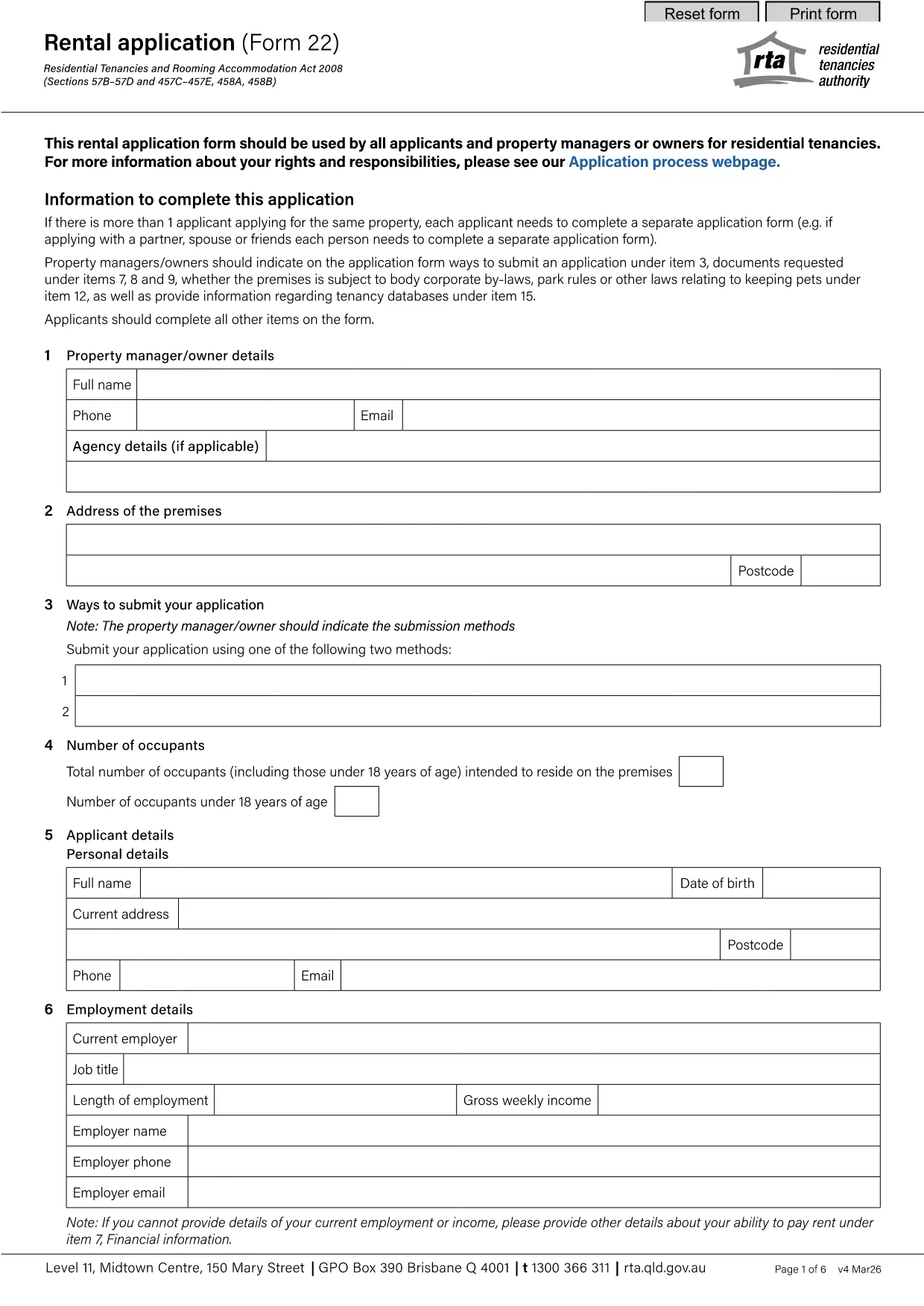

Տանտերերի և/կամ վարձակալների համար վարձակալության պայմանագրերի հետ կապված գործողություններ առաջարկելու ձևեր:
rental application pdf-ը Վարձակալության ձևերից մեկն է, որը վերաբերում է վարձակալության պայմանագրի կնքման և կառավարման գործընթացում օգտագործվող փաստաթղթերին: Այս ձևաթղթերը սովորաբար օգտագործվում են տանտերերի, գույքի կառավարիչների կամ վարձակալների կողմից՝ ուրվագծելու վարձակալության պայմաններն ու պայմանները: Ահա մի քանի ընդհանուր վարձակալության ձևեր.
Վարձակալության պայմանագիր. Վարձակալության պայմանագիրը, որը նաև հայտնի է որպես վարձակալության պայմանագիր կամ վարձակալության պայմանագիր, օրինականորեն պարտադիր պայմանագիր է տանտիրոջ և վարձակալի միջև: Այն սահմանում է երկու կողմերի իրավունքներն ու պարտականությունները, ներառյալ վարձակալության տևողությունը, վարձավճարի չափը, վճարման պայմանները, երաշխիքային ավանդը, պահպանման պարտականությունները և վարձակալությանը հատուկ ցանկացած այլ պայմաններ:
Վարձակալության հայտ. ապագա վարձակալները սովորաբար լրացնում են վարձակալության դիմումի ձևը, երբ դիմում են վարձակալության համար: Այս ձևաթուղթը հավաքում է դիմողի մասին անձնական տեղեկություններ, ինչպիսիք են նրա անունը, կոնտակտային տվյալները, աշխատանքի պատմությունը, վարձակալության պատմությունը և հղումները: Վարձակալության դիմումն օգնում է տանտերերին գնահատել վարձակալների համապատասխանությունը և տեղեկացված որոշումներ կայացնել:
Ազատման ծանուցում. այս ձևն օգտագործվում է կամ տանտիրոջ կամ վարձակալի կողմից՝ վարձակալությունը դադարեցնելու մտադրության մասին ծանուցում տրամադրելու համար: Պահանջվող ծանուցման ժամկետը կարող է տարբեր լինել՝ կախված տեղական օրենքներից և վարձակալության պայմանագրի պայմաններից:
Վարձակալության բարձրացման ծանուցում. Եթե տանտերը մտադիր է վարձակալության ընթացքում բարձրացնել վարձավճարը, սովորաբար վարձավճարի բարձրացման մասին ծանուցում է տրամադրում վարձակալին: Այս ծանուցումը վարձակալին տեղեկացնում է վարձավճարի գալիք ճշգրտման մասին և համապատասխանում է վարձավճարների բարձրացման վերաբերյալ օրենսդրական պահանջներին:
Սպասարկման և վերանորոգման հայտի ձևեր. այս ձևաթղթերը վարձակալներին թույլ են տալիս տեղեկացնել տանտիրոջը կամ գույքի կառավարչին պահպանման կամ վերանորոգման խնդիրների մասին: Ձևաթղթում նշվում են խնդրի մանրամասները, պահանջվող վերանորոգումները և ցանկացած այլ համապատասխան տեղեկատվություն:
Համաձայնություն նախնական ստուգման կամ վարկի ստուգման համար. տանտերերը կարող են պահանջել վարձակալներից լրացնել նախնական ստուգման կամ վարկային ստուգման թույլտվության համաձայնության ձևը: Այս ձևը տանտիրոջը թույլ է տալիս ստուգել վարձակալի պատմությունը, վարկունակությունը և վարձակալության պատմությունը:
Գույքագրման և վիճակի հաշվետվություն. այս ձևն օգտագործվում է վարձակալության սկզբում և վերջում վարձակալված գույքի վիճակը փաստաթղթավորելու համար: Այն մանրամասնում է յուրաքանչյուր սենյակի վիճակը և առկա վնասները՝ ապահովելով, որ երկու կողմերն էլ ունեն գույքի վիճակի գրառում՝ երաշխիքային ավանդների կամ վնասի պահանջների հետ կապված վեճերը լուծելու համար:
Սրանք վարձակալության ձևերի մի քանի օրինակներ են, որոնք սովորաբար օգտագործվում են վարձակալության գործընթացում: Հատուկ ձևերն ու պահանջները կարող են տարբեր լինել՝ կախված տեղական օրենքներից և վարձակալության հատուկ հանգամանքներից: Կարևոր է խորհրդակցել տեղական կանոնակարգերի հետ և փնտրել մասնագիտական խորհրդատվություն՝ համապատասխանությունն ապահովելու և ձեր հատուկ վարձակալության պայմանագրի համար համապատասխան ձևաթղթեր օգտագործելու համար: