
Ընտրել լեզուն

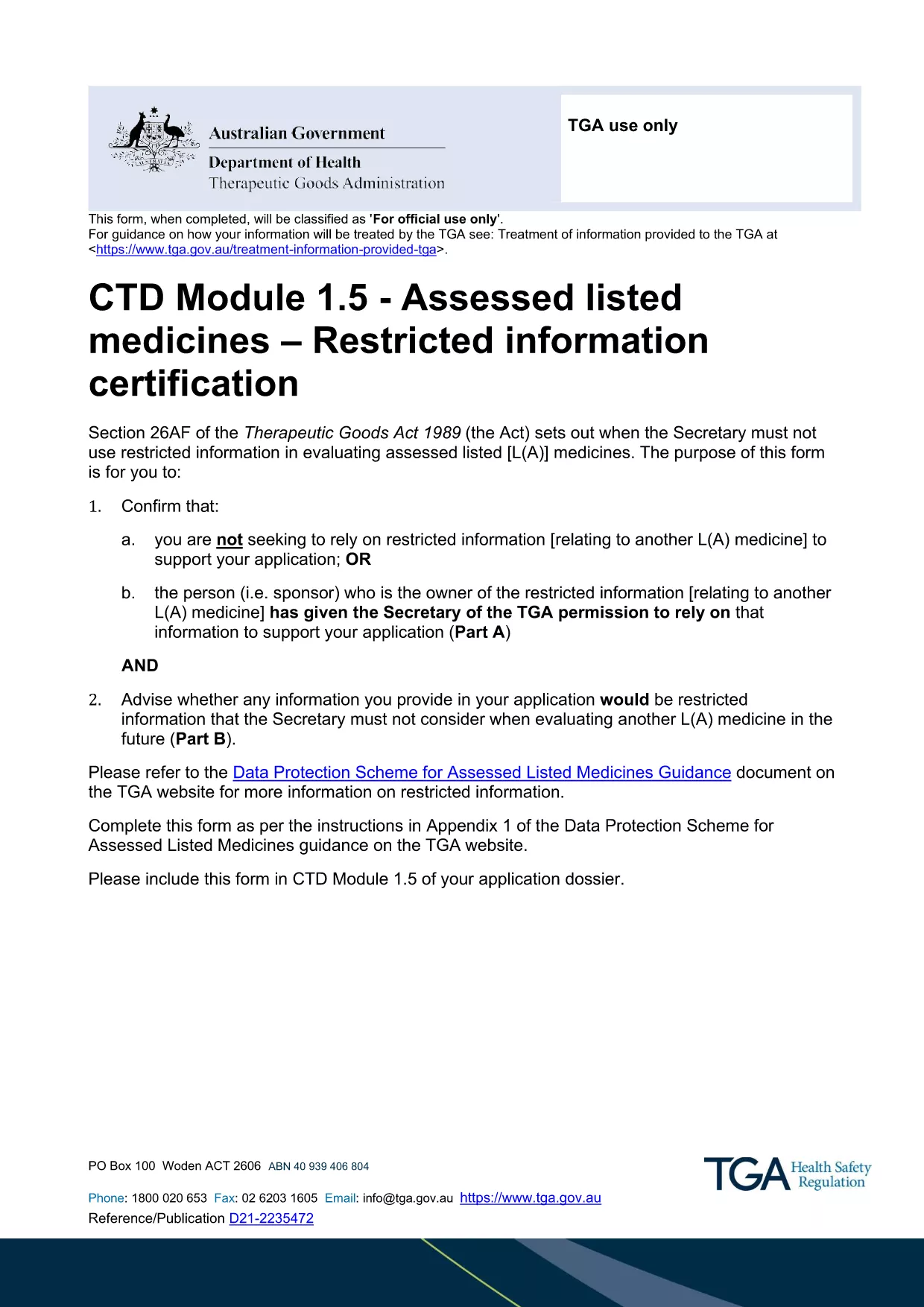
Restricted Medicine Application Form & Checklist (Fillable PDF)

  1. Երկիր Ավստրալիա
  2. Լեզու Անգլերեն
  3. Գործունեություն Medicines
  4. բաժին Therapeutic Goods Administration
Restricted Medicine Application Form & Checklist (Fillable PDF)

Regulatory approval for restricted medicines in Australia requires both a detailed application form and a supporting checklist. Our fillable PDF combines the official CTD Module 1.5 – Restricted Information Certification Form with a practical checklist so you can gather all required data in one place.

By using the Formize PDF Filler, you avoid printing, scanning, and re‑typing. All fields are interactive, autosave, and compatible with Adobe Reader or any modern browser.

Why a Fillable PDF Matters for Restricted Medicines

The Therapeutic Goods Administration (TGA) mandates precise documentation for any medicine that contains restricted information. A fillable PDF ensures:

  • Accurate data entry with built‑in validation.
  • Instant access to the latest checklist items.
  • Secure saving of your work before submission.

Key Sections of the Application Form

The form is divided into two main parts:

  1. Part A – Reliance Declaration: Confirm whether you are relying on restricted information or have permission from the sponsor.
  2. Part B – Eligibility Assessment: Identify which parts of your dossier qualify as restricted information.

Each part includes tables for listing documents, dates, and contact details.

How to Complete the Form Using Formize

Follow the simple steps below to fill out the PDF directly in your browser. No additional software is required.

Common Mistakes to Avoid

  • Leaving optional fields blank when they are required for your specific product type.
  • Submitting outdated supporting documents.
  • Failing to sign the declaration section electronically.

Where to Submit Your Completed Application

After saving the completed PDF, upload it to the TGA’s eSubmission portal under the "Restricted Representation" category. Keep a copy for your records.

ՀՏՀ
  • Is the PDF truly fillable online?

    Yes. The Formize PDF Filler makes every field interactive in your browser without needing Adobe Acrobat Pro.

  • Do I need a TGA account to download the form?

    No. The PDF is publicly available. You only need a TGA account when you submit the completed application.

  • Can I save the form and finish it later?

    Absolutely. Use the "Save" button in Formize; the file is stored locally and can be reopened at any time.

  • What if I make a mistake after saving?

    You can edit any field before the final download. The Formize app tracks changes and lets you overwrite previous entries.

  • Is an electronic signature accepted?

    Yes. TGA accepts digital signatures placed within the PDF as long as they are clearly legible.

  • What supporting documents are required?

    Refer to the checklist section of the form. Typical items include product dossiers, sponsor letters, and data protection approvals.

  • How do I know if my information qualifies as "restricted"?

    Complete Part B of the form. It asks specific questions that determine eligibility based on the TGA’s Data Protection Scheme.

  • Can I submit the form via email?

    The TGA prefers electronic submission through their secure portal. Email submissions are not recommended for restricted medicine applications.

ԻՆՉՊԵՍ

Ինչպես լրացնել restricted medicine application form-ն անվճար, առցանց՝ 5 հեշտ քայլերով.

  1. 1
    Open the Fillable PDF
    Click the "Fill out this form" button on the page. The Formize PDF Filler app will load the document directly in your browser.
  2. 2
    Wait for the Formize Loader
    Allow a few seconds for the PDF to initialize. All interactive fields will become editable.
  3. 3
    Complete Each Section
    Enter the required information for Part A and Part B, follow the on‑screen prompts, and use the checklist items to verify you have all supporting documents.
  4. 4
    Save Your Progress
    Click the "Save" icon at any time. Formize automatically stores a local copy so you won’t lose data.
  5. 5
    Download and Submit
    When finished, click "Download PDF" to save the completed form. Upload the file to the TGA eSubmission portal as instructed in the checklist.
Ձևավորել PDF Filler հավելվածը
ՄԱՍԻՆ

restricted medicine application form ձևանմուշ

PDF փաստաթուղթը դիտելու և լրացնելու գործառույթների ավանդական փաթեթով, որը զուգորդվում է վեբ հավելվածի առավելությունների և արձագանքող դասավորության հետ, դուք կարող եք լրացնել restricted medicine application form-ը րոպեների ընթացքում:

ՀԱՏԿՈՒԹՅՈՒՆՆԵՐ

PDF լցոնիչ

Առցանց restricted medicine application form-ը լրացնելու ամենահեշտ ձևը

  • Արագ լրացրեք restricted medicine application form
    Փնտրու՞մ եք միջոց՝ արագորեն լրացնելու restricted medicine application form առցանց: Մեր առցանց անվճար PDF ձևաթուղթ լրացնողի միջոցով դուք կիմանաք, թե ինչպես խմբագրել և լրացնել այս pdf փաստաթուղթը մեկ րոպեից պակաս ժամանակում:
  • Հեշտ օգտագործման առցանց PDF խմբագիր
    Հոգնե՞լ եք PDF ֆայլեր տպելուց, որպեսզի կարողանաք դրանք խմբագրել, նախքան նորից սկանավորելը և հետ ուղարկելը: Խմբագրել PDF փաստաթղթերը անվճար առցանց: Օգտագործեք մեր առցանց pdf խմբագրիչը ժամանակ և թուղթ խնայելու համար:
  • Հիանալի գործիքներ, բոլոր հարթակներ
    Զարմանում եք, թե ինչպես լրացնել restricted medicine application form-ը Mac-ում, կամ գուցե ինչպես անվճար օգտագործել PDF լցոնիչը: Մեր առցանց PDF գործիքներն աշխատում են բոլոր հարթակներում:
  • Անվտանգ ֆայլերի պահպանում
    Ավարտված «restricted medicine application form» ֆայլերը պահվում են պաշտպանված տվյալների բազայում, որը կառավարվում է Amazon Cloud հոսթինգի կողմից: Ցանկացած ժամանակ կարող եք ջնջել ձեր ֆայլերը մեր համակարգից: Ամեն դեպքում, այս ֆայլերը ավտոմատ կերպով ջնջվում են 24 ժամ հետո:
  • Զրուցեք restricted medicine application form-ի հետ
    Զրուցեք «restricted medicine application form»-ի հետ Chatize-ում, որը PDF ընթերցողի անվճար օգնական է: Հարցեր տվեք և ստացեք պատասխաններ «restricted medicine application form»-ից։ Պարզապես սեղմեք վերևում գտնվող Զրույց փաստաթղթի հետ կոճակը:

Ջնջել լրացման նիստը

Ջնջե՞լ ընտրված լրացման աշխատաշրջանը: Այս դեպքում ձևը լրացնելու ձեր առաջընթացը կկորչի:

Ջնջել խմբագրման նիստը

Ջնջե՞լ ընտրված խմբագրման աշխատաշրջանը: Այս դեպքում ձևը ստեղծելու և խմբագրելու ձեր առաջընթացը կկորչի: