
Ընտրել լեզուն

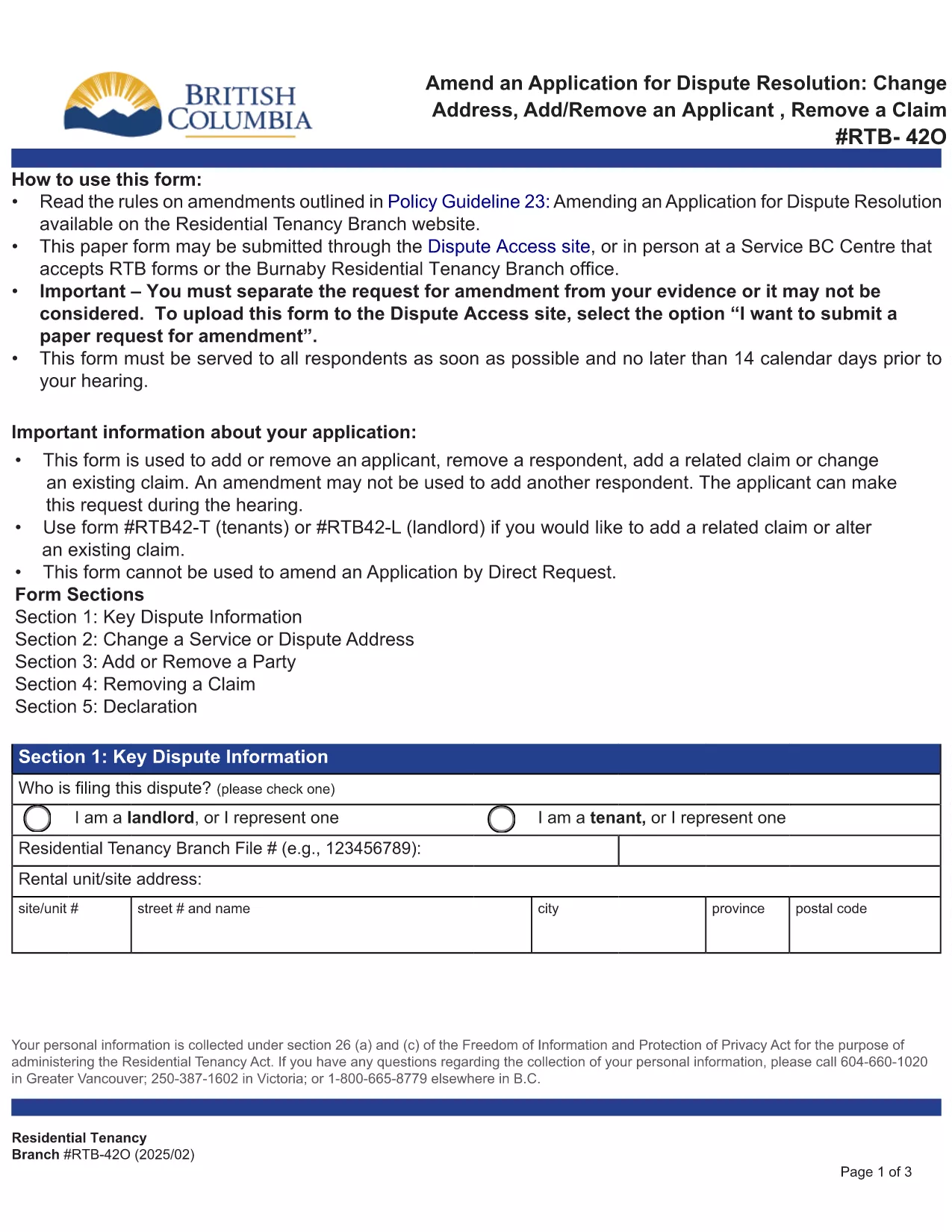
RTB‑42O – Amend an Application for Dispute Resolution (Fillable PDF)

  1. Լեզու Անգլերեն
  2. Երկիր Կանադա
  3. Գործունեություն Վարձակալություն
  4. Պետություն Բրիտանական Կոլումբիա
RTB‑42O – Amend an Application for Dispute Resolution (Fillable PDF)

What is the RTB‑42O Form?

The RTB‑42O is the official Residential Tenancy Branch (RTB) form used in British Columbia to request an amendment to an existing dispute‑resolution application. It allows tenants or landlords to change claims, add parties, or correct information after the original filing.

When and Who Should Use RTB‑42O?

  • Tenants or landlords who need to add, delete, or modify a claim.
  • Parties who must change an address, add a co‑tenant, or correct a mistake.
  • Anyone who has already submitted an RTB‑59 or RTB‑42T application and needs to update it before the hearing.

How to Complete the RTB‑42O Online

Instead of downloading and editing the PDF manually, simply click the "Fill out this form" button below. The Formize PDF Filler app will load the fillable version instantly.

  1. Click Fill out this form on the page.
  2. Wait a few seconds while the Formize PDF Filler loads.
  3. Enter your information in each highlighted field. Required fields are marked with an asterisk (*).
  4. Review the entered data for accuracy.
  5. Click Save & Download to get a completed PDF you can email to the RTB.

Common Mistakes to Avoid

  • Leaving required fields blank – the form will not submit.
  • Using an old case number; always copy the number from your original application.
  • Submitting the form after the RTB deadline – check the Rules of Procedure for timing.

Submit and Save Your Completed Form

After you have filled the form, download the PDF, attach it to an email addressed to rtb@gov.bc.ca, and include your original application reference number. Keep a copy for your records.

ՀՏՀ
  • What is the purpose of the RTB‑42O form?

    The RTB‑42O allows tenants or landlords to amend an existing dispute‑resolution application – adding or removing claims, parties, or correcting details.

  • Can I fill out RTB‑42O on a mobile device?

    Yes. The Formize PDF Filler works on smartphones, tablets and desktop browsers, providing a responsive fillable experience.

  • Do I need to pay a fee to submit an amendment?

    No additional fee is required to submit an RTB‑42O amendment, but the original application fee (usually $100) still applies.

  • How long do I have to submit an amendment after filing the original application?

    Amendments must be filed before the hearing date or within the time limits set out in RTB Rule 4.0.1. Check the latest Rules of Procedure for exact deadlines.

  • What happens if I make a mistake on the RTB‑42O?

    If required fields are left blank or information is incorrect, the RTB will return the form for correction. Use the fillable version to avoid common errors.

  • Do I need a lawyer to complete the RTB‑42O?

    No. The form is designed for self‑representation. However, you may seek legal advice if the amendment is complex.

ԻՆՉՊԵՍ

Ինչպես լրացնել RTB-42O-ն անվճար, առցանց՝ 5 հեշտ քայլերով.

  1. 1
    Open the Fillable Form
    Click the “Fill out this form” button on the page. The Formize PDF Filler loads the RTB‑42O automatically.
  2. 2
    Enter Your Details
    Fill every highlighted field, especially those marked with *. Use the original application number for reference.
  3. 3
    Review & Validate
    Check all entries for accuracy. The filler will highlight any missing required information.
  4. 4
    Download the Completed PDF
    When you’re satisfied, click “Save & Download”. The PDF is ready to email to the Residential Tenancy Branch.
  5. 5
    Submit to the RTB
    Attach the completed PDF to an email addressed to rt​b@gov.bc.ca, include your original case number, and keep a copy for your records.
Ձևավորել PDF Filler հավելվածը
ՄԱՍԻՆ

Տանտերերի և/կամ վարձակալների համար վարձակալության պայմանագրերի հետ կապված գործողություններ առաջարկելու ձևեր:

RTB-42O-ը բնակարանների վարձակալության պայմանագրերի տեսակն է, որն օգտագործվում է մասնավոր տանտերերի և բնակարանային ասոցիացիաների մեծ մասի կողմից:

Կան մի շարք հարցեր, որոնց վերաբերյալ տանտերերը կամ վարձակալները պետք է հետևեն կանոնակարգով սահմանված որոշակի կանոններին: Որոշ դեպքերում նրանց համար կարող է անհրաժեշտ լինել լրացնել մի ձև, որը կոչվում է «սահմանված ձև», որն առաջարկում է գործողություն, որը կարող է ազդել վարձակալության պայմանագրի մյուս կողմի վրա:

Ձևաթղթերը կոչվում են սահմանված ձևեր, քանի որ դրանցում առկա ձևակերպումները մանրակրկիտ մշակվել են՝ ապահովելու համար, որ ձևը լրացնողը և այն անձը, ում այն ​​մատուցվում է, կարող են հասկանալ, թե ինչ է առաջարկվում և ինչ կարող են անել ի պատասխան: Ճիշտ ձևը չմատակարարելը կարող է անվավեր ճանաչել առաջարկվող գործողությունը:

Դուք չեք կարող փոխել ձևակերպումը այս ձևերում, եթե ձևը չի ասում, որ կարող եք դա անել: Եթե ​​փոխեք ձևակերպումը, ձևը կարող է անվավեր ճանաչվել: Դուք նաև պետք է հետևեք ձևաթղթում նշված ծանուցման ժամկետներին:

ՀԱՏԿՈՒԹՅՈՒՆՆԵՐ

PDF լցոնիչ

Առցանց RTB-42O-ը լրացնելու ամենահեշտ ձևը

  • Արագ լրացրեք RTB-42O
    Փնտրու՞մ եք միջոց՝ արագորեն լրացնելու RTB-42O առցանց: Մեր առցանց անվճար PDF ձևաթուղթ լրացնողի միջոցով դուք կիմանաք, թե ինչպես խմբագրել և լրացնել այս pdf փաստաթուղթը մեկ րոպեից պակաս ժամանակում:
  • Հեշտ օգտագործման առցանց PDF խմբագիր
    Հոգնե՞լ եք PDF ֆայլեր տպելուց, որպեսզի կարողանաք դրանք խմբագրել, նախքան նորից սկանավորելը և հետ ուղարկելը: Խմբագրել PDF փաստաթղթերը անվճար առցանց: Օգտագործեք մեր առցանց pdf խմբագրիչը ժամանակ և թուղթ խնայելու համար:
  • Հիանալի գործիքներ, բոլոր հարթակներ
    Զարմանում եք, թե ինչպես լրացնել RTB-42O-ը Mac-ում, կամ գուցե ինչպես անվճար օգտագործել PDF լցոնիչը: Մեր առցանց PDF գործիքներն աշխատում են բոլոր հարթակներում:
  • Անվտանգ ֆայլերի պահպանում
    Ավարտված «RTB-42O» ֆայլերը պահվում են պաշտպանված տվյալների բազայում, որը կառավարվում է Amazon Cloud հոսթինգի կողմից: Ցանկացած ժամանակ կարող եք ջնջել ձեր ֆայլերը մեր համակարգից: Ամեն դեպքում, այս ֆայլերը ավտոմատ կերպով ջնջվում են 24 ժամ հետո:
  • Զրուցեք RTB-42O-ի հետ
    Զրուցեք «RTB-42O»-ի հետ Chatize-ում, որը PDF ընթերցողի անվճար օգնական է: Հարցեր տվեք և ստացեք պատասխաններ «RTB-42O»-ից։ Պարզապես սեղմեք վերևում գտնվող Զրույց փաստաթղթի հետ կոճակը:

Ջնջել լրացման նիստը

Ջնջե՞լ ընտրված լրացման աշխատաշրջանը: Այս դեպքում ձևը լրացնելու ձեր առաջընթացը կկորչի:

Ջնջել խմբագրման նիստը

Ջնջե՞լ ընտրված խմբագրման աշխատաշրջանը: Այս դեպքում ձևը ստեղծելու և խմբագրելու ձեր առաջընթացը կկորչի: