
Ընտրել լեզուն

Guyana Customer Complaint Form – Fillable PDF

  1. Լեզու Անգլերեն
  2. Երկիր Գայանա
  3. Գործունեություն Առողջություն
Guyana Customer Complaint Form – Fillable PDF

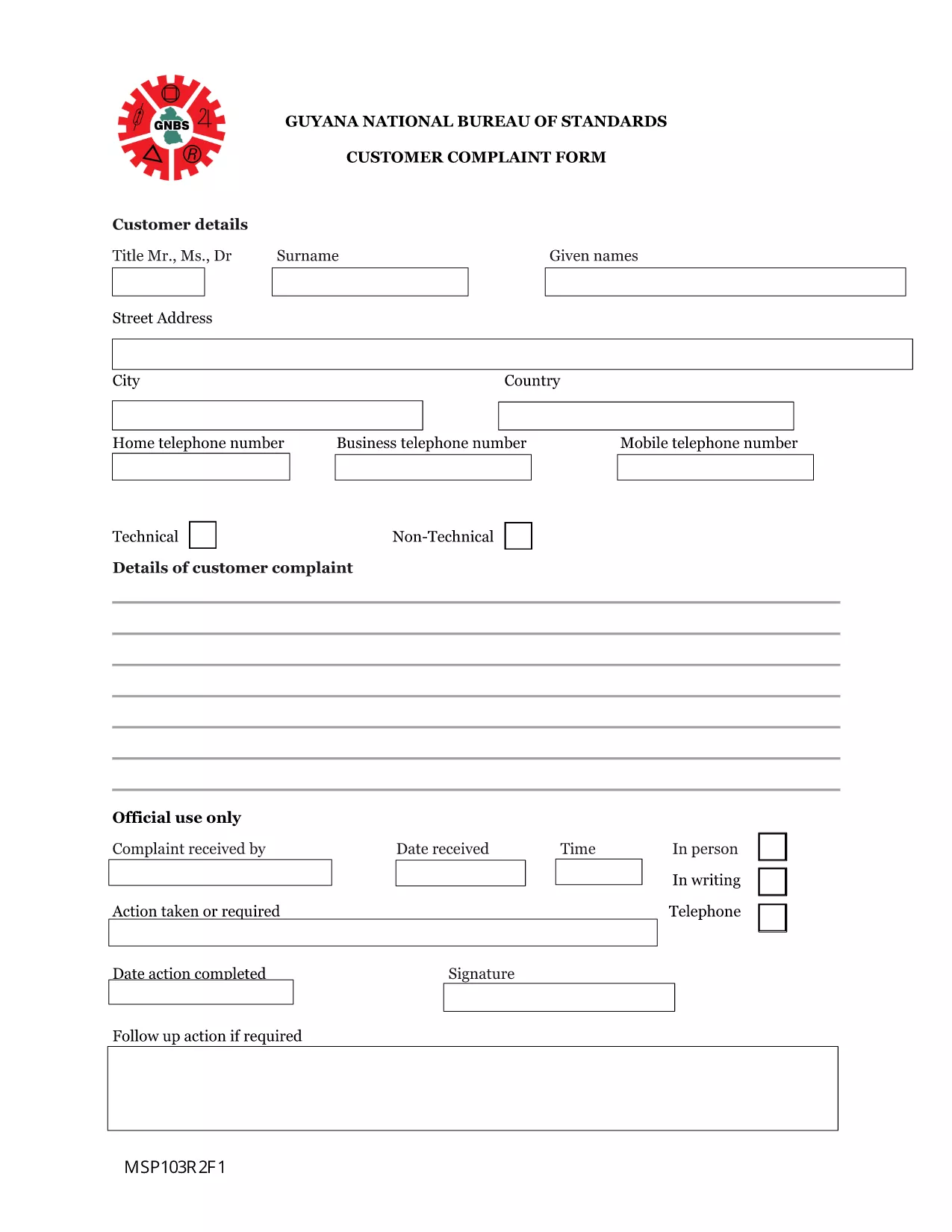
Need to lodge a complaint with the Guyana National Bureau of Standards or another regulatory body? Our Guyana Customer Complaint Form is available as a fully fillable PDF so you can complete it online in minutes. No extra software, no printing – simply click the button, fill out the fields, and submit.

What Is the Guyana Customer Complaint Form?

This form is the official document used by the National Bureau of Standards (and related agencies) to record consumer complaints about products, services, or business practices. It captures essential details such as:

  • Complainant’s contact information
  • Details of the product or service
  • Nature of the complaint and supporting evidence
  • Desired resolution

How to Fill the Form Using Formize PDF Filler

Follow these quick steps to complete the form without downloading any software:

  1. Click the “Fill out this form” button below.
  2. Wait a few seconds while the Formize PDF Filler app loads in your browser.
  3. Enter your information directly into the highlighted fields.
  4. Use the Upload button to attach any supporting documents (photos, receipts, etc.).
  5. Review the completed form, then click Submit to send it to the appropriate agency.

Common Mistakes to Avoid

  • Leaving required fields blank: The form will not submit if mandatory sections are empty.
  • Providing incomplete contact details: Double‑check phone numbers and email addresses.
  • Uploading unsupported file types: Use PDF, JPG, or PNG for attachments.
  • Submitting after the statutory deadline: Complaints should be filed within 30 days of the incident.

Where to Submit Your Completed Complaint

Once you click Submit, the Formize system securely routes your complaint to the National Bureau of Standards’ intake desk. You will receive an automated confirmation email with a reference number for tracking.

Frequently Asked Questions

Below are answers to the most common queries about this form.

ՀՏՀ
  • Do I need Adobe Acrobat to fill this form?

    No. The Formize PDF Filler works in any modern browser, so you can complete the form without Adobe Acrobat.

  • Can I save a draft and finish later?

    Yes. Use the “Save as Draft” button in the Formize interface, then return to the saved link to continue.

  • What types of attachments are allowed?

    You can attach PDF, JPG, or PNG files up to 5 MB each.

  • Is my personal information secure?

    All data is encrypted during transmission and stored on secure Formize servers until it is delivered to the agency.

  • How long does it take for the agency to respond?

    The National Bureau of Standards typically acknowledges receipt within 2 business days and may request additional information within 10 days.

  • Can I submit the form on a mobile device?

    Absolutely. The Formize PDF Filler is fully responsive and works on smartphones and tablets.

ԻՆՉՊԵՍ

Ինչպես լրացնել Guyana complaint form-ն անվճար, առցանց՝ 4 հեշտ քայլերով.

  1. 1
    Open the Fillable Form
    Click the “Fill out this form” button on this page. The Formize PDF Filler will open directly in your browser.
  2. 2
    Load the Formize PDF Filler
    Wait a few seconds while the app loads. No download or installation is required.
  3. 3
    Enter Your Information
    Type your answers into each highlighted field. Use the “Upload” button for any supporting documents.
  4. 4
    Review and Submit
    Double‑check all entries, then click the “Submit” button. You’ll receive a confirmation email with a reference number.
Ձևավորել PDF Filler հավելվածը
ՄԱՍԻՆ

Medicare-ի դիմումի ձևեր

Տվեք մարդկանց Medicare-ի նպաստների համար դիմելու արագ և պարզ միջոց: Առցանց Medicare ձևաթղթերի օգնությամբ ընթացակարգերը, ինչպիսիք են հիվանդի նոր գրառում ստեղծելը կամ ձեր հիվանդի բժշկական պատմության մասին ավելին իմանալը, այժմ շատ ավելի պարզ են:

ՀԱՏԿՈՒԹՅՈՒՆՆԵՐ

PDF լցոնիչ

Առցանց Guyana complaint form-ը լրացնելու ամենահեշտ ձևը

  • Արագ լրացրեք Guyana complaint form
    Փնտրու՞մ եք միջոց՝ արագորեն լրացնելու Guyana complaint form առցանց: Մեր առցանց անվճար PDF ձևաթուղթ լրացնողի միջոցով դուք կիմանաք, թե ինչպես խմբագրել և լրացնել այս pdf փաստաթուղթը մեկ րոպեից պակաս ժամանակում:
  • Հեշտ օգտագործման առցանց PDF խմբագիր
    Հոգնե՞լ եք PDF ֆայլեր տպելուց, որպեսզի կարողանաք դրանք խմբագրել, նախքան նորից սկանավորելը և հետ ուղարկելը: Խմբագրել PDF փաստաթղթերը անվճար առցանց: Օգտագործեք մեր առցանց pdf խմբագրիչը ժամանակ և թուղթ խնայելու համար:
  • Հիանալի գործիքներ, բոլոր հարթակներ
    Զարմանում եք, թե ինչպես լրացնել Guyana complaint form-ը Mac-ում, կամ գուցե ինչպես անվճար օգտագործել PDF լցոնիչը: Մեր առցանց PDF գործիքներն աշխատում են բոլոր հարթակներում:
  • Անվտանգ ֆայլերի պահպանում
    Ավարտված «Guyana complaint form» ֆայլերը պահվում են պաշտպանված տվյալների բազայում, որը կառավարվում է Amazon Cloud հոսթինգի կողմից: Ցանկացած ժամանակ կարող եք ջնջել ձեր ֆայլերը մեր համակարգից: Ամեն դեպքում, այս ֆայլերը ավտոմատ կերպով ջնջվում են 24 ժամ հետո:
  • Զրուցեք Guyana complaint form-ի հետ
    Զրուցեք «Guyana complaint form»-ի հետ Chatize-ում, որը PDF ընթերցողի անվճար օգնական է: Հարցեր տվեք և ստացեք պատասխաններ «Guyana complaint form»-ից։ Պարզապես սեղմեք վերևում գտնվող Զրույց փաստաթղթի հետ կոճակը:

Ջնջել լրացման նիստը

Ջնջե՞լ ընտրված լրացման աշխատաշրջանը: Այս դեպքում ձևը լրացնելու ձեր առաջընթացը կկորչի:

Ջնջել խմբագրման նիստը

Ջնջե՞լ ընտրված խմբագրման աշխատաշրջանը: Այս դեպքում ձևը ստեղծելու և խմբագրելու ձեր առաջընթացը կկորչի: