
Ընտրել լեզուն

Punjab Solemnization of Marriage Form (Fillable PDF)

  1. Լեզու Անգլերեն հինդի
  2. Երկիր Հնդկաստան
  3. Պետություն Փենջաբ
  4. բաժին Ներքին գործերի և արդարադատության վարչություն
Լրացրեք այս ձևը
Punjab Solemnization of Marriage Form (Fillable PDF)

Punjab Solemnization of Marriage Form (Fillable PDF)

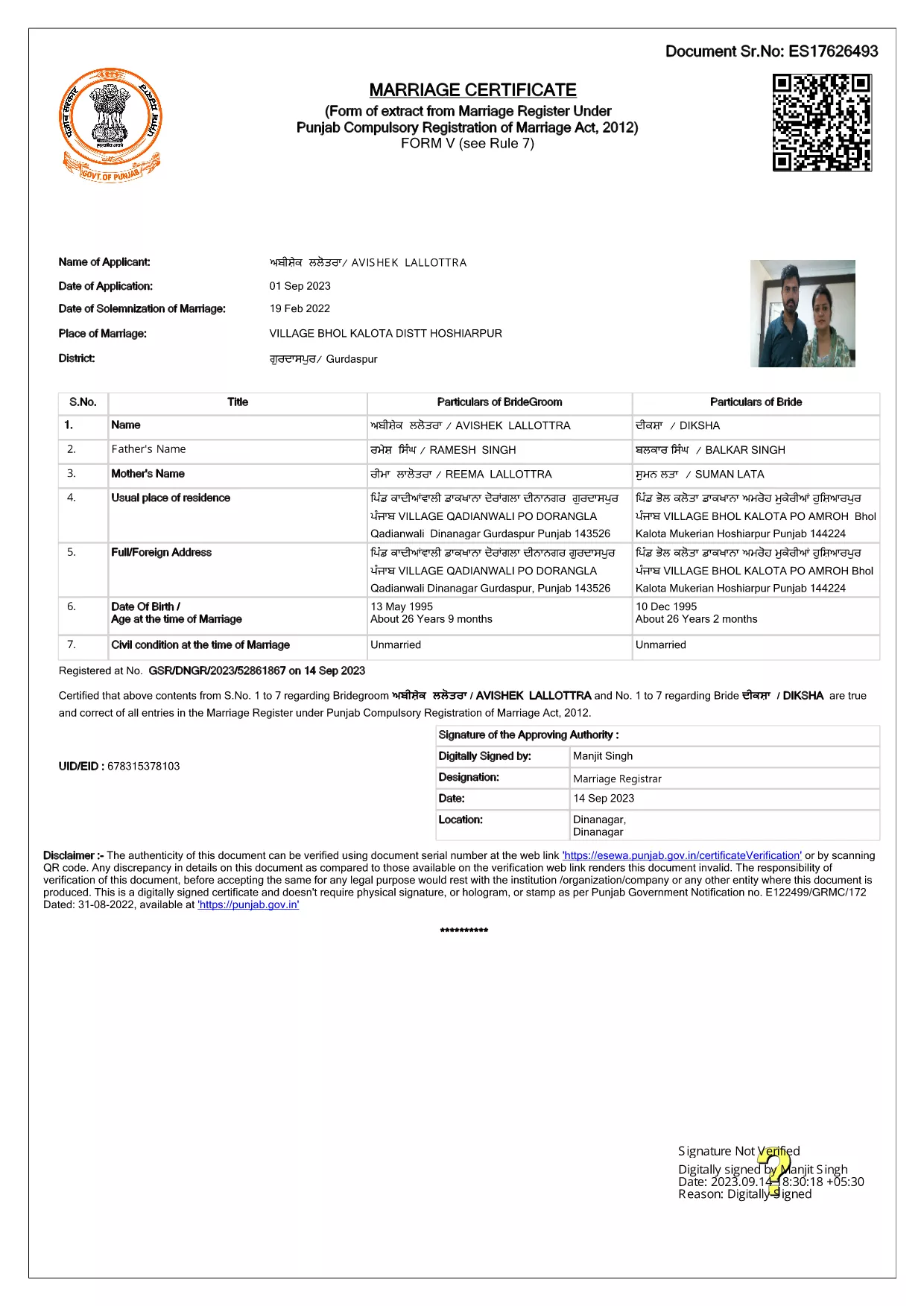
Getting married in Punjab requires you to submit the official Punjab Solemnization of Marriage form. This form records essential details of the bride, groom, and witnesses, and it is mandatory under the Punjab Compulsory Registration of Marriage Act, 2012.

What Is the Punjab Solemnization of Marriage Form?

The form is a government‑issued marriage certificate that captures personal information, parental details, and the date and place of the marriage ceremony. It is the legal proof needed for future documentation such as passport applications, property registration, and visa requests.

How to Fill Out the Form Online with Formize

Instead of printing, printing‑and‑scanning, or using a third‑party PDF editor, you can complete the form directly in your browser:

  1. Click the **"Fill out this form"** button on this page.
  2. Wait a few seconds while the Formize PDF Filler app loads.
  3. Enter the required information in each fillable field. The interface guides you through mandatory sections.
  4. Review your entries, then click **"Save & Download"** to get a completed PDF copy.

Common Mistakes to Avoid When Completing the Form

  • Incorrect spelling of names: Verify the spelling exactly as it appears on official ID documents.
  • Missing witness details: All three witnesses must be fully listed; incomplete entries will cause rejection.
  • Wrong date format: Use DD‑MM‑YYYY as required by the Punjab Registration Department.
  • Leaving optional fields blank: Even optional fields should be filled with "N/A" if not applicable.

Where to Submit the Completed Form

After you have saved the filled PDF, submit it to the nearest Punjab Registration Office or the designated online portal of the Punjab Registration Department. Bring original identity proofs for both parties and witnesses.

Download the Official PDF

Click the button below to download the original, government‑approved PDF. The file is hosted securely and matches the exact layout required by the registration authority.

ՀՏՀ
  • Is the Punjab marriage form available in Punjabi?

    The official PDF is printed in English, but you may fill it out in any language. For official submissions, the English version is accepted.

  • Do I need a digital signature?

    A digital signature is not required for the fillable PDF. You must sign the printed copy in the presence of a registrar.

  • Can I edit the form after I download it?

    Yes. The saved PDF remains fully editable with any standard PDF editor, but the Formize filler already lets you complete the form without extra software.

  • How many witnesses are required?

    Three adult witnesses are mandatory. Their full names, addresses, and signatures must be entered in the designated sections.

  • What documents do I need to submit with the form?

    Both parties must provide a valid ID (Aadhar, PAN, or passport), proof of residence, and the original signed marriage certificate.

  • Is there a fee for downloading the PDF?

    No. The PDF is provided free of charge. Any registration fees are paid directly to the Punjab Registration Office.

ԻՆՉՊԵՍ

Ինչպես լրացնել Punjab marriage form-ն անվճար, առցանց՝ 4 հեշտ քայլերով.

  1. 1
    Click the Fill‑Out Button
    Press the **"Fill out this form"** button on the page to launch the Formize PDF Filler.
  2. 2
    Wait for the Filler to Load
    The app loads in a few seconds; you’ll see a clean, searchable interface with all form fields highlighted.
  3. 3
    Enter Your Information
    Type the required details for the bride, groom, and witnesses. The filler validates dates and mandatory fields automatically.
  4. 4
    Save and Download
    After reviewing, click **"Save & Download"** to get a completed PDF you can print or submit electronically.
Ձևավորել PDF Filler հավելվածը
ՄԱՍԻՆ

Արտաքին գործերի նախարարության դիմումի ձևերը

Punjab marriage form-ը Արտաքին գործերի նախարարության դիմումի ձևերից մեկն է: Հնդկաստանի արտաքին գործերի նախարարությունն առաջարկում է տարբեր հայտերի ձևեր՝ արտաքին գործերի և միջազգային հարաբերությունների հետ կապված տարբեր ծառայությունների համար: Որոշ ընդհանուր դիմումի ձևեր ներառում են.

Անձնագրի դիմում. այս ձևը օգտագործվում է հնդկական անձնագրի համար դիմելու համար: Այն հավաքում է անձնական տվյալներ, ինչպիսիք են անունը, հասցեն, ծննդյան ամսաթիվը և ազգությունը:

Հնդկաստանի արտասահմանյան քաղաքացիության (OCI) դիմում. այս ձևն օգտագործվում է OCI կարգավիճակ ստանալու համար, որը հնդկական ծագումով անհատներին թույլ է տալիս անժամկետ ապրել և աշխատել Հնդկաստանում: Այն հավաքում է անձնական տվյալներ, ներառյալ հնդկական ծագման ապացույցները:

Վիզայի դիմում. այս ձևն օգտագործվում է օտար երկիր մեկնելու վիզայի համար դիմելու համար: Այն հավաքում է անձնական տվյալներ, ճանապարհորդական տեղեկատվություն և ճանապարհորդության նպատակը:

Արտագաղթի թույլտվության դիմում. այս ձևն օգտագործվում է այն անձանց կողմից, ովքեր փնտրում են արտագաղթի թույլտվություն որոշակի երկրներում աշխատանքի տեղավորման համար: Այն հավաքում է անձնական տեղեկություններ և աշխատանքի մանրամասներ:

Ատեստավորման դիմում. այս ձևը օգտագործվում է տարբեր փաստաթղթերի, օրինակ՝ կրթական վկայականների, ամուսնության վկայականների և առևտրային փաստաթղթերի ատեստավորման համար: Այն հավաքում է վավերացման ենթակա փաստաթղթի մանրամասները և ատեստավորման նպատակը:

Հյուպատոսական ծառայությունների դիմում. այս ձևը օգտագործվում է տարբեր հյուպատոսական ծառայությունների համար, ներառյալ արտակարգ իրավիճակների վկայականների տրամադրումը, արտերկրում գտնվող հնդիկ քաղաքացիներին օգնությունը և Հնդկաստանի քաղաքացիների գրանցումը: Պահանջվող կոնկրետ մանրամասները կախված են պահանջվող ծառայության բնույթից:

ՀԱՏԿՈՒԹՅՈՒՆՆԵՐ

PDF լցոնիչ

Առցանց Punjab marriage form-ը լրացնելու ամենահեշտ ձևը

  • Արագ լրացրեք Punjab marriage form
    Փնտրու՞մ եք միջոց՝ արագորեն լրացնելու Punjab marriage form առցանց: Մեր առցանց անվճար PDF ձևաթուղթ լրացնողի միջոցով դուք կիմանաք, թե ինչպես խմբագրել և լրացնել այս pdf փաստաթուղթը մեկ րոպեից պակաս ժամանակում:
  • Հեշտ օգտագործման առցանց PDF խմբագիր
    Հոգնե՞լ եք PDF ֆայլեր տպելուց, որպեսզի կարողանաք դրանք խմբագրել, նախքան նորից սկանավորելը և հետ ուղարկելը: Խմբագրել PDF փաստաթղթերը անվճար առցանց: Օգտագործեք մեր առցանց pdf խմբագրիչը ժամանակ և թուղթ խնայելու համար:
  • Հիանալի գործիքներ, բոլոր հարթակներ
    Զարմանում եք, թե ինչպես լրացնել Punjab marriage form-ը Mac-ում, կամ գուցե ինչպես անվճար օգտագործել PDF լցոնիչը: Մեր առցանց PDF գործիքներն աշխատում են բոլոր հարթակներում:
  • Անվտանգ ֆայլերի պահպանում
    Ավարտված «Punjab marriage form» ֆայլերը պահվում են պաշտպանված տվյալների բազայում, որը կառավարվում է Amazon Cloud հոսթինգի կողմից: Ցանկացած ժամանակ կարող եք ջնջել ձեր ֆայլերը մեր համակարգից: Ամեն դեպքում, այս ֆայլերը ավտոմատ կերպով ջնջվում են 24 ժամ հետո:
  • Զրուցեք Punjab marriage form-ի հետ
    Զրուցեք «Punjab marriage form»-ի հետ Chatize-ում, որը PDF ընթերցողի անվճար օգնական է: Հարցեր տվեք և ստացեք պատասխաններ «Punjab marriage form»-ից։ Պարզապես սեղմեք վերևում գտնվող Զրույց փաստաթղթի հետ կոճակը:

Ջնջել լրացման նիստը

Ջնջե՞լ ընտրված լրացման աշխատաշրջանը: Այս դեպքում ձևը լրացնելու ձեր առաջընթացը կկորչի:

Ջնջել խմբագրման նիստը

Ջնջե՞լ ընտրված խմբագրման աշխատաշրջանը: Այս դեպքում ձևը ստեղծելու և խմբագրելու ձեր առաջընթացը կկորչի: