


Դաշնային հարկային ձևեր
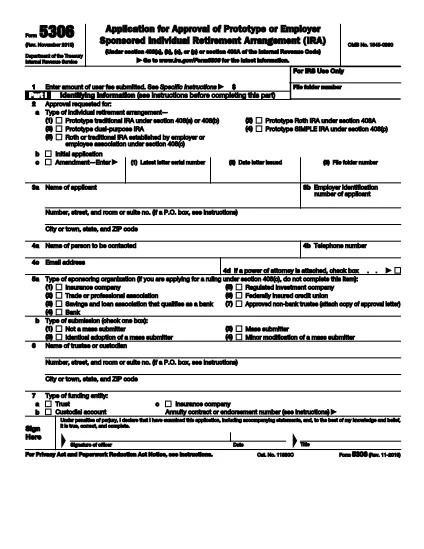
Form 5306-ը դաշնային հարկային ձևերից մեկն է, որն օգտագործվում է Միացյալ Նահանգների Ներքին եկամուտների ծառայությանը (IRS) դաշնային եկամտահարկը զեկուցելու և ներկայացնելու համար: Այս ձևաթղթերն օգտագործվում են անհատների, ձեռնարկությունների և կազմակերպությունների կողմից՝ իրենց եկամուտները, պահումները և այլ համապատասխան տեղեկատվություն, որոնք անհրաժեշտ են իրենց դաշնային հարկային պարտավորությունը հաշվարկելու համար:
Ամենատարածված դաշնային հարկի ձևը Ձև 1040ն է, որն օգտագործվում է անհատ հարկատուների կողմից` իրենց անձնական եկամտահարկը հայտնելու համար: Այլ սովորաբար օգտագործվող ձևերը ներառում են Ձև 1065 գործընկերության համար, Ձև 1120 կորպորացիաների համար, և Ձև 990 հարկերից ազատված կազմակերպությունների համար:
Դաշնային հարկային ձևերը սովորաբար պահանջում են հարկ վճարողներից զեկուցել եկամտի տարբեր աղբյուրների մասին, ինչպիսիք են աշխատավարձերը, աշխատավարձերը և թեյավճարները, ինչպես նաև եկամուտները ներդրումներից, վարձակալած գույքից և այլ աղբյուրներից: Ձևաթղթերը նաև թույլ են տալիս հարկ վճարողներին պահանջել պահումներ և վարկեր տարբեր ծախսերի համար, ինչպիսիք են բարեգործական ներդրումները, հիփոթեքային տոկոսները և առողջապահական ծախսերը:
Կարևոր է ճշգրիտ և ժամանակին ներկայացնել դաշնային հարկային ձևերը, քանի որ դա չկատարելը կարող է հանգեցնել տույժերի և տոկոսների գանձման IRS-ից: